Dreame L40 vs L40s vs X40 – Which Robot Vacuum to Buy?

Dreame L40 vs L40s vs X40 – Which Robot Vacuum to Buy?

Editorial TeamDreame |
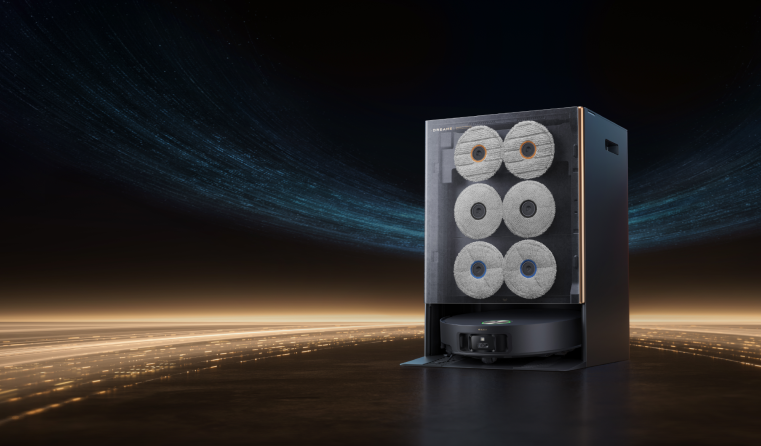
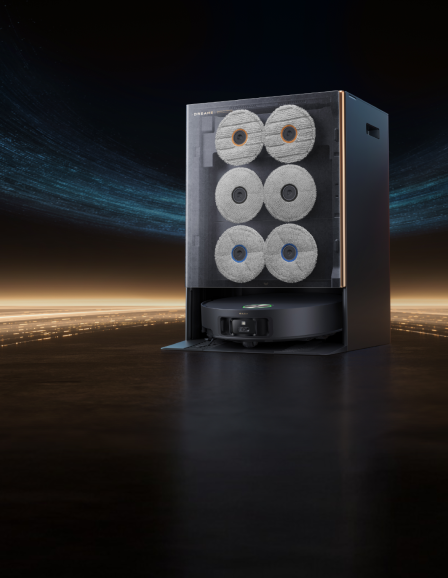
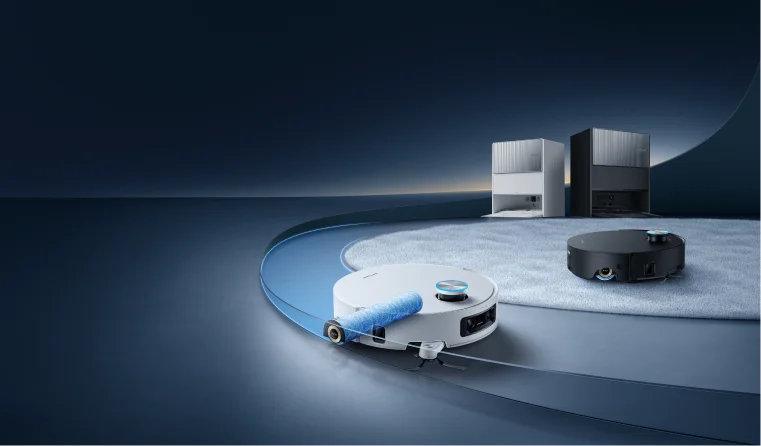
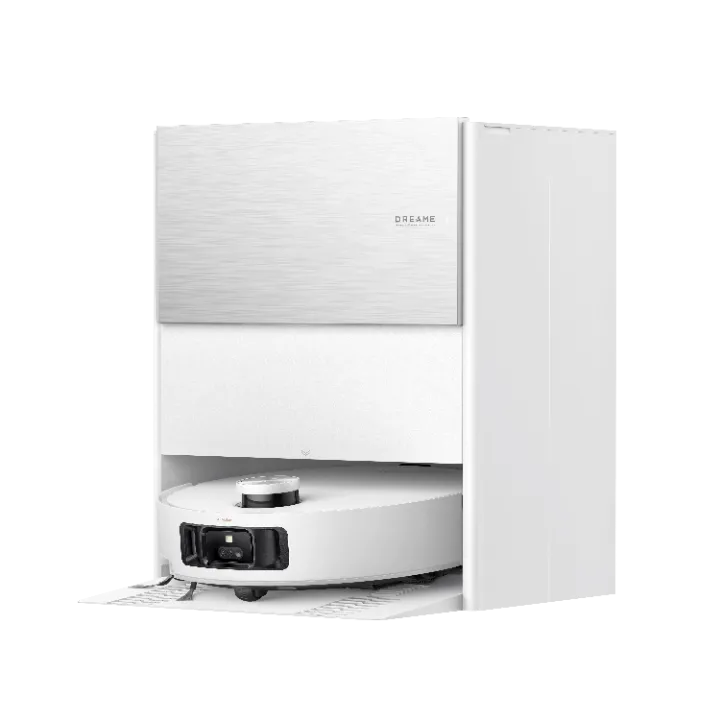
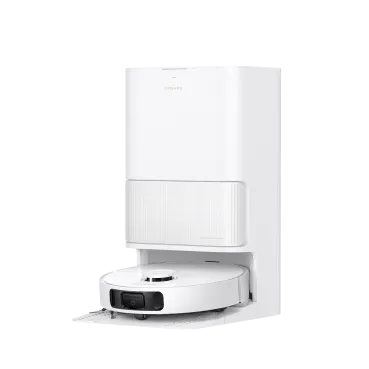
Choosing among the Dreame L40 Ultra, L40s Ultra, and X40 Ultra can be really tricky – they’re all advanced robot vacuums with mopping, self-cleaning docks, and smart navigation. In this comparison, we’ll break down what makes each model unique and help you decide which robot vacuum is best for your needs. Whether you want ultra-strong suction for pet hair, intelligent obstacle avoidance for a cluttered home, or a budget-friendly one, we’ve got you covered. Let’s dive into the Dreame L40 vs L40s vs X40 showdown and find your perfect match! Overview of Key Features Before we zoom in on details, here’s a quick at-a-glance comparison of the three models: Feature L40 Ultra L40s Ultra X40 Ultra Suction Power 11,000 Pa 19,000 Pa 12,000 Pa Main Brush Single TriCut™ (anti-tangle) Dual HyperStream™ DuoBrush (no tangles) Single brush (TriCut add-on) Mopping Dual mops, 65°C (149°F) hot wash Dual mops, 75°C (167°F) hot wash Dual mops, 70°C (158°F) hot wash Base Station 7-in-1, up to 75 days hands-free 7-in-1 + AceClean™ DryBoard, up to 100 days 7-in-1, up to 75 days Battery 5,200 mAh (~2h) 5,200 mAh (fast charge) 6,400 mAh (~2.5–3h) Obstacle Avoidance RGB cam + 3D structured light (~100 objects) 3D structured light only RGB cam + 3D structured light (~120 objects) Best For Value seekers, AI smarts Homes w/ pets, max suction Large homes, advanced AI, longer coverage Each model is a robot vacuum and mop with a self-cleaning dock, but they differ in suction power, brush design, and smart features. Suction Power and Cleaning Performance The Dreame L40s Ultra is the suction powerhouse, hitting 19,000 Pa—almost double that of the L40 Ultra. That extra strength shines if you’re dealing with kibble, litter, or fine dust daily. By comparison, the X40 Ultra offers 12,000 Pa, strong enough for deep carpet cleaning. The L40 Ultra sits at 11,000 Pa, still above industry averages and perfect for everyday use. Model Suction Power Best For L40s Ultra 19,000 Pa Heavy debris, fine dust, litter X40 Ultra 12,000 Pa Deep carpets & rugs L40 Ultra 11,000 Pa Daily hardwood & carpet cleaning Brush Systems: Tackling Pet Hair & Dirt The L40s Ultra uses the HyperStream™ Detangling DuoBrush—two counter-rotating rollers (bristle + rubber) that handle even 30 cm long hair without tangling. This makes it a pet owner’s dream. The L40 Ultra and X40 Ultra both rely on the TriCut™ Anti-Tangle brush. It works well for everyday debris and most pet hair, though very long strands may occasionally snag. Model Brush Type Pet Hair Handling L40s Ultra HyperStream™ DuoBrush (dual rollers) Tangle-free, best for heavy shedders L40 Ultra TriCut™ Single Brush Good, may snag on long hair X40 Ultra TriCut™ (included accessory) Same as L40 Ultra Floor Cleaning & Surface Reach All three models mop and vacuum simultaneously with strong dual spinning mops + the SideReach™ extendable side brush for edges. L40s Ultra adds MopExtend™ RoboSwing for deeper corner and baseboard scrubbing. L40 Ultra & X40 Ultra feature Triple-Up tech, lifting both brush + mops to keep carpets dry. The L40s Ultra lifts its mops 10.5 mm (0.41 in), keeping the brush down—better for carpet cleaning, but a slight trade-off on wet protection. Model Mopping Tech Edge Cleaning Carpet Protection Notable Advantage L40 Ultra Dual spinning mops SideReach™ Triple-Up (lifts main brush + mops) Great for carpet-heavy homes L40s Ultra Dual spinning mops + MopExtend™ RoboSwing SideReach™ Lifts mops ~10.5 mm (no main brush lift) Best edge reach on hard floors X40 Ultra Dual spinning mops SideReach™ Triple-Up (lifts main brush + mops) Balanced for mixed surfaces Pro tip: If pet hair is your top worry, go with the L40s Ultra. Its dual-brush system resists tangles and captures fur effectively. Learn more in our blog on HyperStream DuoBrush—the same tech behind the L40s Ultra. Navigation and Obstacle Avoidance L40 Ultra & X40 Ultra: AI Camera + 3D Sensors Both models use a front-facing RGB camera combined with 3D structured light and LED illumination. Object recognition: L40 Ultra spots up to 100 types, while the X40 Ultra pushes that to 120 types with extra AI processing power. Real benefit: they avoid small hazards like cables, shoes, socks, pet toys, and even pet accidents. Bonus: the camera doubles as a remote video viewer through the app — you can check in on your home or pets anytime. L40s Ultra: Laser-Only Approach Instead of a camera, the L40s Ultra uses a Single-Laser 3D obstacle avoidance system. It projects an infrared laser to size up obstacles in 3D, so it still avoids random clutter like shoes or toys. Since there’s no image recognition, it doesn’t label objects (e.g., won’t distinguish a pet accident from a toy). Advantage: operates in complete darkness and offers greater privacy (no onboard camera). Maps up to 4 separate floors — great for multi-level homes. Shared Navigation Strengths All three Dreame models are equipped with LiDAR mapping, ensuring highly accurate floor maps and efficient path planning. You can set no-go zones and room-specific cleaning in the app. Each model handles thresholds and transitions, but with differences: L40 Ultra & X40 Ultra: climb up to ~20 mm (0.79 in) (standard door frames). L40s Ultra: climbs up to 40 mm (1.57 in), handy for double-layer steps. Feature L40 Ultra X40 Ultra L40s Ultra Obstacle Avoidance RGB camera + 3D structured light + LED RGB camera + 3D structured light + LED Single-Laser 3D Object Recognition ~100 types ~120 types No (detects shapes only) Works in Darkness Yes (LED assist) Yes (LED assist) Yes (laser only) Remote Video Viewing ✅ ✅ ❌ Multi-Floor Mapping ✅ (up to 4) ✅ (up to 4) ✅ (up to 4) Threshold Climbing ~20 mm (0.79 in) ~20 mm (0.79 in) Up to 40 mm (1.57 in) Camera ✅ ✅ ❌ Mopping and Self-Cleaning Dock One of Dreame’s signature features is the all-in-one base station, and all three robots come with one – meaning they empty their own dust, wash and dry their mopping pads, and refill water for mopping. This is a game-changer for multi-surface floor cleaning, essentially giving you truly hands-free cleaning for weeks at a time. The differences here are subtle but worth noting: Auto-Empty Dustbin: Each model automatically empties its dustbin into a bag in the dock. The L40 Ultra and X40 Ultra both have a 3.2 L (0.8 gal) dust bag, enough for up to 75 days of debris before you toss the bag. The L40s Ultra’s dock was slightly improved to hold up to 100 days of dust in its bag. In reality, actual intervals vary with usage, but expect to empty these bags every 2–3 months on average – a far cry from emptying a normal robot’s bin daily! Mop Washing and Drying: All three base stations will wash the mop pads automatically after the robot has mopped for a while or finished a job. They scrub the pads against a washboard and even clean that washboard itself, so grime isn’t left sitting. The big difference is water temperature: the L40 Ultra uses hot water up to 65 °C (149 °F) to wash the mops, which was already effective. The X40 Ultra boosts this to 70 °C (158 °F), and the L40s Ultra goes even further – up to 75 °C (167 °F) for mop washing. All of them do well with normal spills, but the L40s Ultra’s hotter wash might remove tough stains from the pads slightly more thoroughly. Its dock includes an AceClean™ DryBoard, which is a drying plate that reduces water residue. Water Tanks: The base stations have clean water and waste water tanks for the mopping function. Despite the L40 Ultra being the “value” model, it shares the same generous tank sizes as the others – roughly 4.5 L (1.19 gal) clean / 4.0 L (1.06 gal) dirty capacity. In a large home, the X40 Ultra especially benefits from this. The base’s large tanks ensure it has enough water to keep mopping without frequent user intervention. All docks also support an optional water hookup kit for automatic refilling and draining (if you want to plumb it in, sold separately), but that’s optional. Feature L40 Ultra X40 Ultra L40s Ultra Auto-Empty Dustbin  3.2 L / 0.8 gal (≈75 days) 0.8 gal / 3.2 L (≈75 days) Slightly larger, up to 100 days Mop Washing Water Temp Up to 65°C (149°F) Up to 70°C (158°F) Up to 75°C (167°F) Mop Drying Hot air, standard Hot air, standard Hot air + AceClean™ DryBoard Clean Water Tank 1.19 gal / 4.5 L 1.19 gal / 4.5 L 1.19 gal / 4.5 L Dirty Water Tank 1.06 gal / 4 L 1.06 gal / 4 L 1.06 gal / 4 L Optional Water Hookup Kit Yes (sold separately) Yes (sold separately) Yes (sold separately) Overall, hands-free maintenance is a strong suit for all three. You’ll mainly just replace the dust bag every couple of months and refill the clean-water tank now and then. Dreame calls these “7-in-1” or “All-in-One” Omni stations because they handle dust, mops, water, drying, and more, taking the daily chore out of your hands. Important: Remember to occasionally check the dock – toss out the dirty water and give the mop wash tray a quick rinse each week or so for optimal hygiene. A little TLC will ensure your robot keeps running with minimal effort. Battery Life and Coverage If you have a large home, battery life is key. The X40 Ultra has a 6,400 mAh battery, giving ~2.5–3 hours of runtime—enough to cover larger areas in one go. The L40 Ultra and L40s Ultra use 5,200 mAh batteries (~2 hours), suitable for most apartments or medium-sized homes (150–200 m² / 1,600–2,150 sq. ft.). All models auto-recharge and resume mid-task. Charging is 30% faster than previous generations, with full recharge in a few hours. X40 Ultra may finish a large area in one pass, while L40/L40s might need one recharge. Each supports 3–4 floor maps, so multi-level homes are easily managed. For smaller homes, all models have ample battery, and eco/quiet modes extend runtime. For very large homes (232 m²+ / 2,500 sq. ft.+), X40 Ultra’s bigger battery offers faster, more efficient cleaning. Feature L40 Ultra X40 Ultra L40s Ultra Battery Capacity 5,200 mAh 6,400 mAh 5,200 mAh Runtime (standard mode) ~2 hours ~2.5–3 hours ~2 hours Charging Speed 30% faster than the previous gen 30% faster 30% faster Smart Features and App Experience Dreame’s app (Dreamehome) provides a robust set of smart features for all these models, including real-time mapping, setting no-go zones, cleaning schedules, and customization of suction and mop intensity per room. Voice control is supported on all three as well. There are unique smart features to call out: CleanGenius™ AI (Automatic Cleaning Optimization): Available on L40 Ultra and X40 Ultra. The robot uses sensors to adjust cleaning automatically—slowing down, scrubbing more, or making extra passes in dirty areas. L40 Ultra detects heavily soiled spots (“OmniDirt”) and suggests cleaning modes by room type. X40 Ultra adds an RGB camera and turbidity sensor to monitor mop water, rinse if needed, and re-clean tough stains. The L40s Ultra lacks the camera, more manual. Remote Video & Monitoring: The L40 Ultra and X40 Ultra’s cameras allow for a remote view. Through the app, you can drive the robot around like an R/C car and see through its camera. The L40s Ultra doesn’t offer this since it has no camera. Mapping and Multi-Floor: All three support multi-level mapping (3–4 floors). LiDAR allows fast initial mapping—usually a floor in minutes using “quick mapping.” Once mapped, you can label rooms, set schedules for each room, and store maps internally. Software Updates: Dreame provides OTA (over-the-air) firmware updates. Historically, they’ve added features or fine-tuned things via updates. Since L40 and X40 Ultra have AI, they might get smarter with updates (e.g., by recognizing more object types). L40s Ultra’s laser system is more static, but it may get general navigation optimizations over time. The app works for all models, so major functions are consistent. The L40s Ultra lacks camera features (no video feed or auto photo capture), while the other two include them. If you prefer privacy, L40s Ultra is fully sensor-based and camera-free. Price and Value Considerations L40 Ultra: Most affordable, the “spotless value” option. Includes auto-empty, mop washing, decent suction, and AI avoidance—great for most households seeking hands-free cleaning at a reasonable price. [product handle="l40ultra-robot-vacuum" rating="4.7"] L40s Ultra: Priciest, with stronger suction, dual brush system, and slightly upgraded base. Ideal if you need maximum cleaning power (high-pile carpets, pet hair) or want the latest tech. X40 Ultra: Mid-range, balancing features and price. Larger battery, advanced AI and camera functions, and strong suction. Often bundled with the TriCut brush, making it a flagship option for larger homes or tech enthusiasts. [product handle="dreametech-x40-ultra-robot-vacuum" rating="4.8"] Pro tip: Consider your home’s needs—pets, smart home features, and floor type will guide which model offers the best value. Which One Should You Buy? To wrap up: The best value for your money: L40 Ultra offers a near hands-free cleaning experience for weeks at a time. Strong vacuum and mop combo, TriCut brush handles pet hair well, and camera-based obstacle avoidance keeps it efficient. Ideal for small to mid-sized homes or first-time buyers wanting high-end performance without overspending. The powerhouse pick: L40s Ultra, with 19,000 Pa suction and a duo-brush system, excels at pulling up debris from carpets and floors, even in homes with multiple shedding pets. Gives up camera features in favor of pure cleaning muscle. Best for carpet-heavy homes or users who want maximum pickup power, regardless of price. The large-home and smart-tech choice: X40 Ultra. Bigger battery cleans more area per run. Advanced obstacle avoidance and a remote monitoring camera appeal to tech lovers. Cleaning performance is nearly on par with the L40s, except in extreme dirt scenarios. A balanced flagship for those who want strong suction, smart features, and long runtime. Model Key Strengths Brush Type Best For Price Tier L40 Ultra Value + convenience, strong vac+mop, pet-hair capable TriCut brush Small–mid homes, budget-conscious $$ L40s Ultra Max cleaning for pets & carpets Duo-brush Multi-pet, carpet-heavy homes $$$ X40 Ultra Large-home coverage + smart AI Duo-brush Large homes, tech enthusiasts $$$ Happy cleaning, and here’s to a smarter, cleaner home with less effort! 🎉 Dreame Take: No matter which model you choose – L40 Ultra, L40s Ultra, or X40 Ultra – you’ll get a helping hand that handles daily floor cleaning so you can spend more time enjoying your home instead of cleaning. Each robot in this lineup embodies Dreame’s goal of making cleaning effortless, so rest assured you’ll be in good hands. Ready to make the leap? You can check out the Dreame robot vacuum collection for all models, or see the specific product pages here: Dreame L40 Ultra, Dreame L40s Ultra (robot vacuum with DuoBrush), and Dreame X40 Ultra. Each page has more details and the latest pricing. Here’s to finding the perfect robot vacuum for your home!  
Continue reading
How to Clean a Carpet Without a Vacuum: 5 Practical Methods

How to Clean a Carpet Without a Vacuum: 5 Practical Methods

Editorial TeamDreame |
From a sudden coffee spill to a quick tidy-up in a quiet house, there are plenty of times when cleaning a carpet by hand is simply the smarter choice. Maybe you've just moved in, are tackling a spot in the car, or just prefer a simple, power-free solution. Seeing that spot on the carpet can be discouraging, but don't worry, as a sparkling clean floor is easier to achieve than you might think. In fact, learning how to clean a carpet without a vacuum is surprisingly straightforward. This guide will walk you through five practical methods, but they all rely on a crucial first step. So, before we dive in, let's talk about pre-cleaning. Pre-Cleaning: The Crucial First Step A few moments of preparation are essential for efficient cleaning. This starts with settling the age-old cleaning debate: dust first or vacuum first? The answer is always to dust first; this keeps loose particles from falling onto freshly cleaned floors and saves you from cleaning twice. Then, clear the area of small items and do a quick check for any large debris you can remove by hand. That's it — now you're ready to grab your tools and get to work. It's time to gather your supplies. Having everything on hand makes the process much smoother. Depending on the methods you plan to use, you'll likely need: A stiff-bristled brush for durable, low-pile carpets. A soft-bristled or rubber brush for more delicate, high-pile carpets. A dustpan to easily collect debris. Two buckets, several clean cloths, and absorbent towels (especially for stain removal and deep cleaning later on). Pro-Tip for Pet Owners: If you have pets, this is the perfect time to tackle stubborn pet hair. Put on a pair of rubber gloves and wipe your hands across the carpet surface; you'll be amazed at how the hair clumps together for easy removal. A window squeegee dragged across the carpet works wonders, too. With your space prepped and your tools at the ready, let's begin with the simplest tool-based approach. Method 1: The Classic Carpet Sweeper For those wondering about the sweeper vs vacuum debate, a mechanical sweeper is the vacuum's quiet, powerless cousin. This lightweight tool uses the motion of its wheels to power rotating brushes, which flick crumbs, hair, and surface debris into an internal bin. To get the most out of your sweeper, make overlapping passes in multiple directions, much like mowing a lawn. This helps lift debris from carpet fibers more effectively. And remember to empty the dustbin frequently, as performance decreases when it gets full. But what if you don't own a carpet sweeper and need a solution with tools you definitely have on hand? Go on with Method 2. Method 2: The Back-to-Basics Brush & Dustpan This is how to clean carpet at home the old-fashioned way. The key is choosing the right brush. For low-pile or looped carpets, a stiff-bristle utility or deck brush works best. For plusher, high-pile carpets, use a rubber brush or one with more flexible bristles to effectively pull out debris without snagging and damaging the delicate fibers. Make sure to work in small sections, using short, firm strokes to pull everything into a pile, then sweep it up with a dustpan. This method is excellent for removing visible debris, but what about odors that have settled deep into the fibers? For that, we turn to a kitchen pantry staple. Method 3: Deodorize and Refresh with Baking Soda Baking soda offers an elegant and effective solution for stale odors. Baking soda must be a dry powder, sprinkled directly and evenly onto the carpet. Do not add water or make it wet. This method works by using the absorbing power of dry baking soda. Its dry particles penetrate deep into the carpet fibers and neutralize bad smells by converting them into harmless substances that don't have a smell. If you mix the baking soda with water, it forms a paste. The paste won't absorb odors well and can dry into a hard crust on your carpet, creating a new mess to clean up. To make the application easier and more effective, use a flour sifter or a shaker jar to distribute the powder. You can even mix in a few drops of essential oil, like lavender or lemon, for a pleasant scent. Once your soda is ready, follow these simple steps: Sprinkle: Distribute a light, even layer of your baking soda mixture over the carpet. Brush: Use a dry brush to gently work the powder into the fibers. Wait: Let it sit for at least 30 minutes, or overnight for tougher odors. Sweep: Thoroughly sweep up all the powder using the brush and dustpan method. Tip: Test baking soda on a small, hidden spot on colored carpets first. If it clumps, it becomes harder to remove. Now that your carpet is generally clean and deodorized, it's time to deal with any specific, unsightly spots. After all, a single dark stain can ruin the look of an otherwise clean room. Method 4: Targeted Stain and Spot Removal When it comes to how to clean carpet stains, speed and the right technique are everything. The golden rules are: Always blot, never rub. Always test any cleaning solution on an inconspicuous area first. Here's how to tackle some of the most common spills: For Coffee or Tea Stains Immediately blot the fresh spill with a dry cloth to absorb as much as possible. Then, lightly spray a solution of equal parts white vinegar and water onto a new, clean cloth and continue to blot until the stain lifts. For Red Wine Spills This is a code-red situation. After blotting, generously cover the entire stain with salt or baking soda. Let it sit for at least an hour to draw the wine out of the fibers. Once dry, brush or sweep away the salt and treat any remaining discoloration with the vinegar solution. For Grease or Oil Stains Do not use water first! Scrape off any excess solids. Sprinkle the spot with cornstarch or baking soda to absorb the oil; let it sit for an hour, then sweep it up. Apply a drop of grease-fighting dish soap to a damp cloth and gently blot the remaining spot. For Pet Accidents After blotting up as much liquid as possible, spray the area with a 50/50 solution of white vinegar and water to help neutralize the ammonia odor. For best results, investing in a store-bought enzymatic cleaner is highly recommended, as it uses enzymes to break down the organic proteins that cause stains and lingering smells. Spot cleaning is perfect for isolated accidents. But if the entire carpet is uniformly dirty from heavy foot traffic, you'll need a more comprehensive approach for a deep clean. Method 5: A Damp-Scrub for a Deeper Clean This method offers the best way to clean carpet manually for a truly deep clean. But please pay attention: Before you begin, ensure you have excellent ventilation with open windows or a fan, as the carpet must dry completely within 24 hours to prevent any chance of mildew. And use a two-bucket system: Fill one bucket with your cleaning solution (a small amount of carpet shampoo in warm water) and the second with clean rinse water. The tools you'll need: Two buckets A stiff-bristled brush Several clean cloths & absorbent towels Carpet shampoo Rubber gloves (to protect your hands) A fan / a dehumidifier (highly recommended) Then follow these three steps: Scrub: Dip a stiff brush in the cleaning solution, tap off excess liquid, and scrub a small section of carpet. Rinse: Dunk a clean cloth in the rinse water bucket, wring it out thoroughly, and wipe the scrubbed area to remove soap residue. Soap left behind can attract more dirt. Dry: Press dry towels firmly into the carpet to absorb as much moisture as possible. Use fans or a dehumidifier, if you have one, to speed up the drying process significantly. Summary: Which No-Vacuum Method is Right for You? Method Best For Effort / Time Tools Needed Method 1: Sweeper Daily touch-ups, surface crumbs, hair Low / Fast Mechanical Sweeper Method 2: Brush & Dustpan General surface cleaning, dust removal Medium / Medium Stiff/Rubber Brush, Dustpan Method 3: Baking Soda Deodorizing, freshening, lifting light dirt Medium / Slow (due to wait time) Baking Soda, Brush, Dustpan Method 4: Spot Cleaning Removing specific spills and stains Low / Fast (per stain) Cloths, various household items Method 5: Damp Scrub Deep cleaning heavily soiled carpets High / Slow (plus drying time) 2 Buckets, Brush, Cloths, Towels As you can see, each manual method has its place, but they all share one thing in common: they require your time and physical effort. So, after learning all these techniques, you might be asking. What is The Best Way to Clean Carpet Without a Vacuum? The honest answer is: it depends entirely on your situation. Here's a guide to help you choose the right path. Try Manual Methods for Light Cleaning For everyday spills, general freshening up, or tackling light dirt in a small area, the manual methods we've covered are fantastic. They are cost-effective and get the job done without any special machinery. Be prepared for some "elbow grease," as these techniques rely on your time and effort, but for light maintenance, they are often all you need. Remove Pet Hair the Easy Way Before you spend hours with a stiff brush trying to remove stubborn pet hair, try this incredible trick. Put on a pair of standard rubber cleaning gloves, and simply wipe your hands across the carpet. The friction will cause the hair to magically clump together into balls that you can easily pick up. A window squeegee dragged across the carpet produces a similar, amazing result. When to Upgrade to a Vacuum for Deep Cleaning While manual methods are incredibly useful, they can't fully replicate the deep-cleaning power and convenience of modern technology. Scrubbing by hand works, but if you have kids, pets, or allergy sufferers, a vacuum designed for carpets can save hours. For a home that demands a higher level of hygiene and effortless maintenance, investing in an advanced cleaning tool is the best long-term solution. With the Dreame Z30 cordless vacuum, for instance, you can use powerful suction (reaching up to 310AW) to pull debris from deep within the carpet fibers. Its anti-tangle brush head is engineered to handle long hair and pet hair with ease, and it is lightweight enough for daily use without fuss. For the ultimate in effortless living, use the Dreame X50 Ultra robot vacuum and mop, the pinnacle of cleaning automation. Its intelligent navigation and self-maintaining features mean your carpets are consistently cleaned to a high standard without you ever having to lift a finger. This reclaims your time for the things that matter most. Conclusion While these five manual methods prove that a clean carpet is achievable without a vacuum, they also highlight the value of your time and effort. When you're ready to reclaim that time with a deeper, more effortless clean, Dreame's intelligent engineering provides the ultimate upgrade—turning a household chore into the simple comfort of a pristine home.
Continue reading
How to Clean the Vacuum Brush

How to Clean the Vacuum Brush

Editorial TeamDreame |
Vacuuming is supposed to make cleaning easier. But if your vacuum suddenly stops picking up dirt, struggles to move across the floor, or starts making strange noises, the problem might not be the motor; it could just be a clogged brush. Many people assume it's time for a vacuum repair when suction drops, but in reality, a dirty brush is often the real issue. Hair, dust, and threads can wrap tightly around the roller and block movement. Once that happens, the vacuum can't work properly, and over time, it puts stress on the motor. That's why knowing how to clean a vacuum brush is one of the simplest ways to avoid unnecessary breakdowns or costly repairs. With a few basic tools and a little time, you can restore performance and extend the life of your vacuum. In this guide, you'll learn when to clean, how to do it safely, and why it matters more than most people think. Why Clean Your Vacuum Brush Cleaning your vacuum brush, trivial as it might sound, makes a world of difference. Like: A clean brush ensures optimal suction by preventing clogs that reduce performance. Build-up on the brush puts strain on the motor, which can lead to costly damage over time. Cleaning the brush helps stop bacteria and allergens from being spread, ensuring your vacuum helps keep your home clean. How Often Should You Clean Your Vacuum's Brush? For most homes, clean the vacuum brush once a month. However, if you notice reduced suction or poor performance, it might be a sign that the brush needs attention. Clean Your Vacuum Brush More Frequently, If: You have pets, especially ones with long hair. In this case, your vacuum brush will need cleaning more often. Pet hair can quickly wrap around the brush and reduce its effectiveness. Aim to clean the brush every two weeks in pet-friendly homes to prevent clogs. You or family members have long hair. The vacuum brush may accumulate hair more quickly. Long strands tend to get tangled around the brush, which can make it harder for the vacuum to clean your floors properly. In such cases, cleaning the brush every two weeks is recommended. You have hard floors, like tile or wood, and the brush tends to get dirty less quickly as these surfaces shed less debris. Your home mostly has carpet. The brush may get dirty faster due to the increased amount of dust and dirt trapped in carpet fibers. Consider cleaning your brush more frequently if you have carpeted areas in your home. Signs That Your Vacuum Brush Needs Cleaning Signs that your vacuum brush needs cleaning are pretty easy to spot: Reduced Cleaning Performance Visible Hair and Debris Wrapped Around the Brush The Brush Roller Stops Spinning Unusual Noises During Operation Step-by-Step Instructions for Cleaning a Vacuum Brush Cleaning your vacuum brush might seem arduous, but it's easy with a few small steps: 1. Gather Your Supplies You will need a few basic tools to start: Scissors or a seam ripper to cut away any tangled hair or threads. A soft brush (like an old toothbrush) to remove dust and debris. A cloth or towel to wipe off any remaining dirt. 2. Disconnect Power and Access the Brush Roller For safety, always disconnect your vacuum from the power source before you begin cleaning. Next, locate the brush roller. You may need to remove a cover or open a compartment to access it. 3. Remove the Brush from its Housing Once the brush is exposed, carefully remove it from its housing. Some vacuum models may have clips or screws holding the brush in place. If necessary, use a screwdriver to remove any screws. Place any removed parts in a safe spot to avoid losing them. 4. Cut Away Tangled Hair and Threads Using scissors or a seam ripper, carefully cut away any hair or threads that are wrapped around the brush. Be gentle! If you have a vacuum with an anti-tangle brush, like the Dreame X50 Ultra's HyperStream™ DuoBrush, you may find that hair buildup is less of an issue. These advanced brushes are specifically designed to prevent hair from wrapping around the roller. However, if hair does manage to accumulate, it can be easily removed with minimal effort, and the brush will continue to perform efficiently with regular maintenance. 5. Clear Debris from the Brush's End Caps and Housing After removing the tangled hair, use a soft brush to clean the end caps and housing where the brush fits. Dirt, dust, and hair can build up in these areas, reducing the brush's ability to rotate properly. Use the brush to gently scrub away any debris, then wipe it down with a cloth. 6. Wash the Brush Roller (If Applicable) If your vacuum brush is washable, use warm water and mild soap to clean it. Make sure to remove any remaining debris by scrubbing it with a soft brush. Let the brush dry completely before reassembling it. 7. Reassemble the Components Correctly Once the brush is clean and dry, carefully place it back into its housing. Reattach any screws or clips that hold the brush in place. Make sure the brush is securely in place and rotates freely before reconnecting your vacuum to the power source. Tips for Different Vacuum Types Different vacuums require different cleaning methods. Whether you're using a robot vacuum, wet-dry vacuum, or cordless stick vacuum, it's important to follow the right tips to keep the brush in top shape. Clean Robot Vacuum's Brush Take extra care when removing the brush from your robot vacuum, as these models often contain sensitive sensors and electric parts. Perform regular checks on the brush since robot vacuums run frequently, causing brushes to collect hair and debris quickly. Clean the brush every two weeks. Use small tools, such as an old toothbrush, to clean the brush area. These tools help remove dust and debris from hard-to-reach areas without scratching or damaging the vacuum's delicate parts. Check the brush rotation once a week to make sure it spins freely and nothing is blocking it. Some robot vacuums with mopping functions now include self-cleaning systems that rinse and dry the mop pads automatically after each use. Models like Dreame X50 Ultra use high-pressure nozzles and hot air drying to keep the mops fresh and odor-free. While this reduces manual work, it's still important to check the brushes and sensors regularly for best performance. Clean Wet Dry Vacuum's Brush Avoid wet build-up on the brush and other components when using a wet-dry vacuum. After cleaning wet messes, wash the brush with warm water and a soft brush. Thoroughly dry the brush before reusing the vacuum. Check the vacuum's liquid pathways and filters after each wet use to make sure nothing is blocking the tubes or filters. Some wet-dry vacuums, like the Dreame H15 Pro, come with advanced self-drying systems. These features use moisture detection to adjust drying time automatically, helping the roller stay dry and ready for the next use, even in humid environments. Clean Cordless Stick Vacuum's Brush Clean the brush weekly or as needed, based on usage. Check the brush rotation after cleaning to make sure it spins smoothly. When to Replace Your Vacuum Brush Over time, even with regular cleaning, your vacuum brush can start to show signs of wear and tear, so you may need to replace your brush if you notice: The bristles of the brush are no longer stiff or are visibly bent; the brush may no longer be able to agitate dirt and debris effectively. Cracks, splits, or visible damage to the brush or housing, it's time for a replacement. The brush roller no longer rotates freely, or it stops spinning entirely. It could be a sign that the brush is worn out. Reduced suction power even after a thorough cleaning. In this case, the brush may no longer be performing as it should. A Clean Vacuum Brush for a Happier Home Taking a few minutes to clean your vacuum brush makes a big difference. It helps your vacuum run more efficiently, so you can spend less time cleaning and more time relaxing at home. Whether you've got furry friends, little ones, or just the usual mess, regular brush cleaning keeps things running smoothly. It's a simple, quick task that ensures your vacuum is doing its best work, leaving you with fresher floors and a cleaner home! A happy brush means a happy home.
Continue reading
How to Clean an Oil Spill on Your Kitchen Floor (Fast & Safe Guide)

How to Clean an Oil Spill on Your Kitchen Floor (Fast & Safe Guide)

Editorial TeamDreame |
Cleaning a cooking oil spill on your kitchen floor can be tricky. Water and oil don't mix, so water-based cleaners won't do the job alone.  But no worries—there are some hacks that make it easy and quick to clean oil spilled on your kitchen floor. Types of Cooking Oil Spills You Might Face When oil hits the floor, speed matters most—but knowing what you’re dealing with can make cleanup easier. In a typical kitchen, that spill might be olive, vegetable, sunflower, coconut, peanut, or sesame oil. You might also be looking at melted butter or rendered animal fat. These behave differently: animal fats and butter are high in saturated fat, so they solidify as they cool and cling stubbornly to surfaces. Plant-based oils stay liquid at room temperature, so they’re generally easier to blot and lift. The real challenge comes from oils exposed to high heat—like deep-fryer oil—which becomes thinner and seeps into the floor more quickly, making stains harder to remove. No matter the type, though, acting fast is the single most important step for preventing long-lasting damage. First Response: What to Do Right Away Contain the spill before it spreads: Immediately use absorbents such as paper towels, corn starch or kitty litter to cover the spill and soak up as much of the oil as possible before it spreads or soaks into the floor. Allow the absorbent to sit for 10 to 15 minutes. Use a dustpan and broom or scraper to scoop up the saturated material. After removing the absorbent material, apply a fine layer of baking soda or flour to the remaining oily patch to draw out any lingering oil. Deep clean to remove residue once the oil has been absorbed. It's crucial to clean the area completely to remove any remaining substances that could make the floor a slippery hazard: Degreasers: A simple and effective degreaser can be made with a mixture of dish soap and hot water. You can use a scrub sponge to break down oil molecules. Follow up with advanced help such as the Dreame H15 Pro Wet and Dry Vacuum to lift remaining oil and sanitize with high heat. Important Do not use water on a large, hot oil spill. This can cause the oil to splatter and create a burn hazard. If you have an oil-soaked cloth or rag, wash it separately to avoid contaminating other clothes. Why a Wet and Dry Vacuum is a Breakthrough Cleaning a cooking oil spill on the floor can be challenging, a wet dry vacuum provides a breakthrough. Unlike some appliances that might simply smear the oil around, each model in the Dreame Wet Dry Vacuum Collection uses powerful suction to lift liquid directly off a surface and then gives it a hot wash. It's a game-changer because it removes the slick, hazardous oil in one pass, leaving you with a clean, non-slip surface with less scrubbing and paper towel waste. The most effective response needs to consider not just the type of oil spilled, but also the surface it has been spilled on. Surface-Specific Advice for Spilled Oil Wood Floor Blot up the excess oil, then use a wood-safe cleaner or a baking soda and water paste. Gently scrub along the wood grain. Laminate Dab the oil with a soft cloth to prevent spreading. A mild solution of dish soap and warm water is effective for a final wipe-down. Concrete Cover the spill with an absorbent material like cat litter. After sweeping it up, use a strong degreaser or detergent with water and scrub with a stiff brush. Kitchen Tiles Absorb as much oil as possible with paper towels. Use a solution of warm water and dish soap to easily cut through and clean the remaining grease. Want to see more floor cleaning hacks? Go check our bolgs: How to clean hardwood floors How to clean wood floors How to Clean and Mop Tile Floors How to Clean Laminate Floors How to Clean Marble Floors How to Clean Grout on Tile Floor How to Clean Linoleum Floors Choosing Floor Cleaning Solution Cleaning Options to Reach For When you're faced with a greasy cooking oil spill on your kitchen floor, dish soap is a go-to for a reason: it is formulated to break down fats and oils, making it easier to rinse them away. It's gentle on most floor types and readily available, so it's a great first line of defense. Degreasers are heavy-duty cleaners specifically formulated to tackle tough grease and grime. They're more powerful than dish soap and can make quick work of a large spill, but it's wise to check if they're safe for your specific flooring material to avoid any damage. Vinegar is a popular DIY natural cleaner. Excellent for cutting through mineral deposits and disinfecting, it doesn't have the same fat-breaking power as dish soap or a degreaser. While a fantastic all-purpose cleaner for many things around the house, it's not the best choice for tackling a cooking oil spill. For that, you'll want to stick to a good dish soap or a dedicated degreaser. The best backup to finish the job is some high tech help such as the Dreame H14 Wet Dry Vacuum that can clear and sanitize the floor in a few quick passes. Smart Kitchen Habits to Reduce Spill Risk Keeping cooking oil spills from happening in the first place is all about building some smart kitchen habits. One of the easiest things you can do is to never leave a pan of hot oil unattended. A moment of distraction is all it takes for the oil to overheat and start smoking, increasing the risk of a splash or a fire. Another simple tip is to use a deep pan or pot when you're frying to contain any splatters. And when it's time to dispose of used oil, let it cool completely before carefully pouring it into a sealable container instead of down the drain—which is a whole other mess to avoid. Small changes can make a big difference in keeping your kitchen floor clean and safe. Pro-tip: Create an Emergency Spill Kit An emergency kit should include a few essentials: a bag of baking soda, cornstarch to soak up the oil; paper towels for initial blotting; degreasing dish soap for breaking down the oil and non-slip rubber gloves. Store everything in a labeled container in an cabinet so you can act quickly. FAQ Q: Can oil spills be cleaned fully?  Yes, a cooking oil spill can be fully cleaned from a kitchen floor with the right approach and a little patience. The key is to first absorb as much of the oil as possible with an absorbent material before using a degreaser or dish soap to tackle the remaining residue. Q: Which cleaner works fastest? Using an advanced appliance such as the Dreame H14 Pro Wet and Dry Vacuum is a fast and efficient way to clean up cooking oil spilled on the kitchen floor. It can suck up both the liquid oil and any absorbent material you've used in pre-treatment. Q: Can I use a robot vacuum and mop? They are no substitute for the hands-on actions described above, but some robot vacuum models can handle fresh spills that are not too greasy.   Shining and Safe A cooking oil spill might feel like a sudden disaster, but with quick action, the right materials, and the proper tools, your floor can be restored to its clean, safe, and slip-free state in no time. Dreame’s range of advanced cleaning appliances makes the process easier, delivering powerful, targeted performance to handle even stubborn messes. With the right partner in cleaning, you can keep your home looking beautiful—and safe—day after day.me.      
Continue reading
How to Clean Timber Floors: The Ultimate Guide for Sparkling Results

How to Clean Timber Floors: The Ultimate Guide for Sparkling Results

Editorial TeamDreame |
Timber floors are timeless. They’re stylish, durable, and warm underfoot, but they can also lose their charm fast if not cared for properly. From sticky spots and muddy paw prints to dull patches and water damage, we’ve all experienced the pain of cleaning timber the wrong way. In this guide, you'll learn how to clean timber floors step-by-step, discover the best supplies for each type, and uncover the cleaning mistakes that can do more harm than good. Let’s bring back that beautiful timber glow. Why Timber Deserves Special Care Timber floors are often the centerpiece of a home. They’re durable, allergy-friendly, and can last for decades when maintained properly. But unlike tile or vinyl, timber is naturally porous. That means it reacts to moisture, heat, and even cleaning chemicals. Common risks with timber flooring include: Warping or buckling from excess water Surface scratches from debris or harsh bristles Cloudy residue from the wrong cleaners Long-term damage from oil spills or glue In short? Treat it right, and timber will return the favor. What Kind of Timber Floor Do You Have? Before you start cleaning, it’s important to know your floor type. Different timber finishes have different needs. Solid Hardwood: Natural timber planks with long-term durability. Typically sealed with polyurethane. Engineered Timber: Plywood base topped with real timber. More water-resistant, but still sensitive to excess moisture. Floating Timber Floors: Installed without nails or glue. Usually click-lock planks with a timber veneer. We’ll explain how to clean each of these in detail later on. What’s Best to Clean Timber Floors With? The good news: You don’t need dozens of fancy tools. A few essentials and a solid routine are all it takes to keep timber gleaming. 1. Mop for Timber Floors Can you mop timber floors? Yes—if you do it right. Choose a flat microfiber mop that you can wring nearly dry. Avoid string mops that hold excess water. Always mop in the direction of the wood grain. Dreame Take Try the Dreame L50 Ultra robot mop for hands-free cleaning. Its smart pathing technology ensures every inch of your timber floor gets cleaned while avoiding over-wetting. Perfect for daily upkeep without lifting a finger. 2. pH-Neutral Timber Floor Cleaner Skip harsh cleaners or vinegar. Instead, use a pH-neutral cleaner designed for timber surfaces. These remove dirt without eating into the finish. 3. Vacuum for Timber Floors Vacuuming is often better than sweeping. A quality vacuum, like the Dreame X40 Ultra Robot Vacuum, removes fine dust and grit that causes scratches. Why it’s ideal for timber floors: Soft roller brushes gently lift dirt without damaging the finish Adjustable suction adapts to floor type to avoid wear Anti-tangle design reduces clogging from pet hair or long debris It vacuums and mops intelligently, saving you time and effort. How to Clean Timber Floors: Step-by-Step Guide Ready to get started? Here’s the best way to clean timber floors: Step 1: Vacuum Thoroughly Use a soft-brush vacuum head to lift dust, dirt, and crumbs. Be sure to reach under furniture and along baseboards. Pro-tip Set robot vacuums like the Dreame L50 Ultra to clean while you’re out. With quiet operation and precise room mapping, it cleans thoroughly without disrupting your routine, making it ideal for busy households or pet owners. Step 2: Mix Cleaner with Warm Water Fill a bucket with warm (not hot) water and add a small amount of pH-neutral cleaner. Follow the dilution instructions. Step 3: Mop Gently Along the Grain Dip and wring your mop until barely damp. Mop in the direction of the grain to avoid streaks. Rinse and wring often. Step 4: Spot Clean Stains Carefully For sticky spots or stains, dampen a cloth with a diluted cleaner. Gently blot (don’t scrub), and always test in a corner first. Step 5: Dry Immediately  Never leave timber damp. Dry it immediately with a microfiber cloth or dry mop. Tips for Efficient Cleaning A few smart tweaks make timber floor cleaning faster and help preserve that fresh, clean look. Here are some useful tips: Clean up spills right away, especially liquids like oil, coffee, or wine. Always vacuum before mopping to prevent debris scratching the surface. Open windows or turn on fans after mopping to speed up drying. Keep humidity levels at 40–60% to prevent gaps. Use felt pads under chairs to reduce scratching during movement. Adopt a shoes-off policy to reduce dirt and scratches. Set a robot vacuum to clean multiple times per week for maintenance. Pro-tip For deep cleaning, the Dreame H14 Pro Wet and Dry Vacuum tackles spills without overwetting. It combines powerful suction and controlled water flow to safely lift sticky messes or grime—perfect for preserving your timber floor's finish. Cleaning by Floor Type Each type of timber flooring needs slight adjustments during cleaning. Floating Timber Floors Avoid soaking the joints, as moisture can seep into the seams and warp the planks. Use a nearly dry mop and vacuum with soft rollers. A robot vacuum like the Dreame L50 Ultra is ideal thanks to its no-mop zones. It detects flooring type and avoids moisture-sensitive areas, so you get safe, daily cleaning without risking water damage. Engineered Timber Floors These are slightly more water-resistant but still sensitive to heat and chemicals. Stick with microfiber mops and pH-neutral cleaners. Avoid vinegar, as it dulls the finish. Use a wet and dry vacuum like the Dreame H14 Pro for deeper maintenance without damage. Its precise water control and reach remove hidden messes safely and efficiently. Solid Hardwood This type requires the most care. Water and steam can easily cause damage. Vacuum daily with a soft-brush head, and mop with minimal moisture. Refinish every 5–10 years, and use cleaners labeled for hardwood. For deeper advice, check our full guide: How to Clean Hardwood Floors. Common Mistakes to Avoid Even with the right tools, small mistakes can still dull or damage timber floors. Here’s a table of common pitfalls and how to avoid them: Mistake Quick Fix ❌ Using too much water ✅ Wring mops until barely damp and dry floors immediately ❌ Skipping the vacuum step ✅ Vacuum first to remove debris that can scratch ❌ Using harsh chemicals or vinegar ✅ Stick to pH-neutral timber floor cleaners ❌ Leaving wet spots to air-dry ✅ Wipe with a microfiber cloth right after mopping ❌ Scrubbing stains aggressively ✅ Blot gently with a damp cloth and test first ❌ Using steam cleaners on timber ✅ Avoid steam entirely to prevent warping Important Never steam clean timber floors, as moisture and heat can penetrate and damage the wood fibers. How to Maintain Your Timber Floor A clean timber floor is great, but long-term maintenance is even better. Here’s how to keep yours shining year-round: Vacuum regularly with a robot vacuum like the Dreame L50 Ultra. Avoid high heels or dragging furniture across the floor. Add furniture pads and rugs in high-traffic areas. Keep humidity between 40 and 60% to prevent shrinking or warping. Use doormats at entrances to reduce tracked-in grit. Dreame Take Want the best all-in-one tool? The Dreame H14 Wet and Dry Vacuum handles wet and dry messes on timber and sealed floors. Ideal for multi-surface homes, it handles sticky spills and daily dust without tool switching or extended dry time. FAQs Q: Can you mop timber floors? A: Yes, but use a microfiber mop that’s barely damp, and dry the surface immediately. Q: Can you steam clean timber floors? A: No. Steam can warp or damage timber. Stick to pH-neutral solutions and minimal moisture. Q: Can a robot vacuum and mop clean timber floors well? A: Yes, especially if you use one with mop-exclusion zones like the Dreame L50 Ultra or Dreame X40 Ultra. They’re smart enough to vacuum without over-wetting your timber. Q: What is the best way to clean timber floors? A: Vacuum regularly, mop with a damp microfiber cloth, dry quickly, and avoid harsh chemicals or excess water. Check our full guide above for a step-by-step routine. Conclusion Timber floors can last a lifetime, but only if you treat them with care. With the right vacuum, gentle cleaners, and proper technique, you’ll enjoy a cleaner, brighter, and longer-lasting finish. Dreame’s robot and wet and dry vacuums take the effort out of floor care, making it easier to protect your timber every day with smarter, safer cleaning. Explore more of our expert guides for cleaning other floor types: How to Choose a Robot Vacuum for Hardwood Floor How to Clean Laminate Floors (and Fake Wood Floors) Without Damage Choose smarter cleaning. Choose Dreame.    
Continue reading
Dreame L40s Ultra Review

Dreame L40s Ultra Review

Editorial TeamDreame |
Dreame L40s Ultra is the latest flagship robot vacuum and mop combo from Dreame, offering top-tier cleaning performance and nearly hands-free maintenance. With a whopping 19,000Pa suction, advanced dual brushes, and an all-in-one self-cleaning base, it promises to tackle the trickiest messes, wet and dry, hidden in hard floor gaps or rugs. On top of the 100% detangling performance, it reaches tight corners using flexible mops and a side brush and clears obstacles up to 1.57in high. In this in-depth review, we’ll examine how the L40s Ultra performs in real homes, its smart navigation and app features, upkeep costs, and whether its premium price is justified for first-time buyers and seasoned smart home enthusiasts alike. Spoiler: if you’ve been dreaming of a powerful, self-cleaning robot vacuum that actually leaves floors spotless, this might be the one. Hald Floors and Carpets Cleaning Mixed floor cleaning is where the Dreame L40s Ultra truly shines. It’s equipped with Dreame’s 6th-gen TurboForce motor delivering up to 19,000Pa of suction – far above most models on the market– yet engineered to operate quietly even at high power. In our tests, this powerful suction translated to outstanding pickup on all surfaces.  On hard floors, the L40s Ultra collected nearly 100% of dust and debris in a single pass, leaving nothing behind even in tile grout lines. Its suction is strong enough to lift heavier particles like cereal and cat litter, and it automatically avoids scattering debris by modulating airflow. Carpet cleaning is equally impressive. On short-pile carpets, the L40s Ultra’s HyperStream™ Detangling DuoBrush system (one bristled roll + one rubber roll) digs deep to extract dirt and debris without tangling. Our tests showed 0 tangles with hair up to 12 in (30 cm). On long-pile carpets, switching to “Intensive Carpet Cleaning” mode slows the robot for a double pass, delivering thorough debris removal. In our tests, a medium-pile carpet came out visibly refreshed, with 99.99% of embedded hair removed. Edge and corner cleaning is another area where Dreame’s design shows its smarts. The L40s Ultra features Dual Flex Arm Technology, which basically lets it extend its side brush and mop pads outward to reach into corners and along wall edges that many round robots miss. The side brush sweeps debris out of corners effectively as the robot approaches edges head-on. Simultaneously, the two round mop pads can swing slightly beyond the chassis, so even wet scrubbing reaches baseboard edges. The result is minimal debris line left along walls – in our tests, the L40s Ultra picked up over 95% of dust in edges, a noticeable improvement over standard models with fixed brushes. Brushes & Mopping System Dreame includes all the necessary tools on the L40s Ultra for multi-surface cleaning. The main brush assembly is a dual roller (HyperStream DuoBrush) that actively prevents hair wrap. One roller has soft bristles ideal for hard floor crevices, and the other is a TPU rubber brush that excels on carpet – together they cover all floor types with low noise. For dry vacuuming, the side brush sweeps dirt into the suction path. When mopping, the L40s Ultra uses two spinning mop pads that press down on the floor to scrub away dried stains. These mop pads automatically lift 0.41 in (10.5 mm)  off the ground on carpets so your rugs stay dry. If you’re tackling a wet spill on hard floor, you can remove or disable the pads and let the vacuum’s brush do its work – the robot will lift its side brush out of the way to keep it dry and free of gunk. This separated wet/dry approach (vacuum-only vs. mop-only mode) is a thoughtful touch that protects the machine and your floors. We compiled a quick overview of how the L40s Ultra performed across different scenarios: Surface Mode Brush/Mop Used Result (Pickup/Cleanliness) Hard floors Standard suction DuoBrush + side brush ~100% of dust and crumbs removed → no scattering. Sparkling finish with mopping. Short-pile carpet Auto Boost + Mop Lift DuoBrush (bristles + rubber), mop lifted Deep clean, dirt and pet hair fully extracted. No dampness on carpet thanks to 0.41 in mop lift. Long-pile carpet Intensive Carpet Mode DuoBrush (mop removed) Excellent debris pickup. Recommended to detach mops to ensure thorough vacuuming. Edges & corners Edge mode SideReach™ extending side brush, mop extend Nearly all debris in corners captured. Minimal residue along baseboards. Wet spill on tile Mop-only mode Twin spinning mops (167°F hot water) Sticky dried spill completely scrubbed off. No brush contamination (side brush lifted). Bath rugs / entrance mats Vacuum-only or bypass DuoBrush Option to vacuum and remove debris, or skip cleaning to cover more areas quickly. Prevents overwetting and extends mat life. Yoga / play mats No-mop / vacuum-only mode DuoBrush Avoids overwetting to prevent odor/mildew. Maintains mat hygiene without moisture damage. Navigation & Smart Mapping L40s Ultra quickly maps your home using laser mapping (it can save up to 4 floor maps), and it adeptly identifies and navigates around common obstacles like furniture legs, toys, and cords in real time. Navigation is handled by Dreame’s Pathfinder™ LiDAR system, paired with a 3DAdapt™ obstacle avoidance sensor. This model forgoes an RGB camera in favor of a single-laser 3D structured light sensor on the front. This sensor projects infrared light to “see” objects in 3D. In our experience, it works remarkably well: the robot slows down and bypasses shoes, pet bowls, and even stray socks on the floor. You won’t get pet waste recognition without a camera, but the upside is that the L40s Ultra can clean in complete darkness (great for overnight runs) using lasers and IR alone. The accuracy of mapping is excellent: the generated floor plan in the app was precise, allowing us to set reliable no-go zones and room dividers. After the first mapping run, it never mistakenly bumped into marked no-go areas. Threshold Climbing A standout feature is Dreame’s new EasyLeap™ system for obstacle climbing. This robot has 4-wheel drive: two main drive wheels plus two front “auxiliary wheels” shaped like little claws. Working together, these allow the L40s Ultra to climb thresholds up to 1.57 in (40 mm) high – far higher than most robo vacs manage. It handled transitions like thick rug edges and even sliding door tracks without getting stuck. We watched it go over a 0.6in (15mm) tall door saddle effortlessly. If you have raised room dividers or older home layouts, this is a big plus. Maintenance & The Self-Cleaning Dock One of the L40s Ultra’s biggest advantages is its all-in-one “8-in-1” Smart Multifunctional PowerDock™, which handles almost all the dirty work: Automatic dust emptying: After each run, the dock vacuums debris from the robot into a 0.85 gal (3.2 L) bag, good for up to ~100 days. Suction is strong enough to pull fine dust from the filter, and the new dustbin captures 90% more dust per pass than prior models. Emptying is quick (~10s) though loud, and afterwards you simply toss the sealed bag when full. Water refilling & solution mixing: The dock houses two water tanks (1.19 gal clean, 1.06 gal dirty). The dock can refill the robot’s water tank on the fly, so the L40s Ultra mops large areas without stopping for you to manually add water. It also automatically adds floor cleaning solution in measured doses. The solution helps sanitize floors and break down grime. Mop self-washing with Hot Air: After mopping, the L40s Ultra scrubs its pads on a textured AceClean™ DryBoard with 167°F (75°C) water, then pumps waste into the dirty tank, achieving a 99% stain removal rate. An automatic hot-air cycle dries the pads within hours, preventing mildew or odors. Self-maintenance features: Dreame tries to minimize user upkeep. The dock periodically flushes its own pipes and has a scale inhibitor to reduce hard water buildup (useful if you have mineral-rich water). It also supports an optional water line hookup: you can connect the base to your home’s water supply and drain, so it will auto-refill clean water and auto-drain the dirty water without you ever touching the tanks. This kit is sold separately, though, and most people will be fine just refilling the tank every few days.  Are There Any Long-term Costs? Main consumables are the 0.85-gal dust bag, mop pads, and HEPA filter. Bags last about 3 months (3–4 per year) and are inexpensive. Mop pads are washable and can last over a year with heavy use. The HEPA filter can be rinsed but should be replaced annually. Upkeep is modest compared to traditional vac+mop setups, with weekly tasks limited to topping up clean water, adding solution, and emptying the dirty tank. App Experience & Customization The Dreamehome app (available for iOS/Android) is your command center for the L40s Ultra. Setting up the robot via the app was straightforward – you scan a QR code on the unit and it connects to Wi-Fi in seconds. In the app, you can view a live map of your home, split it into individual rooms, and rename those rooms however you like. The level of control and customization is excellent: You can set cleaning schedules (e.g. vacuum the living room and kitchen every morning at 9 AM, mop the foyer every other day in the evening, etc.). The app allows room-specific settings. You can set the L40s Ultra mop the kitchen with high water flow and two-pass scrubbing, while vacuuming the carpeted bedrooms with extra suction but no mopping. No-Go zones. If you have areas you want it to avoid (like pet feeding areas or a cluttered play corner), drawing these on the map is easy and very precise thanks to the accurate mapping. The robot respected these zones perfectly, which is reassuring. Customized cleaning modes. Through the app, you can choose from Quiet, Standard, Strong, and Turbo suction levels, and four mopping modes (from gentle to deep scrub with hot water). There’s even a setting for Intensive Carpet Cleaning (the robot will slow down and do a double vacuum on carpets) and Suction Boost toggle for carpets.  Notifications and alerts: The app will alert you when the dust bag is full or water is low, etc. You also get notified if the robot gets stuck (which, in our case, never happened during testing). The L40s Ultra even uses voice alerts; it speaks in a friendly voice when it starts cleaning, returns to dock, or if it encounters an issue. Integration with smart assistants is supported too; it's compatible with Amazon Alexa, and Google Assistant. The app’s interface is clean and intuitive, a plus for first-time robot owners. Each feature has little info tooltips explaining what it does, which helps in understanding things like “Mop drying time” or “Edge clean” options.  Noise Levels – Quiet or Not? In Quiet mode, we measured the sound at roughly a gentle 55 dB – about the level of a normal conversation in the next room. In this mode, it’s unobtrusive and could run at night if needed (especially since its obstacle avoidance doesn’t need lights). Standard mode bumps it up to around the low 60s dB, still quite tolerable – you’ll know a vacuum is running, but you can watch TV or talk over it.  In Turbo (Max) for deep cleaning, we noted about 70–72 dB right at the vacuum, which is loud but not surprising given the power (a typical upright vacuum is 75+ dB). The robot uses Max power only when necessary (like on carpets or very dirty spots) and for short durations. One nice touch: The dual-brush system runs quietly, avoiding the high-pitched whine common on hard floors. The dock’s dust-emptying is loud (~80 dB) but lasts under 15 seconds, while mop washing/drying are much quieter. You can schedule self-cleaning for when you’re out. In summary, the L40s Ultra is apartment-friendly in terms of noise.  Battery Life On a full charge, the L40s Ultra can clean for up to 220 minutes (over 3.5 hours) in quiet vacuum mode. That means it could vacuum and mop an entire large house (up to ~3,000+ sq ft) on one charge, especially since it returns to base to reload water as needed. Even in a balanced “Standard” mode, expect around 2 to 2.5 hours of runtime, which covers ~1,800 sq ft main level with battery to spare. If you live in a smaller space like an apartment, battery life is a non-issue. For mixed cleaning (vacuuming and mopping with higher suction bursts on carpet), you get around 140–160 minutes per charge, which is still excellent. And if the battery does run low mid-job, the Dreame L40s Ultra will perform “Recharge and Resume”: it drives back to the dock, charges up to an adequate level, then continues cleaning right where it left off.  Charging is 30% faster than previous-gen Dreame models. From empty to full takes roughly 4 hours. Energy efficiency is worth touching on: despite its large battery, the L40s Ultra uses only a few kWh per month—even with daily cleaning and hot drying—adding just $1–$2 to your electric bill. That’s minimal for a device replacing both a vacuum and a mop. Price & Value The Dreame L40s Ultra comes in at a premium price of $1,399.99 MSRP. There’s no sugar-coating that this is a significant investment – it’s in the upper echelon of robot vacuum pricing, on par with other flagship “vacuum and mop with auto-clean dock” models on the market. The question is, do the features and performance justify the cost? [product handle="l40s-ultra-robot-vacuum" rating="4.5"] For tech enthusiasts or those with large homes, the value is definitely there. You are essentially getting several appliances in one: a top-of-the-line vacuum, a floor mopping robot, an automated vacuum dirt bin, a mop washer, and even a part-time air dryer (with the mop drying functionality). If you tried to assemble a similar setup piecemeal, you’d either spend more or end up with a lot more hassle. The L40s Ultra truly takes over the daily floor cleaning routine. There’s a convenience factor here that, once you experience it, is hard to give up. For pet owners and allergy sufferers, the L40s Ultra’s value is even higher. The high suction and tangle-free dual brushes mean it picks up pet hair and dander exceptionally well, and the auto-empty base seals the dust in a bag so it doesn’t puff back into your air. The hot water mop washing also ensures any bacteria from pet messes on the floor are cleaned off the pads hygienically. If you have multiple shedding pets or messy toddlers, this robot can be a game-changer for keeping up with the constant dirt. If you live in a small space or on a tight budget, Dreame offers several models in the L40 lineup that forego some of the luxury features like the mop washing or the extreme suction.  The L40s Ultra is priced competitively for a flagship 2-in-1, often undercutting rivals with less suction or no hot water mopping. Solid build quality, a 3-year US warranty, and all-in-one performance make it a strong long-term value. Value verdict: For those who will utilize its full capabilities, the Dreame L40s Ultra is worth every penny. It’s an investment in a cleaner home and free time gained. Final Verdict The Dreame L40s Ultra is a dream come true for clean floors. It delivers an exceptional blend of raw cleaning power, intelligent features, and true autonomy. After living with it, it’s hard to imagine going back to vacuuming and mopping manually – or even to a simpler robot that still needs frequent intervention. This unit genuinely takes care of itself and keeps your home tidier on a daily basis than most people could manage on their own. It’s particularly well-suited for: Large homes: The huge battery life, fast mapping, and ability to empty and refill itself mean it can handle big cleaning areas, multi-level layouts, and long cleaning sessions with ease. Pet owners: If you have dogs or cats, the L40s Ultra will make your life easier. It handles pet hair without tangling, cleans up tracked litter or kibble, and even mops away paw prints and the occasional accident. Busy families & professionals: Anyone with a hectic schedule will love the “set it and forget it” nature of this robot. Tech aficionados: If you appreciate smart home tech, this robot will satisfy your cravings with its high-end specs and integration options. It’s on the cutting edge. Dreame set out to build an ultimate robot vacuum and mop, and they pretty much nailed it. Pros & Cons  To wrap up, here’s a quick summary of the L40s Ultra’s strengths and areas for improvement: Pros Exceptional cleaning power Over 3 months hands-free maintenance Smart mapping and multi-floor memory Great for carpets and pets 3-year warranty Cons Premium price Larger dock size No onboard camera A slight learning curve At the end of the day, the Dreame L40s Ultra fulfills the promise of a nearly fully autonomous floor cleaning robot. It vacuums, it mops, it cleans its own mop, empties its own dustbin, and navigates adeptly around your home. For those who demand the best and want to delegate the drudgery of cleaning, the L40s Ultra is a fantastic choice. We highly recommend it for its target users – it may very well be the robot vacuum and mop that sets the bar for 2025. Ready to upgrade your cleaning routine? You can learn more or purchase the Dreame L40s Ultra on the official product page – your future spotless floors will thank you! FAQ: Dreame L40s Ultra Robot Vacuum and Mop Q: Is the Dreame L40s Ultra worth it? A: Yes, if you want hands-free cleaning. It vacuums, mops, empties dust, and washes its mop automatically. For small homes or lower budgets, cheaper Dreame models are fine, but the L40s Ultra’s powerful suction, auto-emptying, mop washing, and premium build justify the cost. Q: How well does the L40s Ultra handle pet hair and messes? A: Excellent. Dual brush rolls remove hair without tangling (lab tests: 100% removal, no clogs). Strong suction handles cat litter or kibble, hot-water mopping tackles accidents, and the dock seals hair/dander in a dust bag for allergy relief. Q: Does it work well on carpets and rugs? A: Yes. Ultrasonic sensors detect carpets and boost suction to 19 kPa. Mop pads lift 10.5 mm to avoid wetting, and it cleans low- to medium-pile rugs effectively. For high-pile rugs, remove mop pads or set “vacuum only” zones. Q: What maintenance is needed? A: Refill clean water and empty dirty water weekly. Replace dust bag every ~3 months, clean filters and mop pads when prompted, and wipe sensors/check brushes monthly. Hair rarely tangles, but Dreame includes a cleaning tool for threads. Q: Does the Dreame L40s Ultra integrate with smart home systems? A: Yes, it supports third-party voice control and smart integrations. It's compatible with Alexa, Google Assistant, and Siri Shortcuts for voice control. The Dreamehome app provides full control and cleaning notifications.Overall, it plays nicely with a connected home but doesn’t require it – you can always control it via the app or the button on the unit itself if you’re not into voice commands.
Continue reading