Black Friday volume can slow deliveries across Canada. You don’t have to pay rush fees to win speed. Read our guide to learn how to use thresholds, smart timing, and pickup options and get your order fast (and safely).
The 5-step plan (TL;DR)
Know the offer. Check the store banner for free-shipping terms, any code requirements, and estimated transit.
Order early in the day. Place orders before noon (your time) to improve same-day processing.
Avoid split shipments. One box = fewer handoffs and fewer delays.
Choose the right handoff. For heavy items, pickup/locker often beats ground; use signature when available for $600+ orders.
Use "bundle math". If you’re a few dollars shy of free shipping, add useful consumables instead of paying a fee.
What “Free Shipping” Really Means
Free shipping waives the carrier fee, but it doesn’t guarantee same-day processing or a delivery date. Expect 2–5 business days for most standard methods.
Transit times around Black Friday are influenced by the carrier (e.g., UPS, FedEx), distance, weather, and weekend handoffs. Even though Black Friday isn’t really a Canadian holiday and carriers generally run normal operations, you should always verify their schedules on the day you order.
If you must have it before the weekend, pickup or an expedited upgrade is safer than hoping a late-Friday ground label makes it in time.
Dreame Take: We added benefit of free shipping on all orders! This Black Friday, take advantage of our incredible deals on robot vacuums and a variety of other smart cleaning devices.
Choose the Timing That Actually Works
Order before noon. Most warehouses pick and pack in waves; earlier orders are more likely to move the same day.
Think in windows, not exact dates. Standard methods commonly land in 2–5 days; if you’re gifting, count backward and add a 1–2-day buffer.
Watch Friday night FOMO. If a deal drops late, choose pickup or a locker to lock inventory and avoid extra days in transit.
Carrier fast facts for Black Friday week (Canada)
Big boxes often move via UPS/FedEx. Small accessories frequently move via Canada Post. Pickup programs like Canada Post FlexDelivery, UPS Access Point, and FedEx OnSite let you collect packages at staffed locations and avoid missed deliveries.
UPS Canada: Black Friday is a normal business day (some provincial nuances may apply, check the calendar). UPS Express Critical is available daily for urgent shipments. Only on Remembrance Day, Nov 11, UPS Store Locations are closed.
FedEx Canada: Black Friday is not a listed closure. On Nov 11, FedEx Express and Ground shipment operations are closed in Nova Scotia only.
Canada Post: Post offices close on national/provincial holidays only; Black Friday isn’t one, so regular operations apply (verify local hours).
How to Pick the Right Delivery Method?
Generally, you'll be looking at several options:
Standard/Ground (free): Best value if you don’t need weekend delivery. Around peak days, transit is usually 2–5 business days (carrier/route dependent).
Expedited (2-Day): Worth it after Black Friday if you need a guaranteed weekend arrival or an inter-provincial gift deadline. (If you’re shipping a gift yourself, carriers publish “last-day to ship” guidance for delivery by Dec 24—check UPS/FedEx pages before you buy.)
Store/Carrier Pickup or Locker: Often the fastest “free” option when inventory is local. It also reduces missed deliveries and porch-theft risk.
Signature on delivery: When offered, it’s a smart add-on for higher-value orders (~$600+). If you can’t be home, use a pickup point instead of “leave at door.”
Carrier
Black Friday
Signature option
Pickup location
FedEx
Operating
Yes (recommended)
FedEx OnSite & staffed locations
UPS
Operating
Yes (recommended)
UPS Access Point
Canada Post
Operating
Limited
FlexDelivery & parcel lockers
Set Your Address Up for Success
Enter your full name and put Apt/Unit on its own line.
Add delivery notes (gate codes, building entry, safe-place permission if you’ll allow it).
Turn on SMS/email tracking and opt in to “photo on delivery” when available.
If the order splits into multiple boxes, make the highest-value box require a signature.
Avoid these classic delay traps:
Potential Issue
How to Prevent
Wrong postal code from autofill.
Double-check before you pay.
PO Box with a non-postal carrier.
Use Canada Post or a physical address.
Weather holds on the route.
If a storm is forecast, switch to pickup/locker.
Porch-theft hotspots.
Use signature or a staffed pickup point for peace of mind.
Hit the Free-shipping Threshold on Purpose
Not every seller will offer free shipping without extra conditions. If you’re close to the set threshold, add items you’ll use anyway. Don’t pay a fee that buys you nothing.
For example:
Cart A: Robot vacuum $499. Free shipping is at $500. Add $12 mop pads, you pay $511, and get free shipping. Typical ETA Mon–Wed.
Cart B: Stay at $499 + $9.99 shipping. Similar spend ($508.99), no consumables, and often a slower method.
Pro-tip: If you’re within $10–$20 of the threshold, top up with filters, mop pads, or dust bags and keep shipping free.
Ship vs. Pick Up (quick chooser)
If you need it by…
Best choice
Why
Today / Tomorrow
Store or Locker Pickup
Bypasses carrier backlogs; instant confirmation
This Week
Free Ground
No rush fees; order before noon to speed processing
Weekend Guaranteed
2-Day (only if needed)
Pay for speed when timing is critical
You’re Away During Delivery
Locker / Pickup Point
Secure handoff; flexible pickup hours
High-Value Order (≈$600+)
Signature / Pickup Point
Prevents loss; verified hand-to-hand delivery
Ready to shop?
Free shipping doesn’t have to be slow in Canada. Order early, avoid splits, choose the right handoff, and use bundle math. You’ll save money, dodge delays, and get your gear when you actually need it.
Explore the Robot Vacuum Black Friday selection
See all Smart Home Appliances offers this Black Friday
More Question About Shipping on Black Friday
Do orders ship on Black Friday?
Yes—most carriers and warehouses operate as usual, but cutoff times can be earlier. If timing is tight, choose pickup/locker.
Which stores offer free shipping on Black Friday?
Policies vary by year; big names like Amazon, Walmart, and Best Buy often run sitewide free shipping or low thresholds. Check the official Dreame Store banner for current free-shipping and bundle offers.
How do I get free shipping without delays?
Hit the threshold with useful accessories, enable signature on high-value orders, and choose pickup/locker if you won’t be home—so your box doesn’t bounce back.
How sellers handle Black Friday surges?
We match carriers to item size (FedEx/UPS for main units), coordinate delivery windows, require signatures on important packages, photo-document safe-place deliveries, and bundle items when carton sizes allow. All of this is designed to reduce delays and prevent loss/damage.
Shopping for a robot vacuum means scrolling past dozens of models that all look the same and list numbers you can't tell apart. This robot vacuum buying guide focuses on the numbers that actually change how clean your floors get. If you're still weighing whether a robot vacuum is worth it, start there, then come back here for which numbers matter and which ones just look good on the box. Here's the 2026 guide, built around your home first and the feature list second. New to the category? Browse the full robot vacuum collection as you read.
Start With Your Home, Not the Feature List
The best place to start is your floors, your pets, your home size, and whether you have stairs, in that order. Match the model to those four things and most of the feature list sorts itself out.
Hard floors only? Almost any current model mops well, so you can spend less on suction and more on a clean dock. Mostly carpet? Look for strong suction and mop lifting so the pads don't drag wet across your rugs. Mixed floors, which is where most North American homes land, means you want strong suction plus automatic mop lifting that raises the pads when it moves onto carpet.
Pets matter more for the brush than the suction. Home size decides the battery and dock that you need. A 250 m²+ home with multiple rooms will need a large-capacity dock and a vacuum that recharges partway through, then picks up where it left off. A one-bedroom apartment doesn't.
Two-level homes are the one thing a robot vacuum still can't solve on its own, so plan for one unit per floor, or carry it up and down.
Navigation Type: Smart Mapping vs Getting Stuck
Robot vacuums use one of three navigation systems:
Random-path models bounce around with no map and miss spots.
LiDAR/LDS models spin a laser to map your home in minutes and clean in neat, straight lines instead of random loops. LiDAR-plus-AI detection models add object detection on top, so the vacuum also sees and drives around objects in its path.
Visual & AI camera systems use RGB/3D cameras to recognize objects like cords, shoes, and pets.
For most homes, LiDAR is the way to go. It maps fast, lets you set room-by-room cleaning and no-go zones, and runs in the dark since the laser doesn't need light. Some LiDAR systems are also liftable, which solves a common trade-off: a fixed tower does a good job mapping, but stops the robot vacuum from fitting under low furniture, while a liftable scans the room, then lowers to clean under beds and sofas.
Many advanced Dreame models support these features. For instance, Dreame's VersaLift system raises the LiDAR for 360° scanning, then lowers it to clean in hard-to-reach areas, giving you both accurate mapping and low-profile cleaning.
Browse robot vacuums with mapping to compare how each model handles your layout.
Navigation type
Relative cost
Works in the dark
Obstacle detection
Best for
Random path
Lowest
Yes
None
Small, open, single-room spaces
LiDAR
Mid
Yes
Mapping only, limited cleaning capability and object detection in low spaces
Most home, multi-room layouts
LiDAR + AI cameras
Highest
Yes
Maps and steers around objects live
Cluttered homes, pet households
Suction Power: It's Not Just About the Numbers
Here's the rough ladder so you can place any model:
3,000 to 5,000 Pa is entry.
8,000 to 15,000 Pa is mid.
15,000 to 25,000 Pa is premium.
25,000 Pa and up is flagship.
You don't need to chase the highest number. If your floors are mostly hard, premium-band suction is plenty, and your money is better spent on the brush and the dock. A 25,000 Pa robot vacuum cleans almost as well day-to-day as a 35,000 Pa one. The extra suction only really shows on medium-thick carpet, where weaker models leave dirt in the fibers instead of pulling it out.
If you have thick carpet or a pet that sheds a lot, that's when 35,000 Pa is worth paying for. The L40 Ultra Gen 2 already reaches 25,000 Pa, while the flagship X60 Max Ultra Complete, the L60 Pro Ultra, and the L60 Ultra all hit 35,000 Pa.
Important: Don't pick a robot vacuum based on its suction power alone. A model with 25,000 Pa and a good brush cleans better than one with 35,000 Pa and a tangle-prone brush every time. The brush and airflow matter more than the suction number.
Brush Design: Anti-Tangle Is Non-Negotiable for Pet Homes
If you've got a pet that sheds, an anti-tangle brush is the one to get. The designs that work best pair a rubber roller with a bristled one, so hair lifts into the bin instead of winding around the roller. Dreame's HyperStream™ Detangling DuoBrush works this way, handling hair up to 30 cm long without wrapping, with a comb action that clears strands as the rollers turn.
This matters because in a hair-heavy home, the brush fails before anything else does. A tangle-prone roller wraps within a week and starts smearing dirt instead of lifting it. Older single-bristle brushes tangle the fastest, so they're worth skipping in any home with shedding.
If pet hair isn't an issue for you, the brush matters less. Look instead at how well it lifts everyday dust and grit from hard floors and carpet, since that's the job it will be doing most.
Dual-brush systems aren't all the same. Here's what separates them:
Brush type
Hair handling
Floor & carpet pickup
Best for
Two parallel short bristles
Hair clumps before it reaches the bin
Strong everyday pickup
Lighter-shedding homes
Two rubber brushes
Resists wrapping, but long hair can still tangle
Strong, low noise
Mixed floors, some shedding
Rubber brush + bristled rubber brush
Lifts and clears hair into the bin without wrapping
Strong on hard floors and carpet
Pets and long hair
It's the difference in maintenance between cutting tangled hair off the brush every week and just emptying the bin. If pet hair is your main reason for buying, start with the brush, then check suction. Browse the robot vacuums for pet hair collection to see the models built for it.
Mopping: Scrubbing Pads vs Roller Mop
A robot vacuum mop buying guide comes down to two questions: how the mop cleans, and whether you ever have to touch a dirty pad. The first decides whether your floors look streak-free, the second decides how hands-off it really is.
Look for:
Dual rotating or vibrating pads that press down (around 10-15N) to actually scrub your floors, not just wipe. If you have mostly tile floors, a dual mop pad that can tilt ±5° is a nice addition that can reach into grout lines for a better clean.
Or a roller mop that continuously washes and squeezes out dirty water for a fresh pass every time
On mixed floors, the pads should lift automatically over carpet so you're not dragging dirty water across your rugs. If you're still deciding whether mopping is worth it at all, see whether mopping robot vacuums are worth it.
Thermal mop pads are worth weighing too. They hold heat to help lift grease and dried food, where cold water tends to just spread it around. They aren't a must, but they're part of the consideration if you cook a lot or want a deeper clean.
Just as important is what happens after each clean: it's worth making sure the dock can take care of the mop so you don't have to, which is exactly where the next section comes in.
The Dock: How Hands-Off You Can Actually Be
How often you touch the vacuum comes down to the dock, so it's worth matching the dock to how hands-off you want to be. Docks aren't strictly ranked, some do more, some do less, but they tend to fall into a few groups.
A charge-only dock just powers the unit, so you empty the bin yourself. A self-empty dock pulls the dirt into a sealed bag inside the base, so you deal with it every few weeks instead of after every run.
Once mopping enters the picture, the dock has to be all-in-one base station system. To wash the mop pads, it needs a clean-water tank for the pads and a dirty-water tank to collect what it rinses off, and it has to suck that dirty water back up after each wash. That's the real jump from a vacuum-only dock to one that handles a vacuum and mop. The most hands-off version adds hot-air drying on top, so the pads dry out instead of becoming musty between runs.
We recommend choosing a robot vacuum with auto-empty dustbins, automatic mop washing (ideally with hot water), and hot-air drying. Those three together are what make a dock genuinely hands-off.
Obstacle Avoidance and Crossing
These two features make the difference between a vacuum that finishes the job and one that gets stuck in a doorway, and they're the number one reason robot vacuums get returned. Two separate things are going on: seeing obstacles and climbing over them.
Seeing and avoiding obstacles
Obstacle avoidance is what keeps a robot vacuum out of trouble as it cleans, like rolling through a pet accident or wedging itself under a low couch. In homes with pets or clutter on the floor, it's the feature that saves you from coming home to a smeared mess.
Look for AI object recognition that reads a wide range of items, not just a handful. At a minimum, aim for recognition of at least 50 object types to cover everyday hazards like cables and shoes, while the better systems read several hundred. For homes with lots of furniture or busy layouts, pairing LiDAR mapping with that object recognition is what gives you the most reliable clean.
How high it can climb
The other half is how tall a step a robot vacuum can climb, and the right number depends on what's actually on your floor. Start by looking at your own thresholds and rug edges, then match the height to them:
Up to around 2 cm: fine for flat homes with low thresholds and thin rugs
Around 4 cm: handles most standard doorway thresholds
Around 6 cm: clears raised doorways and thicker rug edges
Around 8.8 cm: gets over tall thresholds and the steps between split-level rooms
One thing to check: some taller heights are managed in two steps rather than one, so whether a robot vacuum actually clears your threshold can come down to its exact shape and height. If you have a mix of transitions, measure your tallest one and pick a model that handles it with room to spare.
Battery Life and Charging Speed
At least 90 minutes of robot vacuum's runtime is sufficient for general homes. Charging should take no more than 5 hours. Nothing's more frustrating than coming home to discover your vacuum gave up halfway through the living room.
You need enough power to finish the job, not just start it enthusiastically. The X60 Ultra and X60 Max Ultra Complete can charge their 6,400 mAh battery in just 80 minutes. Both models also feature charge protection, so you can set a cutoff limit between 80% and 100% for optimal battery health.
Smart App and Features
Since most robot vacuums can be controlled through a mobile app, software experience is just as important as hardware performance.
Essential app features include:
Easy map editing
Multi-floor support
Room-specific settings
Alerts and error notifications
Real-time monitoring
Dreame robot vacuums support native voice assistants that can work offline and voice control commands via third-party assistants, including Alexa, Siri, and Google Home, seamlessly integrating with your smart home ecosystem without lifting a finger.
Dreame Robot Vacuums: What You Get at Each Price Point
Your budget lines up with four price ranges, and each one comes with a trade-off.
The basics done well
You get reliable vacuuming and app control, without hot mopping, the tallest obstacle crossing, or the most hands-off docks. The D20 Pro Plus sits here at $749.99 CAD, with 13,000 Pa suction and a self-empty dock. A good fit for smaller, mostly hard-floor homes. For more options, explore Dreame's collection of the best budget robot vacuums.
The value sweet spot
At this price point, you get strong suction and solid navigation, without flagship mop washing or the tallest obstacle crossing. The L40 Ultra Gen 2 lands here at $1,099.99 CAD, with 25,000 Pa suction. It's the most suction you can buy at this price.
Flagship power for less
You get flagship-grade suction and an all-in-one dock. The L60 Ultra fits here at $1,799.99 CAD, with 35,000 Pa and a dock that washes its pads at 100°C. This is the price point that most buyers are comfortable with.
The full package
You get it all: 35,000 Pa, the tallest obstacle crossing, the smartest navigation, and 100°C mop washing. The X60 Max Ultra Complete leads at $2,399.99 CAD and holds the number one overall spot in Vacuum Wars' Best Robot Vacuums in 2026.
The L60 Pro Ultra adds the same ProLeap™ 8.8 cm obstacle climbing at $1,899.99 CAD. See how the two models stack up in the Dreame X60 Max Ultra Complete vs X60 Ultra vs X50 Ultra comparison.
Pros and cons by price point
Entry: Gain low price and the basics. Give up hot mopping and tall obstacle crossing.
Mid: Gain strong suction value. Give up flagship dock features.
Premium: Gain flagship suction and an all-in-one dock. Give up the tallest obstacle crossing.
Flagship: Gain every capability. Give up the lowest price and a smaller dock footprint.
Which Robot Vacuum Is the Best for Your Home?
1. Large Family Home
250 m²+, mixed floors, heavy foot traffic.
If you have a large, busy home with constant mess across multiple floor types, prioritize maximum suction, long runtime, and big-threshold climbing. The X60 Max Ultra Complete is the best fit here thanks to its 35,000 Pa suction, 6,400mAh battery, and 8.8 cm ProLeap legs. That combination helps it keep up with daily debris while moving more easily between rooms and uneven surfaces.
2. Pet-heavy household
Daily pet hair, scattered messes, and frequent obstacles on the floor.
Homes with pets need more than strong suction. Fur, scattered kibble, and everyday obstacles like bowls and toys call for precise edge cleaning and reliable obstacle avoidance. The Aqua10 Ultra Roller stands out here with 30,000 Pa suction, AstroVision™ obstacle intelligence for dodging pets and floor clutter, a self-rinsing FluffRoll™ that helps lift embedded hair, and a natural-ingredient solution that helps neutralize pet odors at the source.
Discover more robot vacuums for pet hair.
3. Busy professionals, mid-size home
120-180 m², more automation and less daily cleaning upkeep.
If you want a premium cleaning experience and a full hot-wash dock without stepping all the way up to flagship pricing, this is the sweet spot. The L50 Ultra combines 19,500 Pa suction with a dock that washes mop pads at 75°C and includes a 4.5L clean-water tank. It's a strong fit for people who want less day-to-day maintenance and more automation.
4. Hard-floor apartment
<100 m², minimal carpets, smaller spaces.
In a smaller apartment, low noise and a manageable dock footprint can matter more than maximum power. The L40 Ultra Gen 2 is a practical option because it runs below 74dB, offers 25,000 Pa suction, and includes a dock that refills water and dries the mop pads. It covers the essentials well without feeling oversized for the space.
5. First-Time Robot Vacuum Buyer on a Budget
Reliable core features at a more accessible price.
If this is your first robot vacuum, reliability matters more than extra bells and whistles. You need reliable LiDAR mapping and auto-empty dust, nothing fancy. The D20 Pro Plus gives you dependable LiDAR mapping, 13,000 Pa suction, and auto-empty support with 5L sealed dust bags. It also clears thresholds up to 20 mm, making it a solid entry point for everyday whole-home cleaning.
6. Smart-home enthusiasts
You care about Matter, on-device voice, and more connected convenience.
You want a robot vacuum that fits naturally into the rest of your smart home, not one that works in isolation. The right model should go beyond cleaning performance. X60 Ultra is a strong fit here with Matter support for cross-platform compatibility, an offline voice assistant, and support for Alexa, Siri, and Google Home. Plus dual 120° AI cameras for remote home monitoring. Features like scheduled cleaning, off-peak charging, Apple Watch support, and launcher widgets make everyday control even more convenient.
7. Allergy-sensitive family
Minimising dust exposure is key.
Sealed, low-contact disposal makes a real difference when dust sets off allergies. The D20 Plus holds up to 150 days of debris in a 5L bag that seals itself as you lift it out, so emptying doesn't kick up a cloud. It pairs that with 13,000 Pa suction and an anti-tangle DuoBrush, making low-fuss, low-contact upkeep its real strength for allergy-sensitive homes.
Summary Table of Robot Vacuums
Model
Suction
Mop tech
Dock functions
Obstacle capabilities
Battery
Navigation
X60 Max Ultra Complete
35,000 Pa
Extendable Dual Rotary Mops
100 days auto-empty, 100°C self-cleaning, hot-air drying
88mm Two-Step
6,400 mAh
Liftable LiDAR + AI Camera x2 + Lateral 3D Structured Light + LED
Aqua10 Ultra Roller
30,000 Pa
Extendable Roller Mop
100 days auto-empty, dust bag drying, 100°C self-cleaning, hot-air drying
80mm Two-step
6,400mAh
AI Camera x2 + Lateral 3D Structured Light
L60 Pro Ultra
35,000 Pa
Extendable Dual Rotary Mops
100 days auto-empty, 100°C self-cleaning, hot-air drying
88mm Two-step
6,400 mAh
Liftable LiDAR + AI 3D
L40 Ultra Gen2
25,000 Pa
Plate Mop, 10.5mm Mop Lifting, Mop Extend
100 days auto-empty, self-cleaning, hot-air drying
20mm
6,400 mAh
LDS + Single-Line Laser
D20 Pro Plus
13,000 Pa
Plate Mop, 2mm Mop Lifting
150 days auto-empty
20mm
5200 mAh
LDS + Single laser
X60 Ultra
35,000 Pa
Dual Omni-Scrub Mops, 10.5mm Mop Lifting, Mop Extend
100 days auto-empty, 40°C Hot-Water Mopping and 100°C Self-Cleaning
88mm Wheeled obstacle course
6,400mAh
Liftable LiDAR + AI Camera x2 + Lateral 3D Structured Light + LED
D30 Ultra
25,000 Pa
10.5mm Mop Lifting
100 days auto-empty
20mm
5,200 mAh / 230 min
LDS + Single laser
Matrix10 Ultra
30,000 Pa
Mop Switching, Mop Removal, Mop Extending
Multi-Mop™ Switching Dock, 100°C self-cleaning
80mm Two-step
6,400 mAh
AI + Dual-Laser 3D Structured Light
L40s Ultra
19,000 Pa
Extendable Dual Rotary Mops
100 days auto-empty, 80°C self-cleaning, hot-air drying
40mm Two-step
5,200 mAh / 180-210 min
LiDAR + AI Action
What Buyers Wish They Knew First
These are the things owners say they'd check before buying if they could do it again, and most get glossed over in the rush to compare numbers.
Judge by suction alone
A high Pa number paired with a tangle-prone brush still wraps with hair. The brush and dock matter more day to day.
How to shop: Look for tests that show what a robot vacuum leaves behind, not just the Pa figure, and favor dual-roller or anti-tangle brushes.
A 5-star vacuum with a 1-star app is a disaster in disguise
If the app is buggy, scheduling fails, maps reset, and the whole point of hands-off cleaning falls apart. Check the app's reviews, not just the hardware's.
How to shop: Scan the most recent reviews, not the lifetime average. A 4-star score means little if last month is full of 1-star updates.
Regular brushes require constant detangling
Hair wraps around a single-roller brush in days and stalls the motor, adding to your to-do list instead of reducing it when you eventually have to detangle.
How to shop: Look for anti-tangle, dual-roller, or TÜV-certified hair-detangling brushes, and check teardown photos to confirm the brush splits into sections.
Mopping needs more than a wipe
Flat or vibrating pads just wipe, so people expecting shiny floors end up disappointed. Dual spinning pads scrub and lift higher over rugs.
How to shop: If half or more of your floors are hard, pick dual-pad or rotating-pad systems with at least 5 mm lift clearance.
Ignoring operation noise levels
Turbo can pass 75 dB, so many owners only run it when they're out, defeating the purpose of scheduled cleaning.
How to shop: Compare decibel ratings in standard mode; anything under ~65 dB is generally TV- and WFH-friendly. Make sure the robot vacuum offers adaptive suction so it ramps up only on carpets.
The dock takes up real space
All-in-one docks are usually bigger than the photos suggest, and most people find that out after it arrives.
How to shop: Measure first. Plan for about 38 cm wide, 43 cm deep, and 56 cm tall, plus docking clearance.
Mapping takes a few runs to settle
The first run is rarely the best one. Be prepared for a few more before cleaning becomes fully efficient.
How to shop: Expect two to three cycles to stabilize, and run the first with lights on and the floor clear.
Accessories add to the cost
Make sure to consider the cost of filters, brushes, mop pads, and dust bags into the price before buying.
How to shop: Budget roughly $80 to $150 a year, and check how often each part needs swapping. Buying bundles upfront or restocking during seasonal robot vacuum sales keeps costs down.
Choosing the Right Robot Vacuum for Your Home
Start from your biggest frustration. For pet hair, the L60 Ultra and its HyperStream™ Detangling DuoBrush are the easiest fix. For mostly hard floors that need real mopping, the Matrix10 Ultra is the pick. For flagship performance that clears the tallest thresholds, the X60 Max Ultra Complete and L60 Pro Ultra sit at the top.
Browse Dreame's full range of robot vacuum collection to choose the right model for your home.
Common Questions When Buying Robot Vacuums
How much should I spend on a robot vacuum?
Most buyers land between $400 and $1,200 USD. Under $400 USD gets you reliable vacuuming and app control; $400 to $800 USD adds strong suction and solid mopping; $800 to $1,200 USD brings flagship suction and an all-in-one dock. Past $1,200 USD, you're paying for the tallest obstacle crossing and the most advanced navigation. Match the spend to your floors and how hands-off you want to be, not to the highest number you can afford.
Is LiDAR worth the extra cost?
For most homes, yes. LiDAR maps your home in minutes, lets you set no-go zones and room-by-room cleaning, and runs in the dark. Random-path models without it miss spots and take longer. The exception is a tiny single-room space, where the mapping advantage shrinks.
Are the LiDAR lasers safe?
Yes. They're Class 1 eye-safe lasers, the same kind used in a CD player, so they're harmless to people and pets. Most pets ignore the vacuum entirely, and Dreame's navigation steers around pet bowls and litter boxes as it maps.
Do I really need a self-emptying dock?
Only if you want truly hands-off cleaning, in which case it's the single best upgrade. A self-empty dock lets you go weeks without touching the bin, and an all-in-one dock also washes and dries the mop. If you don't mind clearing a small bin after each run, a charge-only dock saves you money.
How long should a robot vacuum last?
Five to seven years with regular upkeep. The battery and brushes are the usual replacement parts, and a little routine maintenance keeps it running: empty the dirty-water tank weekly, rinse the filters monthly, and swap the dock dust bag roughly every 90 days. Budget around $80 to $150 a year for accessories, and the dock's self-clean cycle helps extend the mop and filter life.
Can a robot vacuum replace a regular vacuum?
A robot vacuum can replace a large portion of routine cleaning. Running daily or several times a week, it keeps dust, crumbs, and pet hair under control. However, a regular vacuum is still useful for stairs, upholstery, and tight spaces where robot vacuums cannot reach.
What about data privacy?
For most modern robot vacuum models, map data and cleaning history are stored securely in the app and used only for navigation and scheduling. You can disable cameras, delete maps, or restrict cloud access, having full control over what data the vacuum collects and shares. Dreamehome APP supports local-only cleaning and Matter, camera streams stay on-device unless you enable remote monitoring.
What's the best robot vacuum for pet hair?
Look for a detangling brush first, then strong suction. The HyperStream™ Detangling DuoBrush on the L60 Ultra clears hair up to 30 cm without wrapping, which is the real fix for shedding homes. See Dreame's collection of robot vacuums for pet hair.
You just spent your time and energy mopping the floor, expecting a smooth, clean shine. Instead, it feels tacky and grimy under your feet. It’s confusing, especially when you followed every step you thought was right. You question yourself, why is my floor sticky after mopping with vinegar? The truth is, sticky floors aren’t caused by laziness or dirt left behind.
They happen because the cleaning process itself goes wrong in small but crucial ways. In this guide, we’ll pinpoint exactly where things go off track and show you how to clean sticky tile floors for a residue-free, professional-level clean every time.
The Real Reason: Cleaner Residue on Your Floors
Here’s the surprising part: it’s not the dirt you missed; it’s the invisible film left behind. Most cleaning solutions contain surfactants, ingredients that lift grease and grime. These surfactants cling to the floor if not rinsed off completely, creating a thin, sticky layer that attracts new dirt almost instantly.
Even the best cleaner can cause buildup when it’s overused or poorly rinsed. What feels like a dirty floor is often just leftover soap turning into a magnet for dust and footprints. Once you understand that, the problem becomes easy to solve: you’re not battling grime, you’re fighting residue.
Pinpoint the Source of Sticky Floors / Pinpoint Your Mopping Mistake
Now let’s figure out where things went wrong. These are the five most common causes of post-mop stickiness. You might recognize one or all of them in your own routine.
Mistake #1: Using Too Much Cleaning Solution
More soap doesn’t mean it's clean. When the cleaner concentration is too high, there isn’t enough water to rinse it away. What’s left behind dries into a slightly tacky film that grabs every speck of dust that touches it. The fix is simple: always check the dilution ratio on the bottle.
A capful in a gallon of water usually does the job. Think of cleaner as seasoning, too much ruins the recipe. If you can see suds, you’ve already gone too far. The right amount leaves the floor smooth, not slippery or sticky.
Mistake #2: Using the Wrong Type of Cleaner
Some products are simply wrong for the surface. Oil-based soaps or heavy all-purpose cleaners can coat hardwood and tile with residue that doesn’t rinse off easily. What you need instead is a pH-neutral cleaner designed for your specific floor type. It lifts dirt without leaving a trace once wiped away.
For sealed hardwood or laminate, choose a wood-safe, low-residue formula. For vinyl and tile, light vinegar solutions or neutral floor detergents work best. Picking the right product is half the battle in achieving a clean that actually feels clean.
If you’re using a vacuum mop, don’t forget that the cleaning solution is important as well. Check out our Vacuum Cleaning Solution Guide: How to Choose, Use, and Alternatives for more info!
Mistake #3: Mopping with Dirty Water
Once your mop water turns cloudy, it’s not cleaning anymore; it’s spreading dirt evenly across the floor. Each dip of the mop reintroduces grime that’s already been lifted. The result is a dull, sticky finish that feels worse after every pass. Professionals solve this with a two-bucket system: one for the cleaning solution and one for rinsing out the mop.
This simple change prevents “grime redistribution.” Empty and refill your rinse water often, especially when tackling large areas. Clean water means a clean floor, not a recycled mess.
Mistake #4: Skipping the Final Rinse
Many people stop mopping as soon as the dirt disappears. That’s where the residue begins. The rinse step isn’t optional; it’s essential. After mopping with cleaner, go over the surface once more with clean water and a fresh mop head.
This removes leftover soap and minerals before they dry. It’s a quick extra round that makes all the difference. You’ll notice your floor feels smoother and looks clearer, without that faint film that usually returns hours later.
Mistake #5: Starting with a Dirty Mop
A dirty mop spreads old residue the moment it touches the floor. Dried cleaner, grease, or bacteria hiding in the fibers mix with your fresh solution and undo your work. Always start with a clean, dry mop head.
Wash microfiber pads after every use, or replace disposable ones right away. When your cleaning tool is spotless, the results finally match your effort. It’s a simple rule that professionals never skip.
How to Mop for a Residue-Free Finish
Now that you know the cause, here’s the solution for how to clean sticky wood floors. A clean, non-tacky floor comes down to three key habits:
Use the Right Amount of the Right Cleaner: Always follow dilution instructions and choose a pH-neutral, residue-free formula suitable for your floor type.
Adopt the Two-Bucket Method: Keep one bucket for your cleaning solution and another for rinsing your mop. Never dip a dirty mop into the clean mix.
Finish with Fresh Water: Go over the floor once more using clean water only. It clears every trace of detergent or vinegar.
For detailed techniques and floor-specific solutions, see our complete guide on How to Clean Sticky Floors.
The Ultimate Fix: A Mop That Can't Make Mistakes
Even with the best method, human error creeps in. That’s why new technology is built to eliminate these weak points entirely. Wondering how to clean sticky hardwood floors? Consider smarter devices!
Wet Dry Vacuums
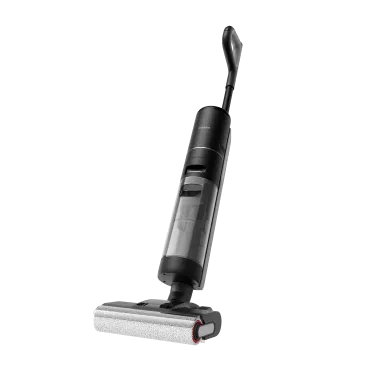
Wet-dry vacuums combine suction, scrubbing, and rinsing in one step, so the floor never sits under dirty water. Devices like the Dreame H15 Pro Heat Wet Dry Vacuum keep clean and dirty water separate, apply precise amounts of cleaning solution, and dry the floor instantly. The result is spotless, streak-free, and residue-free in a single pass. You get the cleaning power of heat without the risk of warping or damage, just spotless, smooth floors every time.
Robot Vacuums and Mops
If you’d rather skip mopping altogether, a robot vacuum-mop handles it on its own. The Dreame Aqua10 Ultra Roller Robot Vacuum measures out just enough solution, uses clean water for every pass, and even washes its mop pads after each run. It doesn’t forget to rinse or reuse dirty water, so the sticky floor problem just disappears.
Frequently Asked Questions on Why Floors Stay Sticky
Why are my floors still sticky after mopping?
Most likely, there’s leftover soap or dirty water on the surface. The cleaner dried before it was fully rinsed off.
What's the best way to clean sticky floors?
Use warm water and a mild cleaning solution, followed by a thorough rinse to remove residue. For easier upkeep, smart cleaning tools like wet and dry vacuums or robot vacuums with mopping functions do the job automatically. Scrubbing, rinsing, and drying in one pass to leave your floors spotless without the extra effort.
Why does my floor feel sticky even after using vinegar?
Vinegar can help, but too much of it, or no rinse afterward, can leave a faint residue. One cup per gallon of warm water is enough.
What kind of floor cleaner won't leave a sticky residue?
Look for “pH-neutral” or “residue-free” on the label. You can test it by spraying a little on a mirror; if it dries clear, it’s safe for your floor.
There’s nothing more frustrating than mopping your floors, only to find them feeling tacky or sticky under your feet an hour later. It’s a counterintuitive problem that can make you feel like your hard work was for nothing. You scrubbed, you cleaned, but the floor feels dirtier than when you started.
If this sounds familiar, take a breath. The problem isn't your effort—it's a misunderstanding of what actually causes that sticky feeling. The solution isn't to scrub harder; it's to fix the cleaning process itself.
This guide will walk you through a clear diagnosis of why your floors get sticky and provide a professional method to strip old residue, clean correctly, and finally maintain that truly clean, non-tacky floor you’ve been after.
Why Are Your Floors Sticky?
Before you can find the right solution, you have to understand the problem. In almost every case, that sticky feeling comes down to one of a few common culprits that have more to do with your cleaning method than the dirt itself.
4 Most Common Causes of Floor Stickiness
Cleaner Residue: Most floor cleaners contain ingredients called surfactants. Their job is to lift dirt, but they are often designed to leave a microscopic film behind. This leftover chemical residue is inherently tacky and acts as a "dirt magnet," attracting new dust and grime and starting the sticky cycle all over again.
Using Too Much Product: This is the single biggest mistake. Every cleaner has a recommended dilution rate—the perfect mix of cleaner and water. When you use too much soap, there isn't enough water to rinse it all away, guaranteeing a sticky, soapy residue is left on the floor.
Dirty Water and Mops: If you mop your whole floor with a single bucket of water, you’re not really cleaning. After the first few passes, you're just redistributing a thin film of dirty, soapy water across the entire surface, which dries into a tacky layer.
Grease and Spills: While cleaning residue causes widespread stickiness, stubborn sticky spots are often from the kitchen. Cooking oils can create a greasy film, and sugary spills from juice or soda will leave a tacky patch if not cleaned up thoroughly.
Recommended Method to Deep Clean Any Sticky Floor
This is the complete, step-by-step process professionals use to tackle sticky floors. Mastering this technique is more important than the specific brand of cleaner you choose because it removes the root cause of the problem: buildup.
Step 1: Always Start with a Dry Prep
This is a non-negotiable first step. Following the proper vacuum-first, then-mop cleaning rule, you must remove all loose debris like dust, hair, and crumbs. If you skip this, you’ll just turn that dry dirt into a "muddy slurry" that your mop will spread around, creating streaks and adding to the sticky film.
Step 2: Strip Old Residue with a "Reset Rinse"
Now, it's time to strip the invisible film of old cleaner that’s causing the stickiness. The best way to do this is with a simple, effective solution that cuts through the buildup without adding more soap.
Mop your entire floor with a solution of 1 cup of white vinegar per gallon of warm water. The natural acidity of the vinegar neutralizes and breaks down the alkaline soap residue left behind by old cleaners. For heavy buildup, you may need to repeat this step.
Step 3: Mop Correctly with the Two-Bucket System
This is the professional secret to stop re-contaminating your floor. Instead of using one bucket that gets progressively filthier, you use two.
Bucket One (Solution Bucket): Contains your properly diluted cleaning solution (or just the vinegar/water mix).
Bucket Two (Rinse Bucket): Contains clean, plain water.
Dip your clean mop in Bucket One and wring it out. Mop a small section of the floor. Then, before getting more cleaner, rinse the dirty mop thoroughly in Bucket Two. Wring it out completely before dipping it back in Bucket One for a fresh solution. This disciplined process ensures dirt is removed from the floor and trapped in the rinse bucket, not spread back onto your floor.
Adjusting Your Cleaning for Different Floor Types
Using the right technique is critical, but using the right solution for your specific floor is essential to avoid costly damage. What works on tile can permanently ruin natural stone.
Floor Type
Recommended DIY Solution
Sealed Hardwood
pH-neutral wood cleaner is safest. (Optional: 1/4 cup white vinegar per gallon of water)
Laminate
Spray bottle with equal parts water, vinegar, & isopropyl alcohol.
Tile, Vinyl, & Linoleum
1 cup of white vinegar per gallon of warm water.
Natural Stone (Marble, Granite)
A few drops of pH-neutral soap in water, or a dedicated stone cleaner.
How to Clean Sealed Hardwood and Laminate Floors
The number one rule for these floors is to use minimal water. A mop should always be damp, not wet.
Hardwood: The safest choice is a pH-neutral cleaner specifically formulated for wood. If you use the vinegar solution, make sure it’s highly diluted (1/4 cup per gallon) and always perform a spot test in a hidden area first, as the acid can dull some polyurethane finishes over time.
Laminate: The fiberboard core of laminate is extremely vulnerable to water damage. A great DIY solution is a spray bottle with equal parts water, vinegar, and isopropyl alcohol—the alcohol helps the solution evaporate very quickly. A properly cleaned laminate floor should dry in a minute or two. And a critical warning: NEVER use a steam mop on laminate.
Dreame Take
The fear of damaging wood floors with heat and water is valid. It’s why tools like the Dreame H15 Pro Heat Wet Dry Vacuum are designed to solve this specific problem. It can clean with hot water to dissolve stubborn grime while being certified as safe for wooden floors, ensuring no deformation or damage.[1]
How to Clean Tile, Vinyl, and Linoleum Floors
These resilient surfaces are very durable and respond perfectly to the white vinegar and water solution for stripping residue and general cleaning.
While the ceramic or porcelain tile itself is tough, the cement-based grout between them is not. Acidic cleaners like vinegar can slowly eat away at it over time. For targeted cleaning, it’s safer to learn how to clean floor tile grout with a paste of baking soda and water and a stiff brush.
For step by step instructions, read our guides:
Clean and Protect Vinyl Plank Flooring
Clean and Mop Tile Floors
Clean Linoleum Floors
How to Clean Natural Stone (Marble, Granite, Travertine)
This is the one floor type where you must be extremely careful.
NEVER use vinegar, ammonia, lemon juice, or any other acidic cleaner on natural stone. The acid will react with the minerals in the stone and cause permanent damage called etching, which looks like a dull, cloudy spot. Use a cleaner specifically labeled as pH-neutral and safe for natural stone. In a pinch, a few drops of pH-neutral dish soap in warm water will work.
For a complete breakdown, read our essential tips on how to clean marble floors.
How to Keep Floors from Getting Sticky Again
Now that your floors are truly clean, the goal is to keep them that way. Shifting from reactive deep cleaning to proactive maintenance will save you a world of effort.
Set Up a First Line of Defense
A huge amount of dirt is tracked in from outside. Use high-quality doormats both outside and inside your entrances. Even better, adopt a "no shoes in the house" policy to stop street grime from ever touching your floors.
Use the Right Cleaner (and the Right Amount)
Always follow the dilution instructions on your cleaner. And when buying a new one, look for terms like "residue-free."
You can perform a "glass test." Spray a little of the cleaner onto a mirror and wipe it clean. If it leaves behind a streak or a hazy film, it will do the same on your floor.
Keep Your Cleaning Tools Clean
A dirty mop spreads dirt. It’s that simple. Make sure you learn how to clean your mop head and machine wash and dry your microfiber mop pads after every use. Rinse your buckets and let them dry completely to prevent bacteria growth.
Make Your Routine Automatic
The single mosteffective way to prevent sticky buildup is a consistent cleaning schedule. This is where modern technology can be a game-changer. Here’s how smart vacuums solve the core problems we've discussed:
It Automates the "Dry Prep": A robot vacuum running on a daily schedule constantly removes the loose dust and debris that would otherwise turn into a "muddy slurry" during mopping. A top-tier model like the Dreame L50 Ultra, ranked #1 on Vacuum Wars Top 20 Robot Vacuums list [2025], automates this crucial preventative step with powerful suction.
It Solves the "Dirty Water" Problem: Unlike manual mopping where water gets progressively dirtier, advanced robotic mops use systems that apply consistent pressure with fresh water, ensuring grime is lifted, not spread around. Some, like the Dreame Matrix10 Ultra, even feature a Multi-Mop™ Switching Dock that can swap out different mop types mid-clean. For example, a bristled mop for a tile kitchen and a soft sponge mop for a bathroom, all for a truly tailored and hygienic clean.
It Handles Its Own "Tool Hygiene": The self-cleaning dock automates the final crucial step. It washes and dries the mop pads after each cleaning run, ensuring the device always starts with a perfectly clean tool.
Frequently Asked Questions
Why are my floors still sticky after mopping?
This is almost always caused by residue. The most likely reasons are that you used too much cleaning solution and didn't rinse it away, or you used a dirty mop and bucket, which just spread a thin layer of grime across the floor.
How do you get sticky residue off the floor?
The best way is to mop with a solution of one cup of white vinegar in a gallon of warm water. The acid in the vinegar is excellent at breaking down and dissolving the soapy or greasy film that causes stickiness. Just be sure not to use it on natural stone.
Does vinegar get rid of sticky floors?
Yes, it’s highly effective for most floor types. Vinegar is an acetic acid that naturally cuts through the alkaline residue left by many soaps and cleaners. It cleans without leaving a new film behind, which is key to breaking the sticky cycle.
How do you clean a dirty, sticky floor?
Start with a dry prep by thoroughly sweeping or vacuuming. Then, perform a "reset rinse" with a warm water and vinegar solution to strip the sticky residue. For future cleans, adopt the two-bucket method to ensure you're always cleaning with a clean mop.
It's a simple task, but knowing how to turn your robot vacuum off correctly is important. You might be going on holiday, doing some cleaning on the robot itself, or maybe it's just not listening to you. What do you do when you need it to stop?
Powering down your robot the right way can solve a frustrating glitch, protect its battery for the long term, and get it ready for the next cleaning run. This guide gives you the direct steps to do it properly in any situation.
Your 3 Main Options for Turning It Off
You have a few easy ways to turn off your robot vacuum.
1. The Manual Way: Use the Button on the Robot
This is the most direct and sure way to turn it off. If you are near your robot, using its buttons is the fastest way.
How to Do It: First, lift the robot off its charging base. Then, press and hold the Power button for about 3–5 seconds. You will hear a sound or see the lights go out. This tells you it is completely off.
Quick Tip: Remember, a single, quick tap of the Power button will only pause your robot. It stays on and is ready to go. To really turn it off, you need to press and hold.
2. The Convenient Way: Use Your Phone's App
Your phone is the command centre for total control from anywhere. This is perfect if the robot is in another room or if you are not home.
You can use the app to stop a cleaning job and send your robot back to its base. Once it is on the base, your robot vacuum automatically goes into a low-power standby mode to charge. For daily use, this is all you need. It lets the robot manage its own power and always be ready for the next cleaning. This is also how you control settings like your robot vacuum mapping to set up cleaning plans.
3. The Smart Way: Let the Robot Manage Itself
The best part of a modern robot vacuum cleaner is that it's smart enough to manage its own power. These features work automatically, so you do not have to think about them.
Sleep Mode: If you pause your robot and leave it off its dock for about 15 minutes, it will go into deep sleep mode to save battery. Just press any button to wake it up.
Do Not Disturb Mode: You can set up a "Do Not Disturb" time in your app, like from 10 PM to 8 AM. This tells your robot not to start cleaning or make noise while you are sleeping.
Auto-Return: A self-emptying robot vacuum knows when its battery is low or when the job is done. It will automatically go back to its base to charge. This way, it's always ready for its next run, and you do not have to do anything.
What to Do When Your Robot Vacuum Won't Turn Off
It is upsetting when your robot is stuck running and will not respond. Do not worry. This is usually a simple problem you can fix in seconds. Here are five common fixes to try.
Is It On The Charging Base?
Your robot is designed not to power down while charging. This is a safety feature. To turn it off, you must first lift it off the dock. Then, press and hold the power button.
Try A Forced Restart
If the robot is off the dock but still frozen, a forced restart is your best option. Press and hold the power button for 10–15 seconds. This is like a hard reset for your robot and can fix most software problems.
Check For Jams And Tangles
Sometimes, your robot stops responding because something is blocking it. Flip it over and check if hair, cords, or a toy is tangled in the main brush or wheels. After you clear the jam, it should start responding again.
Clean The Sensors And Contacts
If your robot's sensors are dirty, it can get confused and act strangely. Wipe the sensors on the bottom and the charging contacts on the robot and the dock with a clean, dry cloth. This can often make it work normally again.
Check The Battery Level
If the battery is totally empty, the robot may not respond because it has no power. Place it on the charging dock and let it charge for at least 30 minutes. Then, try to turn it on or off again.
A Quick Word on the Base Station
Now you know how to manage the robot. You might also wonder about its home base. The good news is that the base station is much simpler. To turn it off, just unplug it from the wall.
But you should only do this if you're putting the robot away for a long trip. For everyday use, keep the base station plugged in. It needs to be on to charge your robot and run its self-cleaning cycles. Unplugging it every day will mess up your robot's schedule and cleaning routines.
When Should You Actually Turn Your Robot Off?
You do not need to turn your robot completely off after every clean. Leaving it on its base in standby mode is best for daily use. But there are a few times when a full shutdown is a smart move.
You're Going on a Long Holiday: If you'll be away for a few weeks, power down both the robot and its base. This is a great way to stop electronics that are plugged in from using power. It can save you a little money on your electricity bill.
You're Storing It: To keep the battery healthy in storage, experts say that storing lithium-ion batteries the right way can make them last much longer. Charge the battery to about 50%. Then, turn the robot off completely and store it in a cool, dry place.
You're Cleaning It: Before you clean the brushes or wipe the sensors, turn the robot off. It is important to always handle lithium-ion batteries safely. Make sure the device has no power when you are working on its parts.
It's Acting Strange: If your robot is acting strangely, a full shutdown and restart is the best first step to fix it. It's a quick fix that solves most problems.
A Robot Vacuum You Never Need to Turn Off
Most people want to know how to turn off a robot vacuum because something went wrong. It got stuck, tangled, or needed cleaning, and you had to step in. But imagine a robot vacuum smart enough that you never have to rescue it in the first place.
That's the peace of mind you get with Dreame. Our robots are built to avoid the frustrations that usually force a shutdown:
No more forced restarts: The Dreame X50 Ultra uses advanced navigation and a liftable LDS to glide around furniture and obstacles, so you're not pulling it out from under the couch.
No more pausing for rugs: The Dreame L40s Ultra automatically lifts its mops when it detects carpet, cleaning both hard floors and rugs in one pass without interruption. So you do not have to rush to pause or stop it when it gets to a rug.
No more shutdowns for dirty mop: The Dreame Aqua10 Ultra Roller cleans its roller mop with fresh water as it works, so you don't have to stop mid-clean for maintenance.
Enjoy Clean Floors Without the Effort
Knowing how to control your robot vacuum's power puts you in charge. But the real goal is to own a robot so smart you do not have to.
Are you ready to stop managing and start enjoying a clean home? Look at Dreame's lineup of advanced robot vacuum cleaners and see what a truly automatic clean feels like.
FAQs about Turning Off a Robot Vacuum
Q1. My robot won't turn off, even with a forced restart.
This usually means the robot's software is stuck. The best fix is to let the battery run out completely. Take the robot off its base and wait for it to lose all its power. Then, a full recharge of the base will reset its system. If it still does not work, you should contact customer support.
Q2. Will a full power-down erase the robot's map?
No, the map is safe. Your robot saves the map to a special memory that keeps information even with no power. Turning the robot off or having the battery die will not delete the map. It will be there when you turn the robot on again.
Q3. Can I unplug the base with the robot on it?
This can damage the battery. The robot will not get power, and its battery will slowly drain to empty. Letting the battery drain completely and stay that way for a long time can make it weaker and not last as long. For storage, turn the robot off and keep it away from the unplugged base.
Q4. Does the robot consume a lot of power at its base?
When it sits on its base, it consumes a small amount of electricity to remain ready. You will not see a difference in your electricity bill. This keeps it ready to clean anytime you need it.
Q5. If I power off the robot, will it forget its schedule?
No, your schedule is safe. The schedule is saved in the robot's permanent memory and in the app. The robot is designed to maintain these settings even when it's powered off. Your schedule will still be there and will work as planned when you power it on again.
Ever bought a robot vacuum on sale while traveling, or thought about bringing yours along to keep an Airbnb clean during a long stay? You may be moving cross-country and want to avoid shipping delays. Whatever the reason, the question comes up: Can you actually bring a robot vacuum on a plane?
The short answer: yes, but there are rules. Because robot vacuums use lithium-ion batteries, there are specific requirements you must follow. This guide breaks down the rules and provides step-by-step tips so you can safely navigate your robot vacuum to its destination without the stress of airport travel.
Can You Take a Robot Vacuum On a Plane?
Yes, you can. The Canadian Air Transport Security Authority (CATSA) clearly allows you to take a robot vacuum on a plane. You can bring it in either your carry-on or your checked bag—as long as they’re packed and protected properly.
The most important thing to pay attention to is how you pack your robot vacuum and its parts. While CATSA handles security screening at Canadian airports, individual airlines also have their own policies to ensure flight safety—and the final decision at the security checkpoint is always up to the screening officer.
How to Bring a Robot Vacuum On a Plane
To travel with your robot vacuum, you must follow a few key steps. These steps will help you comply with safety rules and protect your vacuum from getting damaged.
1. Always Check Your Airline's Rules
Before you pack, check your airline's rules. You can find them on the airline's website, usually under "Restricted Items" or "What Can I Bring?". This will tell you exactly what that airline allows, so you won't have any surprises at the airport.
2. Get Familiar with the Current Rules for Robot Vacuums
Most airlines operating in Canada follow IATA-style lithium battery limits for passenger travel.
Here's what you need to know:
Batteries Under 100Wh: These are permitted on the plane without airline approval. You can leave the battery inside your vacuum in a checked bag, but any spare batteries must be in your carry-on.
Batteries Between 101Wh and 160Wh: These are permitted with airline approval.
Batteries over 160Wh: These are not allowed on passenger planes.
Important packing note: Spare lithium batteries must go in carry-on baggage (not checked).
3. Check the Battery
Getting your robot vacuum ready for a flight is all about the battery. Most of these vacuums run on lithium-ion batteries.
First, you need to find out your battery's power, which is measured in Watt-hours (Wh). This is usually printed on the battery. If you can't find it, you can figure it out with this calculation:
Volts (V) x Amp-hours (Ah) = Watt-hours (Wh)
(If you only see mAh, just divide that number by 1,000 to get the Ah.)
Most robot vacuum batteries are well under the 100Wh limit.
4. How to Remove the Battery
To follow these rules, you may need to remove the battery from your vacuum. Here's how to do it:
Turn the Vacuum Off: Make sure the robot vacuum is completely powered off.
Flip the Vacuum Over: Place it upside down on a soft surface, like a rug or towel.
Open the Battery Cover: Look for a small panel held on with a couple of screws. Use a small screwdriver to open it.
Unplug and Remove: The battery is connected with a small plastic clip. Gently unplug it and lift the battery out.
Pro Tip: Once the battery is out, cover the metal connectors with a piece of tape. This prevents them from touching anything metal, which keeps the vacuum safe.
5. Pack the Vacuum Unit Safely
You'll want to pack your robot vacuum well to protect its sensitive parts.
Use a Fireproof Bag: For extra safety, you can put the battery in a fireproof bag. These bags are made to stop a fire from spreading.
Protect the Charging Contacts: The metal parts on the bottom of the vacuum can get scratched. To protect them, just cover them with a small piece of tape before you pack.
Secure Loose Parts: Make sure you secure any parts that can come off, like brushes or the dustbin, so they don't break during the trip.
Use the Original Box: The box it came in is the best and safest way to pack it.
Wrap It Up: If you don't have the box, wrap the vacuum in soft things like clothes or towels. Try to place it in the middle of your suitcase so it's cushioned.
Mark Your Luggage: If you check your bag, put a "Fragile" label on it. This will remind handlers to be careful.
Important: For safety, you should do two things before you pack. First, make sure the vacuum is completely turned off to prevent it from turning on by accident. Second, keep the battery charge low, under 30%.
Robot Vacuum in Carry-on or Checked Baggage?
You can put your robot vacuum in your carry-on or checked bag. However, for safety and protection, we recommend putting the vacuum unit in a checked bag and the battery in your carry-on.
Carry-On Luggage
Good Part: You keep the vacuum with you, so it can't get lost or broken by baggage handlers.
Bad Part: A robot vacuum is big. It will take up almost all the space in your carry-on bag, with no room for much else.
Checked Luggage
Good Part: It's much easier. You don't have to carry it through the airport, and you'll have plenty of space in your carry-on.
Bad Part: Checked bags can get tossed around. If you don't pack it well, your vacuum could get damaged.
Ship Your Robot Vacuum, or Take It on a Plane?
If you don't want to pack your robot vacuum, you can always ship it instead. Here's a quick comparison to help you decide.
Factor
Taking It on a Plane
Shipping It
Cost
The price of a checked bag is usually $35-$40 on flights.
Usually between $25-$50* for ground shipping, varies by size/weight, distance, and carrier.
Convenience
You get it as soon as you land, but you have to pack it and carry it.
Pack once, send it, and wait for the courier delivery
Risk
Medium. Bags can be handled roughly, but good packing helps a lot.
Low to medium. Shipping insurance is usually available.
*The $25-$50 cost is a realistic estimate based on what major US shipping carriers like Canada Post, UPS, and FedEx typically charge for ground shipping.
Both flying with your robot vacuum and shipping it have good points and bad points. Choose based on your needs.
Cost
Prices depend heavily on your airline and route in Canada, and shipping depends on distance, weight, and whether you add insurance.
Convenience
If you fly with it, you can get it right upon your arrival. But you have to deal with the packing and unpacking yourself. And sometimes carrying it through the airport can be a trouble.
Shipping is easier because you just pack it once, pay, and wait for the deliveryman to deliver it to your door. But you have to wait for days for it to arrive.
Risk of Damage
If your robot vacuum is in checked luggage, it can be handled roughly and easily broken if your packing is solid enough for protection.
But shipping companies are usually more careful, and you can always buy insurance to protect your item.
The Verdict
If you need your vacuum right off the plane, take it with you. But if you want a simpler and easier trip, and can wait for the delivery, shipping is a better choice.
Conclusion
It's perfectly fine to take your robot vacuum on a plane. Just remember to check your airline's rules, pack it well, and handle the battery correctly. By following these tips, you can be sure your cleaning helper gets to your destination safe and sound.
Looking for a smart and powerful cleaning solution? Explore Dreame's collection of innovative robot vacuums.
FAQs about Robot Vacuums on a Plane
Q1. Can I bring the big charging dock or base station on the plane?
Yes. The charging station has no batteries or dangerous items, so you can bring it. It's best to put it as a checked bag.
Q2. Are the rules different for flights to other countries?
The rules for batteries are pretty much the same everywhere in the world. Still, it's a smart idea to double-check the rules for the country you are flying to and the airline you are using.
Q3. What if my robot vacuum's battery is over 160Wh?
This is very rare for a robot vacuum. If your battery is this powerful, you cannot take it on a passenger plane. You would have to send it using a special shipping service that handles dangerous goods.
Q4. Do I have to tell the TSA agents that I have a robot vacuum?
No, you don't. But if you pack it in your carry-on, you will have to take it out of your bag and put it in a separate bin to go through the X-ray scanner, just like you do with a laptop.
Q5. Can I bring the cleaning solution for my robot mop?
Yes. If you put it in your carry-on, the bottle must be 100 mL/100 g or less to fit in one clear, resealable 1 L bag . If the bottle is larger than that, you must pack it in your checked bag.










 Robot Lawn Mowers










 Humidifiers










 Smart Door Lock


 Australia
 中国大陆
中国大陆 日本
日本


 Türkiye


 Italia
 Netherlands
 Belgium
 Greece
 Polska
 Norway
 Sweden
 Finland
 Denmark
 Hungary
 Czechia
 Slovenia
 Croatia
 Switzerland
 United
Kingdom
United
Kingdom
 Canada


 Colombia


