How to Clean Baseboards (Without Bending Over): Easy Methods

How to Clean Baseboards (Without Bending Over): Easy Methods

Dreame Editorial Team |
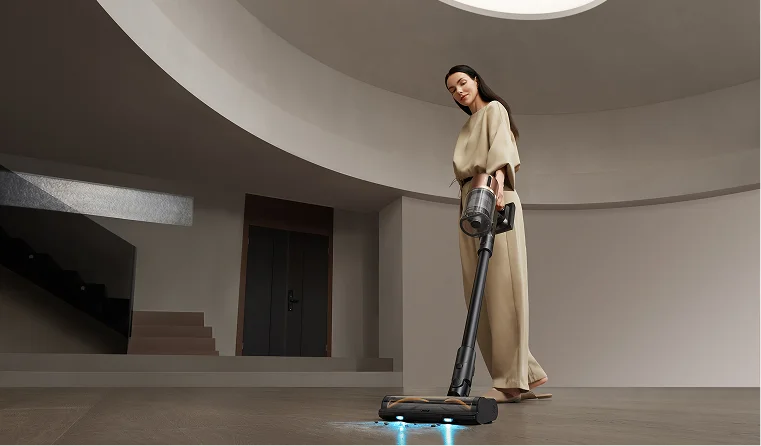
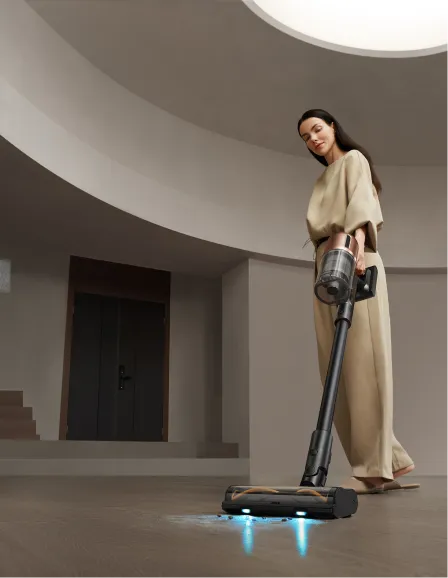
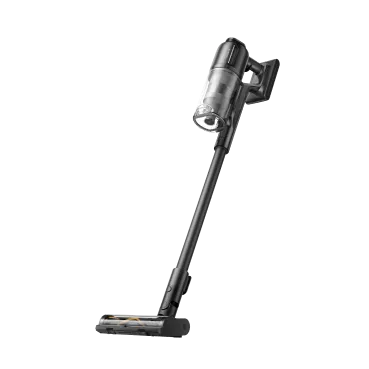
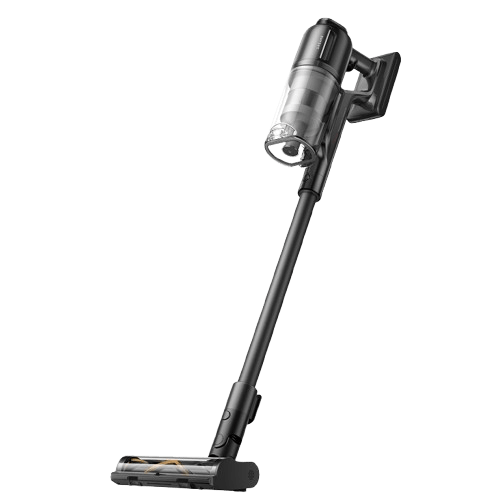
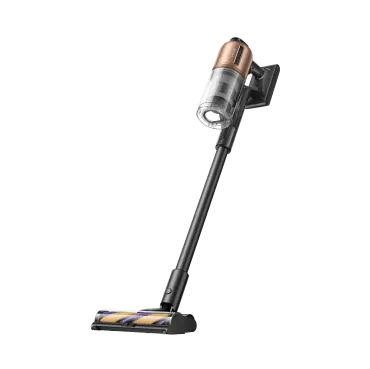
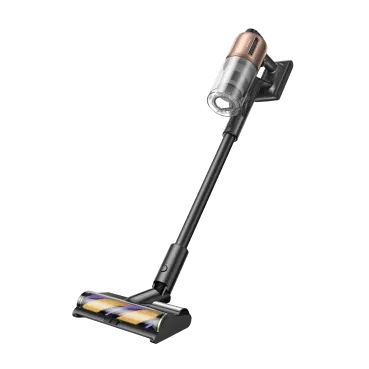
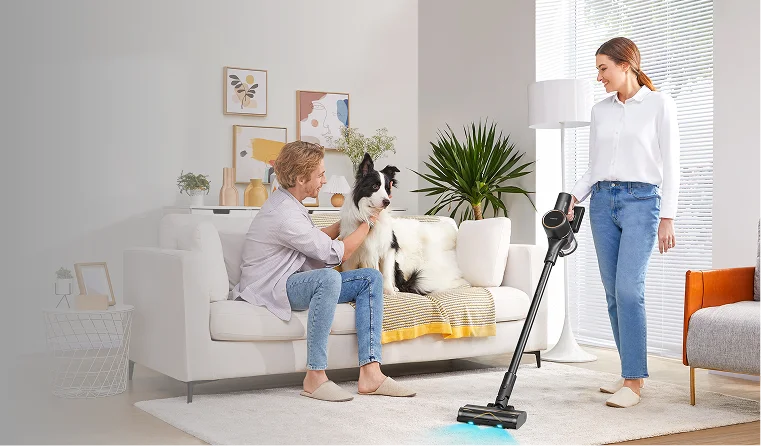
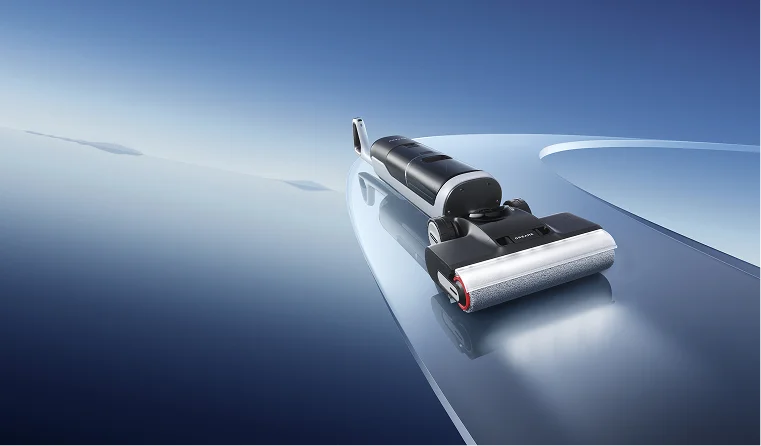
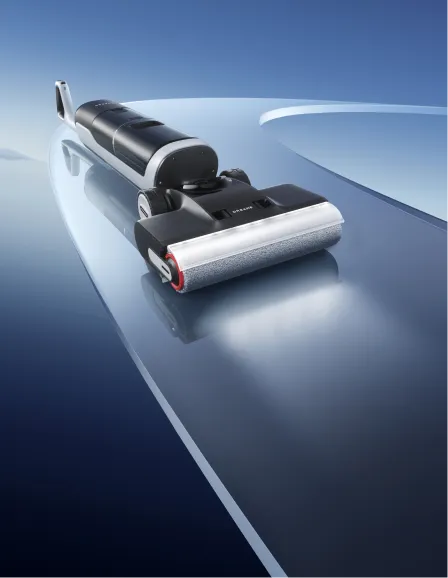
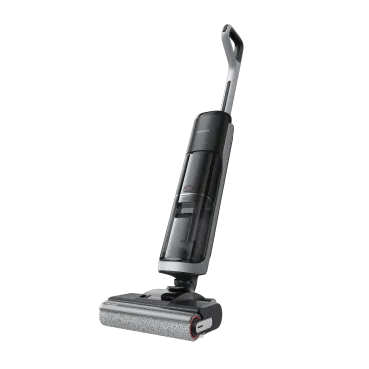
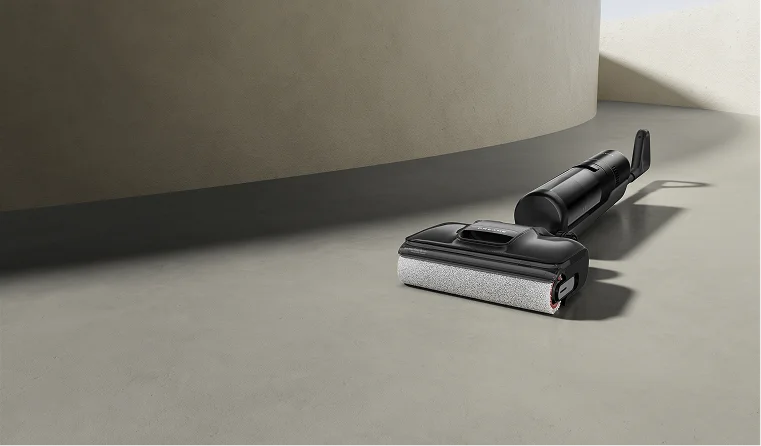
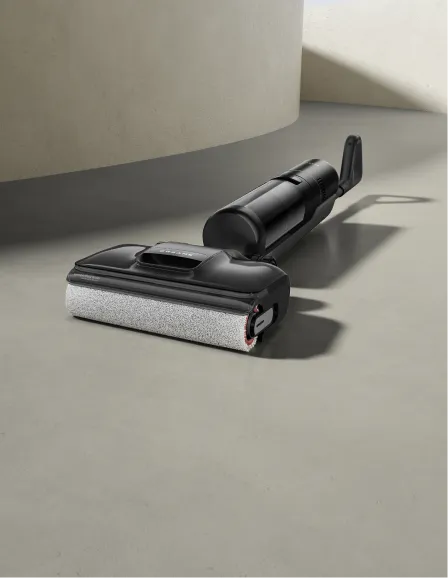
Cleaning baseboards usually means a bucket of soapy water and an hour on your hands and knees, moving room to room. If your back or knees have had enough of that, there's an easier way, especially with a slim cordless vacuum that reaches the wall-floor edge while you stay standing. This guide covers how to clean baseboards without all the bending, plus what tools work best and how often to do it. How Often Should You Clean Baseboards How often you should clean your baseboards comes down to a simple routine: dust weekly and damp-wipe monthly. A proper deep clean once or twice a year takes care of the rest. Weekly dusting is key. Dust collects quickly along the seam where the wall meets the floor. If left unchecked, it mixes with moisture and forms a sticky film that's tough to remove. A quick pass with a vacuum brush attachment or microfiber duster each week prevents dust from settling in. Monthly damp-wiping takes care of scuffs and marks that dusting alone can't remove. For most homes, this routine is all you need. If you have pets, kids, or hardwood floors near a busy entryway, consider damp-wiping every two weeks. Pet hair and outdoor debris can accumulate along baseboard edges faster than regular household dust. What You Need to Clean Baseboards Most of the frustration with cleaning baseboards comes from using a wet cloth on dusty surfaces, which just smears the dust into a paste. Here's a list of what you need to clean baseboards more efficiently: A vacuum with a soft brush attachment or a slim cordless vacuum for the weekly dust pass. A microfiber cloth for damp-wiping (microfiber traps dust instead of pushing it around). A long-handle mop or extendable duster for attaching your microfiber cloth. A small bucket of warm water with a drop of dish soap for the monthly wipe-down A dryer sheet to run along clean baseboards for an anti-static finish. A magic eraser for scuff marks (to be used sparingly). Avoid using vinegar on painted baseboards, especially those with glossy or low-VOC finishes. It can dull the sheen over time. Instead, stick to dish soap and warm water, which clean effectively without risking damage to the paint. For homes with carpet running up to the baseboard, this guide on how to choose and use a wet and dry vacuum cleaner for carpets covers how to handle both. Pro-tip: If your vacuum has a soft brush attachment, use it. Stiff bristles can scratch painted finishes over time, especially on satin or gloss trim. A soft brush gently lifts dust without leaving marks. How to Clean Baseboards Without Bending Over (The Easy Method) The fastest way to clean baseboards without bending over is with a slim cordless wet and dry vacuum that lays flat along the wall. No kneeling, no buckets. The full job takes about 15-20 minutes for an average home. Here's the step-by-step: Clear the baseboard area: Push out any chairs, dog beds, or rugs that block the wall-floor seam. Drop the vacuum to its lay-flat position: A slim vacuum that drops to 180° reaches under furniture you can't move, like sofas, bed frames, and dressers. Work room-by-room along the wall edge: Move at a normal walking pace. The vacuum's edge brush catches dust at the wall-floor seam as you go. Spot-treat scuffs as you go: Use a damp microfiber pad on a long-handle mop for the wipe stage; no kneeling needed. Finish with a dryer sheet pass: Optional, but a quick wipe with a dryer sheet leaves an anti-static layer that delays the next round of dust. This is where a slim cordless wet and dry vacuum is worth having in your home. The Dreame Aero Pro lays completely flat at 180° to glide along baseboards under sofas and bed frames, and its edge-to-edge brush reaches the wall-floor seam where dust collects. At 3.88in (9.9 cm) tall and lightweight, it's the kind of cleaning device that doesn't require you to bend over while cleaning. The 25,000 Pa suction pulls dust out of the corner where the baseboard meets the floor, not just off the surface. TangleCut™ 2.0 keeps long pet hair from wrapping the brush, which matters if you have a shedding dog and you've been avoiding cleaning your baseboards because of how much hair is hiding down there. This method works for bad backs, post-surgery recovery, and any time kneeling isn't an option. The lay-flat reach also gets the head under furniture, so the hidden stretch of baseboard behind sofas and beds gets cleaned in the same pass. [product handle="aero-pro-wet-dry-vacuum" rating="4.9"] The Traditional Hands-and-Knees Method If you don't have a slim cordless vacuum or you prefer a hands-on deep clean once a year, the traditional hands-and-knees method still works. Here's the cleaning order that gets the best result. Start with a dry pass: Use a vacuum brush attachment or a microfiber duster to lift all the loose dust off the baseboard. Skipping this step may turn the next one into a smear job. Wipe with warm soapy water: Use a few drops of dish soap in a bucket and a microfiber cloth. Wring the cloth between sections so you're not pushing dirty water around. Work the top, face, and bottom edge of the baseboard one room at a time. Tackle scuffs separately: A magic eraser handles black shoe marks and dog leash drag marks. Use it on the marks themselves, not as a general wipe. Dry-buff with a clean microfiber: Water spots can show up if you let the soap dry, especially on white or glossy baseboards. A quick dry pass prevents this. Optional dryer sheet finish: Run a sheet along the dry baseboard to leave an anti-static layer that prevents dust from building up. This method is more thorough but harder on the body. For a once-a-year deep clean, it's worth the effort. For weekly maintenance, the no-bending cleaning method with a slim cordless vacuum can deliver the same result in a fraction of the time. Cleaning White and Painted Baseboards White and painted baseboards need a lighter touch than other surfaces. Cleaning them is easy, but keeping the paint intact is where most people get it wrong. For routine cleaning, dish soap and warm water are the safest bet. Avoid vinegar, ammonia-based cleaners, and bleach on painted baseboards. All three can break down paint finishes over time, especially on glossy or semi-gloss trim. If your white baseboards have yellowed, it's almost always from sun exposure or smoke, not dirt. Cleaning won't fix it. A fresh coat of paint is the only real answer. To clean baseboards without damaging the paint, remember this rule: blot, don't soak. The cloth should be damp, not wet. Excess water along the wall-floor seam can seep behind the baseboard and cause the paint to lift at the edges. Using a lightly dampened cloth and a gentle touch will help keep the paint intact. Important: Magic erasers are mildly abrasive. They work for scuff marks but can dull glossy paint with repeated use. Use them only on the marks themselves, not as a general-purpose wipe. Test in a hidden spot first if you've never used one on your baseboards. How to Keep Baseboards Cleaner for Longer Clean baseboards collect dust within days, but two habits stretch that out for weeks: a daily robot vacuum run that clears dust before it reaches the wall, and a dryer-sheet wipe that leaves an anti-static layer. Run a robot vacuum daily on hard floors. It catches loose debris before it settles into the wall edge, which is where most baseboard dust comes from. This one habit does more to keep baseboards clean than any product will. Use the dryer sheet trick. After each baseboard cleaning, run a dryer sheet along the surface. The anti-static layer slows how fast dust builds back up, usually by a week or two. It doesn't replace cleaning, but it buys you more time between cleans. Door mats help too. Most baseboard grime comes from outdoors, like dirt off shoes, mud off paws, and grit off bags set by the door. A coarse outside mat plus a soft inside mat catches most of it before it ever reaches a baseboard. Cleaning baseboards in carpet-heavy homes require a different approach. Carpet traps dust before it moves to baseboards, but pet hair builds up at the carpet-baseboard seam in a different way. The blog, 7 Carpet Cleaning Tips, covers how to clear that seam buildup. For tile or LVP, dust builds up faster at the edge of the wall. Our how to clean and mop tile floors guide explains easy techniques to keep your floors and baseboards cleaner together. Dreame Take: The reason baseboards get dusty is that hard floors throw dust into the air, which settles at the edge of the wall. A robot vacuum running daily reduces dust accumulation. If you've been cleaning baseboards every two weeks and they still look dirty, the answer is more floor cleaning. The Future of Hands-Free Cleaning: Robot Vacuums with Arms Cleaning baseboards without bending over gets easy once you combine the right tool with a daily habit. A slim wet and dry vacuum that lays flat clears the dust along the baseboard in minutes, and a robot vacuum running daily cleans the dust before it even reaches the baseboard. Do both and your baseboards stay clean without the kneeling or the sore back. Robot vacuums are already closing in on the baseboard itself. Some newer models feature robotic arms that dust along walls and trim, reaching surfaces a flat-bodied robot vacuum can't. This robot vacuum arm guide covers how that technology is developing and what it means for the way homes will get cleaned in the next few years. Browse the Dreame wet and dry vacuum collection to find the model that handles your floors and your baseboards in one pass. Frequently Asked Questions What's the easiest way to clean baseboards? A slim cordless or wet and dry vacuum with an extension and edge attachment. No kneeling, no buckets, full reach in minutes. For deep cleans, follow up with a damp microfiber cloth. Should I dust or wipe baseboards first? Dust first, always. Wiping dusty baseboards smears the dust into a paste that's harder to remove than the original layer. Vacuum or dust first, then damp-wipe if needed. Does the dryer sheet trick really work? Yes, but for prevention more than cleaning. After baseboards are clean, wiping with a dryer sheet leaves an anti-static layer that delays the next dust accumulation by about 1-2 weeks. Can vinegar damage painted baseboards? Yes, on poorly sealed paint or stained wood. Vinegar's acidity can dull or strip finishes over time. Test in a hidden spot first. Dish soap and warm water are the safer choices for most painted baseboards. How often do most people actually clean baseboards? Most households only clean baseboards during seasonal deep cleans. You can dust them weekly or do a monthly damp-wipe. This routine works fine if a robot vacuum is running daily, since consistent floor cleaning prevents dust from accumulating.
Continue reading
LiDAR Navigation in Robot Vacuums: How It Works

LiDAR Navigation in Robot Vacuums: How It Works

Dreame Editorial Team |
LiDAR navigation is what lets a robot vacuum learn the layout of your home and clean it in a logical order, instead of bumping around at random. The technology originated in aerospace and self-driving cars, and a smaller version now sits inside the spinning turret you see on top of the latest smart robotic vacuums. This guide explains what LiDAR is and how it works inside a robot vacuum. You'll see how it compares to camera and gyroscope navigation, and which Dreame models include it. What Is LiDAR Navigation? LiDAR stands for Light Detection And Ranging. It works by sending out laser pulses and measuring how long they take to bounce back, then using those timing measurements to calculate distance and build a 3D map of its surroundings. The technology was developed for aerospace, surveying, and self-driving cars. NASA first used LiDAR on the Apollo 15 mission in 1971 to map the surface of the Moon. Autonomous vehicles rely on it to navigate city streets. In your home, a robot vacuum uses a much smaller version of the same technology to map your floors, hallways, and furniture. How LiDAR Works in a Robot Vacuum A LiDAR robot vacuum builds its map of your home through a continuous scanning process. Here's what happens during a single scan: A small spinning turret sits on top of the robot vacuum's body and rotates around five times per second. The turret emits laser pulses in all directions as it spins. Each pulse bounces back when it hits a wall, table leg, couch, or other object in the room. The robot vacuum measures how long each pulse took to return, then converts that timing into a distance. Each distance becomes a point on the vacuum's internal map, and thousands of points stitch together into a 3D floor plan. After one full mapping run, the robot vacuum has a complete floor plan saved to memory and reuses this map for every cleaning session. It knows where every wall sits and which rooms connect to which. Most LiDAR systems in robot vacuums can scan 8 to 10 m (26 to 33 ft) in every direction, which is enough range to map most rooms in a single sweep. A LiDAR robot vacuum maps and navigates just as accurately at 2 AM in a dark room as it does at noon with the blinds open because the laser doesn't rely on ambient light. Camera-based navigation can't do this. In low light, cameras lose the visual reference points they need to track the robot vacuum's position. Pro-tip: After the first mapping run, walk through your home and set no-go zones in the app before you start regular cleaning. Adding them later means the robot vacuum has already cleaned (and potentially gotten stuck in) those spots a few times. Common no-go zones worth setting upfront include around pet food bowls, near floor vents, and around exposed cables. LiDAR vs Camera Vision vs Gyroscope: Which Navigation Is Better? For most homes, LiDAR paired with AI vision is the strongest combination. LiDAR builds a precise floor-plan map, AI vision identifies objects on the floor like cables and pet waste, and gyroscope navigation skips mapping entirely. Gyroscope models work fine in small studios but struggle in any home with multiple rooms. The breakdown below covers what each system does well and where it falls short. LiDAR Uses laser pulses to map the room with millimeter-level precision. Works in the dark. Builds persistent maps that save across sessions. Limitation: The turret sits on top of the robot vacuum and adds height, around 3.9 in (10 cm) on standard models, which can prevent it from sliding under low furniture. LiDAR also doesn't classify what objects are. It can map their location and shape but can't tell a phone charger apart from a sock, which is why premium models pair LiDAR with AI vision. Camera vision (AI vision) Uses one or more cameras to see the floor in front of the robot vacuum. Pairs with onboard AI to identify objects like cables, socks, pet waste, and shoes, then steers around them. Limitation: Cameras need ambient light. They struggle in dark rooms. Mapping accuracy is usually lower than LiDAR for whole-room layout. Gyroscope Uses internal motion sensors to track movement and direction without building a real map. The robot vacuum cleans in a roughly methodical pattern but can't remember layouts or save no-go zones. Gyroscope navigation is found in budget models since the sensors cost a fraction of a LiDAR turret or AI camera system. The robot vacuum has no memory of where it has already cleaned within a session, so it can miss patches in one room and double back in another. Dreame Take: LiDAR and AI vision work better together than either does alone. The Dreame X60 Max Ultra Complete combines LiDAR with Proactive AI Vision for exactly this reason. LiDAR maps the room so the robot vacuum knows where the walls and furniture sit. AI vision watches the floor in front of the vacuum and steers around cables and a child's toy as they come up. Check out our comparison of budget robot vacuum vs high-end and learn what to expect from each option so you can find the best match for your home and lifestyle. Pros and Cons of LiDAR Navigation LiDAR is the most accurate navigation system available in consumer robot vacuums, but it costs more while adding height to the robot vacuum's body. The mapping precision is worth the trade-off for most homes over 1,500 sq ft (140 m²) or with multiple rooms. For studio apartments or single-room cleaning, a cheaper gyroscope model often works fine. Here's where LiDAR earns its price and where it doesn't. Pros Map rooms accurately, usually within 2 to 5 cm, so cleaning is precise. Clean just as well at night as during the day, thanks to sensors that don't need light. Remember your home's layout across cleaning sessions (and even across different floors). Let you set up real no-go zones and assign specific cleaning jobs to certain rooms. Move in smart, efficient paths instead of randomly bouncing around, which saves time and battery. Cons The LiDAR turret adds height, about 3.9 inches (10 cm), so these vacuums may not fit under low furniture. LiDAR on its own can't recognize small obstacles like cords or pet messes, which is why higher-end models pair it with AI vision. Usually cost more than basic gyroscope-only vacuums; in simple, small homes, a basic model might be enough. The LiDAR sensor's window collects dust over time and needs occasional cleaning to stay accurate. Important: If you have low furniture like a couch or bed frame that sits close to the floor, measure the gap underneath before buying a LiDAR robot vacuum. Standard models stand around 4 in (10 cm) tall because of the laser turret on top, so anything lower than that will block the robot vacuum. The Dreame X60 Ultra and Matrix10 Ultra get around this by lowering themselves to slide under low furniture, but most other LiDAR vacuums can't. How LiDAR Helps with Daily Cleaning LiDAR's mapping precision allows the robot vacuum to remember which rooms it has already covered and acts on voice or app commands that depend on knowing where things are. Here's how the persistent map helps with daily cleaning: Efficient cleaning paths. The robot vacuum moves in straight rows and turns at the right spots. Cleaning takes less time and the battery lasts longer per charge, since the robot vacuum isn't wasting energy on redundant passes. Room-specific commands. Instruct the robot vacuum to clean the kitchen through voice control or the app, and it cleans only that room. Multi-floor maps. A LiDAR robot vacuum can save several different floor plans for multi-story homes. Carry the robot vacuum upstairs, and it recognizes the new floor instead of treating it as unknown territory. No-go zones. You can draw a boundary on the app so the robot vacuum avoids floor vents or rugs with fringes that snag the brush roll. For homes with pets, you can set permanent no-go zones around food and water bowls so the robot vacuum doesn't get stuck circling them. Scheduled room cleaning. The map makes scheduled room cleaning possible. For example, you can set the kitchen to clean daily, bedrooms twice a week, and the office on Tuesdays. Smarter mixed-floor handling. A LiDAR robot vacuum remembers where the carpet ends and hardwood begins, making auto carpet boost reliable instead of the vacuum having to constantly switch modes mid-room. "Can robot vacuums clean carpet" provides a deeper look at how suction power and brush design work alongside mapping. The map's accuracy is what makes auto-adjustment worth having. Without a map, the robot vacuum has to detect when the floor changes in real time and switch modes after it has already crossed onto the new surface. With LiDAR, the robot vacuum knows the floor change is coming and adjusts suction or lifts the mop pads before it gets there. If you want a separate take on whether the mopping side is worth it, this guide on mopping robot vacuums explains when a hybrid versus a dedicated mop makes sense. Dreame Robot Vacuums That Use LiDAR Most Dreame robot vacuums use laser navigation, but the setup isn't the same across the collection. The flagship X60 Ultra, X60 Max Ultra Complete, and Matrix10 Ultra combine laser mapping with AI cameras and a retractable turret that lowers the robot vacuum to fit under low furniture. The mid-range L60 Pro Ultra and D30 Ultra use a fixed laser turret with strong obstacle sensors. The entry-level D20 Pro Plus gives you the same laser-based mapping at a more accessible price. The right model depends on how complex your home is and what kind of cleaning you need it to handle. Model Navigation Setup What Makes It Stand Out Best For X60 Ultra Retractable laser navigation, dual AI cameras, proactive light Slim 3.13in (7.95cm) body lowers itself to slide under low furniture Homes with sofas and bed frames close to the floor X60 Max Ultra Complete Same as X60 Ultra, plus Proactive AI Vision Adds carpet pressure plate for deeper carpet cleaning and dual-solution dispenser Heavy-use homes with pets and a mix of carpet and hardwood Matrix10 Ultra Liftable laser navigation and AI obstacle avoidance Multi-Mop™ switching system and 30,000 Pa suction Hard-floor homes that need real mop performance, not just damp pads L60 Pro Ultra Laser navigation and AI obstacle avoidance 35,000 Pa suction and 3.47in (8.8cm) obstacle climbing at a lower price than X Series Buyers who want flagship performance without the flagship price tag D30 Ultra Laser navigation and 3DAdapt obstacle avoidance 25,000 Pa suction with mop lifting and edge-extending mop arm at a mid-D-series price Mid-sized homes that want strong cleaning without flagship features D20 Pro Plus Laser navigation and 3D structured light Carpet boost and anti-tangle DuoBrush at a budget-friendly price First-time robot vacuum buyers and smaller homes under 1,500 sq ft The X Series and Matrix10 Ultra retract their laser turret into the body so the robot vacuum doesn't get blocked by low furniture. The other models keep a fixed turret, which costs less but adds about 4 in (10 cm) to the total height. Dreame's flagship and mid-tier models combine laser mapping with AI cameras for object recognition, while the budget D Series sticks to laser mapping plus simpler obstacle sensors. Dreame Take: The LiDAR itself isn't really what separates the flagships from the budget models. What you're paying for at the top of the lineup is the AI camera pairing for object recognition and the retractable turret that lowers the robot vacuum under low furniture. The laser mapping does its job well at any price tier. [product handle="x60-ultra-robot-vacuum" rating="4.5"] Is LiDAR Worth the Upgrade? In a studio or a one-bedroom, a basic gyroscope vacuum will probably clean your floors just fine, and you won't notice much difference. In a 1,500 sq ft (140 m²) home with several rooms, stairs to other floors, or pets running around, LiDAR pays off. The LiDAR robot vacuum moves faster and doesn't miss spots because it remembers your layout from one cleaning to the next. The more rooms and obstacles you have, the bigger the gap between LiDAR and basic navigation. Browse the Dreame robot vacuum collection to find a LiDAR model that fits your home, or read our complete robot vacuum buying guide for a broader walkthrough first. FAQ Does LiDAR work in the dark? Yes. LiDAR uses laser pulses, not visible light, so the sensor measures distance regardless of ambient lighting. You can set a robot vacuum with LiDAR to clean at 2 AM in total darkness, and it will navigate your home just as well as it does during the day. By contrast, camera-based models have a harder time finding their way in low light. Can LiDAR robot vacuums fit under furniture? Most LiDAR robot vacuums are about 3.9 inches (10 cm) tall due to the turret on top. If your sofa or coffee table is lower than 4 inches, these vacuums won't be able to fit under it. The Dreame X60 Ultra and Matrix10 Ultra feature a lower profile that fits under low furniture, giving you more cleaning coverage in tight spaces. How accurate is LiDAR mapping? Today's LiDAR-equipped robot vacuums can map your rooms with impressive precision, usually within about 2 to 5 centimeters. This level of accuracy means your vacuum remembers room boundaries from one cleaning session to the next, reliably avoids no-go zones, and cleans in smart, efficient paths rather than wandering randomly. Does LiDAR work better than cameras for navigation? LiDAR is great for creating an accurate map of your rooms, helping the robot vacuum know where to go. Cameras, on the other hand, help the vacuum see what's on the floor. The best robot vacuums use both. LiDAR guides the navigation, while cameras spot the small stuff that LiDAR might miss. For example, the Dreame X60 Max Ultra Complete combines both systems to get the best of both worlds. Is LiDAR safe for pets and kids? Yes. LiDAR in consumer robot vacuums uses Class 1 lasers, the same eye-safe classification used in CD and DVD players. The lasers are low-power and pose no risk to skin, eyes, or pets at any normal exposure level. The FDA's laser product safety guidance confirms that consumer laser products in Class I are considered safe for everyday use without protective equipment.


Continue reading
How to Get Blood Out of Carpet: Complete Guide

How to Get Blood Out of Carpet: Complete Guide

Dreame Editorial Team |
Knowing how to get blood out of carpet matters most in the first few minutes after the spill. Cold water and the right stain removal method separate stains that lift cleanly from stains that set forever. This guide covers both fresh and dried blood, plus special carpets and the cleanup most articles skip. Stain-Removal Supplies to Have on Hand Gather these before you touch the stain. These supplies should be somewhere easy to grab before a spill happens. A kitchen cabinet or cleaning cupboard works fine. Cold water White cloths or paper towels (colored cloths can transfer dye) Clear, mild dish soap (no bleach) Hydrogen peroxide (for white or light carpet only) Salt or baking soda (used in a paste to lift stains that have already dried) A clean spray bottle A vacuum for dried scab particles before any liquid treatment Important: Always use cold water. Hot water cooks the protein in blood and bonds it permanently into the carpet fibers. If you want to stay ahead of stains before they happen, our carpet cleaning solutions guide covers the products and methods that work best for regular upkeep. How to Get Fresh Blood Out of Carpet (Step-by-Step) The faster you act, the easier the stain lifts. Cold water does most of the work, so start here. Blot, don't rub: Press a white cloth firmly onto the stain and lift straight up. Rubbing pushes blood deeper into the fibers and spreads the spot wider. Work from the outside edge toward the center. Apply cold water: Spray cold water lightly onto the stain or dab it with a wet cloth. Blot again with a fresh dry cloth. Repeat until the cloth comes up nearly clean. Mix a dish soap solution: Combine one teaspoon of clear dish soap with two cups of cold water. Apply a small amount with a sponge or cloth, then keep blotting. The soap breaks down proteins that water alone leaves behind. Treat stubborn residue: If a faint mark remains, dab hydrogen peroxide on the spot using a cotton ball. Remember that peroxide can lighten dyes so test in a hidden area first, especially on dark or colored carpet. Final dry: Stack paper towels over the damp area and weigh them down. Let it sit for a few hours so the towels pull moisture up out of the carpet pad. Skipping this step is how mold starts. How to Get Dried Blood Out of Carpet (Step-by-Step) Dried blood needs more patience. The protein bond is stronger, and any liquid you add will mix with dried scab if you skip the first step. Vacuum first: Pass a handheld vacuum over the dried stain to lift any loose surface debris. Skip this and you'll grind scabs into the carpet pile when the water hits. Rehydrate gently: Spray cold water lightly onto the dried stain. Don't soak it. You want the dried blood to soften, not the pad below to absorb it. Let it sit for five to ten minutes. Apply a salt or baking soda paste: Mix about two tablespoons of salt or baking soda with enough cold water to form a thick paste. Spread it over the stain. As it dries, it pulls moisture and blood pigment up out of the fibers. Vacuum the dried paste: Once fully dry, vacuum the residue away. Repeat if any color remains. Try hydrogen peroxide for white or light carpet: Dab a small amount on any remaining mark. Let it bubble for a minute, then blot with a damp cloth. Tread carefully with dark carpet as peroxide can lighten dye. Enzyme cleaners as a last line: Pet-stain enzyme cleaners break down protein bonds directly. They work on blood that's dried and bonded into the fibers when other methods stop making progress. Pro-tip: Vacuum loose scab and flake particles before adding any liquid. Wet scab turns into smeared paste, which is harder to lift than the original stain. A few seconds of dry vacuuming saves you from making the problem worse. Common Mistakes That Make Blood Stains Permanent These six mistakes turn a removable stain into a permanent one: Using hot water: This is the cardinal mistake. Heat sets the protein bond instantly, and once set, the stain becomes far harder to remove. Cold water only, from the first dab. Scrubbing or rubbing: The natural reaction is to scrub hard. Don't. Scrubbing drives the stain deeper into the fibers and spreads it wider. Using colored cloths or towels: Dye from the cloth can transfer onto the wet carpet and create a second stain on top of the first. Stick to white cloths or plain paper towels. Reaching for bleach: Chlorine bleach removes the dye on most carpets along with the blood. You trade a small red mark for a large pale patch. Oversaturating the area: Pouring water on the stain pushes liquid into the carpet pad below, where it gets trapped. Trapped moisture grows mold and creates a musty smell. Always work damp, never wet. Mixing aggressive chemicals: Ammonia and hydrogen peroxide together produce toxic fumes. Never combine cleaning products without knowing the interaction. Use one product at a time and rinse the area with water before switching to a different cleaner. What to Do After the Stain Is Gone This is the part most guides skip. Lifting the visible stain is only half the cleanup, especially when the spill involves blood. Three things still need attention: Moisture management Even after the surface looks dry, the carpet pad underneath can hold moisture for days. Trapped water grows mold and creates a musty smell that's harder to remove than the original stain. Keep weighted paper towels on the spot and run a fan over the area for several hours. The goal is pulling all moisture out of the pad before mold gets a chance to start. Surface sanitization Blood carries bacteria, so a disinfectant wipe of the surrounding surfaces finishes the cleanup properly. This step matters most in homes with kids or pets, where the same floor gets a lot of contact. Surrounding hard-floor cleanup Most blood spills don't stay on one carpet patch. There's usually a drip path on tile, vinyl, or hardwood between the injury site and the spot you're treating. The Dreame Aero Pro covers this part with 25,000 Pa suction, and its 3.88in slim profile and 180° lie-flat reach let it slide under sofas and beds where drip trails often hide. The TangleCut™ 2.0 brush means pet hair from the cleanup doesn't tangle the roller mid-job. Dreame Take: Wet and dry vacuums clean hard floors brilliantly and dry-vacuum carpets safely, but they aren't designed to extract liquid from carpet fibers. For the carpet itself, cold water and patience do the work. For everything around it, the right vacuum saves you a second cleaning session. [product handle="aero-pro-wet-dry-vacuum" rating="5"] When to call a professional? Large stains, valuable or antique carpets, pad-soaked stains, and wool with dried blood are all worth a professional consultation. A single service call usually costs much less than replacing a damaged carpet. For carpet upkeep going forward, our carpet care tips cover routine maintenance, and our wet and dry vacuum for carpet guide explains where each tool fits. To make cleanup even easier, a robot vacuum that runs daily means less of a mess on your floors when accidents happen. If you don't have one yet, our robot vacuums are worth a look. Special Carpets and Tough Stains Different carpet types call for different methods. The wrong one creates a new problem on top of the blood stain. Wool carpet: Wool is delicate, so skip hydrogen peroxide and ammonia entirely. Mild dish soap with cold water is the safest approach. Apply sparingly, blot more than soak, and get a fan on the area quickly. White and light-colored carpet: Hydrogen peroxide is your friend here. The bleaching action lifts any pigment that cold water leaves behind, and you don't have to worry about dye loss. Test in a hidden corner first if the carpet is a premium grade. Dark carpet: Skip peroxide since the risk of creating a pale patch is too high. Dish soap with cold water, repeated as needed, is the safer choice. For stubborn residue, an enzyme cleaner avoids the bleaching risk. Set-in or old stain: Stains older than a few days are the hardest cases. Results vary even with professional treatment because the protein bond strengthens with time and air exposure. Enzyme cleaners give you the best at-home chance, but expect to repeat the process several times. Pet blood (paw cuts, nail tears, scrapes): Use the same fresh or dried method based on the stain state. Add a sanitization wipe to the surrounding area afterward, and consider an enzyme cleaner if any odor lingers. Pet blood often mixes with other fluids that amplify smell over time. Lift the Stain, Save the Carpet Getting blood out of carpet comes down to acting fast and matching the right method to whether the stain is fresh or dried. Cold water is the rule throughout. Most stains lift cleanly with dish soap and enough elbow grease. For the surrounding hard floors and the cleanup that comes after, the right tool saves you a second session. Check out Dreame's full range of wet and dry vacuums to find one that fits your home. Frequently Asked Questions Does Coke or Coca-Cola get blood out of carpet? No. The carbonation lifts some surface staining, but the dark dye in soda can leave its own mark on light carpet, sometimes worse than the original blood. Cold water and dish soap is safer and more reliable. How long do I have before a blood stain becomes permanent? About 24 hours for most carpet types, faster on wool or natural fibers. Stains under an hour old are easiest. Even a professional cleaning service may struggle with a stain that's been sitting for several days, because the protein bond gets stronger the longer it's left. Can I use hydrogen peroxide on dark carpets? Cautiously, and only after testing a hidden area first like a closet corner or under a furniture leg. Peroxide can lighten dark dyes and leave a visible pale patch. For dark carpets, dish soap with cold water is usually the safer choice. Reserve peroxide for white or light carpet where the bleaching risk is acceptable. What gets blood out of carpet without hydrogen peroxide? Cold water with dish soap works on most fresh stains. Salt or baking soda paste pulls liquid up out of the fibers and works well for dried stains. Enzyme cleaners break down the protein bond directly. Each option is safer than peroxide on dark or sensitive carpet. Can I use a steam cleaner on a blood stain? No, especially not on a fresh blood stain. Heat sets the protein bond and makes the stain effectively permanent. A steam cleaner is fine for routine carpet maintenance after the stain is fully gone, but never as a stain-removal step on blood.
Continue reading
How Dreame Tests Robot Vacuums for Your Real-World Home

How Dreame Tests Robot Vacuums for Your Real-World Home

Dreame Editorial Team |
Every robot vacuum comes with a spec sheet. It lists suction power in Pascals (Pa) and battery size in milliamp-hours (mAh). But a spec sheet can't answer the questions you really care about: Will it get hopelessly tangled in hair? Will it get stuck under the couch? And will this expensive new appliance even last more than a year? At Dreame, we know there's a huge gap between a "sterile lab" and a real living room. The "industry standard" test is often a simple dust pickup test in an empty, square room. But your home isn't an empty lab. It has furniture, high-pile rugs, charging cables, and chaotic, everyday messes. That's why our testing starts where the standard test ends. We test for the real world, and it's how we ensure our products deliver trustworthy performance and are reliable for long-term use. Solving the #1 Frustration: Our Real-World Hair Pick Up Test A robot vacuum that can't handle the worst messes isn't a solution; it's just a different kind of chore. Our number one performance challenge? Hair. While many tests might use a simple, easy-to-collect sample, we've engineered a test designed to make an inferior vacuum fail. On a standard tile test floor, we meticulously arrange a complex mixture of: 0.2 g (approx. 0.007 oz) Of pet hair 0.6 g (approx. 0.02 oz) Of human hair (Mixed lengths) The human hair is the real challenge. It is a specific blend of 3 cm (1.2 in), 10 cm (4 in), and 30 cm (12 in) lengths—a mix specifically designed to clog and tangle a poorly-designed roller brush. After the robot vacuum completes its run, our engineers don't just look at the floor. They carefully collect and weigh the hair from three separate places: the dust box, the roller brush, and the side brush. This allows us to calculate not just "cleaning efficiency," but the "hair tangling rate." This process ensures our robot vacuums can handle the most frustrating, tangle-prone messes without creating a new chore for you. Building a Robot Vacuum That Lasts: The Dreame Quality Assurance Once we've proven the vacuum's performance, we ensure it's reliable enough to perform in any home. This is the Dreame QA—a comprehensive series of reliability tests. 1. Navigation Testing Will it Get Stuck? We don't just use an empty room. We run "Household Scenario Simulation" with large homes, low-clearance spaces, and typical furniture setups. We run "Obstacle-Crossing Capability Testing" on thresholds and steps, and we test with real furniture to prove our navigation can achieve coverage that is consistently above 90%—proving it can actually clean your entire home [1]. 2. Durability Testing Will it Survive Shipping & Daily Use? We perform Compression, Drop, and Vibration tests on the packaging to ensure your investment arrives safely. We also use "Environmental Simulation," testing the robot vacuum in extreme High Temperature / High Humidity and "Rain / Salt Spray" chambers to ensure it operates reliably, no matter your climate. 3. Lifespan Testing Will it Last for Years? This is where our testing is most extreme. We test every part that could possibly fail, running the robot vacuum continuously for thousands of hours. This single test simulates years of real-world use and includes endless cycles of vacuuming, mopping, returning to the base, cleaning the mop, and recharging. Beyond that, we run countless cycles on the water system to prevent leaks and test core components like motors and fans under long-term high loads. What Dreame's Extreme Testing Means for Your Robot Vacuum's Longevity What do "thousands of hours" and "countless cycles" of testing really mean for you? It means we test our products to simulate years of heavy, real-world operation. Where a basic standard might only require a simple lifespan test, our standard is to push our machines to their absolute limit. We test drive wheels over thresholds tens of thousands of times. We test bumpers thousands of times. This rigorous process ensures the product you receive is not a disposable gadget; it's a long-term appliance, built and verified to last. Our Testing Standards vs. The Industry Approach To see exactly how our process differs from the basics, here is a breakdown of how Dreame goes further. Testing Category U.S. / North America Standards Typical Industry Test How Dreame Goes Further Performance / Suction IEC/ASTM 62885-7 (Method for measuring performance). 1–2 short dust pickup runs on hard floor; 5–10 minutes of max-suction testing. Multi-surface pickup tests (tile, wood, marble, carpet); testing scenarios for corner areas, carpet edges, and gap cleaning. Navigation No U.S. performance standard. Simple square-room tests ≈15–20 m² (160–215 sq ft) with minimal obstacles. Large home simulations >80–100 m² (860–1,075 sq ft); simulating room layout styles from different countries; coverage consistently >90% [1]. Hair Handling No standardized test. Light pet-hair or fiber strips ≈0.1–0.2 g (0.004–0.007 oz) total; usually only floor inspection after a single pass. Real-World Hair Test with 0.8 g (0.028 oz) blended hair (mixed lengths); precise measurement of hair in dustbox, roller, and side brush. Obstacle Avoidance No U.S. standard. Basic bump-sensor checks with a few fixed obstacles. AI datasets with tens of thousands of obstacle images (cables, socks, toys); repeated obstacle-crossing scenarios. Battery & Charging UL 62133 (Safety Only - prevents fire). Compliance testing plus ≈200–300 charge/discharge cycles. Testing accuracy of return-to-base navigation; hundreds of recharge cycles to ensure durability of charging contact pins. Water & Mop System No requirement (IEC 62885-6 excludes robots). Basic leak check and short pump test (often a few dozen cycles). Thousands of water-flow cycles; mop pad self-cleaning tests; long-term seal and hose integrity checks. Environmental General electronics standards. Limited temperature/humidity checks (e.g., brief exposure). High-temperature / high-humidity chambers; cold-start tests; rain / salt-spray simulations. Noise Level IEC 60704-1 (Method only, no fixed limit). Single dB reading on hard floor. Acoustic testing across Quiet, Standard, and Turbo modes on both hard floors and carpets. Lifespan Testing No U.S. standard. Basic motor runtime tests (tens to low hundreds of hours). Full robot "life simulation" covering the product's warranty period: thousands of hours of vacuuming, mopping, docking, and self-cleaning. Trusted Results: Performance You Can Trust This entire process—from the Real-World Hair Pick Up Test to the multi-year lifespan simulation—is our promise to you. "Rigorously verified" isn't just a slogan; it's our core engineering philosophy. But you don't have to take our word for it. This obsessive focus on real-world testing is why our products are recognized by independent experts. We are proud that Vacuum Wars, a leading independent reviewer, has ranked the Dreame L50 Ultra as the "#1 Best Robot Vacuum" on their Top 20 Robot Vacuums list [2025] [2]. This is the result of testing for your home, not just a lab. References: 1. Dreame Lab Data 2. https://vacuumwars.com/vacuum-wars-best-robot-vacuums/
Continue reading
How Many Decibels is a Vacuum Cleaner?

How Many Decibels is a Vacuum Cleaner?

Dreame Editorial Team |
Vacuum cleaner noise is one of the most common frustrations in home cleaning. You turn it on, and suddenly it sounds like a mini jet engine in your living room. But have you ever wondered how many decibels a vacuum cleaner is supposed to make? Or what does that number actually mean for your ears, your pets, or your peace at home? Today, we’ll break down what those sound levels mean, how they affect you, and what to look for if you want a quieter, calmer cleaning routine. What is the Average Vacuum Cleaner Noise Level? Most household vacuums range from 65 to 80 dB, but what does that actually mean in everyday life? To answer that, we need to understand how decibels work and what the average vacuum cleaner's sound level looks like in context. Vacuum Decibels vs. Real-World Sounds The dB scale is logarithmic, not linear: every 10 dB increase means roughly 10× more sound energy and about twice the perceived loudness to our ears. That’s why a jump from 70 dB to 80 dB can feel so massive. As you’ll see in the table below, vacuum cleaners are typically louder than normal conversation but quieter than heavy city traffic. Noise Source Approx. Decibel Level Impact Whisper 30 dB Extremely Quiet Normal Conversation 60 dB Typical Background Average Vacuum Cleaner 65 - 80 dB Sustained exposure causes irritation Heavy City Traffic 85 dB Hearing protection threshold (OSHA) Lawnmower 90 - 100 dB Protection is needed for sustained exposure The noise level is not static, however, it varies significantly depending on the vacuum's type and things like cleaning mode (Eco vs. Turbo), motor type, airflow design, brush system, and even the type of flooring under the vacuum,, which we'll explore next. Noise Comparison: Cordless, Upright, and Robot Vacuums Vacuum Type Typical Noise Range (dBA) Noise Characteristic Robot Vacuums 55 - 65 Quietest, suited for background and frequent cleaning. Short lound spike (~75db) when self-emptying at the dock. Cordless Stick Vacuums 65 - 75 Mid-range, motor noise often reduced; spikes in 'Max' mode. Wet Dry Vacuums 63 - 76 Mix of motor airflow "whoosh," brush hum, and water-pickup gurgle, typically low in Quiet/Auto mode. Traditional Upright/Corded 75 + Loudest overall, driven by motor size and lack of insulation. How Floor Type Affects Vacuum Cleaner Noise Flooring makes a bigger difference than most people expect. On hard floors (wood, tile, laminate), vacuums tend to sound louder, up to 80 dB, because the surface reflects noise instead of absorbing it. Brush heads may also “chatter” slightly on rigid surfaces, adding to the perceived volume. On carpet, the opposite happens. Fibers absorb vibration and airflow noise, making the vacuum noticeably quieter (60-72 dB), but the suction motor often works harder, which may raise the underlying pitch. Thick carpets can even muffle the sound so much that higher suction levels feel more comfortable than they do on bare floors. If your vacuum seems louder in one room than another, it’s often the flooring, not the machine. Why Vacuum Cleaner Decibels Matter to Your Home and Health Noise isn’t just some boring tech spec. It’s a real part of your living comfort. A loud vacuum can do more than just annoy you; it can affect your hearing health, elevate stress, and even cause tension in your household. You might laugh, but vacuum noise is one of those hidden stressors that creep into everyday life. Think about it. You’re trying to relax after dinner, and someone fires up a 78 dB vacuum in the hallway. Or your toddler is napping, and the robot vacuum decides it’s go time. It’s not just inconvenient, it’s disruptive. The Health Impact of Loud Noise Prolonged exposure to high-decibel sounds, anything over 85 dBA, can harm your hearing. It doesn’t happen all at once, but it builds up quietly (pun intended). That ringing in your ears after cleaning? A warning sign. And it’s not just your ears. Loud sounds mess with your stress hormones, too. They make it harder to focus, sleep, or even enjoy silence afterwards.   Important Remember that even short bursts of high-intensity noise can damage the tiny hair cells in your cochlea. Hearing, especially for kids and pets, is extra sensitive. So yes, those few minutes of roaring vacuum noise matter more than you might think.   Common Frustrations: When is a Vacuum Too Loud? If you’ve ever tried vacuuming late at night, you probably already know. Thin apartment walls, echoing floors, it’s a recipe for neighbor complaints. Vacuum noise carries, and it doesn’t fade easily. Pets are another story. Many dogs and cats panic at the first sound of a vacuum turning on. That’s because their hearing range is way higher than ours. What sounds like a hum to you might feel like a roar to them. What Are the Noise Regulations for Vacuum Cleaners in the US? Here’s something surprising: there’s no single federal law in the U.S. that limits how loud your vacuum can be. Occupational Safety and Health Administration (OSHA) Rules: OSHA sets workplace rules: 90 dBA for 8 hours is the maximum before hearing protection becomes mandatory. At 85 dBA, employers must start a hearing conservation program. But those apply to factories and commercial vacuums, not your home. State and Local Noise Ordinances: Local noise ordinances matter more for home use. Many cities restrict loud activities during “quiet hours,” usually between 10 p.m. and 7 a.m. Homeowners’ associations or apartment leases can even go stricter than city laws. Contrast with the European Union: Over in the European Union, it’s a different story. The EU caps consumer vacuum sound power at 80 dB(A) under eco-design rules. That’s a nice benchmark, one the U.S. hasn’t officially matched yet. Industry Standards and Guidance from Other Bodies: The EPA once suggested keeping environmental noise below 70 dBA for long-term hearing safety. And manufacturers often test noise levels under ANSI/ASTM F1334-18, a voluntary U.S. standard. What Makes a Vacuum Cleaner Quiet (or Loud)? So what’s actually making all that noise? It mostly comes from three things: the motor, the airflow, and the structure of the vacuum. Motor Speed and Vibration: Faster motors are the primary sound source, generating high-frequency noise from internal component movement. Air Turbulence: Air whistling through narrow pipes or vents makes a surprising amount of noise. Sealing and Structure: Poor sealing allows air to leak and vibrate against plastic walls, like a mini drum inside your vacuum. How to Find a Quiet Vacuum Cleaner You don’t need to give up suction for silence. The latest technology balances both. Key Features for Low-Noise Engineering Noise-Optimized Motors: Look specifically for brushless digital motors (BLDC). By eliminating the physical contact of carbon brushes, BLDC motors drastically reduce mechanical noise and vibration. This design also features precise airflow structures to isolate high-frequency noise. Multi-Layer Sound Dampening: Quality vacuums use sound-absorbing materials (foam, acoustic rubber, or layered structures) strategically placed around the motor to absorb sound waves and trap vibration before they can escape the casing. Optimized Airflow Path: Smooth, wide internal channels and optimized fan designs minimize the air turbulence that creates whistling and roaring sounds, ensuring quiet air movement. Softer Brush Rolls: Robot Vacuums like the Dreame X50 Ultra use soft bristles & raised rubber in the brush rolls, minimizing floor friction noise while maintaining effective cleaning. [product handle="x50-ultra-robot-vacuum" rating="4.7"]   Dreame Take Dreame’s vacuum cleaners use high-speed brushless digital motors that balance suction and silence beautifully. In quiet mode, they hover around 60 dB, roughly the sound of a calm conversation. That means you can clean while the baby naps, your pet snoozes, or your favorite show plays in the background.   How to Make Your Existing Vacuum Quieter Even the best vacuum gets louder with age or neglect. A few quick habits can cut the noise dramatically. Empty the Dust Cup Often: A full dust bin forces the motor to push harder. Clean or Replace Filters: Clogged filters restrict airflow and cause a louder, strained sound. Check the Brush Roll: Hair tangles increase friction, which leads to rattling and vibration. These minor fixes often restore the “new vacuum” quietness. Conclusion So, how many decibels does a vacuum cleaner make? Most fall between 65 and 80 dB, but the lower, the better for your ears and your peace. A quiet vacuum isn’t just a luxury; it’s a more intelligent, healthier choice. If you value calm cleaning, we recommend you read our complete Robot Vacuum Buying Guide to find the best model for your home. Brands like Dreame show that power and quiet can coexist. Ready to upgrade to a peaceful cleaning routine? Explore Dreame's quiet vacuum line today! Frequently Asked Questions (FAQ) Is 70 dB loud for a vacuum cleaner? Not really. It’s about average. Louder than a chat, softer than traffic. Safe for short use, fine during the day. What are the quietest vacuum cleaner decibels I can expect? Some robot or handheld vacuums can go as low as 55-60 dB, which is similar to the hum of a quiet dishwasher. Does a powerful vacuum cleaner have to be loud? It used to, but not anymore. With digital motors and better sound insulation, brands like Dreame deliver both deep cleaning power with surprisingly soft vacuum sound.
Continue reading
How Many Watts Does a Vacuum Use? Energy Usage & Cost Guide

How Many Watts Does a Vacuum Use? Energy Usage & Cost Guide

Dreame Editorial Team |
You just got your electricity bill, and it's higher than you expected. Or maybe you've been running a new vacuum on an older circuit and noticed the breaker tripping. Whatever got you wondering, you're asking the right question. Understanding vacuum wattage isn't just trivia. It affects your monthly costs, your home's electrical load, and whether you're getting the most out of your cleaning routine. Here’s the short answer: most corded household vacuums run roughly 600–1,440 watts, while robot vacuums are often around 60–100 watts while cleaning. But that range hides a lot of nuance, and the surprising truth is that higher wattage doesn't always mean better cleaning. In this guide, we'll break down energy usage by vacuum type, bust the "more watts = cleaner floors" myth, and show you exactly what your vacuum costs to run each year. Let's get into it. Average Wattage by Vacuum Type Different vacuum categories are designed for different cleaning needs, which affects their power consumption. Before diving into the details, here's a quick reference table to orient you: Vacuum Type Typical Wattage Amps (120V) Annual Energy Use* Upright Vacuum (corded) 600–1,440 W 5–12 A 52–75 kWh Canister Vacuum (corded) 600–1,440 W 5–12 A 52–75 kWh Wet/Dry Shop Vac 800–1,500 W 7–13 A 6–15 kWh Cordless Floor Washer 60–200 W (battery) N/A 4–10 kWh Cordless Stick Vacuum 200–500 W (battery motor power varies) N/A 6–15 kWh Handheld Vacuum 15–100 W (battery) N/A 1–5 kWh Robot Vacuum 60–100 W (cleaning) + dock standby (~few watts) N/A 15–45 kWh (*Based on average usage patterns across a household year: corded upright/canister ~1 hour/week (52 h/yr); shop vac ~0.5–2 hours/month (6–24 h/yr); cordless floor washer ~30 minutes/week (26 h/yr); cordless stick ~30–60 minutes/week equivalent charging energy; handheld ~10–30 minutes/week; robot vacuum ~30–60 minutes/day (180–365 h/yr) and dock standby can add ~20+ kWh/year depending on the dock.) In the US and Canada, standard household outlets run at 120V. So if your vacuum is rated at 1,200 watts, it draws 10 amps (Watts ÷ Volts = Amps). Standard circuits are 15 or 20 amps — meaning a 1,400W vacuum is pulling close to the limit of a shared circuit. Upright and Canister Vacuums These are the workhorses most of us grew up with, the upright ones you push through carpet or the canister you drag from room to room. They're powerful, reliable, and still the go-to choice for larger homes with a mix of carpet and hard floors. Typical wattage: ~600W to ~1,440W Best for: Deep carpet cleaning, larger homes, pet hair, whole-home vacuuming sessions Pros: Strong suction for embedded dirt and allergens Wide range of attachments and tools No charging required, consistent power throughout use Cons: High wattage means a higher electricity draw per session Heavier and less maneuverable than newer form factors Can be cumbersome for quick cleanups At 1,200 watts, running a traditional upright for one hour a week costs roughly $7–$10 per year (at average US electricity rates). That's not alarming on its own, but if you're vacuuming daily or running multiple appliances on the same circuit, it adds up. Wet/Dry Vacuums & Floor Washers This category covers two very different types of machines that often get lumped together. Wet/Dry shop vacs (garage/worksite) Industrial/garage wet-dry shop vacs are built to tackle sawdust, water, debris, and anything else a job site or workshop throws at them. Many common 120V models land around ~800–1,500W (higher-power models exist but are less typical on standard household circuits). They're not built for daily household cleaning; they're built for heavy-duty situations where you need serious suction fast. Best for: Garages, workshops, water extraction, construction cleanup Cordless floor washers Modern cordless floor washers, like the Dreame H-series, are a completely different story. These combine vacuuming and mopping in one pass and run on battery power, typically consuming just 60 to 200 watts during operation. They're designed for hard floors and light wet messes, offering the convenience of a two-in-one device without the energy penalty of a traditional shop vac. If you're looking for a wet dry vacuum cleaner that handles both spills and dry debris without spiking your energy bill, modern cordless floor washers are worth a serious look. Best for: Kitchen floors, bathrooms, quick daily refreshes on hard surfaces Pros: Extremely energy efficient Washes and vacuums simultaneously Lightweight  Cons Not ideal for carpet Limited battery runtime Needs water tank refills Cordless Stick Vacuums & Handheld Vacuums Battery-powered vacuums have come a long way. Early versions were underpowered novelties; today's models, especially those with brushless motors, deliver impressive suction in a lightweight, cable-free package. Typical wattage: cordless vacuums don’t “pull watts from the wall” while cleaning; they draw power from the battery. Many cordless stick vacuums list hundreds of watts of rated power depending on model and mode (for example, Dreame Z30 stick vacuum lists 855W rated power). Best for: Apartments, quick daily pickups, stairs, car interiors Pros: Often efficient per cleaning session Highly maneuverable and convenient No tripping over cords Cons: Runtime limitations (varies widely by mode and model) May not match corded vacuums for deep carpet cleaning Battery degrades over time Battery vacuums use energy differently: they charge from the wall, then clean using stored power. Over a year, many households still end up in the single-digit to low double-digit kWh range for typical cordless use—small compared with HVAC or electric drying.  To understand more about why these motors perform so well at lower wattage, check out this breakdown of brushed vs. brushless vacuum motors. Robot Vacuums If energy efficiency is your top priority, robot vacuums are hard to beat. Robot vacuums are generally energy efficient while cleaning. Many estimates put robots around ~60–100W during cleaning, though it varies by model, suction mode, and floor type. Typical wattage: ~60–100W Best for: Daily maintenance cleaning, allergy sufferers, busy households, hard floors and low-pile carpet Pros: Extremely low energy consumption Can run on a schedule, maintaining clean floors without effort Modern models include mopping, obstacle avoidance, and self-emptying features Cons: Not ideal for deep-pile carpet pile or heavy debris Require occasional maintenance (emptying bins, cleaning brushes) Dock standby and dock “high power” features can raise annual kWh When you combine low wattage with smart scheduling by running during off-peak electricity hours, a robot vacuum becomes one of the most cost-effective appliances in your home. For a full breakdown of how robot vacuums stack up energetically, see this energy and water audit of robot vacuums. Does Higher Wattage in Vacuum Cleaners Mean Better Cleaning? This is one of the most persistent myths in the appliance world, and it's worth addressing head-on: wattage measures energy input, not cleaning performance. Think of it this way. A gas-guzzling car isn't automatically faster than a fuel-efficient one. What matters is how efficiently that energy is converted into useful work. The same principle applies to vacuums. Vacuum performance is better measured by: Air Watts (AW): The actual suction power delivered at the cleaning head, accounting for airflow and pressure together Pascal (Pa): Measures suction pressure, particularly useful for robot vacuums CFM (Cubic Feet per Minute): Measures airflow volume A vacuum rated at 1,400 input watts might deliver only 250 air watts of usable suction if its motor or airflow design is inefficient. Meanwhile, a modern vacuum with a high-efficiency brushless motor might achieve the same or better suction at 800 watts input. Dreame Take Modern brushless motors convert electrical energy into suction far more efficiently than older brushed motor designs. They run cooler, last longer, and deliver more air watts per input watt. That's why a Dreame stick vacuum drawing 60–80 watts during operation can outperform a decade-old corded vacuum drawing 1,200 watts on certain surfaces. For anyone comparing vacuums, don't let wattage be your primary criterion. Look at air watts, Pa ratings, and filtration quality. To go deeper on what suction numbers actually mean, this guide on what is a good suction power for a vacuum cleaner is worth a read. How Much Does It Cost to Run a Vacuum Cleaner? Let’s get into the math. The formula for electricity cost is simple: (Watts × Hours Used) ÷ 1,000 = kWh consumed kWh × your electricity rate = cost The average US electricity rate in 2024 is about $0.16 per kWh, though it varies widely by state: California can reach $0.25–$0.30, while some Southern states are closer to $0.10. Example 1: Traditional Corded Upright (1,200W) Vacuuming time: 1 hour per week Annual hours: 52 Energy used: (1,200 × 52) ÷ 1,000 = 62.4 kWh Annual cost at $0.16/kWh: ~$10 Example 2: Robot Vacuum (40W) Running Daily Run time: 1 hour per day Annual hours: 365 Energy used: (40 × 365) ÷ 1,000 = 14.6 kWh Annual cost at $0.16/kWh: ~$2.34 Note: If you include dock standby (often a few watts), robot annual kWh can be meaningfully higher than “cleaning-only” math. The Comparison Even though the robot runs daily and the corded vacuum only weekly, the robot costs roughly $7–$8 less per year. Plus, daily maintenance cleaning usually reduces how often you use your corded vacuum, lowering energy use further. Scenario Annual kWh Annual Cost Corded Upright (1 hr/week) 62.4 kWh ~$10 Robot Vacuum (1 hr/day) 14.6 kWh ~$2.34 Cordless Stick (3×/week, 30 min each) 6–8 kWh ~$1–$1.30 The takeaway: even high-watt vacuums aren’t major electricity expenses. Still, shifting toward battery-powered or autonomous cleaning can reduce costs further. Do Vacuums Use a Lot of Electricity? Short answer: compared to most appliances, no. A central AC uses 3,000–5,000 watts and runs for hours. Electric water heaters and dryers also draw 4,000–5,000 watts per cycle. Vacuums may peak high in wattage, but they run briefly — often just 30–60 minutes per week — making their yearly energy use tiny compared to HVAC or water heating. What actually wastes the most electricity at home? The biggest energy users in US homes are: Heating and cooling (HVAC): ~50% of home energy use Water heaters: ~18% Washers and dryers Refrigerators running 24/7 Lighting in non-LED homes By comparison, vacuums are energy sippers. Even running a 1,400W upright two hours daily (which is rare) would use about 1,022 kWh per year, similar to a refrigerator. Under normal use, vacuums account for well under 1% of a household’s electricity bill. Small habits still help. Using a robot vacuum, keeping filters clean, and using eco mode all improve efficiency. For more ideas, check out these green home tips and this energy and water audit guide. Watts vs. Amps vs. Volts: Decoding the Vacuum Label Every vacuum has a rating plate, usually on the base or back. Here’s how to read it. Volts (V): Electrical pressure from your outlet. Standard North American outlets provide 120V, while heavy-duty shop vacs may require 240V. Amps (A): Current flowing to the motor. Household circuits are usually 15A or 20A. A vacuum drawing 12A uses most of a 15A circuit, which is why breakers sometimes trip when other appliances share the line. Watts (W): Total power use. This equals amps × volts and is the most useful number for estimating energy cost. Quick formulas: Watts = Volts × Amps Amps = Watts ÷ Volts A 1,200W vacuum on 120V draws about 10 amps. If you’re checking circuit capacity, add up all devices on that circuit and keep the total below the breaker rating. Tips to Lower Your Vacuuming Energy Bill You won't transform your electricity bill by optimizing your vacuuming habits, but these small adjustments do make your vacuum work more efficiently, which saves energy and extends the life of the motor. Keep filters clean. Clogged filters restrict airflow, forcing the motor to work harder and draw more power. Clean or replace them every 1–3 months as recommended. Use the right suction mode. Turbo can draw two to three times the power of eco mode. For daily cleaning, standard mode is usually enough. Match the vacuum to the job. Using a 1,400W upright for small messes wastes energy. A handheld or robot vacuum handles quick jobs more efficiently. Understanding the different types of vacuums and their ideal use cases helps you reach for the right tool every time. Switch to smart cleaning. Scheduling daily runs with a robot vacuum keeps floors consistently clean, reducing the need for energy-intensive deep cleaning sessions. Empty the dustbin often. A full bin reduces airflow and forces the motor to compensate, increasing energy use. Consider upgrading older vacuums. Motors from a decade ago are far less efficient than modern brushless designs. When comparing a shop vac versus a modern vacuum cleaner, newer models often deliver better cleaning with less power. How Many Watts Does a Dreame Vacuum Use? Dreame vacuums are built around motor efficiency, which means they deliver strong cleaning performance at relatively low energy consumption. Here's a general overview by category: Dreame Robot Vacuums: Typically 25–65W during operation, depending on the model and suction mode. Even in max mode, they remain among the most energy-efficient floor-cleaning tools available. Dreame Cordless Stick Vacuums: Battery systems draw 40–90W during charging; actual motor output varies by model and mode. Dreame Wet & Dry Floor Washers: The H-series models typically operate around 60–200W — far below the 1,000W+ draw of traditional corded vacuums. The efficiency gains come primarily from Dreame's high-speed brushless motors, which minimize energy wasted as heat and convert more electrical energy into airflow and suction. For households looking to clean well without unnecessary energy expense, Dreame's lineup — from robot vacuums to wet and dry vacuum cleaners — is designed with that balance in mind. Conclusion Vacuum wattage matters, but higher watts don’t guarantee better cleaning, and even powerful vacuums use little electricity when used reasonably. What counts more is using the right vacuum for the job, keeping it maintained, and recognizing that modern low-wattage options like robot and cordless stick vacuums can match or outperform older corded models. To be a conscious cleaner, check your vacuum’s rating plate, note the wattage and amps, and make sure you’re using the right tool for each task. Your floors can be clean, and your electricity bill can stay predictable. You just need to know what you're working with. FAQs Will a robot vacuum increase my electric bill? Not significantly. Most use very little electricity and cost only a few dollars annually. Why do my lights flicker when I start the vacuum? This happens because motors briefly draw extra current when starting up. How many watts does a Dreame vacuum use? It depends on the model. Robot vacuums may use under 100W, while cordless sticks often range between 200–500W. Is 200 watts good for a vacuum cleaner? For cordless vacuums, yes. Efficient airflow design allows strong cleaning performance at that power level. Do vacuums use a lot of power? They draw high power briefly but contribute very little to yearly energy consumption. How many watts does the average vacuum use?  Corded uprights/canisters are commonly hundreds to ~1,440W; robot vacuums often ~60–100W while cleaning; cordless sticks vary widely and draw from the battery.
Continue reading