The Best Robot Vacuum for Mixed Floors: Your Complete Guide

The Best Robot Vacuum for Mixed Floors: Your Complete Guide

Editorial TeamDreame |
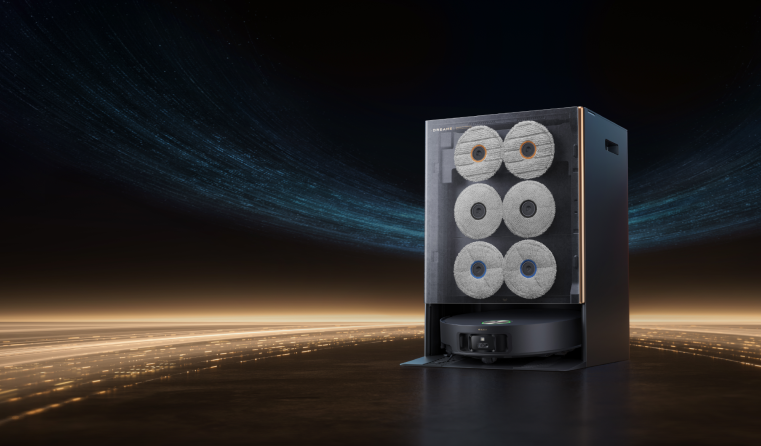
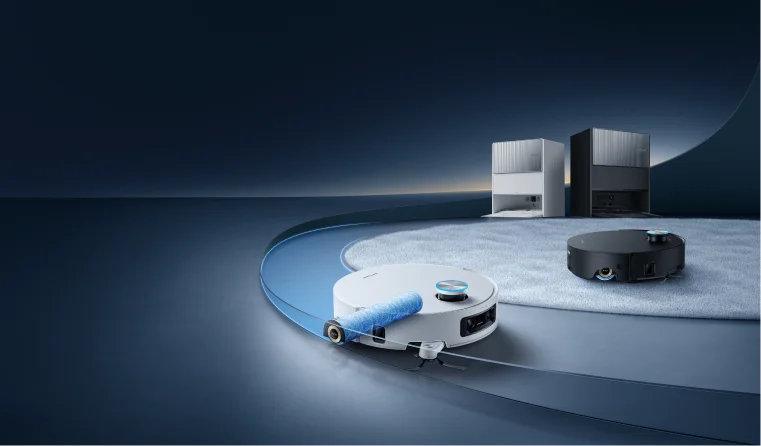
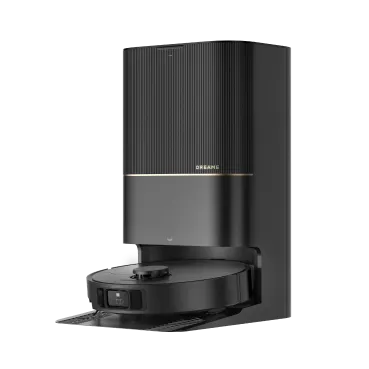
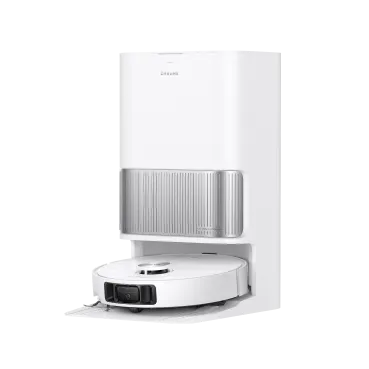
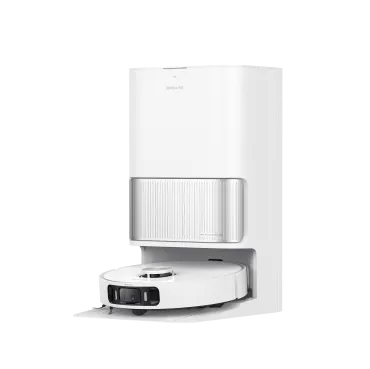
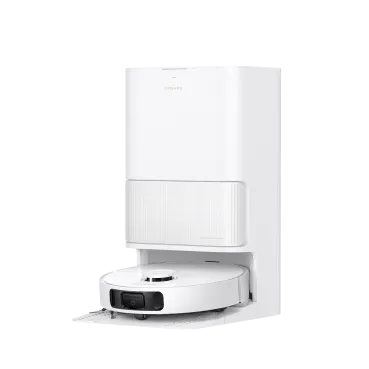
How many cleaning tools sit in your closet? You've got the vacuum cleaner for carpets, the mop for tiles, a steam cleaner for tough spots, and all different kinds of brushes for various surfaces... Mixed floors make you constantly stop, switch equipment, and restart in each room. What if one smart robot vacuum could handle it all? Why Your Mixed Floors Are Hard to Clean? Most homes aren't just one type of floor. You might have hardwood in the living room, carpet in the bedrooms, and tile in the kitchen. It looks great, but it can be a real headache to clean properly. Hardwood scratches easily. When you use rough brushes, you leave permanent marks. Too much power also blows dust around your room instead of picking it up. Tile has grooves where dirt hides. The spaces between your tiles collect grime that surface cleaning can't reach. You need real scrubbing power to get it out. Laminate warps when wet. Even a little extra water makes your boards bubble up and ruins your floor forever. Carpet holds onto everything. Dirt, hair, and dust sink deep into the fibers. When you do light cleaning, you only get surface stuff, leaving your floor looking dirty. A regular vacuum cleaner uses the same power everywhere. It either hurts your delicate floors or doesn't clean your tough ones well enough. Even the best cordless stick vacuum can't match the convenience and consistency of a robot vacuum and mop combo for mixed floors. What Each of Your Floors Really Needs Your Floor Type Main Problem You Face What Actually Works Best Solution Hardwood Scratches from rough cleaning Soft brushes, gentle power Robot vacuum for hardwood floors with sensors Tile Dirt stuck between tiles Strong suction, scrubbing action Floor cleaner with scrubbing mops Laminate Water damage from wet mopping Light, controlled water use Self-emptying robot vacuum with water control Carpet Deep dirt and hair you can't reach Strong suction, hair-resistant brushes Best robot vacuum for carpet with anti-tangle tech What are the Must-Have Robot Vacuum Features for Mixed Floors? Smart robot vacuums fix mixed floor problems with four key features. These work together to clean every surface the right way without any help from you. 1. Adaptive Suction Power Think of this as cruise control for cleaning. The robot uses sensors to detect when it moves from a hard floor onto a rug or carpet, and it automatically kicks the suction into high gear. This is critical for pulling out the dust, dander, and allergens trapped deep in carpet fibers. Once it moves back onto a hard floor, it dials the power down. This intelligent adjustment isn't just for a better clean; it also conserves battery life, allowing the robot to cover more ground on a single charge and operate more quietly on your hard surfaces. 2. Multi-Surface Brushes and Rollers If you've ever had to stop and untangle a brush roller clogged with hair, you know how frustrating it can be. The design of the brush is fundamental to good performance on mixed floors. A basic, stiff-bristled brush just doesn't cut it. The best robot vacuum for pet hair and the best vacuum cleaner for pet hair both use smarter systems, often a bristleless, all-rubber design that resists tangles, or a combination that uses soft silicone fins to sweep hard floors gently while still agitating carpet fibers. Look for models that specifically mention "anti-tangle" features, as this will dramatically reduce the amount of maintenance you have to perform. 3. Advanced Navigation Systems An effective robot vacuum doesn't just bump its way around. It "sees" and maps your home using smart mapping technology, most commonly LiDAR, which works like a mini GPS for your house. This is what separates a truly "smart" vacuum from a basic one. The real win here is efficiency and total control. Because it knows your floor plan, it cleans in neat, methodical rows so it doesn't miss spots. More importantly, it gives you powerful tools in the app: you can set virtual walls to keep it out of a room, create no-go zones around a pet's food bowls, tell it to clean only the kitchen after dinner, and even save maps for multiple floors of your home. 4. Mop-Lifting and Water-Level Adjustment This is probably the single biggest upgrade for anyone with both hard floors and rugs. Mop-lifting technology solves the age-old problem of soggy carpets and makes robot mop and vacuum combos truly effective. A self-emptying robot vacuum with this feature can mop your hard floors, and the moment its sensors detect a rug, it will automatically lift the wet mop pads completely clear of the carpet. Without this, you would have to manually remove the mop attachment or create cumbersome "no-mop zones" in the app around every rug. Mop-lifting enables true, unattended, whole-home cleaning. Paired with adjustable water levels, it gives you the confidence to clean delicate laminate and scrub durable tile in the same cleaning run. What Are Some of The Best Robot Vacuums for Mixed Floors? Want one robot for wood, tile, and carpet? Choose models with carpet boost, rubber multi-surface brush, and auto mop-lift, so it vacuums hard floors, deep-cleans rugs, and never wets them. You can consider the models below. X50 Ultra: Climbs 2-Inch Obstacles Handles 5 carpet types automatically. Thick rugs, bathroom mats, yoga mats - each gets the right treatment without your input. Never gets stuck at door frames. The robotic legs lift over barriers that trap other vacuums. Your cleaning actually finishes instead of stopping halfway. Reaches impossible spaces. Height adjusts to clean under beds and couches where dust builds up for months. Two specialized brushes handle hardwood and carpets properly - no more choosing between floors. L40s Ultra: Zero Hair Tangles Guaranteed Three cleaning modes: Vacuum-only for carpets, mop-only for spills, or both together. Stop compromising and start getting results. End brush maintenance forever. Handles pet hair and human hair (up to 11.8 inches (30cm)) without clogging. Your cleaning time goes to actual cleaning, not cutting hair out of brushes. Solves pet hair problems completely. Long dog fur, cat hair, shedding - all picked up without jamming. No more avoiding rooms where pets spend time. D20 Plus: Set-and-Forget Cleaning Work on all your floors perfectly. Changes power by itself when moving between hardwood, tile, and carpet. Each surface gets exactly what it needs. Cleans for months without help. The big dust bag means you don't empty it for 150 days. Your cleaning happens automatically while you focus on other things. Never miss spots or get lost. Smart mapping creates the best cleaning path through your home. Every room gets cleaned completely, every time. The Real Differences What Matters Most X50 Ultra L40s Ultra D20 Plus Getting unstuck Climbs 2" barriers Crosses thresholds Smart PathFinder Navigation Pet hair solved ✓HyperStream Detangling DuoBrush ✓HyperStream Detangling DuoBrush ✓HyperStream Detangling DuoBrush Reaches everywhere Extendable mop and side brush Extendable mop and side brush Careful edge cleaning Hard floor protection 20,000Pa Suction Bristled Rubber Brush designed for full floor contact 19,000PaSuctionDelicate rubber brush 13,000Pa Suction, deep cleaning into floor gaps Carpet protection 5 smart modes Removable mops Surface detection Less work for you Full automation No brush cleaning 150-day hands-free These three robot vacuums actually solve mixed floor problems. Making Your Choice Work You don't need multiple tools or complicated routines to clean your mixed floors. One smart robot vacuum adjusts to every surface in your house automatically. Look for power that changes by itself, smart navigation, mop lifting, and tangle-free brushes. These four features ensure your robot cleans every floor type properly without damage or missed spots. With the right robot vacuum, you easily turn your daily floor cleaning into something that just happens in the background. Your floors are clean every day without switching tools, changing settings, or doing any maintenance work. FAQs Q1: Which robot vacuum can do multiple floors? For multiple floors: If you mean different floor types (hardwood, tile, carpet), all three Dreame models handle mixed surfaces perfectly. If you mean multiple building levels, robot vacuums cannot move between floors by themselves. All of them need to be carried between levels. But the X50 Ultra has retractable legs that can climb over door thresholds easily, making it move better between rooms. The L40s Ultra and D20 Plus also work well on multiple floors. All of them create separate maps for each level. Q2: Can robot vacuums be used on different surfaces? Yes—if they have appropriate surface detection. These three recommended models can automatically switch cleaning modes from hardwood to carpet, raise mops to prevent wetting, and then lower them for hard floor surfaces. Lower-end or older designs have difficulty making passes and may lug around wet mops on carpets or apply improper suction power, harming floors. Q3: Are robot vacuums good for uneven floors? They struggle most on uneven surfaces and become stuck on raised changes. The X50 Ultra and L50 Ultra are equipped with robotic legs that raise them over surfaces that are up to 6 cm (2.36 in) high. The L40s Ultra and D20 Plus work well on slight bumps but can struggle with taller transitions. For big height changes, you need the more advanced model's ability to climb.
Continue reading
Can Robot Vacuums Really Avoid Dog Poop?

Can Robot Vacuums Really Avoid Dog Poop?

Editorial TeamDreame |
Do you have a fluffy, cute pet at home that makes you feel annoyed? Although they are very lovely, the poop they leave behind is really a big headache for many people when it comes to cleaning. Unlike other types of trash, its shape is unpredictable, and sometimes it's wet... This creates cleaning difficulties for many families, and sometimes, an unsuitable robot vacuum can even make the situation worse. With technology getting better, can robot vacuum cleaners solve the dog poop problem these days? The answer is yes. With a good obstacle avoidance system, they can clean up dog poop instead of smearing it across your floors. Why Traditional Robot Vacuums Fail the "Poop Test"? If you've ever owned a basic robot vacuum, you know sometimes they can be clumsy. They bump into furniture, get tangled in cables, and, most disastrously, they can't really tell what's regular trash and what's dog poop. Here's why these older models are a gamble in a pet owner's home. They Navigate by "Feeling" Their Way Around Basic robot vacuums use "bump and turn" to get around. Think of a robot gently bumping its way through your home: it goes straight until it hits something, like a wall or chair leg, then turns and keeps going. Some models have simple infrared sensors that work like weak flashlights to spot big things. Unlike a smart navigation robot vacuum that plans its route, these basic models work blindly. This works okay with common hard obstacles like furniture or larger trash. But pet messes? Their shapes are irregular, and sometimes, they can be soft and wet, or much too low for the regular sensor to detect. So once the cleaner hits the poop, trouble starts... and triggers what pet owners online call a "poopocalypse." Their Brushes Are Designed to Sweep... and Smear That's when things get really bad. Once those wheels and brushes get dirty, the robot keeps cleaning like nothing happened. The spinning brushes that usually sweep up dust and crumbs don't know they hit something messy. The brushes grab the soft, wet waste and spread it in circles across your floor. Each spin makes it worse: they throw pieces everywhere and push the mess deep into your carpet or across your hard floors. The robot keeps moving, leaving a trail of smeared waste as the dirty brushes and wheels carry the mess from room to room. One small accident becomes streaks and smears all over your house. The robot turns into a mess-spreader until you catch it and turn it off. They Can't See What's Right in Front of Them The root cause of all these problems is simple: pet waste is hard to spot. It's usually small, soft, and sits flat on the ground, perfect for slipping past detection. Wet accidents are even worse since there's nothing solid to detect. This gets worse in certain situations: Dark rooms - Sensors don't work well in low light, so robots bump into more things Thick carpets - Carpet texture hides pet accidents from sensors, making detection even harder Messy areas - Around toys and cords, robots think everything is normal stuff to go around, including accidents Once the robot hits the mess, the disaster spreads quickly throughout your home. How Smart Robot Cleaners Avoid Pet Waste? The latest robot vacuums have evolved from simple cleaning gadgets into truly intelligent home assistants. They avoid pet waste not with one single trick, but by combining several layers of advanced technology that allow them to perceive, understand, and navigate the world in a way that older models never could. The Dreame X50 Ultra is a prime example of this technology in action. AI Recognition (Seeing "what" it is) The first major upgrade is equipping robot vacuums with a reliable method for identifying objects. A front RGB camera continuously scans the path ahead, while onboard AI models classify what it sees: cables, socks, pet bowls, shoes, and pet waste. Instead of guessing by shape alone, it uses a trained library of everyday items to choose the right response (avoid, slow down, reroute). Modern systems recognize well over a hundred object types, including pet messes, so the robot vacuum can clean smartly rather than blindly. For example, the Dreame X50 Ultra's AI can identify up to 200 different types of objects, including dog poop. It's a true AI robot vacuum that can clean smartly. Depth Sensing & Low-Light Vision (Knowing "where" it is) Cameras need help in dim rooms—under beds, at night, or on rainy days. That's why advanced bots pair vision with active depth sensing: Structured light or dual-line laser projects a "visual" pattern or laser lines onto the floor. The distortion reveals an object's shape and distance (great for small hazards like wires and socks). An LED fill light automatically turns on in low light so the camera can still see clearly. Together, these enable the robot to perceive obstacles with high accuracy even in poor ambient light. Example: The X50 Ultra uses 3D structured light to detect and map smaller items like wiring and socks. This system is further enhanced with built-in LED lights that automatically turn on in dim environments, like on rainy days or during late-night cleanings. This gives the robot vacuum a superpower: it can "see" and avoid obstacles with incredible accuracy, even in complete darkness. Smart Navigation (Building the map and choosing the path) Obstacle recognition works best when it rides on top of a robust map. High-end robots use LiDAR (often direct Time-of-Flight, dToF, inside the LiDAR unit) to create a precise 2D floor map of your home. That map handles rooms, zones, and efficient row-by-row cleaning; the front vision/depth stack adds a local 3D understanding of objects in the robot's path. Think of it as a simple but powerful loop: See: The camera + depth sensors detect something ahead. Think: AI classifies it (e.g., pet waste) and notes its position relative to the map. Avoid: The navigation system plots a clean detour with a safe buffer, then resumes the route without you stepping in. The result is fewer tangles, fewer smears, and far fewer "come rescue me" moments. Exactly what you want in a home with pets. Buyer's Guide: What to Look For in a "Poop-Proof" Robot Vacuum Ready to invest in a pet-friendly robot vacuum that you can actually trust? Focus on these non-negotiables so the bot avoids accidents, doesn't smear them, and still keeps up with hair and daily dirt. 1. AI Obstacle Recognition (The Most Important Feature) Don't settle for vague "obstacle avoidance." Look for models that explicitly state AI object recognition and pet waste avoidance. That means a front RGB camera, depth sensing (e.g., dual-line laser/structured light), and LED lighting for dark rooms. This combo lets the robot vacuum identify cords, socks, bowls, and pet messes, and steer a safe path around them. Why it matters: Fewer rescues and, crucially, no contact with accidents—even in low light. Some examples: Dreame X50 Ultra (RGB AI vision + Dual-Line Laser + LED) Dreame L40s Ultra (RGB AI vision + Single-Line Laser + LED) Budget pick: Dreame D20 Pro Plus. It offers LDS navigation and Single-Line Laser sensing. Great value, but it doesn't include AI. Choose accordingly if this is a must. 2. Mop Safety Logic Many of the best robot vacuums are now combo vac-and-mop units. This raises a new fear: what if it tries to mop the mess? Rest assured, the same AI object recognition technology applies here. When the robot identifies pet waste, its programming overrides all cleaning functions in that area. It will intelligently navigate around the mess, ensuring its mopping pads never come close to making contact. A "poop-proof" robot also needs the right mop management so it never drags a wet pad through trouble. Look for: Mop lift for short-pile rugs (and pad removal options for long-pile). No-mop zones and no-go zones you can draw on the map. Automatic skip/ detour logic when pet waste is recognized (mopping and brushing are suppressed near the hazard). Why it matters: Even perfect avoidance is pointless if a damp pad swipes too close. Some examples: X50 Ultra and L40s Ultra pair AI avoidance with hot-wash and dry docks, so the mop pads start clean and dry after each cycle. D20 Plus supports no-go/no-mop zoning and auto-empty; mop care is manual. 3. Strong Pickup & No Tangled Hair A robot vacuum that avoids poop but leaves fur-tumbleweeds everywhere isn't a complete solution. According to the Asthma and Allergy Foundation of America, pet dander is a major source of indoor allergens. A robot vacuum for pets with robust suction is essential for lifting stubborn hair, dander, and dirt from deep within carpets and hard-to-reach crevices, ensuring a not just visibly clean, but healthier home. Look for: High airflow/suction, above 10,000 Pa Tangle-resistant main brush (dual-roller or anti-wrap design). A sealed auto-empty bag so you're not breathing the bin. Why it matters: You get fewer clogs if the rollers are kept clean. Sealed bags plus hot washing and drying mean less odor and less need for handling. Some examples: X50 Ultra: full-service dock, premium hair and dust pickup. L40s Ultra: hot wash/dry + auto-empty for everyday convenience. D20 Plus: auto-empty for dust control at a friendlier price. 4. Navigation You Can Trust Reliable poop avoidance rides on a reliable map. Look for: LDS mapping for accurate rooms/zones and efficient paths. Per-room suction/water settings, schedule by zone, and easy no-go/no-mop editing. Low-light support (LED fill) so vision works at night. Why it matters: You control where the robot goes and where it absolutely doesn't. Some examples: All three vacuums like X50 Ultra, L40s Ultra, and D20 Plus offer LDS mapping and robust app control. 5. Self-Emptying System For the most hands-off experience, choose a model with a self-empty dock. It automatically vacuums the robot's bin into a sealed bag, so you're not dumping dust and dander after every run. Why it matters for pet homes: Weeks of cleaning without touching an allergen-filled bin. Some examples: X50 Ultra and L40s Ultra pair auto-empty with pad wash/dry; D20 Plus offers auto-empty at a lower price point. Quick Matching Guide What you need Model Features Highest confidence, lowest touch Dreame X50 Ultra AI vision + full-service dock Great balance of brains and budget Dreame L40s Ultra AI + hot wash/dry + auto-empty Value pick with strong mapping and auto-empty Dreame D20 Plus Pet-friendly basics: verify if pet-waste AI is essential for you Final Check: Read Pet-Specific Reviews Before you buy, do your homework. Don't just look at the overall star rating. Use the search function in the reviews section on retail sites and look for keywords like "dog," "cat," "pet accident," or "poop." This will filter the results to show you exactly what you need to know from people in your situation. No robot vacuum is 100% accident-proof. AI is excellent, not infallible. Do a quick floor check on the cleaning days. First-week setup pays off: Add no-go/no-mop lines around litter areas, pet beds, and food bowls; schedule runs when pets are less active. Keep "eyes" clean: Wipe the front camera window, depth sensors, and LiDAR with a dry microfiber so the robot can "see" accurately. Feature Benefit for Pet Owners AI Vision & Recognition Avoids pet accidents (like poop) for mess-free cleaning. Powerful Suction Lifts stubborn pet hair and dander from all floors. Smart Mopping Keeps wet mops away from messes to prevent smearing. Self-Emptying Provides weeks of hands-free, hygienic cleaning. Precise Mapping Cleans every corner efficiently without getting lost. Achieving Peace of Mind in a Pet-Friendly Smart Home So, can robot vacuums avoid dog poop? The answer is a resounding yes, but only for the advanced pet-friendly robot vacuum equipped with the right AI and sensor technology. Gone are the days of gambling with your floors. With the right device, you gain the confidence to schedule cleanings while you're away, the benefit of a healthier home with fewer allergens, and most importantly, more quality time to spend with your furry family members. It's about removing a major source of stress and reclaiming your time and energy. Ready to say goodbye to the fear of the poopocalypse for good? Explore Dreame's lineup of AI-powered robot vacuums and discover a smarter way to clean.
Continue reading
How Long Do Robot Vacuum Batteries Last? (Lifespan, Care, and Replacement Guide)

How Long Do Robot Vacuum Batteries Last? (Lifespan, Care, and Replacemen...

Dreame Editorial Team |
A marvel of the modern home, robot vacuums use advanced batteries to complete their tasks while staying smart and autonomous. But to keep them operating at their shining best, you need to be clear about how long robot cleaner batteries last, how to charge them correctly, and when—and how to replace them.  What Kind of Batteries Do Robot Vacuums Use? Powering those mighty cleaning robots are two types of rechargeable batteries: lithium-ion (Li-ion) and nickel-metal hydride (NiMH). Li-ion batteries are a favoured choice for robot vacuums due to their high energy density, which enables them to be smaller and lighter while still providing a long-lasting charge. They have a longer lifespan than other commonly used types of rechargeable batteries. Variants like lithium iron phosphate (LiFePO₄) can offer even greater cycle life.  NiMH batteries are found in some older or entry-level robot vacuum models. While safe and stable batteries, they are generally heavier, have lower energy capacity, and a shorter lifespan compared to Li-ion batteries. Regardless of the type, temperature can have a huge impact on batteries, so robot vacuums have some built-in safeguards. Heat sensors and protection To extend the lifespan and ensure safe operation, major manufacturers include some form of battery temperature monitoring in their robot vacuums. It might not be mentioned in the packaging or marketing materials, but constant monitoring is a crucial safety and longevity feature integrated into a robot vacuum’s battery management system (BMS). The BMS in a Dreame robot vacuum continuously checks battery health and operating conditions, including potential overheating or even low temperatures. It also controls the charging process to prevent overcharging, which helps extend the battery's life while preventing fire risk. Dreame Take: Dreame vacuums only support genuine lithium-ion batteries for safety and performance. Lifespan of Robot Vacuum Batteries  Most robot vacuum batteries are designed to last for several years before they need to be replaced. You can expect a lifespan of anywhere from 2 to 5 years and about 300 to 500 charge cycles for modern Li-ion batteries. A lot depends on your use and maintenance habits. What Affects Your Robot Vacuum Battery's Lifespan? The actual lifespan of your robot vacuum battery is affected by a range of factors, including: Battery type and capacity Cleaning environment—carpet or tile, open or cluttered areas?  Frequency and suction level used  Heat exposure and improper storage Firmware and software updates that optimise power use Pro tip: Keep your robot in Eco or Standard mode for daily upkeep to conserve the battery; save Max/Turbo for heavy messes. There are a number of other habits you can adopt to help keep your robot vacuum running its best. Robot Vacuum Battery Charging: Best Practices A robot vacuum typically draws between 60 and 100 watts while actively cleaning, much less than a traditional upright vacuum that can draw 500 to 1,500 watts. Batteries for robot vacuums will last longer with the right charging habits: Partial charging to avoid full discharge: Li-ion batteries are designed to be "topped off" rather than fully depleted and then charged. Clean contacts regularly: Regularly cleaning the charging contacts on both the robot and its home base with a clean, dry cloth is a simple practice that prevents the buildup of dust and debris. Keep the base dock in an open, cool area: Ensuring the robot can easily navigate back to its charging station, preventing docking errors and misalignment, while keeping it in a cool area out of direct sunlight and away from heat sources helps prevent the battery from overheating during charging. Recharge every 3 months if not in use: Li-ion batteries will gradually self-discharge over time. Allowing the battery to fully deplete and remain in that state for months can cause permanent damage. Use only OEM battery & dock: The original equipment manufacturer (OEM) battery and charging dock are specifically designed and rigorously tested to work with your robot vacuum's electrical system, ensuring safe and efficient charging. Important: Never use third-party batteries due to the risk of fire, malfunction, or voiding your warranty. Signs Your Robot Vacuum Battery Needs Replacing Though they are remarkably reliable and durable, batteries in robot vacuums do die. The time may come when the robot vacuum alerts you that the battery is getting weak. Warning signs include: Reduced runtime: This is a key indicator of a failing battery. If your robot's cleaning cycle is noticeably shorter than it used to be, the battery's capacity to hold a charge has likely diminished. Charging takes too long or doesn't complete: A battery that's struggling to charge might take an unusually long time to reach full capacity. In more severe cases, it will stop charging altogether. Vacuum turns off mid-clean: A sudden shutdown during a cleaning session often means the battery can't provide a consistent power output, causing it to die unexpectedly even if the charge indicator shows some remaining power. Doesn't return to dock: When a robot vacuum can't find its way back to the charging dock, it's often a sign that the battery is too weak to power its navigation and homing functions. Make sure to double-check those charging contacts. If they're dirty, it could mimic battery failure. Safely Replacing a Robot Vacuum Battery  Only qualified technicians should remove or replace batteries from a robot vacuum. Other considerations include:  The battery must be removed from the appliance before it is scrapped. After disconnecting the power, run down the battery as much as possible before removal. Do not expose batteries to high temperatures due to the risk of explosion.  Important: Always follow your specific model’s user manual. Be sure to safely dispose of your used battery at your local recycling drop-off or municipal household hazardous waste program. Recommended Robot Vacuums with Long Runtime High-capacity batteries, efficient power management, and efficient charging give the range of Dreame models, including the X50 Ultra, the L50 Ultra, and the L40s Ultra, the power to keep on working. The advanced designs also combine powerful suction with AI navigation that recognizes and avoids obstacles. Dreame robot vacuums also feature tangle-resistant brushes, the ProLeap climbing system that scales thresholds up to 6 cm (2.4 in), and dual spinning mop pads that can lift to protect carpets. A fully automated docking station handles mop washing with hot water, along with refilling, drying, and a dustbin, all helping deliver maximum cleaning performance with minimal maintenance. FAQ 1. Are Li-ion batteries in robot vacuums safe? Yes, Li-ion batteries used in robot vacuums are safe when used and maintained correctly. Follow best practices to ensure hassle-free and safe use. 2. Can software updates improve battery life? Yes, software updates can indirectly improve a robot vacuum's battery life. Firmware updates often include improvements to the robot's navigation algorithms and power management systems, software enhancements that make the vacuum run more efficiently and extend its runtime on a single charge. 3. How do I dispose of the battery safely? It is important to dispose of robot vacuum batteries properly, as they are considered e-waste and can be hazardous to the environment if not handled correctly. Take the depleted battery to a recycling center or an electronics recycling depot. Final Thoughts: Take Charge of Your Robot Vacuum’s Battery Life Regular care is important to extending the life of your robot vacuum battery. And when replacement is needed, the process is straightforward as long as you use the correct, original parts. To ensure safety and top performance, it is crucial to avoid third-party components. For more information on Dreame battery care or to shop for the best vacuums to meet your needs, explore our website.  
Continue reading
Are Self-Emptying and Self-Cleaning Robot Vacuums Really Worth It?

Are Self-Emptying and Self-Cleaning Robot Vacuums Really Worth It?

Dreame Editorial Team |
Robot vacuums have come a long way since they first rolled awkwardly across our floors. Today, they don’t just vacuum; they also empty themselves, rinse mop pads, and even dry them automatically. But with this tech leap comes a common question: Are self-emptying and self-cleaning robot vacuums actually worth it? In this guide, we’ll walk you through how these robots work, what makes them different from regular models, and whether they’re right for your home. You’ll also get a breakdown of their pros and cons, who benefits most from using one, and a shortlist of top-performing models from Dreame. By the end, you’ll know if now’s the right time to upgrade to a smarter, cleaner setup. What Is a Self-Emptying and Self-Cleaning Robot Vacuum? A self-emptying robot vacuum is a type of smart vacuum that automatically empties its built-in dustbin into a larger bin inside its docking station. This base can hold several weeks' worth of dirt, drastically reducing how often you have to deal with it. A self-cleaning robot vacuum takes automation even further by rinsing and drying its mop pads, detangling hair from brushes, and keeping everything clean and ready for the next run. The most advanced models, like the Dreame X50 Ultra Robot Vacuum, combine these functions, creating what some call the "set it and forget it" style of home cleaning. How Do These Robot Vacuums Work? Self-emptying and self-cleaning vacuums rely on a combination of smart navigation, collision sensors, and automation systems to keep your home tidy. 1. The Self-Docking System Robot vacuums return to their base station to charge, and also include these features:  Precision Navigation: Using LiDAR and 3D mapping, these vacuums can map your home and return to their dock when needed, even in dark rooms. Obstacle Avoidance: Advanced sensors prevent getting stuck on cords or rugs. Multi-Stage Docking: First aligns, then empties, then charges. 2. The Emptying Process Here's what happens after a cleaning cycle: The vacuum rolls back to the dock and positions itself over the dock's intake port. A powerful suction system (up to 20,000 Pa in premium models) pulls debris from the bot's onboard dustbin into the larger dock bin (bagged or bagless canister). An airtight seal prevents dust from escaping back into your home. The system resets for next time. This larger container or dock bin can usually hold up to 2-3 months' worth of debris. 3. Self-Cleaning Mop Technology For models with mopping functions like the Dreame X40 Master, the cleaning magic continues with: Auto Water Refill: Built-in tanks replenish cleaning solution. Pad Washing: Rotating brushes scrub mop pads clean. Hot Air Drying: Prevents mildew and odors between uses. Smart Pressure Control: Adjusts mopping intensity for different floor types. 4. Sensor-Guided Cleaning and Scheduling Smart Navigation: Uses LiDAR and 3D mapping to optimize cleaning paths. Adaptive Cleaning: Adjusts suction and mopping intensity based on floor type (carpet/hard floors). Intelligent Scheduling: Learns household traffic patterns for automatic cleaning when most effective. All these features enable hands-off, stress-free cleaning. Learn more about how robot vacuums navigate using this guide. Pro tip: Look for models with LiDAR navigation or AI-powered obstacle recognition if you have pets, kids, or cluttered areas. 7 Benefits of Self-Emptying and Self-Cleaning Robot Vacuums If you’re wondering why anyone would pay more for these premium features, here are a few ways these vacuums actually improve daily life: Hands-Free Convenience: No more daily dustbin emptying. The docks can hold 2-3 months' worth of debris, allowing you to go weeks without lifting a finger. Allergy Relief: Sealed systems trap 99.9% of pollen and pet dander, thus reducing the chance of allergens escaping during emptying (crucial for asthma and allergy sufferers). Consistent Cleaning: Always starts with fresh mop pads and empty bins. Pet Hair Solution: Models like the Dreame X50 Ultra have tangle-free brushes that handle husky-level shedding. No more tangled rollers or smelly mop heads. Quieter Operation: Newer models have noise levels comparable to dishwashers during emptying. Better Hygiene: Automatic mop washing prevents bacterial growth and odors. Home Value: Smart mapping creates efficient cleaning paths for larger homes. Pro tip: For homes with pets, look for models with rubber brushes and allergen-certified bags like Dreame's lineup Self-Emptying Robot Vacuum vs. Regular Models Here’s a quick side-by-side comparison: Feature Self-Emptying & Self-Cleaning Robot Vacuum Standard Robot Vacuum Dustbin Maintenance Automatic emptying into the dock (2-3 months) Manual emptying required (1–3 days) Mop Pad Cleaning Auto-wash and dry (mopping models) Manual cleaning after each use Hands-Off Convenience "Set it and forget it" automated operation Regular maintenance needed Initial Cost $$$$ $$–$$$ Allergy Control Sealed [HEPA] system prevents dust exposure Manual handling exposes allergens Pet Hair Management Tangle-free brushes and self-cleaning rollers Standard brushes may clog with longer hair breeds Time Savings 35+ minutes weekly maintenance saved Frequent manual intervention required Cleaning Performance Advanced sensors and AI mapping (95% coverage) Varies by model (60–85% coverage) Ideal For Pet owners, allergy sufferers, large homes Small spaces, budget-conscious buyers Who Should Get a Self-Emptying or Self-Cleaning Robot Vacuum? ✔ Pet owners: Pet hair accumulates fast. Self-emptying rollers and mop systems help you stay on top of the mess. ✔ Busy professionals or parents: Too much on your plate? Let your vacuum handle the daily cleaning. ✔ Allergy sufferers: If pollen, dander, or dust triggers symptoms, sealed waste disposal can help. ✔ Large homes: More space = more dirt. A robot vacuum that can clean and empty itself covers more ground with less effort. Dreame Take: While the initial investment is higher, most users find the convenience justifies the cost within months. Top-Performing Models by Category Third-party testing identifies these Dreame models as category leaders: 1. Most Advanced System: Dreame X50 Ultra Technical Highlights: High-powered 20,000 Pa suction powered by our 6th-generation TurboForce motor Dual rotating mops with 80°C (176°F) hot water cleaning AI-powered obstacle recognition, laser navigation, and 360° smart mapping World’s first robotic retractable wheels that can glide over 6 cm (2.36 in) obstacles quietly and smoothly 2. Pet Hair Specialist: Dreame X40 Master Technical Highlights: Tangle-free rubber brush design 12,000 Pa suction and self-emptying dock with 4.2 L (1.11 gal) dust bag Auto water refilling and draining Self-cleaning mop with 70°C (158°F) hot water cleaning and hot air drying 3. Value Leader: Dreame L50 Ultra Technical Highlights: 19,500 Pa suction with precision mapping Hassle-free dock cleaning with minimal water residue Innovative ProLeap™ System automatically lifts mop pads for vacuuming carpets 3.2 L (0.85 gal) dust bag with 100-day dust capacity FAQs Q: Are self-emptying robot vacuums suitable for all floor types? A: Yes. They can handle hardwood, tile, vinyl, and low- to medium-pile carpets. Q: Are auto-empty robot vacuums loud? A: The emptying process is brief but louder than the vacuum itself. Most models only run this cycle once per session. Q: How often do I need to empty the base station? A: Depending on the model, every 30 to 60 days for average-sized homes. Q: How do robot vacuums empty themselves? A: They suck dirt into a larger base container using a powerful motor located in the dock. Q: How do robot vacuums find their dock? A: Advanced models use LiDAR or visual navigation to create a map and return automatically. Final Verdict: Do You Need a Self-Emptying Robot Vacuum? If you want truly effortless cleaning, a self-emptying and self-cleaning robot vacuum is worth the investment. These machines aren’t just smarter; they’re built for real-life messes and real-time savings. Whether you’re juggling work, kids, pets, or allergies, today’s top models, like the Dreame X50 Ultra, offer next-level convenience with far less hands-on hassle. So, do you need one? Not everyone does, but if you're tired of emptying bins, cleaning mop pads, or chasing dust daily, it might just be the smartest upgrade you can make for your home!  
Continue reading
Do Robot Vacuums Work on Carpets? Honest Performance by Carpet Type

Do Robot Vacuums Work on Carpets? Honest Performance by Carpet Type

Dreame Editorial Team |
Gone are the days of pushing a heavy upright vacuum back and forth across the carpet. Early robot vacuums struggled on carpet too: weak suction left crumbs buried in the pile, brush rolls tangled with pet hair within a week, and thicker carpet often left them stuck mid-clean. This is no longer the case. Today's robot vacuums clean carpets well, though performance comes down to the carpet type and the model you pick. This guide breaks down what to expect on each carpet type, covers the features that make a difference, and tells you where a robot vacuum still falls short. By the end you'll know if one fits your floors, or if you need a separate vacuum in the closet for carpeted rooms. Do Robot Vacuums Actually Work on Carpets? Yes, they handle low and medium pile carpets (under 0.5in / 13mm) well, picking up daily debris, pet hair, and surface dust without trouble. On thick or shaggy carpets, the suction has to work harder. Some models manage with a carpet boost mode and 15,000+ Pa of suction. Dark-colored carpets can trigger cliff sensors, which disrupts cleaning. A robot vacuum is faster and more hands-off than getting the upright out yourself. How well it works depends on your carpet type: Thin carpet (under 0.25in / 6mm) is the easiest. Berber, commercial-grade, and many builder-grade carpets fall here. Robot vacuums glide over the surface, suction reaches the fibers, and the brush roll does its job without snagging. Almost any robot vacuum at 5,000+ Pa handles thin carpet well. Medium-thickness carpet (0.25 to 0.5in / 6 to 13mm) is the most common in homes, including loop and cut-pile styles. You want at least 10,000 Pa of suction and an automatic carpet boost that ramps power up when the robot vacuum detects carpet. Anti-tangle brush design is another must-have feature, especially if you have pets. Thick or high-pile carpet (over 0.5in / 13mm) includes plush, shag, and frieze carpets. Wheels can sink, suction drops as fibers crowd the brush, and the robot vacuum may turn around. Look for 15,000 Pa or higher, raised wheel clearance, and a rubber-fin brush design. Dark-colored carpets can confuse cliff sensors on most robot vacuums. Near-black carpet absorbs the infrared light the sensors use to gauge distance, so the robot vacuum reads it as a stair and stops. Check user reviews for very dark colors before you buy as sensor sensitivity varies a lot by model. Robot Vacuums on Rugs Rugs slide when a robot vacuum bumps the edge, fringe can wrap around the brush, and the mop can soak through the fabric if it isn't lifted in time. Here's what you need to know about how a robot vacuum handles each type of rug. Area rugs, runners, and throw rugs: Larger area rugs (over 4×6ft) usually stay in place under most robot vacuums, especially with a rug pad underneath. Runners in hallways get dragged out of position because the robot vacuum crosses at speed. Throw rugs under 3×5ft usually need to be moved or weighted down before each run. Persian and Oriental rugs: Long fringe can wrap around the brush. Anti-tangle brushes help but aren't a complete fix. If the fringe is long, fold it under, tape it down, or set the rug as a no-go zone in the app. Lightweight rugs slide when the robot vacuum bumps the edge: A non-slip pad keeps lightweight rugs from sliding when the robot bumps the edge. Mopping on rugs: Auto mop lift keeps rugs dry. Flagship Dreame models with auto mop lift raise the mop pads when carpet is detected, and the Dreame Aqua10 Ultra Roller adds AutoSeal™ carpet protection on top of that. Combined with app-set no-mop zones, you have two layers of dry-rug protection. This guide on "Are Mopping Robot Vacuums Worth It" can help you decide whether you want a robot vacuum that mops at all. Performance on High-Pile and Thick Carpets Thick and high-pile carpet (over 0.5in / 13mm) is the hardest test for any robot vacuum. Its wheels can sink into the pile, the suction has to fight harder to pull debris out of dense fibers, and bristle brushes can drag long fibers backward instead of lifting them. On deep shag, some robot vacuums register the height as a cliff and refuse to drive forward at all. Look for these features if you want a robot vacuum that can handle thick or high-pile carpet. Automatic carpet boost ramps suction up the moment the robot vacuum detects carpet. High peak suction. For high-pile capability, look for 15,000 Pa or higher. Dreame's flagship models reach 35,000 Pa, putting them among the highest-suction robot vacuums on the market. Raised wheel clearance lets the robot vacuum move across pile without bogging down. Anti-tangle rubber-fin brushes snag less on long fibers than traditional bristle rolls. CarpetForce™ Vacuuming System on the Dreame X60 Max Ultra Complete uses a retractable pressure plate and semi-sealed chamber to deliver 2.4× more cleaning power on carpet. Even the best robot vacuum for thick carpet doesn't replace a deep clean. For embedded grime on a high-pile rug or heavily soiled carpet, you'll want a professional carpet cleaning service or a rented carpet shampooer. Where Robot Vacuums Still Struggle on Carpet Even top-rated robot vacuums have their limits on carpet. Sometimes, cliff sensors can misread certain textures, or the vacuum's shape and design can't match the deep-cleaning power of a traditional upright. These aren't deal-breakers, but it's helpful to know what to expect so you can choose the right model for your needs. Deep-pile shag can trigger cliff sensors When the pile is deep enough, downward-facing sensors mistake the height drop for a stair. The robot vacuum stops, backs up, and refuses to clean that area. Very dark carpets can confuse the same sensors Near-black carpet absorbs the infrared light cliff sensors use to gauge distance. Some models handle this better than others, but check reviews if your carpet is very dark. Edges and corners stay imperfect Round and D-shaped robots can't reach into a 90-degree corner. Side brushes help, but a quick pass with a stick vacuum once or twice a month picks up what the robot misses. Important: A robot vacuum keeps carpet from getting visibly dirty. It doesn't lift embedded dust, allergens, or pet dander the way a deep clean does. Plan to deep-clean carpets at least once or twice a year regardless of how often your robot vacuum runs. Smart Features on Robot Vacuums That Changed Carpet Cleaning Five smart features are doing the heavy lifting. Auto carpet boost ramps suction up the moment the robot vacuum lands on carpet. CarpetForce™ and AutoSeal™ solve specific carpet and rug problems. Auto mop lift keeps the mop pads off your fibers. AI carpet detection remembers where the carpet is from one run to the next. Here's how each of these features cleans your carpet better. Auto carpet boost. The vacuum detects when it transitions from hard floor to carpet, then ramps suction up automatically. No app toggle, no manual override. This single feature did more for daily carpet performance than any single suction-number increase. CarpetForce™ Vacuuming System. Exclusive to the Dreame X60 Max Ultra Complete. It combines a retractable pressure plate with a semi-sealed chamber for 2.4× more cleaning power on carpet. The pressure plate pushes down to create a tighter seal so suction doesn't bleed off through the gap between robot and floor. AutoSeal™ carpet protection. On the Dreame Aqua10 Ultra Roller, this feature stops the continuous-spray roller mop from dispensing water when carpet is detected. It's useful if you have a vacuum-mop combo and a lot of rugs. Pro-tip: For rugs under 0.5in (13mm) thickness, set them as no-mop zones in the Dreamehome app. The robot vacuum will still vacuum the rug but skip mopping it. AutoSeal™ already prevents most mop-on-rug accidents on its own, but adding a no-mop zone in the app gives you a second layer of protection in case the carpet sensor misses something. Auto mop lift. Dreame Flagship L Series and X Series models can automatically raise mop pads when carpet is detected, so they don't soak into the fibers. Combined with no-mop zones, this feature makes a vacuum-mop combo actually work in a mixed-flooring home. AI carpet detection via LiDAR mapping. LiDAR is the laser-based scanner on top of the robot vacuum that builds a map of your home on the first run. A LiDAR robot vacuum remembers where carpet is, not just reacts to it in real time. The robot vacuum then behaves consistently across runs. For households with mostly carpet or a lot of rugs, the Dreame L60 Pro Ultra is the model we'd recommend. It runs 35,000 Pa of suction, clears thresholds up to 3.47in (8.8cm), washes its mop pads with 212°F (100°C) hot water between rooms, and identifies 270 types of objects with AI to avoid pet bowls, cords, and toys on the floor. At the time of writing, the L60 Pro Ultra ranks second in the Vacuum Wars 2026 Top 20 Robot Vacuums list, just behind Dreame's own flagship, the X60 Max Ultra Complete. [product handle="l60-pro-ultra-robot-vacuum" rating="5"]   Can Robot Vacuums Go Over Carpet in Mixed-Flooring Homes? Yes, and you don't have to do anything to make it work. Most models handle every step on their own. Picture a home with hardwood in the living room, tile in the kitchen, and carpet in the bedrooms. A robot vacuum runs through all areas in one cleaning cycle, with two or three threshold transitions along the way. It knows what surface it's on. LiDAR mapping plus a downward-facing carpet sensor read the floor type in real time. Suction and brush speed adjust automatically, and if the robot vacuum is mopping, the pads either keep going (hard floor) or lift up (carpet). The mop pads lift before they hit the carpet. On flagship Dreame models, auto mop lift kicks in fast enough that the carpet edge stays dry. No wet patch where hardwood meets carpet, no soaked rug corner. Thresholds and rug edges stop being obstacles. The Dreame X60 Ultra and L60 Pro Ultra both clear up to 3.47in (8.8cm). For comparison, standard interior door thresholds in most homes sit under 1in (25mm), so a flagship Dreame robot vacuum has plenty of room to spare. Auto floor detection, auto mop lift, and threshold-crossing capability are what separate a robot vacuum that runs the whole house in one cycle from one that gets stuck at the bedroom door. If your home has hardwood, tile, and carpet in different rooms, these features are non-negotiable. The Dreame L60 Pro Ultra and X60 Max Ultra Complete have all three features built in. For mixed-flooring homes specifically, either model is the right starting point. [product handle="x60-max-ultra-complete-robot-vacuum" rating="4.6"] Can a Robot Vacuum Replace Your Carpet Cleaner? The robot vacuum should complement your carpet cleaner rather than replace it. A carpet cleaner (the upright machine that sprays hot water and cleaning solution into the carpet, then pulls the dirty water back out) does the deep cleaning. This process lifts embedded dirt, pet stains, and allergens out of the deep fibers. A robot vacuum can't do that. It's a dry vacuum (or a dry vacuum plus a surface mop), and it only works on the surface for: Daily debris and pet hair pickup Surface dust before it embeds Edge and corner vacuuming on a regular schedule Dreame Take: We design our robot vacuums to handle daily carpet maintenance as thoroughly as possible, so the floors stay clean between deep cleans without you thinking about it. We don't pitch them as carpet-cleaner replacements, though. For stain extraction, allergen-deep cleaning, and pet-accident treatment, a dedicated carpet cleaner or a professional service is still the right solution. Best Robot Vacuums for Carpet (See Our Picks) Choosing the best robot vacuum for your home depends on the type of carpet and your household's needs. Here's a quick guide to help you match your situation with the right Dreame model: Mostly carpet and pets that shed daily? The Dreame L60 Pro Ultra is a versatile choice, with 35,000 Pa of suction for thick carpet, an anti-tangle DuoBrush for long pet hair, and the ability to clear thresholds up to 3.47in (8.8cm). Dealing with thick or high-pile carpet? The Dreame X60 Max Ultra Complete features the CarpetForce™ system, boosting cleaning power by 2.4× on dense carpet compared to suction alone. Have lots of area rugs and runners? The Dreame Aqua10 Ultra Roller is the only model in the Dreame collection with AutoSeal™ carpet protection, keeping your rugs dry by preventing the roller mop from wetting them. Need to tackle multiple floor types in different rooms? The Dreame Matrix10 Ultra features a multi-mop switching dock that automatically swaps between pads, so kitchen mop water never ends up on the bedroom floor. Check out our guide to choosing a carpet vacuum. You'll find an honest look at the trade-offs based on the carpet surface type. For broader advice, our complete robot vacuum buying guide covers what features to prioritize and how to avoid common buyer mistakes. Choosing the Right Robot Vacuum for Your Carpets Robot vacuums do work on carpets, but how well they perform depends on both the vacuum model and the type of carpet you have. Most newer models can easily clean low and medium-pile carpets. For area rugs, look for features like auto mop lift and no-mop zones to keep them dry. High-pile and shag carpets require strong suction (15,000 Pa or more), accurate sensor calibration, and realistic expectations about what a robot vacuum can and can't deep-clean. For most carpeted homes, the Dreame L60 Pro Ultra is a great starting point. Its 35,000 Pa suction power is designed for thick carpets, and it can cross over rug edges and doorways thanks to its 3.47-inch (8.8 cm) threshold clearance. The 212°F hot water mop wash keeps pads fresh between rooms. If you want top-tier carpet cleaning, the Dreame X60 Max Ultra Complete takes things further with its advanced CarpetForce™ system. Browse Dreame's full range of robot vacuums for carpet to find the model that fits your floors and budget. FAQs Is a robot vacuum good on carpet? For low and medium pile carpet, yes. Modern robot vacuums with 5,000+ Pa of suction handle daily debris, pet hair, and surface dust without issue. For high pile or shag carpet, you need higher suction (15,000+ Pa) and realistic expectations. A robot vacuum maintains a carpet between deep cleans; it doesn't replace a deep extractor. Do robot vacuums work on thick carpet? Better than they used to, but it's still the toughest test. Look for at least 15,000 Pa of suction, automatic carpet boost, and a rubber-fin brush design that doesn't drag long fibers. Even with those features, a robot on thick carpet is a maintenance tool, not a deep-clean replacement. Will a robot vacuum mop wet my carpet or rug? Flagship Dreame models lift their mop pads automatically when they detect carpet, and the Aqua10 Ultra Roller has AutoSeal™ carpet protection on top of that. For extra safety, set no-mop zones in the app around any rug or carpeted area you want kept dry. How often should I run a robot vacuum on carpet? Daily is ideal in pet households and homes with kids. Every other day is fine in lower-traffic homes. Running daily means less debris embeds in the carpet over time, which makes deep cleans easier. Can robot vacuums replace a regular vacuum on carpet? Not if you want to deep clean embedded dirt and allergens out of carpet fibers. Most carpeted homes still benefit from a professional carpet cleaning or a rented shampooer, even with a daily robot vacuum run.
Continue reading