Why Is My Floor Sticky After Mopping? 5 Common Mistakes & How to Fix Them

Why Is My Floor Sticky After Mopping? 5 Common Mistakes & How to Fix...

Editorial TeamDreame |
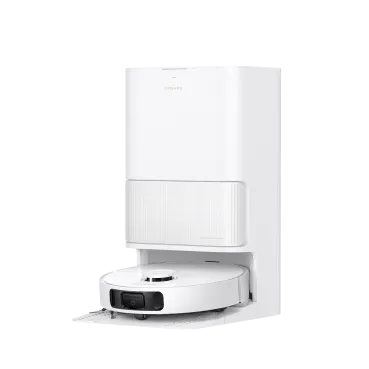
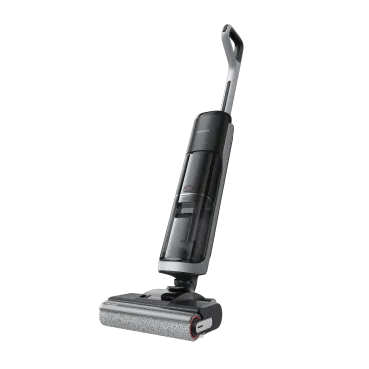
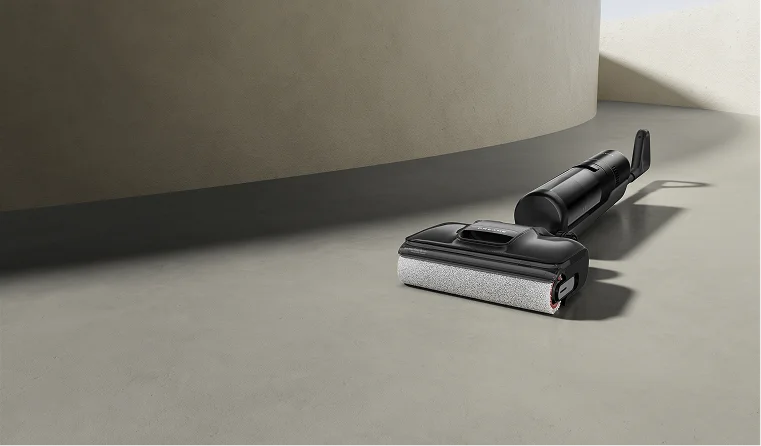
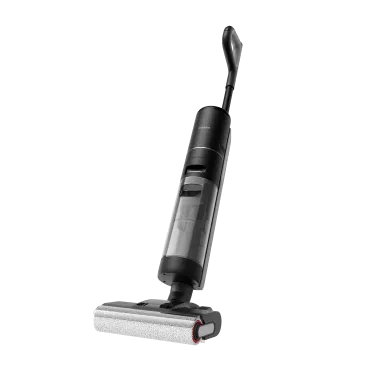
You just spent your time and energy mopping the floor, expecting a smooth, clean shine. Instead, it feels tacky and grimy under your feet. It’s confusing, especially when you followed every step you thought was right. You question yourself, why is my floor sticky after mopping with vinegar? The truth is, sticky floors aren’t caused by laziness or dirt left behind.  They happen because the cleaning process itself goes wrong in small but crucial ways. In this guide, we’ll pinpoint exactly where things go off track and show you how to clean sticky tile floors for a residue-free, professional-level clean every time. The Real Reason: Cleaner Residue on Your Floors Here’s the surprising part: it’s not the dirt you missed; it’s the invisible film left behind. Most cleaning solutions contain surfactants, ingredients that lift grease and grime. These surfactants cling to the floor if not rinsed off completely, creating a thin, sticky layer that attracts new dirt almost instantly.  Even the best cleaner can cause buildup when it’s overused or poorly rinsed. What feels like a dirty floor is often just leftover soap turning into a magnet for dust and footprints. Once you understand that, the problem becomes easy to solve: you’re not battling grime, you’re fighting residue. Pinpoint the Source of Sticky Floors / Pinpoint Your Mopping Mistake Now let’s figure out where things went wrong. These are the five most common causes of post-mop stickiness. You might recognize one or all of them in your own routine. Mistake #1: Using Too Much Cleaning Solution More soap doesn’t mean it's clean. When the cleaner concentration is too high, there isn’t enough water to rinse it away. What’s left behind dries into a slightly tacky film that grabs every speck of dust that touches it. The fix is simple: always check the dilution ratio on the bottle.  A capful in a gallon of water usually does the job. Think of cleaner as seasoning, too much ruins the recipe. If you can see suds, you’ve already gone too far. The right amount leaves the floor smooth, not slippery or sticky. Mistake #2: Using the Wrong Type of Cleaner Some products are simply wrong for the surface. Oil-based soaps or heavy all-purpose cleaners can coat hardwood and tile with residue that doesn’t rinse off easily. What you need instead is a pH-neutral cleaner designed for your specific floor type. It lifts dirt without leaving a trace once wiped away.  For sealed hardwood or laminate, choose a wood-safe, low-residue formula. For vinyl and tile, light vinegar solutions or neutral floor detergents work best. Picking the right product is half the battle in achieving a clean that actually feels clean. If you’re using a vacuum mop, don’t forget that the cleaning solution is important as well. Check out our Vacuum Cleaning Solution Guide: How to Choose, Use, and Alternatives for more info! Mistake #3: Mopping with Dirty Water Once your mop water turns cloudy, it’s not cleaning anymore; it’s spreading dirt evenly across the floor. Each dip of the mop reintroduces grime that’s already been lifted. The result is a dull, sticky finish that feels worse after every pass. Professionals solve this with a two-bucket system: one for the cleaning solution and one for rinsing out the mop.  This simple change prevents “grime redistribution.” Empty and refill your rinse water often, especially when tackling large areas. Clean water means a clean floor, not a recycled mess. Mistake #4: Skipping the Final Rinse Many people stop mopping as soon as the dirt disappears. That’s where the residue begins. The rinse step isn’t optional; it’s essential. After mopping with cleaner, go over the surface once more with clean water and a fresh mop head.  This removes leftover soap and minerals before they dry. It’s a quick extra round that makes all the difference. You’ll notice your floor feels smoother and looks clearer, without that faint film that usually returns hours later. Mistake #5: Starting with a Dirty Mop A dirty mop spreads old residue the moment it touches the floor. Dried cleaner, grease, or bacteria hiding in the fibers mix with your fresh solution and undo your work. Always start with a clean, dry mop head.  Wash microfiber pads after every use, or replace disposable ones right away. When your cleaning tool is spotless, the results finally match your effort. It’s a simple rule that professionals never skip. How to Mop for a Residue-Free Finish Now that you know the cause, here’s the solution for how to clean sticky wood floors. A clean, non-tacky floor comes down to three key habits: Use the Right Amount of the Right Cleaner: Always follow dilution instructions and choose a pH-neutral, residue-free formula suitable for your floor type. Adopt the Two-Bucket Method: Keep one bucket for your cleaning solution and another for rinsing your mop. Never dip a dirty mop into the clean mix. Finish with Fresh Water: Go over the floor once more using clean water only. It clears every trace of detergent or vinegar. For detailed techniques and floor-specific solutions, see our complete guide on How to Clean Sticky Floors. The Ultimate Fix: A Mop That Can't Make Mistakes Even with the best method, human error creeps in. That’s why new technology is built to eliminate these weak points entirely. Wondering how to clean sticky hardwood floors? Consider smarter devices!  Wet Dry Vacuums Wet-dry vacuums combine suction, scrubbing, and rinsing in one step, so the floor never sits under dirty water. Devices like the Dreame H15 Pro Heat Wet Dry Vacuum keep clean and dirty water separate, apply precise amounts of cleaning solution, and dry the floor instantly. The result is spotless, streak-free, and residue-free in a single pass. You get the cleaning power of heat without the risk of warping or damage, just spotless, smooth floors every time. Robot Vacuums and Mops If you’d rather skip mopping altogether, a robot vacuum-mop handles it on its own. The Dreame Aqua10 Ultra Roller Robot Vacuum measures out just enough solution, uses clean water for every pass, and even washes its mop pads after each run. It doesn’t forget to rinse or reuse dirty water, so the sticky floor problem just disappears. Frequently Asked Questions on Why Floors Stay Sticky Why are my floors still sticky after mopping? Most likely, there’s leftover soap or dirty water on the surface. The cleaner dried before it was fully rinsed off. What's the best way to clean sticky floors? Use warm water and a mild cleaning solution, followed by a thorough rinse to remove residue. For easier upkeep, smart cleaning tools like wet and dry vacuums or robot vacuums with mopping functions do the job automatically. Scrubbing, rinsing, and drying in one pass to leave your floors spotless without the extra effort. Why does my floor feel sticky even after using vinegar? Vinegar can help, but too much of it, or no rinse afterward, can leave a faint residue. One cup per gallon of warm water is enough. What kind of floor cleaner won't leave a sticky residue? Look for “pH-neutral” or “residue-free” on the label. You can test it by spraying a little on a mirror; if it dries clear, it’s safe for your floor.
Continue reading
How to Clean Sticky Floors for Good: A Step-by-Step Guide

How to Clean Sticky Floors for Good: A Step-by-Step Guide

Editorial TeamDreame |
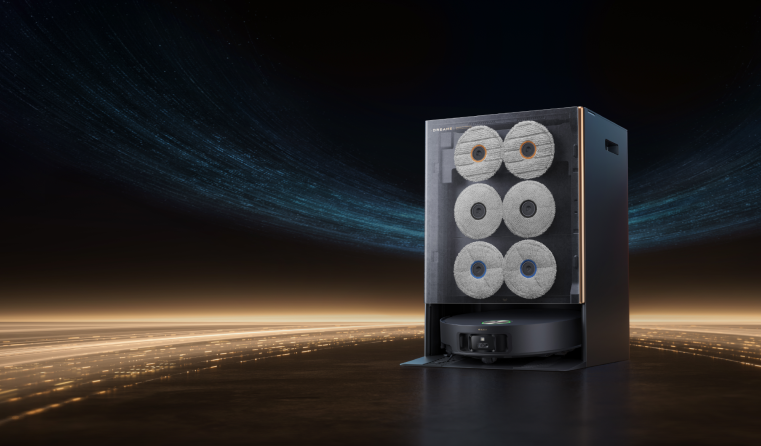
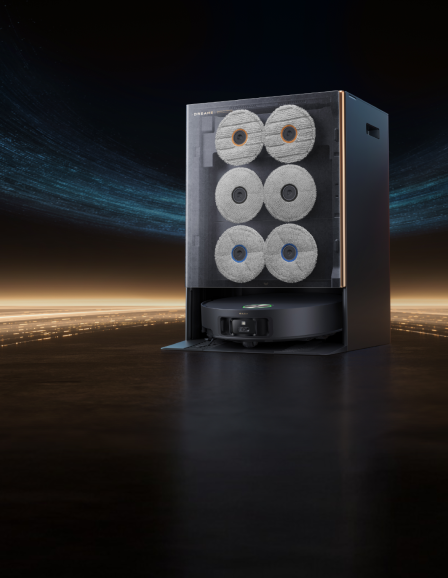
There’s nothing more frustrating than mopping your floors, only to find them feeling tacky or sticky under your feet an hour later. It’s a counterintuitive problem that can make you feel like your hard work was for nothing. You scrubbed, you cleaned, but the floor feels dirtier than when you started. If this sounds familiar, take a breath. The problem isn't your effort—it's a misunderstanding of what actually causes that sticky feeling. The solution isn't to scrub harder; it's to fix the cleaning process itself. This guide will walk you through a clear diagnosis of why your floors get sticky and provide a professional method to strip old residue, clean correctly, and finally maintain that truly clean, non-tacky floor you’ve been after. Why Are Your Floors Sticky? Before you can find the right solution, you have to understand the problem. In almost every case, that sticky feeling comes down to one of a few common culprits that have more to do with your cleaning method than the dirt itself. 4 Most Common Causes of Floor Stickiness Cleaner Residue: Most floor cleaners contain ingredients called surfactants. Their job is to lift dirt, but they are often designed to leave a microscopic film behind. This leftover chemical residue is inherently tacky and acts as a "dirt magnet," attracting new dust and grime and starting the sticky cycle all over again. Using Too Much Product: This is the single biggest mistake. Every cleaner has a recommended dilution rate—the perfect mix of cleaner and water. When you use too much soap, there isn't enough water to rinse it all away, guaranteeing a sticky, soapy residue is left on the floor. Dirty Water and Mops: If you mop your whole floor with a single bucket of water, you’re not really cleaning. After the first few passes, you're just redistributing a thin film of dirty, soapy water across the entire surface, which dries into a tacky layer. Grease and Spills: While cleaning residue causes widespread stickiness, stubborn sticky spots are often from the kitchen. Cooking oils can create a greasy film, and sugary spills from juice or soda will leave a tacky patch if not cleaned up thoroughly. Recommended Method to Deep Clean Any Sticky Floor This is the complete, step-by-step process professionals use to tackle sticky floors. Mastering this technique is more important than the specific brand of cleaner you choose because it removes the root cause of the problem: buildup. Step 1: Always Start with a Dry Prep This is a non-negotiable first step. Following the proper vacuum-first, then-mop cleaning rule, you must remove all loose debris like dust, hair, and crumbs. If you skip this, you’ll just turn that dry dirt into a "muddy slurry" that your mop will spread around, creating streaks and adding to the sticky film. Step 2: Strip Old Residue with a "Reset Rinse" Now, it's time to strip the invisible film of old cleaner that’s causing the stickiness. The best way to do this is with a simple, effective solution that cuts through the buildup without adding more soap. Mop your entire floor with a solution of 1 cup of white vinegar per gallon of warm water. The natural acidity of the vinegar neutralizes and breaks down the alkaline soap residue left behind by old cleaners. For heavy buildup, you may need to repeat this step. Step 3: Mop Correctly with the Two-Bucket System This is the professional secret to stop re-contaminating your floor. Instead of using one bucket that gets progressively filthier, you use two. Bucket One (Solution Bucket): Contains your properly diluted cleaning solution (or just the vinegar/water mix). Bucket Two (Rinse Bucket): Contains clean, plain water. Dip your clean mop in Bucket One and wring it out. Mop a small section of the floor. Then, before getting more cleaner, rinse the dirty mop thoroughly in Bucket Two. Wring it out completely before dipping it back in Bucket One for a fresh solution. This disciplined process ensures dirt is removed from the floor and trapped in the rinse bucket, not spread back onto your floor. Adjusting Your Cleaning for Different Floor Types Using the right technique is critical, but using the right solution for your specific floor is essential to avoid costly damage. What works on tile can permanently ruin natural stone. Floor Type Recommended DIY Solution Sealed Hardwood pH-neutral wood cleaner is safest. (Optional: 1/4 cup white vinegar per gallon of water) Laminate Spray bottle with equal parts water, vinegar, & isopropyl alcohol. Tile, Vinyl, & Linoleum 1 cup of white vinegar per gallon of warm water. Natural Stone (Marble, Granite) A few drops of pH-neutral soap in water, or a dedicated stone cleaner. How to Clean Sealed Hardwood and Laminate Floors The number one rule for these floors is to use minimal water. A mop should always be damp, not wet. Hardwood: The safest choice is a pH-neutral cleaner specifically formulated for wood. If you use the vinegar solution, make sure it’s highly diluted (1/4 cup per gallon) and always perform a spot test in a hidden area first, as the acid can dull some polyurethane finishes over time. Laminate: The fiberboard core of laminate is extremely vulnerable to water damage. A great DIY solution is a spray bottle with equal parts water, vinegar, and isopropyl alcohol—the alcohol helps the solution evaporate very quickly. A properly cleaned laminate floor should dry in a minute or two. And a critical warning: NEVER use a steam mop on laminate. Dreame Take The fear of damaging wood floors with heat and water is valid. It’s why tools like the Dreame H15 Pro Heat Wet Dry Vacuum are designed to solve this specific problem. It can clean with hot water to dissolve stubborn grime while being certified as safe for wooden floors, ensuring no deformation or damage.[1] How to Clean Tile, Vinyl, and Linoleum Floors These resilient surfaces are very durable and respond perfectly to the white vinegar and water solution for stripping residue and general cleaning. While the ceramic or porcelain tile itself is tough, the cement-based grout between them is not. Acidic cleaners like vinegar can slowly eat away at it over time. For targeted cleaning, it’s safer to learn how to clean floor tile grout with a paste of baking soda and water and a stiff brush. For step by step instructions, read our guides:  Clean and Protect Vinyl Plank Flooring Clean and Mop Tile Floors Clean Linoleum Floors  How to Clean Natural Stone (Marble, Granite, Travertine) This is the one floor type where you must be extremely careful. NEVER use vinegar, ammonia, lemon juice, or any other acidic cleaner on natural stone. The acid will react with the minerals in the stone and cause permanent damage called etching, which looks like a dull, cloudy spot. Use a cleaner specifically labeled as pH-neutral and safe for natural stone. In a pinch, a few drops of pH-neutral dish soap in warm water will work. For a complete breakdown, read our essential tips on how to clean marble floors. How to Keep Floors from Getting Sticky Again Now that your floors are truly clean, the goal is to keep them that way. Shifting from reactive deep cleaning to proactive maintenance will save you a world of effort. Set Up a First Line of Defense A huge amount of dirt is tracked in from outside. Use high-quality doormats both outside and inside your entrances. Even better, adopt a "no shoes in the house" policy to stop street grime from ever touching your floors. Use the Right Cleaner (and the Right Amount) Always follow the dilution instructions on your cleaner. And when buying a new one, look for terms like "residue-free." You can perform a "glass test." Spray a little of the cleaner onto a mirror and wipe it clean. If it leaves behind a streak or a hazy film, it will do the same on your floor. Keep Your Cleaning Tools Clean A dirty mop spreads dirt. It’s that simple. Make sure you learn how to clean your mop head and machine wash and dry your microfiber mop pads after every use. Rinse your buckets and let them dry completely to prevent bacteria growth. Make Your Routine Automatic The single mosteffective way to prevent sticky buildup is a consistent cleaning schedule. This is where modern technology can be a game-changer. Here’s how smart vacuums solve the core problems we've discussed: It Automates the "Dry Prep": A robot vacuum running on a daily schedule constantly removes the loose dust and debris that would otherwise turn into a "muddy slurry" during mopping. A top-tier model like the Dreame L50 Ultra, ranked #1 on Vacuum Wars Top 20 Robot Vacuums list [2025], automates this crucial preventative step with powerful suction. It Solves the "Dirty Water" Problem: Unlike manual mopping where water gets progressively dirtier, advanced robotic mops use systems that apply consistent pressure with fresh water, ensuring grime is lifted, not spread around. Some, like the Dreame Matrix10 Ultra, even feature a Multi-Mop™ Switching Dock that can swap out different mop types mid-clean. For example, a bristled mop for a tile kitchen and a soft sponge mop for a bathroom, all for a truly tailored and hygienic clean. It Handles Its Own "Tool Hygiene": The self-cleaning dock automates the final crucial step. It washes and dries the mop pads after each cleaning run, ensuring the device always starts with a perfectly clean tool. Frequently Asked Questions Why are my floors still sticky after mopping? This is almost always caused by residue. The most likely reasons are that you used too much cleaning solution and didn't rinse it away, or you used a dirty mop and bucket, which just spread a thin layer of grime across the floor. How do you get sticky residue off the floor? The best way is to mop with a solution of one cup of white vinegar in a gallon of warm water. The acid in the vinegar is excellent at breaking down and dissolving the soapy or greasy film that causes stickiness. Just be sure not to use it on natural stone. Does vinegar get rid of sticky floors? Yes, it’s highly effective for most floor types. Vinegar is an acetic acid that naturally cuts through the alkaline residue left by many soaps and cleaners. It cleans without leaving a new film behind, which is key to breaking the sticky cycle. How do you clean a dirty, sticky floor? Start with a dry prep by thoroughly sweeping or vacuuming. Then, perform a "reset rinse" with a warm water and vinegar solution to strip the sticky residue. For future cleans, adopt the two-bucket method to ensure you're always cleaning with a clean mop.
Continue reading
How to Turn Off a Robot Vacuum: All Devices & Brands

How to Turn Off a Robot Vacuum: All Devices & Brands

Editorial TeamDreame |
It's a simple task, but knowing how to turn your robot vacuum off correctly is important. You might be going on vacation, doing some cleaning on the robot itself, or maybe it's just not listening to you. What do you do when you need it to stop? Powering down your robot the right way can solve a frustrating glitch, protect its battery for the long term, and get it ready for the next cleaning run. This guide gives you the direct steps to do it properly in any situation. Your 3 Main Options for Turning It Off You have a few easy ways to turn off your robot vacuum. 1. The Manual Way: Use the Button on the Robot This is the most direct and sure way to turn it off. If you are near your robot, using its buttons is the fastest way. How to Do It: First, lift the robot off its charging base. Then, press and hold the Power button for about 3-5 seconds. You will hear a sound or see the lights go out. This tells you it is completely off. Quick Tip: Remember, a single, quick tap of the Power button will only pause your robot. It stays on and is ready to go. To really turn it off, you need to press and hold. 2. The Convenient Way: Use Your Phone's App Your phone is the command center for total control from anywhere. This is perfect if the robot is in another room or if you are not home. You can use the app to stop a cleaning job and send your robot back to its base. Once it is on the base, your robot vacuum automatically goes into a low-power standby mode to charge. For daily use, this is all you need. It lets the robot manage its own power and always be ready for the next cleaning. This is also how you control settings like your robot vacuum mapping to set up cleaning plans. 3. The Smart Way: Let the Robot Manage Itself The best part of a modern robot vacuum cleaner is that it's smart enough to manage its own power. These features work automatically, so you do not have to think about them. Sleep Mode: If you pause your robot and leave it off its dock for about 15 minutes, it will go into deep sleep mode to save battery. Just press any button to wake it up. Do Not Disturb Mode: You can set up a "Do Not Disturb" time in your app, like from 10 PM to 8 AM. This tells your robot not to start cleaning or make noise while you are sleeping. Auto-Return: A self-emptying robot vacuum knows when its battery is low or the job is done. It will automatically go back to its base to charge. This way, it's always ready for its next run, and you do not have to do anything. What to Do When Your Robot Vacuum Won't Turn Off It is upsetting when your robot is stuck running and will not respond. Do not worry. This is usually a simple problem you can fix in seconds. Here are five common fixes to try. Is It On The Charging Base? Your robot is made not to power down while it is charging. This is a safety feature. To turn it off, you must first lift it off the dock. Then, press and hold the power button. Try A Forced Restart If the robot is off the dock but still frozen, a forced restart is your best option. Press and hold the power button for a longer time, usually 10-15 seconds. This is like a hard reset for your robot and can fix most software problems. Check For Jams And Tangles Sometimes, your robot stops responding because something is blocking it. Flip it over and check if hair, cords, or a toy is tangled in the main brush or wheels. After you clear the jam, it should start responding again. Clean The Sensors And Contacts If your robot's sensors are dirty, it can get confused and act strangely. Wipe the sensors on the bottom and the charging contacts on the robot and the dock with a clean, dry cloth. This can often make it work normally again. Check The Battery Level If the battery is totally empty, the robot may not respond because it has no power. Place it on the charging dock and let it charge for at least 30 minutes. Then, try to turn it on or off again. A Quick Word on the Base Station Now you know how to manage the robot. You might also wonder about its home base. The good news is that the base station is much simpler. To turn it off, just unplug it from the wall. But you should only do this if you're putting the robot away for a long trip. For everyday use, keep the base station plugged in. It needs to be on to charge your robot and run its self-cleaning cycles. Unplugging it every day will mess up your robot's schedule and cleaning routines. When Should You Actually Turn Your Robot Off? You do not need to turn your robot completely off after every clean. Leaving it on its base in standby mode is best for daily use. But there are a few times when a full shutdown is a smart move. You're Going on a Long Vacation: If you'll be away for a few weeks, power down both the robot and its base. This is a great way to stop electronics that are plugged in from using power. It can save you a little money on your energy bill. You're Storing It: To keep the battery healthy in storage, experts say that storing lithium-ion batteries the right way can make them last much longer. Charge the battery to about 50%. Then, turn the robot off completely and store it in a cool, dry place. You're Cleaning It: Before you clean the brushes or wipe the sensors, turn the robot off. It is important to always handle lithium-ion batteries safely. Make sure the device has no power when you are working on its parts. It's Acting Strange: If your robot is acting strangely, a full shutdown and restart is the best first step to fix it. It's a quick fix that solves most problems. A Robot Vacuum You Never Need to Turn Off Most people want to know how to turn off a robot vacuum because something went wrong. It got stuck, tangled, or needed cleaning, and you had to step in. But imagine a robot vacuum smart enough that you never have to rescue it in the first place. That's the peace of mind you get with Dreame. Our robots are built to avoid the frustrations that usually force a shutdown: No more forced restarts: The Dreame X50 Ultra uses advanced navigation and a liftable LDS to glide around furniture and obstacles, so you're not pulling it out from under the couch. No more pausing for rugs: The Dreame L40s Ultra automatically lifts its mops when it senses carpet, cleaning both hard floors and rugs in one run without interruptions. So you do not have to rush to pause or stop it when it gets to a rug. No more shutdowns for dirty mop: The Dreame Aqua10 Ultra Roller cleans its roller mop with fresh water as it works, so you don't have to stop it for maintenance mid-clean. Enjoy Clean Floors Without the Effort Knowing how to control your robot vacuum's power puts you in charge. But the real goal is to own a robot so smart you do not have to. Are you ready to stop managing and start enjoying a clean home? Look at Dreame's lineup of advanced robot vacuum cleaners and see what a truly automatic clean feels like. FAQs about Turning Off a Robot Vacuum Q1. My robot won't turn off, even with a forced restart. This usually means the robot's software is stuck. The best fix is to let the battery run out completely. Take the robot off its base and wait for it to lose all its power. Then, a full recharge of the base will reset its system. If it still does not work, you should contact customer support. Q2. Will a full power-down erase the robot's map? No, the map is safe. Your robot saves the map to a special memory that keeps information even with no power. Turning the robot off or having the battery die will not delete the map. It will be there when you turn the robot on again. Q3. Can I unplug the base with the robot on it? This can damage the battery. The robot will not get power, and its battery will slowly drain to empty. Letting the battery drain completely and stay that way for a long time can make it weaker and not last as long. For storage, turn the robot off and keep it away from the unplugged base. Q4. Does the robot use a lot of electricity on its base? The robot uses very little power. When it sits on its base, it uses a tiny amount of electricity to stay ready. You will not see a difference in your power bill. This keeps it ready to clean anytime you need it. Q5. If I turn the robot off, will it forget its schedule? No, your schedule is safe. The schedule is saved in the robot's permanent memory and in the app. The robot is built to keep these settings even when it's turned off. Your schedule will still be there and will work as planned when you power it on again.
Continue reading
Can I Take a Robot Vacuum on a Plane? A Complete CATSA & Airline Guide

Can I Take a Robot Vacuum on a Plane? A Complete CATSA & Airline Guide

Editorial TeamDreame |
Ever bought a robot vacuum on sale while traveling, or thought about bringing yours along to keep an Airbnb clean during a long stay? You may be moving cross-country and want to avoid shipping delays. Whatever the reason, the question comes up: Can you actually bring a robot vacuum on a plane? The short answer: yes, but there are rules. Because robot vacuums use lithium-ion batteries, there are specific requirements you must follow. This guide breaks down the rules and provides step-by-step tips so you can safely navigate your robot vacuum to its destination without the stress of airport travel. Can You Take a Robot Vacuum On a Plane? Yes, you can. The Canadian Air Transport Security Authority (CATSA) clearly allows you to take a robot vacuum on a plane. You can bring it in either your carry-on or your checked bag—as long as they’re packed and protected properly. The most important thing to pay attention to is how you pack your robot vacuum and its parts. While CATSA handles security screening at Canadian airports, individual airlines also have their own policies to ensure flight safety—and the final decision at the security checkpoint is always up to the screening officer. How to Bring a Robot Vacuum On a Plane To travel with your robot vacuum, you must follow a few key steps. These steps will help you comply with safety rules and protect your vacuum from getting damaged. 1. Always Check Your Airline's Rules Before you pack, check your airline's rules. You can find them on the airline's website, usually under "Restricted Items" or "What Can I Bring?". This will tell you exactly what that airline allows, so you won't have any surprises at the airport. 2. Get Familiar with the Current Rules for Robot Vacuums Most airlines operating in Canada follow IATA-style lithium battery limits for passenger travel. Here's what you need to know: Batteries Under 100Wh: These are permitted on the plane without airline approval. You can leave the battery inside your vacuum in a checked bag, but any spare batteries must be in your carry-on. Batteries Between 101Wh and 160Wh: These are permitted with airline approval. Batteries over 160Wh: These are not allowed on passenger planes. Important packing note: Spare lithium batteries must go in carry-on baggage (not checked). 3. Check the Battery Getting your robot vacuum ready for a flight is all about the battery. Most of these vacuums run on lithium-ion batteries. First, you need to find out your battery's power, which is measured in Watt-hours (Wh). This is usually printed on the battery. If you can't find it, you can figure it out with this calculation: Volts (V) x Amp-hours (Ah) = Watt-hours (Wh) (If you only see mAh, just divide that number by 1,000 to get the Ah.) Most robot vacuum batteries are well under the 100Wh limit. 4. How to Remove the Battery To follow these rules, you may need to remove the battery from your vacuum. Here's how to do it: Turn the Vacuum Off: Make sure the robot vacuum is completely powered off. Flip the Vacuum Over: Place it upside down on a soft surface, like a rug or towel. Open the Battery Cover: Look for a small panel held on with a couple of screws. Use a small screwdriver to open it. Unplug and Remove: The battery is connected with a small plastic clip. Gently unplug it and lift the battery out. Pro Tip: Once the battery is out, cover the metal connectors with a piece of tape. This prevents them from touching anything metal, which keeps the vacuum safe. 5. Pack the Vacuum Unit Safely You'll want to pack your robot vacuum well to protect its sensitive parts. Use a Fireproof Bag: For extra safety, you can put the battery in a fireproof bag. These bags are made to stop a fire from spreading. Protect the Charging Contacts: The metal parts on the bottom of the vacuum can get scratched. To protect them, just cover them with a small piece of tape before you pack. Secure Loose Parts: Make sure you secure any parts that can come off, like brushes or the dustbin, so they don't break during the trip. Use the Original Box: The box it came in is the best and safest way to pack it. Wrap It Up: If you don't have the box, wrap the vacuum in soft things like clothes or towels. Try to place it in the middle of your suitcase so it's cushioned. Mark Your Luggage: If you check your bag, put a "Fragile" label on it. This will remind handlers to be careful. Important: For safety, you should do two things before you pack. First, make sure the vacuum is completely turned off to prevent it from turning on by accident. Second, keep the battery charge low, under 30%. Robot Vacuum in Carry-on or Checked Baggage? You can put your robot vacuum in your carry-on or checked bag. However, for safety and protection, we recommend putting the vacuum unit in a checked bag and the battery in your carry-on. Carry-On Luggage Good Part: You keep the vacuum with you, so it can't get lost or broken by baggage handlers. Bad Part: A robot vacuum is big. It will take up almost all the space in your carry-on bag, with no room for much else. Checked Luggage Good Part: It's much easier. You don't have to carry it through the airport, and you'll have plenty of space in your carry-on. Bad Part: Checked bags can get tossed around. If you don't pack it well, your vacuum could get damaged. Ship Your Robot Vacuum, or Take It on a Plane? If you don't want to pack your robot vacuum, you can always ship it instead. Here's a quick comparison to help you decide. Factor Taking It on a Plane Shipping It Cost The price of a checked bag is usually $35-$40 on flights. Usually between $25-$50* for ground shipping, varies by size/weight, distance, and carrier. Convenience You get it as soon as you land, but you have to pack it and carry it. Pack once, send it, and wait for the courier delivery Risk Medium. Bags can be handled roughly, but good packing helps a lot. Low to medium. Shipping insurance is usually available. *The $25-$50 cost is a realistic estimate based on what major US shipping carriers like Canada Post, UPS, and FedEx typically charge for ground shipping. Both flying with your robot vacuum and shipping it have good points and bad points. Choose based on your needs. Cost Prices depend heavily on your airline and route in Canada, and shipping depends on distance, weight, and whether you add insurance. Convenience If you fly with it, you can get it right upon your arrival. But you have to deal with the packing and unpacking yourself. And sometimes carrying it through the airport can be a trouble. Shipping is easier because you just pack it once, pay, and wait for the deliveryman to deliver it to your door. But you have to wait for days for it to arrive. Risk of Damage If your robot vacuum is in checked luggage, it can be handled roughly and easily broken if your packing is solid enough for protection. But shipping companies are usually more careful, and you can always buy insurance to protect your item. The Verdict If you need your vacuum right off the plane, take it with you. But if you want a simpler and easier trip, and can wait for the delivery, shipping is a better choice. Conclusion It's perfectly fine to take your robot vacuum on a plane. Just remember to check your airline's rules, pack it well, and handle the battery correctly. By following these tips, you can be sure your cleaning helper gets to your destination safe and sound. Looking for a smart and powerful cleaning solution? Explore Dreame's collection of innovative robot vacuums. FAQs about Robot Vacuums on a Plane Q1. Can I bring the big charging dock or base station on the plane? Yes. The charging station has no batteries or dangerous items, so you can bring it. It's best to put it as a checked bag. Q2. Are the rules different for flights to other countries? The rules for batteries are pretty much the same everywhere in the world. Still, it's a smart idea to double-check the rules for the country you are flying to and the airline you are using. Q3. What if my robot vacuum's battery is over 160Wh? This is very rare for a robot vacuum. If your battery is this powerful, you cannot take it on a passenger plane. You would have to send it using a special shipping service that handles dangerous goods. Q4. Do I have to tell the TSA agents that I have a robot vacuum? No, you don't. But if you pack it in your carry-on, you will have to take it out of your bag and put it in a separate bin to go through the X-ray scanner, just like you do with a laptop. Q5. Can I bring the cleaning solution for my robot mop? Yes. If you put it in your carry-on, the bottle must be 100 mL/100 g or less to fit in one clear, resealable 1 L bag . If the bottle is larger than that, you must pack it in your checked bag.
Continue reading
Are Robot Vacuums Safe for Wood Floors? A Simple Guide to Scratch-Free Hardwood

Are Robot Vacuums Safe for Wood Floors? A Simple Guide to Scratch-Free H...

Editorial TeamDreame |
You love your hardwood floors for the warmth and character they bring to your home. But cleaning them can be a real problem. "For an effortless daily cleaning, I want to use a robot vacuum cleaner, but can I really trust it with my precious floors?" The answer is a confident yes—as long as you choose the right one. This guide covers what can harm your hardwood, the features that keep it safe, and how to pick the right one for your home. Are Robot Vacuums a Safe Choice for Your Hardwood Floors? Yes, modern robot vacuums are designed to be safe on hardwood floors, as long as they have the right features. The safety of a robot vacuum depends on how it handles the two biggest risks to wood: moisture from mopping and physical scratches. Let's first address moisture, the primary concern for most owners. You've likely heard that water is wood's worst enemy. Traditional mopping often leaves puddles that can seep between planks, causing swelling and long-term damage. That's why flooring experts advise against using excess liquid during cleaning. This is where a high-quality robot mop is completely different. It was made specifically to solve this problem. Unlike a soaking wet mop, it uses smart technology to apply a fine, controlled amount of water that cleans effectively and dries almost instantly. This careful approach is important for all wood types: Solid Hardwood: As a single piece of timber, it's more sensitive to moisture. Engineered Hardwood: While its layered core offers more stability, you still need to be careful with water. Sealed vs. Unsealed Floors: Most modern floors have a protective polyurethane coat. But if you have older floors with an oil or wax finish, or visible gaps between the planks, you need an even gentler approach. Beyond water damage, the other main concern is scratching. Do Robot Vacuums Scratch Floors? Modern robot vacuums and mops are made to clean gently but thoroughly. But for older models, scratches can usually happen if: Brush roll is stiff: Stiff, aggressive brushes can be too harsh for the delicate finish on a wooden floor. Over time, they can create a web of tiny scratches that makes the surface look dull. For wood, you need a brush that's tough on dirt but soft on your floors. Hard wheels trap grit: If a robot vacuum's wheels are made of hard plastic, they can pick up small bits of debris like sand. As the vacuum navigates, that trapped grit gets dragged across your floor, leaving fine scratches behind. Navigation is clumsy: A robot vacuum that constantly bumps into furniture, walls, and baseboards isn't just an annoyance; it's a hazard. While this may not cause fine scratches, these repeated impacts can cause ugly scuffs and dents on both your baseboards and the edges of your flooring. Good navigation is vital for protecting your home.  If you want to clean wood floors with a robot vacuum without causing damage, choose one specifically designed to avoid these issues. How to Choose the Best Robot Vacuum For Hardwood Floors A safe-for-wood-floors model will use a soft rubber brush instead of stiff bristles, have rubber-coated wheels that won't trap grit, and use smart navigation to move without collisions. These features work together to ensure a scratch-free clean. Here's a more detailed breakdown: Look for Soft Rubber Brushes and Coated Wheels This is the first and most critical hardware check. As we've discussed, stiff bristles can cause micro-scratches, and hard plastic wheels can trap and drag grit. So, look for a model that explicitly features a bristleless, all-rubber brush. Also, check that the wheels are rubber-coated. This ensures the vacuum glides smoothly without picking up and dragging small, sharp debris across your floor's delicate finish. Verify It Navigates with Precision Clumsy navigation leads to scuffs and dents. Don't just settle for "smart navigation." Look for specific technologies like LDS and AI-powered obstacle avoidance. A robot with these features will create an accurate map of your home and intelligently steer clear of furniture legs, walls, and baseboards, preventing impact damage. Check for a Truly Smart Mopping System This is non-negotiable for hardwood. To find a truly smart system, look for two things: Check for adjustable water flow settings in the robot's companion app. This gives you direct control to ensure it uses the absolute minimum amount of water necessary. Look for advanced systems that use a continuous supply of fresh water and actively separate dirty water, so they never spread abrasive grit back onto your floors. Find a Model That Lifts Its Mop Automatically If you have both hardwood and area rugs, this feature is essential for worry-free cleaning. Look for a robot vacuum that automatically detects carpets and physically lifts its wet mop pads high off the ground. This not only keeps your rugs dry but also prevents the vacuum from dragging damp, dirty pads from the rug back onto your clean wood floors. Our Top Robot Vacuums for Hardwood Floors At Dreame, we design our robot vacuums with these protective features built in. Every model is engineered to be safe for hardwood, but different features offer unique benefits for your home. Here are a few models that show how our technology keeps your floors safe. Dreame Aqua10 Ultra: Safe for Mopping With the Aqua10 Ultra, you can stop worrying about dirty mop water ever touching your floors again. Its special AquaRoll™ Mopping system provides the safest possible wet clean. A roller constantly washes itself with fresh water while it works, and a scraper instantly removes the dirty water. This helps you get a truly clean floor safely, because it never spreads abrasive grit in dirty water back onto your wood. You can trust it to clean up spills and grime without the risk of soaking or scratching your floors. Dreame X50 Ultra: Safe for Edges and Furniture The X50 Ultra helps you safely clean those tricky spots you can never reach. Its MopExtend™ RoboSwing system is designed to get into corners and right up against baseboards without collisions. This keeps your baseboards and furniture safe from scuffs and dents. With it, you can finally get rid of the dust bunnies that build up along the walls without the robot bumping into anything. Its soft rubber brushes are also made to pick up everything from fine dust to larger crumbs without leaving a single scratch on your floor's finish. Dreame L40s Ultra: Safe for Homes with Mixed Floors If your home has both wood floors and rugs, the L40s Ultra helps you clean both safely and without any extra work. Its most important safety feature is its smart automatic mop lifting. When it moves from your wood floor to a rug, it lifts its mop high so the rug stays dry. This keeps your rugs safe from water damage and prevents wet pads from dragging across your hardwood. Its dual-spinning mops also work effectively to clean sticky spots on your kitchen floor, saving you from having to scrub them by hand. Quick Comparison of Robot Vacuums for Wooden Floors Feature Specification Dreame Aqua10 Ultra Dreame X50 Ultra Dreame L40s Ultra Brush Type HyperStream™ Detangling DuoBrush HyperStream™ Detangling DuoBrush HyperStream™ Detangling DuoBrush Mop Type AquaRoll™ Roller Mop Dual Spinning Mops Dual Spinning Mops Auto Mop Lifting Yes (14 mm / 0.55 in) Yes (10.5 mm / 0.41 in) Yes (10.5 mm / 0.41 in) Edge & Corner Cleaning MopExtend & SideReach™ MopExtend & SideReach™ MopExtend & SideReach™ Smart Navigation OmniSight™ 2.0Liftable LDS, VersaLift™ Liftable LDS, VersaLift™ DToF + AI RGB Camera LDS, Pathfinder™ + 3D Structured Light Obstacle Avoidance AI Camera x2 + Lateral 3D Structured Light + LED Lights AI RGB + Dual-Laser 3D Structured Light +LED Single-Line Laser Water Management Real-Time Fresh Water Mopping (on robot) Hot Water Mop Washing (in dock) Hot Water Mop Washing (in dock) Best For The most hygienic and thorough mopping. Precision cleaning in tricky corners and along edges. Seamlessly cleaning homes with both hard floors and rugs. You'll find that all three models give you the core protection you need, including the soft, tangle-free DuoBrush and advanced edge-cleaning technology. To pick the right one for your home, focus on your biggest cleaning challenge. If you want the highest level of hygiene, choose the Aqua10 Ultra. Its unique AquaRoll™ system continuously mops with fresh water, so you can trust it never to spread dirty water on your floors. If you need to clean both hardwood and area rugs, consider the X50 Ultra or L40s Ultra. They both use powerful dual-spinning mops and lift them high on carpets to safely clean your mixed floors in one go. 5 Safe Tips for Using a Robot Vacuum on Wood Floors Knowing the culprits and choosing the right robot hardwood floor cleaner is the first step. Using it correctly is the next step. Follow these simple tips to make sure every cleaning is a safe one. Check the Area: Before it starts, do a quick scan for small, hard items such as paper clips, coins, or small toys. A robot vacuum may pick up these objects, and if they get caught in the brush or wheels, they can be dragged across the floor and leave deep scratches. Check the Wheels and Brushes: Take a quick look at the robot vacuum's underside before it runs. If debris or hair is tangled in the wheels or brush, it can scratch the floor's surface as the robot moves, causing a dull appearance over time. Use the Right Settings: If your robot vacuum has adjustable power and water flow, start with a lower setting. Using high power or too much water can cause unnecessary wear on the floor's finish or lead to moisture damage between the planks. Know Your Floor's Top Coat: If you have an older floor with an oil or wax finish, test the wet mop feature on a small, hidden spot first. Not all floor finishes are water-resistant, and a test can prevent permanent watermarks or damage to a delicate finish. Keep Your Robot Vacuum Clean: Regularly empty the dustbin, clean the filter, and wash the mop pads. A dirty robot vacuum can't clean effectively; it might just spread old dirt and grime, leaving streaks and potentially scratching the floor with trapped grit. Your Floors Deserve the Best Your hardwood floors are a beautiful feature in your home, and keeping them clean shouldn't be a constant worry. The answer to "Are robot vacuums safe for wood floors?" is a definite yes—when you have the right technology. By choosing a robot vacuum with gentle brushes, smart navigation, and a well-designed mopping system, you can protect your floors and keep them clean easily. Ready to give your hardwood floors the smart, safe clean they deserve? Look at Dreame's advanced robot vacuum cleaners and find the perfect helper for your home. FAQs about Robot Vacuums & Wood Floors Q1. How to clean hardwood floors? The best way is to frequently and gently clean the floor to prevent dirt from building up. For a more effortless cleaning, you can choose a vacuum with a soft brush, together with a pH-neutral cleaner. A good robot vacuum can automate this cleaning routine, keeping your floors clean and safe, without costing you much time. Q2. Which robot vacuum does not scratch hardwood floors? Choose well-built robot vacuums that have soft rubber brushes, rubber wheels, and a smart navigation system to avoid obstacles. Like Dreame X50 Ultra and Aqua10 Ultra, which are safe for your floor and can clean well. Q3. Are wet dry vacuums good for hardwood floors? Traditional wet-dry vacuums can leave water stains on the floor while cleaning. This moisture can make the hardwood floor swell and shrink, and end up harming the longevity of the floor. But newer wet-dry vacuums and robot vacuums are different. They use less water for cleaning and have systems to collect dirty water. This makes them safer for sealed hardwood floors. Q4. Can robot vacuums replace regular vacuums? For everyday cleaning, yes. A good robot vacuum can pick up most of the dust, pet hair, and dirt. This means you won't have to use your regular vacuum as much. You might still want a regular vacuum for deep cleaning in corners or on stairs once in a while.
Continue reading
Can Robot Vacuums Climb Stairs? A Look at the Future of Multi-Floor Cleaning

Can Robot Vacuums Climb Stairs? A Look at the Future of Multi-Floor Clea...

Editorial TeamDreame |
For your home to be cleaned completely automatically, robot vacuums need to solve one big problem: getting up and down the stairs. While today's robot vacuums are experts at cleaning a single floor on their own, the ability to move between storeys is the next big step for the technology—especially for multi-storey homes, basements, and split-level layouts. Let's look at where this new technology stands. We will explain how today's robot vacuums keep themselves safe in homes with stairs, and show you the best ways you can get your multi-storey home cleaned right now. Can You Buy a Stair-Climbing Robot Vacuum Today? Right now, you can't buy a robot vacuum that can climb a full flight of stairs. It's a difficult problem that engineers are working hard to solve in their labs. The good news is that we've already seen early models. At the IFA 2025 tech show in Berlin, the first of these concepts was demonstrated to the public. As a result, many experts believe the first robot vacuums that can climb stairs will be available for purchase around 2026. This future ability to climb is a huge jump in technology compared to how even the best robots vacuum today get over small bumps and rugs. How a Future Robot Vacuum Will Climb Stairs Robot vacuums can climb stairs in a few fundamentally different ways, each with its own trade-offs. Modular, two-part systems in which a standard vacuum robot docks with a specialized stair-climbing platform, are taking the lead. Caterpillar-track platforms: The Dreame Cyber X follows this concept. Think of this as a mini construction vehicle. The vacuum rides on a docking platform with large treads that grip the stairs. At the bottom, the treads stay flat so the robot vacuum can roll into place. Then the front treads lift, "feel" the first step, tilt the unit, and pull it smoothly onto the next level. The process repeats step by step, with no extra hardware needed on your stairs. It looks dramatic but works surprisingly fluidly. Scissor-lift legs: This design, seen in MOVA Zeus 60 demos, uses a platform with compact lifting legs that raise the robot vacuum, slide the front wheels onto the next step, then pull the rest of the body along. It's slower than tracks, but very stable. Some demo units have even tackled curved or spiral staircases, handling step heights up to about 25 cm (10 in). Beyond these, early concepts include tracked robot vacuums with flippers or bogie suspensions (robust but bulky and loud), tri-star wheel clusters that "step" over risers (simple but vibey on flat floors), and wheel-leg ("wheg") hybrids that roll like wheels yet act like short legs for climbs (promising, still maturing). In short, stairs are solvable, but every approach balances speed, stability, noise, cost, and home-friendliness. How Your Robot Vacuum Avoids Falling Down Stairs While engineers work on the complex problem of climbing up, the issue of falling down the stairs was solved years ago. You can be sure your robot vacuum is safe to approach a staircase because of its built-in cliff sensors. These sensors work by sending out an invisible light beam towards the floor. The science is simple: On solid ground, the light bounces off the floor and back to the vacuum robot's sensor. At the edge of a stair, the light beam goes into the empty space and doesn't bounce back. When the light doesn't bounce back, it instantly tells the robot vacuum to stop and turn around. This simple, reliable system ensures your robot vacuum can detect stairs and will never fall. How Today's Robot Vacuums Get Over Bumps and Thresholds Beyond the major challenge of stairs, your robot vacuum also has to deal with everyday bumps on the floor. To keep it from getting stuck on things like transition strips between rooms, patio door tracks, or the edges of thick rugs, the best robot vacuums have advanced mobility systems. For example, the Dreame X50 Ultra uses the ProLeap System. This smart system uses small, motorised retractable legs to lift the vacuum's body over obstacles. This system helps you in a few key ways: Robot vacuums clean without stopping, easily crossing bumps up to a couple of inches high so they can move freely between rooms. You get a more thorough clean because the robot vacuum can reach every part of a room, rather than being blocked by a high doorway. You don't have to babysit it—so you can schedule a cleaning and trust that the robot vacuum will finish the job without your help. How to Clean a Multi-Storey Home Today That ability to handle thresholds is a key part of the complete cleaning solutions you can use for your multi-level home today. Here are two practical guides for the best options available right now. Option 1: Use Multi-Floor Mapping with One Robot Vacuum This is a smart and affordable way to clean your whole house with a single device. Here's how you can set it up: Step 1: Map Your First Floor. Place the robot vacuum on its dock on your main floor. Clear away small items like shoes or cables, open all doors, and start the initial mapping run in the app. The robot vacuum will use its lasers to create an accurate map. Step 2: Save the Map. Once the mapping is done, you can name the map in your app (e.g., "Downstairs"). Step 3: Map Your Second Floor. Carry the robot vacuum (without its dock) to your second floor. Place it in a central spot and start a new cleaning cycle. The robot vacuum will recognize it's in a new place and create a second map. Step 4: Save the Second Map. When it's finished, save and name this map (e.g., "Upstairs"). Step 5: Clean Any Floor, Any Time. Now, you can carry the vacuum robot to the floor you want cleaned. It will automatically recognize where it is, use the correct map, and start cleaning. Option 2: Use a Separate Robot Vacuum for Each Floor This method is for those who want the easiest, most hands-off cleaning experience. Step 1: Pick a Home for Each Dock. Find a good spot on each floor for the robot vacuum's charging dock, preferably with good Wi-Fi coverage. Step 2: Set Up Each Robot Vacuum. Treat each robot vacuum like it's in a separate home. Have each one create a map for its designated floor. Step 3: Create Unique Schedules. In the app, you can give each robot vacuum its own cleaning schedule. You could have the "Upstairs" vacuum clean on Mondays and Fridays, and the "Downstairs" vacuum clean on Tuesdays and Saturdays. Step 4: Enjoy Full Automation. That's it. Your entire home will now be cleaned automatically on a regular schedule, with no need for you to ever move a robot vacuum again. Frequently Asked Questions Will stair-climbing robot vacuums be able to clean the stairs? No. The main goal of this new technology is to let the robot vacuum travel between floors. It is not designed to clean the narrow steps of the stairs. A handheld vacuum is still the best tool for cleaning the stairs themselves. How high a bump can a normal robot vacuum get over? Most standard robot vacuums can clear bumps around 1.3–1.9 cm (½–¾ in). Robot vacuums with special features like the ProLeap System can handle much higher bumps, often over 5 cm (2 in). Do I need Wi-Fi for multi-floor mapping? You typically need Wi-Fi to create and save the maps for the first time. After a map is saved in the robot vacuum's memory, it can clean that floor without being connected to Wi-Fi. Will stair-climbing robot vacuums be very expensive? Like most brand-new technology, the first models that can climb stairs will likely cost more. As the technology gets better and more common, the prices should come down over time. How do I get a floor ready for the robot vacuum to map it? Pick up shoes, toys, and cables off the floor. Open doors to all the rooms you want the vacuum to clean. A clear space helps the robot vacuum create a more accurate, efficient map. Conclusion The invention of a stair-climbing robot vacuum would be a huge step forward for home cleaning. While that technology is being perfected, you can already get excellent results in multi-storey homes using today’s best features—smart navigation, strong threshold handling, and multi-floor mapping—to keep every level clean, including basements and split-levels.
Continue reading