Why Is My Vacuum Blowing Out Dust? Ultimate Diagnosis, Fixes, and Prevention Guide

Why Is My Vacuum Blowing Out Dust? Ultimate Diagnosis, Fixes, and Preven...

Dreame Editorial Team |
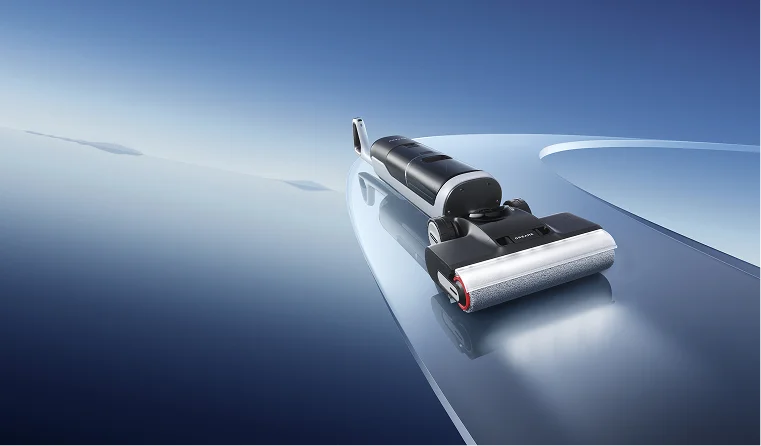
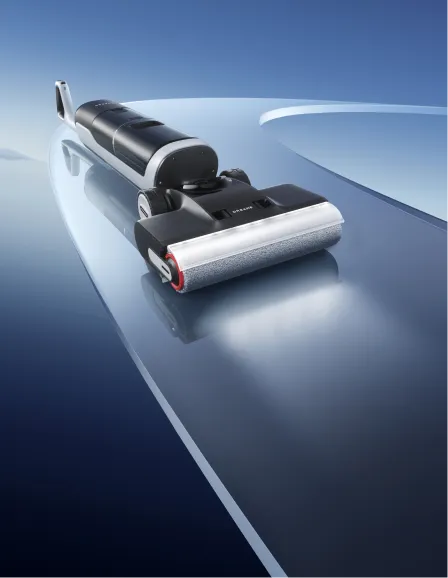
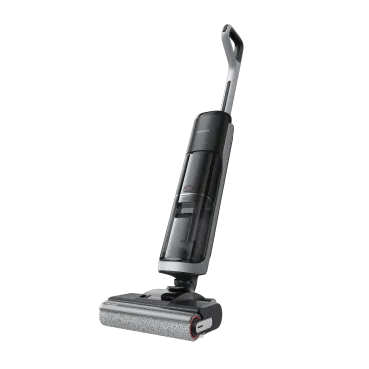
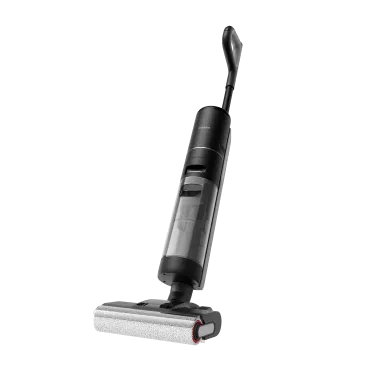
You start vacuuming, expecting clean floors, and instead, a puff of dust blows out of the machine. It’s frustrating, right? Not only does it undo your hard work, but it also pollutes your indoor air. Wondering why my vacuum is blowing out dust. When your vacuum blows out dust, it releases fine particles, mold spores, and allergens straight back into your living space, hurting your home’s air quality. This problem isn’t just about the mess. It’s a sign that your vacuum has lost suction, meaning it’s no longer maintaining proper negative pressure. The cause? A blockage in airflow or a break in the sealed system. In this guide, we’ll pinpoint exactly why your vacuum is spitting stuff back out and show you how to fix it permanently. Why Is My Vacuum Spitting Stuff Back Out? If your vacuum has also lost suction, you may want to read our related guide on why your vacuum has lost suction. Here are a few reasons why your vacuum spits out dirt.  An Overfilled Dust Bag or Canister A packed dust container is the most common culprit. When the bag or bin is full, air can’t move freely through the system. This back pressure forces debris back out through the nozzle, right into your clean space. The fix is simple: empty or replace the dust in the vacuum cleaner immediately. Make this a habit, especially after vacuuming fine dust such as drywall, flour, or fireplace ash, which fills the canister faster than you might expect. Improperly Sealed Components Even a small gap between the canister or dust cup and the body can allow dust to escape. Misaligned seals or loose latches create tiny air leaks, letting debris bypass the filter completely. Inspect every connection carefully. The canister or bag collar should click firmly into place with no visible gaps. After reattaching, run the vacuum briefly to check for escaping air around seams or joints. Hose and Duct Clogs Large debris, tissue, or pet hair can form a dense blockage inside the hose, stopping airflow and causing backflow. Here’s how to fix a vacuum that spits out dirt: Always unplug the vacuum. Use a non-sharp object, like a broom handle, to gently push the clog out. Avoid metal hangers; they can puncture the hose. If the blockage feels sticky, detach the hose and soak it in warm, soapy water or a vinegar and baking soda mix. Rinse thoroughly and hang it vertically until it’s completely dry.   Pro-tip Hold one end of the hose toward a bright light. If you can clearly see the light through the other end, the hose is clear. If not, there’s still a blockage inside.   Brushroll and Nozzle Impedance A jammed brushroll can scatter dirt instead of collecting it. Tangled hair or fibers wrap around the brush, stopping it from spinning and blocking suction flow. Carefully cut away the tangled material with scissors or a seam ripper. Once cleared, spin the brushroll by hand; it should move freely. Saturated or Missing Filters Your vacuum’s filters are its lungs. When they’re clogged, air can’t pass through properly, forcing dust out through leaks or the exhaust. If you’ve noticed unpleasant smells too, check our full guide on why your vacuum smells. What to do: Replace HEPA filters on schedule (most aren’t washable). Wash foam or sponge filters with water, but only reinstall them once they’re fully dry. Make sure filters sit tightly in place to prevent air leaks.   Important Never reinstall a damp filter. Moisture can grow mold, damage the motor, and void your warranty. Let washable filters dry for at least 24 hours before use.   Worn Gaskets and Internal Seals Rubber gaskets naturally wear out over time from heat and pressure. When this happens, they can’t maintain a tight seal, and fine dust starts escaping from the body seams, even if your filters are new. If you notice dust leaking directly from the housing, it likely needs professional service to replace internal seals. Drive Belt and Mechanical Failure A broken or loose drive belt stops the brushroll from turning, meaning dirt gets sprayed around instead of picked up. Mechanical issues often cause strange noises, if you’ve noticed this, you may want to check our guide on why your vacuum is so loud. Inspect the belt and replace it if it’s stretched or frayed. Make sure it sits correctly on the pulley and spins smoothly. Incorrect Mode Selection Some multifunctional vacuums have both suction and blower modes. Accidentally setting it to “Blower” instead of “Vacuum” can send dust flying out instantly. Double-check your settings before use. Improper Height Settings If the nozzle is too high on hard floors or thin carpets, it breaks the floor seal, weakening suction and scattering debris. For best performance: Use the lowest setting on hard floors. Match the height to the carpet’s pile level on rugs or carpets. Using Non-OEM Consumables Off-brand filters or dust bags may not fit tightly, leading to leakage. Always use OEM or certified compatible replacements to maintain proper seals and suction power. How to Maintain Your Vacuum Dust blow-out happens when airflow is blocked or seals fail, but poor maintenance is often the real cause. Regular care keeps your vacuum at peak performance and prevents overheating, a problem we explain in our guide on vacuum overheating. Follow these steps: Check filters and containers frequently. Empty the bin right after every heavy clean. Wash and dry filters on schedule. Deep-clean the hose once a year. If you’ve done all this and the problem continues, it might be a motor or seal failure that needs professional repair. You can also check our guide on why your vacuum does not turn on for related troubleshooting. For a full walkthrough, read how to clean your vacuum How Modern Vacuums Prevent Dust Blow-Out Today’s vacuums fight dust blow-out on three fronts: keep air moving, keep dust contained, and catch the tiniest particles. Here’s how that works in real life. 1. Sealed airflow Think of the vacuum like a single, airtight “straw.” Modern machines use precision gaskets, locking tanks, and rigid ducts so the only path for air, and dust, is through the filters, not around them. As you put in a dust bag, or a water tank, you will always here firm “clicks” when the part locks in, and no wisps of air around seams. 2. Multi-stage separation Before the air hits the fine filter, most debris is removed upstream: Cyclonic separation: spinning airflow throws larger dust to the bin so it never reaches the HEPA. Pre-filters like mesh screens, multi-cone filter, sponge filter catch hair and crumbs so suction stays strong. This way the main filter stays clear longer, which prevents pressure spikes that cause blow-back. 3. Smart sensors  Built-in airflow and pressure sensors watch for clogs, overfilled bins, or missing filters. You’ll see alerts, auto-boost, or safety shut-offs before dust can burp out of the nozzle. On robot vacuums and mops, docks can detect full bags and prompt a change before performance dips. [product handle="x50-ultra-robot-vacuum" rating="4.7"] 4. Self-emptying and auto-clean systems Self-empty docks and stations move dust from the vacuum into a sealed bag using controlled suction. Many uprights and wet/dry models now run auto-clean cycles that rinse/clear the brush path and dry internal parts to stop odor and buildup. 5. Dust-suppression during emptying (wet/dry advantage) Wet/dry vacs can kick dust when you dump the dirty tank. Newer designs add airflow baffles and mist/dust-suppression features that calm particles during disposal, keeping more debris contained.   Dreame Take Caring for the air you breathe, we developed MistLock, an industrial-grade dust suppression tech. It sprays a light mist that captures dust in the moment, so it can’t float back into the air. The dust becomes heavier, clumpier waste that’s easy to remove, helping cut sneezes and stuffiness while you clean.   Explore our full lineup of Robot Vacuum and Mop systems or our Wet and Dry Vacuums featuring the MistLock™ technology in the H15 Pro CarpetFlex. [product handle="h15-pro-carpetflex-wet-dry-vacuum" rating="5"] Conclusion A vacuum that spits out dust isn’t broken, it’s just asking for attention. The solution lies in keeping the airflow clean and the seals tight. Empty the container often, clear out the hose, and replace filters regularly. For a cleaner home with zero blow-out worries, consider upgrading to a Dreame self-emptying robot vacuum or Wet/Dry Vacuum for a fully automated clean. For more troubleshooting tips, read our full guide on ways to solve common vacuum cleaner problems.
Continue reading
Best Robot Vacuum Black Friday Deals 2025: Save on Top Self-Emptying & Mop Combos

Best Robot Vacuum Black Friday Deals 2025: Save on Top Self-Emptying & M...

Editorial TeamDreame |
Let's be honest: shopping for a robot vacuum on Black Friday can feel overwhelming. You’re bombarded with plenty of specs—powerful suction, AI obstacle avoidance, precise navigation, self-washing docks—and it’s hard to know what’s actually worth your money. That’s where we come in. In this guide, you’ll find our personally vetted picks, a clear breakdown of what those technical features actually mean for your daily life, and the mistakes to avoid. We'll also help you find the perfect robot vacuum for your home this Black Friday. Mark your calendars: Black Friday is November 28, 2025, with Cyber Monday following on December 1, 2025. But the best deals often start dropping the week before! Why Buy a Robot Vacuum on Black Friday? Black Friday is the best time of year to invest in a robot vacuum. While you might see small sales throughout the year, this is when brands pull out all the stops. You can typically expect deep discounts of 30% to 70% on previous-generation models, and significant savings on the latest releases. The most crucial insider tip? The best selection of high-end, self-emptying models is available between November 21-24, 2025, before the official Black Friday rush. Waiting until the last minute often means the model you really want is sold out. Our Top 5 Robot Vacuum Recommendations For the skimmers who want the quick answers, here are our top picks for 2025: Best Overall: Dreame X50 Ultra (Save $1,100CAD) Best Value / Sweet Spot: Dreame L40s Ultra (Save $800CAD) Best for Pet Hair: Dreame L50 Ultra (Save $540CAD) Best for Hardwood Floors: Dreame Aqua10 Ultra Roller (Save $1,040CAD) Best for Mixed Floors Deep Cleaning: Matrix10 Ultra (Save $700CAD) Best Budget Pick: Dreame L10s Ultra Gen2 (Save $410CAD) To help you compare them side-by-side, here’s a breakdown of their key specs: Model Main Brush Type Mop Type Mop Lift/Edge Extension Suction Navigation Max Runtime Used/Clean Water Tank Dock Type X50 Ultra Detangling DuoBrush Dual Spinning Mops Yes 20k Pa VersaLift DToF 220 mins (6,400mAh) 4.5 L / 4.0 L (1.19 / 1.06 gal) Auto Empty, Wash, Dry L40s Ultra Detangling DuoBrush Dual Spinning Mops Yes 19k Pa LDS 200 mins (5,200mAh) 4.5 L / 4.0 L (1.19 / 1.06 gal) Auto Empty, Wash, Dry L50 Ultra Detangling DuoBrush Dual Spinning Mops √ 19.5k Pa LDS 200 mins (6,400mAh) 4.5 L / 4.0 L (1.19 / 1.06 gal) Auto Empty, Wash, Dry Aqua10 Ultra Roller Detangling DuoBrush Roller Mop √ 30k Pa VersaLift DToF 175 mins (6,400mAh) 4.0 L / 3.5 L (1.06 / 0.92 gal) Auto Empty & Wash Matrix10 Ultra Detangling DuoBrush 3 pairs of switchable mop pads Dual Spinning Mops Yes 30k Pa VersaLift DToF 260 mins (6,400mAh) 5.5 L / 4.0 L (1.45 / 1.06 gal) Auto Empty, Hot Wash & Dry L10s Ultra Gen2 Rubber Brush Dual Spinning Mops Yes 10k Pa LDS 240 mins (5,200mAh) 4.5 L / 4.0 L (1.19 / 1.06 gal) Auto Empty, Mop Self-cleaning & Drying In-Depth: Our 2025 Black Friday Robot Vacuum Picks Now, let's get into the why behind each pick. These aren't just random selections; they're models chosen for how they solve real problems in your home. Best Overall: Dreame X50 Ultra [product handle="x50-ultra-robot-vacuum" rating="4.7"] Expert Why: This is our top pick for a reason. Its revolutionary MopExtend™ feature is a game-changer for anyone with a mix of carpets and hard floors. The robot vacuum can actually sense a carpet, lift its mops, and extend them slightly beyond the body to get right up to the edges of your baseboards and into room corners. It’s the closest thing to a truly comprehensive clean, tackling dust, crumbs, and sticky messes with 20,000 Pa of suction and a dock that empties, washes, and even hot-air dries the mop pads so you don’t have to lift a finger for weeks. Best Value: Dreame L40s Ultra [product handle="l40s-ultra-robot-vacuum" rating="4.2"] Expert Why: This model is the sweet spot for most households. It delivers a powerful 19,000 Pa of suction and a reliable, fully-featured self-emptying, self-washing, and self-drying dock—the two most important features for a truly hands-off experience—at a Black Friday price that's incredibly hard to beat. You get flagship-level convenience and smart navigation without the very top-tier price, making it the smartest investment for the long haul. Best for Pet Hair: Dreame L50 Ultra [product handle="l50-ultra-robot-vacuum" rating="4.9"] Expert Why: If you have pets, this is your solution. Its unique tangle-free brush is specifically engineered to inhale fur without it wrapping around the roller, saving you the constant headache of cutting hair free. Combined with 19,500 Pa of suction, it pulls up embedded dander and hair from deep within carpets. The self-emptying bin is the final piece of the puzzle, trapping all those allergens in a sealed bag so you and your pets can breathe easier. Best for Hardwood Floors: Dreame Aqua10 Ultra Roller [product handle="aqua10-ultra-roller-robot-vacuum" rating="5"] Expert Why: If your home is mostly hard floors, your priority is a flawless mopping experience. Aqua10 Ultra Roller mops with real-time fresh water. Grease, spills, and tough stains are scrubbed away instantly, making your floors spotless. The advanced roller guard design separates wet and dry for optimal carpet protection. The dock automatically washes with up to 100°C water and dries the mop pads after every session, preventing smelly, mildewy pads. You get a pristine mop every time, ensuring your beautiful hardwood and tile floors are genuinely clean, not just damp. Best for Mixed Floors Deep Cleaning: Dreame Matrix10 Ultra [product handle="matrix10-ultra-robot-vacuum" rating="5"] Expert Why: If your home mixes hardwood, tile, and carpets, the Dreame Matrix10 Ultra is built to handle it all without cutting corners. The Multi-Mop™ Switching Dock tailors mopping to each room, while 100°C (212°F) ThermoHub™ self-cleaning keeps pads fresh so you’re never dragging yesterday’s grime across today’s floors. A three-solution compartment lets you match cleaning formulas to different surfaces, and 30,000 Pa Vormax™ suction gives you the power to pull debris from gaps and deep inside carpets. ProLeap™ tech climbs obstacles up to 8 cm (3.15 in), so raised entries and room transitions aren’t a problem, ensuring thorough cleaning results throughout your home. Best Budget Pick: L10s Ultra Gen2 [product handle="l10s-ultra-gen-2-robot-vacuum" rating="4.2"] Expert Why: If you want the core convenience of a smart, self-emptying robot vacuum but want to keep things simple, the L10s Ultra Gen2 is a fantastic choice. It forgoes the complex mopping systems of higher-end models but offers reliable LiDAR navigation and strong 10,000 Pa suction for a rock-solid price. It’s the perfect "set it and forget it" vac for tackling daily dust and crumbs on a budget, and the self-emptying base lets you enjoy those weeks of hands-off freedom. 3 Black Friday Robot Vacuum Mistakes to Avoid It’s easy to get swept up in the hype. Avoid these common pitfalls to ensure you’re thrilled with your purchase long after the confetti settles. Buying Based on Suction Alone. A 6,000 Pa vacuum with poor navigation will miss spots that a 4,000 Pa model with smart mapping won't. Think of it like a car: horsepower (suction) is useless without a good steering wheel (navigation). Always prioritize LiDAR and AI navigation over raw suction power. A smarter robot vacuum is a more effective cleaner. Skipping the Dock Features. Here’s a little secret: the vacuum itself is only about 30% of the experience. The dock is what makes it truly "hands-free." A self-emptying base means you only need to replace the dust bag every 60 days, rather than daily. A self-washing and drying dock means you never have to handle a dirty, smelly mop pad again. This is the upgrade that genuinely changes your relationship with cleaning. Ignoring Mopping. Even if you're a "hardcore vacuumer," a mopping function is a game-changer for hard floors. It tackles the fine dust and sticky spots that suction alone can't. For a truly clean floor, you need both. Modern robot vacuums like the ones we’ve featured seamlessly switch between the two, so you don’t have to choose. What to Look for When Buying a Robot Vacuum Still feeling unsure? Let's break down the key features based on what you need. For a deep dive, check out our Complete Robot Vacuum Buying Guide. Self-Emptying & Self-Washing: Is It Worth the Extra Cost? In a word: yes. This is the feature that transforms your robot from a neat gadget into a genuine life-changer. The convenience of not having to empty the bin after every clean or scrub a dirty mop pad cannot be overstated. It’s the difference between daily maintenance and true automation. We explore this in detail in our article: Are Self-Emptying Robot Vacuums Worth It? Obstacle Avoidance: AI vs. LiDAR LiDAR: The gold standard for navigation. It uses a laser to map your home, creating an efficient cleaning path and ensuring it doesn’t miss spots or get lost. It’s excellent at avoiding walls and furniture. AI Obstacle Avoidance: The next level. Using a camera and AI, the robot can identify and avoid specific objects left on the floor, such as socks, charging cables, and pet waste. For a truly "no-brainer" experience that lets you skip pre-cleaning the floor, look for models with both LiDAR and AI. Mopping: Do You Really Need It? If you have any hard-surface floors (tile, hardwood, laminate), the answer is a resounding yes. It elevates your cleanliness from "picked up" to "visibly spotless." The main types are: Roller Mop: A rotating cylindrical pad to scrub and lift messes in one pass for a streak-free finish. Dual Spinning: Two rotating mop pads that provide a more thorough, scrubbing action (our preferred method for tougher messes). Learn more about the differences here: Robot Vacuum: No-Mop vs. Combo. Suction Power (Pa): What the Numbers Really Mean Pascal (Pa) measures suction strength. But more isn't always better after a certain point. ~2k-5k Pa: Good for daily dust and crumbs on hard floors. ~6k-9k Pa: Excellent for most homes, capable of cleaning low-pile carpets effectively. 10k+ Pa: Powerful enough for deep cleaning embedded dirt in medium-pile carpets. Beyond this, the returns diminish unless you have very specific, high-pile carpet needs. Ready to Find Your Perfect Match? Navigating the world of robot vacuums doesn't have to be confusing. This Black Friday, you’re armed with the knowledge to find a deal that doesn’t just save you money but genuinely saves you time and effort for years to come. Curious about pricing or timing? Learn more about what to expect in our guides: How Much Does a Robot Vacuum Cost? and The Best Time to Buy a Robot Vacuum.
Continue reading
Robot Vacuum Buying Guide: What Actually Matters in 2026

Robot Vacuum Buying Guide: What Actually Matters in 2026

Dreame Editorial Team |
Shopping for a robot vacuum means scrolling past dozens of models that all look the same and list numbers you can't tell apart. This robot vacuum buying guide focuses on the numbers that actually change how clean your floors get. If you're still weighing whether a robot vacuum is worth it, start there, then come back here for which numbers matter and which ones just look good on the box. Here's the 2026 guide, built around your home first and the feature list second. New to the category? Browse the full robot vacuum collection as you read. Start With Your Home, Not the Feature List The best place to start is your floors, your pets, your home size, and whether you have stairs, in that order. Match the model to those four things and most of the feature list sorts itself out. Hard floors only? Almost any current model mops well, so you can spend less on suction and more on a clean dock. Mostly carpet? Look for strong suction and mop lifting so the pads don't drag wet across your rugs. Mixed floors, which is where most North American homes land, means you want strong suction plus automatic mop lifting that raises the pads when it moves onto carpet. Pets matter more for the brush than the suction. Home size decides the battery and dock that you need. A 250 m²+ home with multiple rooms will need a large-capacity dock and a vacuum that recharges partway through, then picks up where it left off. A one-bedroom apartment doesn't. Two-level homes are the one thing a robot vacuum still can't solve on its own, so plan for one unit per floor, or carry it up and down. Navigation Type: Smart Mapping vs Getting Stuck Robot vacuums use one of three navigation systems: Random-path models bounce around with no map and miss spots. LiDAR/LDS models spin a laser to map your home in minutes and clean in neat, straight lines instead of random loops. LiDAR-plus-AI detection models add object detection on top, so the vacuum also sees and drives around objects in its path. Visual & AI camera systems use RGB/3D cameras to recognize objects like cords, shoes, and pets. For most homes, LiDAR is the way to go. It maps fast, lets you set room-by-room cleaning and no-go zones, and runs in the dark since the laser doesn't need light. Some LiDAR systems are also liftable, which solves a common trade-off: a fixed tower does a good job mapping, but stops the robot vacuum from fitting under low furniture, while a liftable scans the room, then lowers to clean under beds and sofas. Many advanced Dreame models support these features. For instance, Dreame's VersaLift system raises the LiDAR for 360° scanning, then lowers it to clean in hard-to-reach areas, giving you both accurate mapping and low-profile cleaning. Browse robot vacuums with mapping to compare how each model handles your layout. Navigation type Relative cost Works in the dark Obstacle detection Best for Random path Lowest Yes None Small, open, single-room spaces LiDAR Mid Yes Mapping only, limited cleaning capability and object detection in low spaces Most home, multi-room layouts LiDAR + AI cameras Highest Yes Maps and steers around objects live Cluttered homes, pet households Suction Power: It's Not Just About the Numbers Here's the rough ladder so you can place any model: 3,000 to 5,000 Pa is entry. 8,000 to 15,000 Pa is mid. 15,000 to 25,000 Pa is premium. 25,000 Pa and up is flagship. You don't need to chase the highest number. If your floors are mostly hard, premium-band suction is plenty, and your money is better spent on the brush and the dock. A 25,000 Pa robot vacuum cleans almost as well day-to-day as a 35,000 Pa one. The extra suction only really shows on medium-thick carpet, where weaker models leave dirt in the fibers instead of pulling it out. If you have thick carpet or a pet that sheds a lot, that's when 35,000 Pa is worth paying for. The L40 Ultra Gen 2 already reaches 25,000 Pa, while the flagship X60 Max Ultra Complete, the L60 Pro Ultra, and the L60 Ultra all hit 35,000 Pa. Important: Don't pick a robot vacuum based on its suction power alone. A model with 25,000 Pa and a good brush cleans better than one with 35,000 Pa and a tangle-prone brush every time. The brush and airflow matter more than the suction number. Brush Design: Anti-Tangle Is Non-Negotiable for Pet Homes If you've got a pet that sheds, an anti-tangle brush is the one to get. The designs that work best pair a rubber roller with a bristled one, so hair lifts into the bin instead of winding around the roller. Dreame's HyperStream™ Detangling DuoBrush works this way, handling hair up to 30 cm long without wrapping, with a comb action that clears strands as the rollers turn. This matters because in a hair-heavy home, the brush fails before anything else does. A tangle-prone roller wraps within a week and starts smearing dirt instead of lifting it. Older single-bristle brushes tangle the fastest, so they're worth skipping in any home with shedding. If pet hair isn't an issue for you, the brush matters less. Look instead at how well it lifts everyday dust and grit from hard floors and carpet, since that's the job it will be doing most. Dual-brush systems aren't all the same. Here's what separates them: Brush type Hair handling Floor & carpet pickup Best for Two parallel short bristles Hair clumps before it reaches the bin Strong everyday pickup Lighter-shedding homes Two rubber brushes Resists wrapping, but long hair can still tangle Strong, low noise Mixed floors, some shedding Rubber brush + bristled rubber brush Lifts and clears hair into the bin without wrapping Strong on hard floors and carpet Pets and long hair It's the difference in maintenance between cutting tangled hair off the brush every week and just emptying the bin. If pet hair is your main reason for buying, start with the brush, then check suction. Browse the robot vacuums for pet hair collection to see the models built for it. Mopping: Scrubbing Pads vs Roller Mop A robot vacuum mop buying guide comes down to two questions: how the mop cleans, and whether you ever have to touch a dirty pad. The first decides whether your floors look streak-free, the second decides how hands-off it really is. Look for: Dual rotating or vibrating pads that press down (around 10-15N) to actually scrub your floors, not just wipe. If you have mostly tile floors, a dual mop pad that can tilt ±5° is a nice addition that can reach into grout lines for a better clean. Or a roller mop that continuously washes and squeezes out dirty water for a fresh pass every time On mixed floors, the pads should lift automatically over carpet so you're not dragging dirty water across your rugs. If you're still deciding whether mopping is worth it at all, see whether mopping robot vacuums are worth it. Thermal mop pads are worth weighing too. They hold heat to help lift grease and dried food, where cold water tends to just spread it around. They aren't a must, but they're part of the consideration if you cook a lot or want a deeper clean. Just as important is what happens after each clean: it's worth making sure the dock can take care of the mop so you don't have to, which is exactly where the next section comes in. The Dock: How Hands-Off You Can Actually Be How often you touch the vacuum comes down to the dock, so it's worth matching the dock to how hands-off you want to be. Docks aren't strictly ranked, some do more, some do less, but they tend to fall into a few groups. A charge-only dock just powers the unit, so you empty the bin yourself. A self-empty dock pulls the dirt into a sealed bag inside the base, so you deal with it every few weeks instead of after every run. Once mopping enters the picture, the dock has to be all-in-one base station system. To wash the mop pads, it needs a clean-water tank for the pads and a dirty-water tank to collect what it rinses off, and it has to suck that dirty water back up after each wash. That's the real jump from a vacuum-only dock to one that handles a vacuum and mop. The most hands-off version adds hot-air drying on top, so the pads dry out instead of becoming musty between runs. We recommend choosing a robot vacuum with auto-empty dustbins, automatic mop washing (ideally with hot water), and hot-air drying. Those three together are what make a dock genuinely hands-off. Obstacle Avoidance and Crossing These two features make the difference between a vacuum that finishes the job and one that gets stuck in a doorway, and they're the number one reason robot vacuums get returned. Two separate things are going on: seeing obstacles and climbing over them. Seeing and avoiding obstacles Obstacle avoidance is what keeps a robot vacuum out of trouble as it cleans, like rolling through a pet accident or wedging itself under a low couch. In homes with pets or clutter on the floor, it's the feature that saves you from coming home to a smeared mess. Look for AI object recognition that reads a wide range of items, not just a handful. At a minimum, aim for recognition of at least 50 object types to cover everyday hazards like cables and shoes, while the better systems read several hundred. For homes with lots of furniture or busy layouts, pairing LiDAR mapping with that object recognition is what gives you the most reliable clean. How high it can climb The other half is how tall a step a robot vacuum can climb, and the right number depends on what's actually on your floor. Start by looking at your own thresholds and rug edges, then match the height to them: Up to around 2 cm: fine for flat homes with low thresholds and thin rugs Around 4 cm: handles most standard doorway thresholds Around 6 cm: clears raised doorways and thicker rug edges Around 8.8 cm: gets over tall thresholds and the steps between split-level rooms One thing to check: some taller heights are managed in two steps rather than one, so whether a robot vacuum actually clears your threshold can come down to its exact shape and height. If you have a mix of transitions, measure your tallest one and pick a model that handles it with room to spare. Battery Life and Charging Speed At least 90 minutes of robot vacuum's runtime is sufficient for general homes. Charging should take no more than 5 hours. Nothing's more frustrating than coming home to discover your vacuum gave up halfway through the living room. You need enough power to finish the job, not just start it enthusiastically. The X60 Ultra and X60 Max Ultra Complete can charge their 6,400 mAh battery in just 80 minutes. Both models also feature charge protection, so you can set a cutoff limit between 80% and 100% for optimal battery health. Smart App and Features Since most robot vacuums can be controlled through a mobile app, software experience is just as important as hardware performance. Essential app features include: Easy map editing Multi-floor support Room-specific settings Alerts and error notifications Real-time monitoring Dreame robot vacuums support native voice assistants that can work offline and voice control commands via third-party assistants, including Alexa, Siri, and Google Home, seamlessly integrating with your smart home ecosystem without lifting a finger. Dreame Robot Vacuums: What You Get at Each Price Point Your budget lines up with four price ranges, and each one comes with a trade-off. The basics done well You get reliable vacuuming and app control, without hot mopping, the tallest obstacle crossing, or the most hands-off docks. The D20 Pro Plus sits here at $749.99 CAD, with 13,000 Pa suction and a self-empty dock. A good fit for smaller, mostly hard-floor homes. For more options, explore Dreame's collection of the best budget robot vacuums. The value sweet spot At this price point, you get strong suction and solid navigation, without flagship mop washing or the tallest obstacle crossing. The L40 Ultra Gen 2 lands here at $1,099.99 CAD, with 25,000 Pa suction. It's the most suction you can buy at this price. Flagship power for less You get flagship-grade suction and an all-in-one dock. The L60 Ultra fits here at $1,799.99 CAD, with 35,000 Pa and a dock that washes its pads at 100°C. This is the price point that most buyers are comfortable with. The full package You get it all: 35,000 Pa, the tallest obstacle crossing, the smartest navigation, and 100°C mop washing. The X60 Max Ultra Complete leads at $2,399.99 CAD and holds the number one overall spot in Vacuum Wars' Best Robot Vacuums in 2026. The L60 Pro Ultra adds the same ProLeap™ 8.8 cm obstacle climbing at $1,899.99 CAD. See how the two models stack up in the Dreame X60 Max Ultra Complete vs X60 Ultra vs X50 Ultra comparison. Pros and cons by price point Entry: Gain low price and the basics. Give up hot mopping and tall obstacle crossing. Mid: Gain strong suction value. Give up flagship dock features. Premium: Gain flagship suction and an all-in-one dock. Give up the tallest obstacle crossing. Flagship: Gain every capability. Give up the lowest price and a smaller dock footprint. Which Robot Vacuum Is the Best for Your Home? 1. Large Family Home 250 m²+, mixed floors, heavy foot traffic. If you have a large, busy home with constant mess across multiple floor types, prioritize maximum suction, long runtime, and big-threshold climbing. The X60 Max Ultra Complete is the best fit here thanks to its 35,000 Pa suction, 6,400mAh battery, and 8.8 cm ProLeap legs. That combination helps it keep up with daily debris while moving more easily between rooms and uneven surfaces. 2. Pet-heavy household Daily pet hair, scattered messes, and frequent obstacles on the floor. Homes with pets need more than strong suction. Fur, scattered kibble, and everyday obstacles like bowls and toys call for precise edge cleaning and reliable obstacle avoidance. The Aqua10 Ultra Roller stands out here with 30,000 Pa suction, AstroVision™ obstacle intelligence for dodging pets and floor clutter, a self-rinsing FluffRoll™ that helps lift embedded hair, and a natural-ingredient solution that helps neutralize pet odors at the source. Discover more robot vacuums for pet hair. 3. Busy professionals, mid-size home 120-180 m², more automation and less daily cleaning upkeep. If you want a premium cleaning experience and a full hot-wash dock without stepping all the way up to flagship pricing, this is the sweet spot. The L50 Ultra combines 19,500 Pa suction with a dock that washes mop pads at 75°C and includes a 4.5L clean-water tank. It's a strong fit for people who want less day-to-day maintenance and more automation. 4. Hard-floor apartment <100 m², minimal carpets, smaller spaces. In a smaller apartment, low noise and a manageable dock footprint can matter more than maximum power. The L40 Ultra Gen 2 is a practical option because it runs below 74dB, offers 25,000 Pa suction, and includes a dock that refills water and dries the mop pads. It covers the essentials well without feeling oversized for the space. 5. First-Time Robot Vacuum Buyer on a Budget Reliable core features at a more accessible price. If this is your first robot vacuum, reliability matters more than extra bells and whistles. You need reliable LiDAR mapping and auto-empty dust, nothing fancy. The D20 Pro Plus gives you dependable LiDAR mapping, 13,000 Pa suction, and auto-empty support with 5L sealed dust bags. It also clears thresholds up to 20 mm, making it a solid entry point for everyday whole-home cleaning. 6. Smart-home enthusiasts You care about Matter, on-device voice, and more connected convenience. You want a robot vacuum that fits naturally into the rest of your smart home, not one that works in isolation. The right model should go beyond cleaning performance. X60 Ultra is a strong fit here with Matter support for cross-platform compatibility, an offline voice assistant, and support for Alexa, Siri, and Google Home. Plus dual 120° AI cameras for remote home monitoring. Features like scheduled cleaning, off-peak charging, Apple Watch support, and launcher widgets make everyday control even more convenient. 7. Allergy-sensitive family Minimising dust exposure is key. Sealed, low-contact disposal makes a real difference when dust sets off allergies. The D20 Plus holds up to 150 days of debris in a 5L bag that seals itself as you lift it out, so emptying doesn't kick up a cloud. It pairs that with 13,000 Pa suction and an anti-tangle DuoBrush, making low-fuss, low-contact upkeep its real strength for allergy-sensitive homes. Summary Table of Robot Vacuums Model Suction Mop tech Dock functions Obstacle capabilities Battery Navigation X60 Max Ultra Complete 35,000 Pa Extendable Dual Rotary Mops 100 days auto-empty, 100°C self-cleaning, hot-air drying 88mm Two-Step 6,400 mAh Liftable LiDAR + AI Camera x2 + Lateral 3D Structured Light + LED Aqua10 Ultra Roller 30,000 Pa Extendable Roller Mop 100 days auto-empty, dust bag drying, 100°C self-cleaning, hot-air drying 80mm Two-step 6,400mAh AI Camera x2 + Lateral 3D Structured Light L60 Pro Ultra 35,000 Pa Extendable Dual Rotary Mops 100 days auto-empty, 100°C self-cleaning, hot-air drying 88mm Two-step 6,400 mAh Liftable LiDAR + AI 3D L40 Ultra Gen2 25,000 Pa Plate Mop, 10.5mm Mop Lifting, Mop Extend 100 days auto-empty, self-cleaning, hot-air drying 20mm 6,400 mAh LDS + Single-Line Laser D20 Pro Plus 13,000 Pa Plate Mop, 2mm Mop Lifting 150 days auto-empty 20mm 5200 mAh LDS + Single laser X60 Ultra 35,000 Pa Dual Omni-Scrub Mops, 10.5mm Mop Lifting, Mop Extend 100 days auto-empty, 40°C Hot-Water Mopping and 100°C Self-Cleaning 88mm Wheeled obstacle course 6,400mAh Liftable LiDAR + AI Camera x2 + Lateral 3D Structured Light + LED D30 Ultra 25,000 Pa 10.5mm Mop Lifting 100 days auto-empty 20mm 5,200 mAh / 230 min LDS + Single laser Matrix10 Ultra 30,000 Pa Mop Switching, Mop Removal, Mop Extending Multi-Mop™ Switching Dock, 100°C self-cleaning 80mm Two-step 6,400 mAh AI + Dual-Laser 3D Structured Light L40s Ultra 19,000 Pa Extendable Dual Rotary Mops 100 days auto-empty, 80°C self-cleaning, hot-air drying 40mm Two-step 5,200 mAh / 180-210 min LiDAR + AI Action What Buyers Wish They Knew First These are the things owners say they'd check before buying if they could do it again, and most get glossed over in the rush to compare numbers. Judge by suction alone A high Pa number paired with a tangle-prone brush still wraps with hair. The brush and dock matter more day to day. How to shop: Look for tests that show what a robot vacuum leaves behind, not just the Pa figure, and favor dual-roller or anti-tangle brushes. A 5-star vacuum with a 1-star app is a disaster in disguise If the app is buggy, scheduling fails, maps reset, and the whole point of hands-off cleaning falls apart. Check the app's reviews, not just the hardware's. How to shop: Scan the most recent reviews, not the lifetime average. A 4-star score means little if last month is full of 1-star updates. Regular brushes require constant detangling Hair wraps around a single-roller brush in days and stalls the motor, adding to your to-do list instead of reducing it when you eventually have to detangle. How to shop: Look for anti-tangle, dual-roller, or TÜV-certified hair-detangling brushes, and check teardown photos to confirm the brush splits into sections. Mopping needs more than a wipe Flat or vibrating pads just wipe, so people expecting shiny floors end up disappointed. Dual spinning pads scrub and lift higher over rugs. How to shop: If half or more of your floors are hard, pick dual-pad or rotating-pad systems with at least 5 mm lift clearance. Ignoring operation noise levels Turbo can pass 75 dB, so many owners only run it when they're out, defeating the purpose of scheduled cleaning. How to shop: Compare decibel ratings in standard mode; anything under ~65 dB is generally TV- and WFH-friendly. Make sure the robot vacuum offers adaptive suction so it ramps up only on carpets. The dock takes up real space All-in-one docks are usually bigger than the photos suggest, and most people find that out after it arrives. How to shop: Measure first. Plan for about 38 cm wide, 43 cm deep, and 56 cm tall, plus docking clearance. Mapping takes a few runs to settle The first run is rarely the best one. Be prepared for a few more before cleaning becomes fully efficient. How to shop: Expect two to three cycles to stabilize, and run the first with lights on and the floor clear. Accessories add to the cost Make sure to consider the cost of filters, brushes, mop pads, and dust bags into the price before buying. How to shop: Budget roughly $80 to $150 a year, and check how often each part needs swapping. Buying bundles upfront or restocking during seasonal robot vacuum sales keeps costs down. Choosing the Right Robot Vacuum for Your Home Start from your biggest frustration. For pet hair, the L60 Ultra and its HyperStream™ Detangling DuoBrush are the easiest fix. For mostly hard floors that need real mopping, the Matrix10 Ultra is the pick. For flagship performance that clears the tallest thresholds, the X60 Max Ultra Complete and L60 Pro Ultra sit at the top. Browse Dreame's full range of robot vacuum collection to choose the right model for your home. Common Questions When Buying Robot Vacuums How much should I spend on a robot vacuum? Most buyers land between $400 and $1,200 USD. Under $400 USD gets you reliable vacuuming and app control; $400 to $800 USD adds strong suction and solid mopping; $800 to $1,200 USD brings flagship suction and an all-in-one dock. Past $1,200 USD, you're paying for the tallest obstacle crossing and the most advanced navigation. Match the spend to your floors and how hands-off you want to be, not to the highest number you can afford. Is LiDAR worth the extra cost? For most homes, yes. LiDAR maps your home in minutes, lets you set no-go zones and room-by-room cleaning, and runs in the dark. Random-path models without it miss spots and take longer. The exception is a tiny single-room space, where the mapping advantage shrinks. Are the LiDAR lasers safe? Yes. They're Class 1 eye-safe lasers, the same kind used in a CD player, so they're harmless to people and pets. Most pets ignore the vacuum entirely, and Dreame's navigation steers around pet bowls and litter boxes as it maps. Do I really need a self-emptying dock? Only if you want truly hands-off cleaning, in which case it's the single best upgrade. A self-empty dock lets you go weeks without touching the bin, and an all-in-one dock also washes and dries the mop. If you don't mind clearing a small bin after each run, a charge-only dock saves you money. How long should a robot vacuum last? Five to seven years with regular upkeep. The battery and brushes are the usual replacement parts, and a little routine maintenance keeps it running: empty the dirty-water tank weekly, rinse the filters monthly, and swap the dock dust bag roughly every 90 days. Budget around $80 to $150 a year for accessories, and the dock's self-clean cycle helps extend the mop and filter life. Can a robot vacuum replace a regular vacuum? A robot vacuum can replace a large portion of routine cleaning. Running daily or several times a week, it keeps dust, crumbs, and pet hair under control. However, a regular vacuum is still useful for stairs, upholstery, and tight spaces where robot vacuums cannot reach. What about data privacy? For most modern robot vacuum models, map data and cleaning history are stored securely in the app and used only for navigation and scheduling. You can disable cameras, delete maps, or restrict cloud access, having full control over what data the vacuum collects and shares. Dreamehome APP supports local-only cleaning and Matter, camera streams stay on-device unless you enable remote monitoring. What's the best robot vacuum for pet hair? Look for a detangling brush first, then strong suction. The HyperStream™ Detangling DuoBrush on the L60 Ultra clears hair up to 30 cm without wrapping, which is the real fix for shedding homes. See Dreame's collection of robot vacuums for pet hair.
Continue reading
Can Robot Vacuums Climb Stairs? A Look at the Future of Multi-Floor Cleaning

Can Robot Vacuums Climb Stairs? A Look at the Future of Multi-Floor Clea...

Editorial TeamDreame |
For your home to be cleaned completely automatically, robot vacuums need to solve one big problem: getting up and down the stairs. While today's robot vacuums are experts at cleaning a single floor on their own, the ability to move between storeys is the next big step for the technology—especially for multi-storey homes, basements, and split-level layouts. Let's look at where this new technology stands. We will explain how today's robot vacuums keep themselves safe in homes with stairs, and show you the best ways you can get your multi-storey home cleaned right now. Can You Buy a Stair-Climbing Robot Vacuum Today? Right now, you can't buy a robot vacuum that can climb a full flight of stairs. It's a difficult problem that engineers are working hard to solve in their labs. The good news is that we've already seen early models. At the IFA 2025 tech show in Berlin, the first of these concepts was demonstrated to the public. As a result, many experts believe the first robot vacuums that can climb stairs will be available for purchase around 2026. This future ability to climb is a huge jump in technology compared to how even the best robots vacuum today get over small bumps and rugs. How a Future Robot Vacuum Will Climb Stairs Robot vacuums can climb stairs in a few fundamentally different ways, each with its own trade-offs. Modular, two-part systems in which a standard vacuum robot docks with a specialized stair-climbing platform, are taking the lead. Caterpillar-track platforms: The Dreame Cyber X follows this concept. Think of this as a mini construction vehicle. The vacuum rides on a docking platform with large treads that grip the stairs. At the bottom, the treads stay flat so the robot vacuum can roll into place. Then the front treads lift, "feel" the first step, tilt the unit, and pull it smoothly onto the next level. The process repeats step by step, with no extra hardware needed on your stairs. It looks dramatic but works surprisingly fluidly. Scissor-lift legs: This design, seen in MOVA Zeus 60 demos, uses a platform with compact lifting legs that raise the robot vacuum, slide the front wheels onto the next step, then pull the rest of the body along. It's slower than tracks, but very stable. Some demo units have even tackled curved or spiral staircases, handling step heights up to about 25 cm (10 in). Beyond these, early concepts include tracked robot vacuums with flippers or bogie suspensions (robust but bulky and loud), tri-star wheel clusters that "step" over risers (simple but vibey on flat floors), and wheel-leg ("wheg") hybrids that roll like wheels yet act like short legs for climbs (promising, still maturing). In short, stairs are solvable, but every approach balances speed, stability, noise, cost, and home-friendliness. How Your Robot Vacuum Avoids Falling Down Stairs While engineers work on the complex problem of climbing up, the issue of falling down the stairs was solved years ago. You can be sure your robot vacuum is safe to approach a staircase because of its built-in cliff sensors. These sensors work by sending out an invisible light beam towards the floor. The science is simple: On solid ground, the light bounces off the floor and back to the vacuum robot's sensor. At the edge of a stair, the light beam goes into the empty space and doesn't bounce back. When the light doesn't bounce back, it instantly tells the robot vacuum to stop and turn around. This simple, reliable system ensures your robot vacuum can detect stairs and will never fall. How Today's Robot Vacuums Get Over Bumps and Thresholds Beyond the major challenge of stairs, your robot vacuum also has to deal with everyday bumps on the floor. To keep it from getting stuck on things like transition strips between rooms, patio door tracks, or the edges of thick rugs, the best robot vacuums have advanced mobility systems. For example, the Dreame X50 Ultra uses the ProLeap System. This smart system uses small, motorised retractable legs to lift the vacuum's body over obstacles. This system helps you in a few key ways: Robot vacuums clean without stopping, easily crossing bumps up to a couple of inches high so they can move freely between rooms. You get a more thorough clean because the robot vacuum can reach every part of a room, rather than being blocked by a high doorway. You don't have to babysit it—so you can schedule a cleaning and trust that the robot vacuum will finish the job without your help. How to Clean a Multi-Storey Home Today That ability to handle thresholds is a key part of the complete cleaning solutions you can use for your multi-level home today. Here are two practical guides for the best options available right now. Option 1: Use Multi-Floor Mapping with One Robot Vacuum This is a smart and affordable way to clean your whole house with a single device. Here's how you can set it up: Step 1: Map Your First Floor. Place the robot vacuum on its dock on your main floor. Clear away small items like shoes or cables, open all doors, and start the initial mapping run in the app. The robot vacuum will use its lasers to create an accurate map. Step 2: Save the Map. Once the mapping is done, you can name the map in your app (e.g., "Downstairs"). Step 3: Map Your Second Floor. Carry the robot vacuum (without its dock) to your second floor. Place it in a central spot and start a new cleaning cycle. The robot vacuum will recognize it's in a new place and create a second map. Step 4: Save the Second Map. When it's finished, save and name this map (e.g., "Upstairs"). Step 5: Clean Any Floor, Any Time. Now, you can carry the vacuum robot to the floor you want cleaned. It will automatically recognize where it is, use the correct map, and start cleaning. Option 2: Use a Separate Robot Vacuum for Each Floor This method is for those who want the easiest, most hands-off cleaning experience. Step 1: Pick a Home for Each Dock. Find a good spot on each floor for the robot vacuum's charging dock, preferably with good Wi-Fi coverage. Step 2: Set Up Each Robot Vacuum. Treat each robot vacuum like it's in a separate home. Have each one create a map for its designated floor. Step 3: Create Unique Schedules. In the app, you can give each robot vacuum its own cleaning schedule. You could have the "Upstairs" vacuum clean on Mondays and Fridays, and the "Downstairs" vacuum clean on Tuesdays and Saturdays. Step 4: Enjoy Full Automation. That's it. Your entire home will now be cleaned automatically on a regular schedule, with no need for you to ever move a robot vacuum again. Frequently Asked Questions Will stair-climbing robot vacuums be able to clean the stairs? No. The main goal of this new technology is to let the robot vacuum travel between floors. It is not designed to clean the narrow steps of the stairs. A handheld vacuum is still the best tool for cleaning the stairs themselves. How high a bump can a normal robot vacuum get over? Most standard robot vacuums can clear bumps around 1.3–1.9 cm (½–¾ in). Robot vacuums with special features like the ProLeap System can handle much higher bumps, often over 5 cm (2 in). Do I need Wi-Fi for multi-floor mapping? You typically need Wi-Fi to create and save the maps for the first time. After a map is saved in the robot vacuum's memory, it can clean that floor without being connected to Wi-Fi. Will stair-climbing robot vacuums be very expensive? Like most brand-new technology, the first models that can climb stairs will likely cost more. As the technology gets better and more common, the prices should come down over time. How do I get a floor ready for the robot vacuum to map it? Pick up shoes, toys, and cables off the floor. Open doors to all the rooms you want the vacuum to clean. A clear space helps the robot vacuum create a more accurate, efficient map. Conclusion The invention of a stair-climbing robot vacuum would be a huge step forward for home cleaning. While that technology is being perfected, you can already get excellent results in multi-storey homes using today’s best features—smart navigation, strong threshold handling, and multi-floor mapping—to keep every level clean, including basements and split-levels.
Continue reading
How to Clean Your Robot Vacuum Brushes for Peak Performance

How to Clean Your Robot Vacuum Brushes for Peak Performance

Editorial TeamDreame |
Your robot vacuum is a great help in keeping your home clean. It moves quietly across the floors to pick up dust, crumbs, and pet hair. If you’ve noticed streaks, louder noise, or uneven cleaning, the culprit is often a tangled brush roll. Hair and debris wrapped around the brush can stop it from picking up dirt effectively, turning an effortless clean into extra work. The good news? Restoring performance is easy. With just a few simple steps, you can clean the brushes and get your robot vacuum running like new. We’ll also show you our latest technology that makes brush maintenance practically hands-free. Why Bother Cleaning Your Robot Vacuum Brush? This basic maintenance activity is well worth the time it takes. A clean brush is important for more than just how it looks. It also works better and lasts longer. Restores Suction Power: Tangles and obstructions slow down airflow, which greatly lowers the vacuum's capacity to pick up and suck up dirt. Improves Cleaning Efficiency: A clean brush stirs up carpets and sweeps hard floors better, making sure that the cleaning is deeper and more complete. Prevents Damage: A brush that is full of hair and dirt puts more stress on the motor, which can cause it to overheat and break down over time, costing you money. Regular brush cleaning is just one part of routine care; for more easy maintenance wins, check out our lazy person's guide to keeping your robot vacuum in top shape. Reduces Noise: A clean, balanced brush spins smoothly and quietly, just like it did when you first got it.   Dreame Take We design our robot vacuums for durability, but consistent care is the key to a long and productive life. Simple, regular maintenance not only prevents common issues but can significantly extend your vacuum's lifespan, ensuring you get the most out of your investment. Discover more simple tips to improve your robot vacuum cleaner's lifespan.   A Step-by-Step Guide: How to Clean Your Robot Vacuum Brushes Ready to restore your robot's cleaning power? Let's get started. Step 1: Gather Your Tools You won't need much. Most of what you need is likely already around your house: A pair of scissors or a seam ripper A small brush or an old toothbrush A microfiber cloth (slightly damp) A trash bin   Pro-tip Many robot vacuums, including those from Dreame, come with a handy multi-tool that often includes a shielded blade for safely cutting hair and a brush for clearing away fine dust. Check your original packaging!   Step 2: Power Off and Remove the Brush Safety first! Always power down your robot vacuum completely before performing any maintenance. Once off, flip it over on a soft surface to avoid scratches. Locate the brush guard—usually a plastic frame held in by two tabs. Unclip it and lift it away, then gently pull the main brush out. Step 3: Cut Away Hair and Detangle Debris This is the most crucial step. Lay the brush down and use your scissors or seam ripper to carefully cut through the tangled hair, threads, and fibers. Cut along the length of the brush, then pull the loosened clumps of hair out. Be careful not to snip the bristles themselves.   Pro-tip To prevent accidentally cutting the bristles, always pull the hair taut and cut in a straight line away from the bristle base. A seam ripper can be particularly effective for getting under tight tangles without risking damage.   Step 4: Deep Clean the Brush and Its Compartment Once the major tangles are gone, use your small brush to dislodge any remaining dust and fine debris from between the bristles. Wipe the brush itself and its end caps with the damp microfiber cloth. Don't forget to wipe out the brush compartment on the robot vacuum, as dust and hair often accumulate there as well. Step 5: Reassemble and Test Ensure the brush is completely dry before placing it back into its compartment. Re-attach the brush guard, making sure it clicks securely into place. Flip your robot vacuum over, power it on, and let it run for a moment to ensure everything sounds right. How Often Should You Clean the Brushes? For optimal performance, a quick check every two weeks is a good habit. However, you may need to adjust based on your home environment. Homes with pets or long-haired family members: Plan to clean the brush weekly. Homes with mostly hard floors and minimal shedding: A monthly cleaning might be sufficient. Many modern robot vacuums also have companion apps, like the Dreamehome app, that will send you maintenance reminders when it's time to check your brushes and filters.   Dreame Take We believe true automation means eliminating tedious chores like cleaning brushes. That’s why we created the HyperStream™ Detangling DuoBrush. Its innovative dual-brush system and powerful air duct capture and remove hair before it tangles, offering a genuinely hands-free cleaning experience. This is how we turn advanced engineering into effortless living, saving you time and hassle on maintenance.   FAQ About Robot Vacuum Brush Maintenance What happens if I don't clean my robot vacuum brush? If you don't take care of your brush, it won't clean well since the vacuum will have trouble picking up debris. It can also make the motor work harder, which could limit the life of your robot vacuum. Plus, it often makes the vacuum sound louder. Can I wash the robot vacuum brush with water? This is totally up to the manufacturer's instructions. You shouldn't put most brushes in water. Instead, it's safer to wipe them down with a cloth that is only a little damp. Always make sure the brush is completely dry before putting it back on. This will keep mold from growing and the inside parts from getting damaged. Does an anti-tangle brush really work? Yes, current systems that keep things from tangling work really well. The Dreame's HyperStream™ Detangling DuoBrush is an advanced design that is specifically made to handle long hair and pet fur. This greatly reduces, and in many cases eliminates, the need for manual cleaning. A Cleaner Home, a Simpler Life Keeping your robot vacuum's brushes clean is a simple but essential step to ensure your floors get the best possible clean. By following this easy guide, you can keep your automated helper running like new for years to come. And if you’re ready to upgrade to a truly hands-off cleaning experience, explore our innovative lineup of Robotic Vacuums. Discover how Dreame technology can give you a cleaner home with less effort.
Continue reading
Robot Vacuum Costume Ideas: How to Decorate Your Robot Vacuum Creatively & Safely

Robot Vacuum Costume Ideas: How to Decorate Your Robot Vacuum Creatively...

Editorial TeamDreame |
Have you ever watched your robot vacuum beavering away as it cleans the floor and thought “this little helper deserves a worthy identity”? Whether you want to turn it into a party guest, a tech-savvy pet, or the star of a household parade, decorating your robot vacuum is a playful way to bring a dash of personality to your daily cleaning routine. But before you break out the Lady GaGa hairdo, let’s explore how to safely dress up your robotic companion without compromising its clever cleaning abilities. Get to Know Your Robot Vacuum Before You Decorate It You should consider important safety factors before you start transforming your robot vacuum into a household celebrity: never cover sensors, cameras, docking contacts, or other critical components. Remember that adding anything too heavy or bulky could hinder movement or interfere with charging and cleaning. Robot Vacuum Decoration Safety Checklist Do not block key features such as LDS, front cameras, 3D sensors, cliff sensors, bumpers, vents, side/main brush or mop extend paths, charging contacts or auto-empty ports. Keep all decorations lightweight and confined to the top surface only. Avoid using dangling fabrics or strings, and steer clear of any flammable materials near warm components or docks. After decorating, recheck the under-sofa clearance and confirm the robot can still align and dock properly. Check whether decorative add-ons are approved by the manufacturer. Possible Types of Decorations Personalizing a robot vacuum is fun and popular with some owners. The key is to use safe, lightweight materials that don't obstruct any sensors, vents or moving parts. Robot vacuum stickers, skins, and decals The simplest way to give your robot vacuum a fresh look is with vinyl stickers or custom skins. They come in endless designs, from minimalist patterns to funny faces, and can transform your vacuum look in minutes. Pros: Adds a protective layer; Easy to apply and remove without residue; Thin and lightweight; Many designs available. Cons: Can be difficult to align perfectly; Designs might not fit all models. Adhesive Felt or Fabric   For something softer and more tactile, felt or fabric patches add a cozy, handcrafted feel. They work especially well for themed or seasonal decorations. Pros: Soft, adds a tactile element; Easy to cut and customize. Cons: Can collect dust and hair; Could obstruct sensors if not carefully placed. 3D Prints and Shells If you have access to a 3D printer, small decorative panels or emblems can personalize your robot vacuum in creative ways, just keep them light and flat. You can even design a whole 3D-printed shells to personalize you robot vacuum and match your home's decor. Pros: Highly customizable; Can create unique, personalized elements. Cons: Requires careful placement to not interfere with sensors; Can detach and cause a jam. Materials (such as PLA or ABS) might not be durable or impact-resistant. Clip-on / Strap-on Costumes These turn your robot vacuum into instant entertainment. Great for parties, holidays, or social media fun. Pros: Colorful and entertaining Cons: Can obstruct sensors or interfere with docking; Can cause entanglement and hinder performance. The DIY For craft lovers, nothing beats a handmade touch. Paint, paper, foam, or repurposed materials can make your robot vacuum one of a kind. Pros: Unlimited creativity and personal expression; Turns the vacuum into a fun part of your home decor. Cons: Could impede the vacuum’s navigation and performance by obstructing sensors or vents. Type of decoration Pros Cons Stickers, skins, decals Easy to apply, many designs available Can be difficult to align perfectly Adhesive felt or fabric Soft, easy to cut and customize Could collect dust or obstruct sensors 3D prints, shells Customize with personality Requires careful placement Clip-on, strap-on Playful and entertaining Could hinder sensors or performance DIY Unlimited expression Could impede navigation and performance How to Decorate Your Robot Vacuum Safely (Step-by-Step) Get the Right Fit Before you grab your decorations, you need to know your robot vacuum's measurements. It’s like a custom-fitted outfit for your little helper. Measure your robot vacuum carefully, noting its shape and size—use a ruler or measuring tape for accuracy. Be sure to watch out for the sensors. Avoid covering any sensors or buttons. Check your model for the exact locations of these components: Top: LiDAR/LDS Front: camera/3D structured-light window; IR sensors Edges: bumper seam, side vents Arcs: leave room above side brush swing Rear/Top: charging area or manual buttons Dressing the Robot Vacuum With measurements in hand, you can now begin to outfit your mighty mite. Clean the top so it's dust-free for better adhesion. Make and mark the template for the diameter and all cutouts. Dry fit with painter’s tape, then verify the sensors and bumpers are fully clear. Apply stickers or skins from the center outward, then pop any bubbles with a pin. Add low-profile accents, such as Velcro tabs for seasonal add-ons. Test run to check its edge-following, under-sofa pass, and dock approach elements are all clear and fully functional. Adjust anything that rubs or blocks. Top 9 Robot Vacuum Costume Ideas Based on popular ideas found online, here are 9 safe decoration ideas for a robot vacuum. Some include fun names. The key is to use low-profile, lightweight, and easily removable decorations that won't interfere with the vacuum's sensors and mechanisms. Fun: A popular choice is to give the vacuum a themed look, such as a shark, ladybug or turtle. Cat-themed: Some pet owners have opted for a "Cat Taxi" decal, showing a cartoon cat riding the vacuum. Googly eyes: A classic way to add personality is to put a pair of vinyl or lightweight plastic eyes on the front of the vacuum, making it look like it's "looking" as it cleans, adding a bit of humor to your home. Seasonal stickers: Decorate your vacuum for the holidays with removable decals. Think a pumpkin or ghost for Halloween, a reindeer for Christmas or a bunny for Easter. Character faces: Give your vacuum a face with a vinyl decal kit that includes eyes, a nose, and a mouth. Decorative bumper strips: Some users apply thin, adhesive strips of decorative material to the vacuum's bumper, adding a touch of color without adding bulk or blocking sensors. Team sports decal: Showcase your team spirit by adding a decal with your favorite sports team's logo or mascot.  Minimalist designs: For a more subtle look, opt for a solid-color wrap or a geometric pattern, giving it a sleek and modern appearance. Custom name decal: Personalize it with a custom decal that gives your robot friend an official name. Pro tip: If you want guests or kids to remember and engage with your device, give it a name that gets a chuckle. Pet & Kid Safety Notes If you have children or pets, safety comes first—use this checklist for safe robot vacuum costumes. Avoid choking hazards: Use costumes without small elements that could detach and be ingested. Use non-toxic materials: Ensure all materials used, including adhesives, paints and fabrics, are certified as non-toxic and pet-safe. Secure attachments: All costume elements should be securely attached to the vacuum with strong, pet-safe adhesives or low-profile fasteners. Rounded edges: The costume should have rounded edges to prevent scratches or injuries to curious kids or animals that may interact with the robot. No interference with sensors: The costume must not cover or block any of the robot's sensors, cameras, or wheels. Don’t tempt chewers: Avoid using materials or designs such as plush fabrics or dangly parts that might look like a toy or something tempting to chew on. Lightweight materials: Use only lightweight materials that won't add significant weight to the robot. Fire safety: Do not use any materials that could pose a fire risk or trap heat. How to Remove Robot Vacuum Decorations To remove vinyl decals, gently lift an edge with your fingernail or a plastic card, then slowly peel the sticker away. After removing any type of decorations, wipe down the robot vacuum's exterior with a dry or slightly damp microfiber cloth to remove any residue or dust. Be sure to check the wheels, brushes, and sensors for any lingering adhesive or debris. FAQ What is the best decoration for a robot vacuum?  A simple pair of googly eyes is a common decoration. A possibility in pet homes is a small shark fin or other playful animal accessory. Are robot vacuum stickers safe for daily cleaning?  Yes. Most robot vacuum stickers are made from durable, waterproof vinyl that can handle daily use. They won’t peel easily and can be wiped clean with a damp cloth without affecting performance. Just be sure they don’t cover any sensors or vents. Do robot vacuum skins and decals affect navigation?  Skins and decals generally do not affect navigation as long as they do not cover or obstruct the robot's LiDAR, cameras, or infrared sensors. Do robot vacuum costumes protect against scratches and dirt? A little. Soft fabrics or clip-on covers can offer light protection from scuffs and dust buildup, especially on glossy surfaces. However, they’re mostly decorative. Avoid thick materials that could block sensors or restrict the vacuum’s movement. Can I use a costumed robot vacuum during mopping?  A costume during mopping is not recommended because it could absorb water, get tangled in the brushes, or interfere with the robot's cleaning functionality. Will decorations void my warranty?  Intentional cosmetic modifications or decorations that impact the machine's usability or restoration could void the limited warranty, according to some manufacturers. Final Thoughts Decorating your robot vacuum is a fun way to bring personality to your cleaning routine—but safety comes first. Stick to lightweight, removable decorations, keep sensors clear, and always test performance after decorating.With the right balance of creativity and care, your vacuum can be both a powerful cleaning helper and the star of your home.
Continue reading