Best Robot Vacuum for Carpet: Top Picks for 2026

Best Robot Vacuum for Carpet: Top Picks for 2026

Dreame Editorial Team |
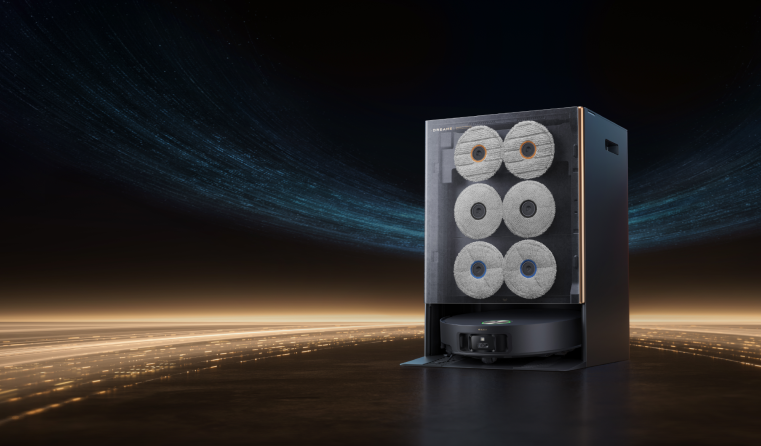
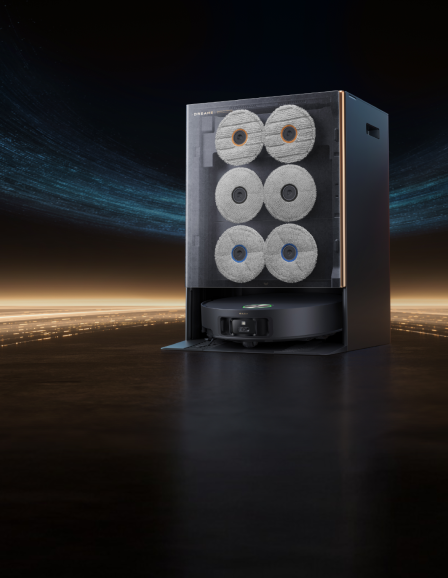
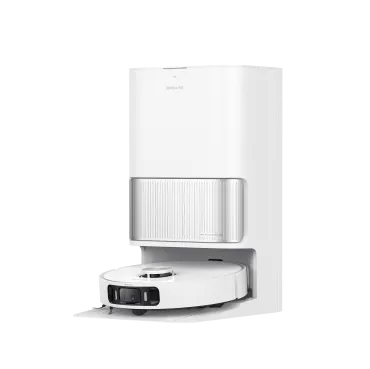
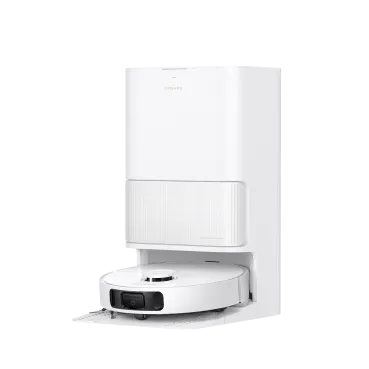
The best robot vacuum for carpet solves the problem most models run into: skating over the surface of the rug instead of clearing out the dirt packed down in the pile. It uses suction strong enough to reach buried debris with built-in brushes that clear hair so you're not constantly detangling. They also keep the mop off your rugs so the carpet stays dry. Below are five top picks for 2026, each matched to a specific kind of carpet home, from thick bedroom pile to heavy pet shedding, so you can find the one that fits your floors. Best Overall Robot Vacuum for Carpet Dreame Pick: The Dreame X60 Max Ultra Complete, priced at $2,399.99 CAD, is the pick when you want the strongest carpet clean in the collection with nothing left to manage by hand. Your carpets get 35,000Pa of Vormax™ suction, the highest in the X Series, so embedded pet hair and ground-in crumbs come up on the first pass instead of the third. Suction is improved even more by a retractable pressure plate that lowers onto the pile and presses down to form a sealed pocket, so all that pull goes straight down into the fibers instead of escaping out the sides. You also do not have to worry about damp rugs. The moment it moves onto carpet, it lifts its mop up to 10.5mm and rises up off the pile, so the mop never drags across the rug. The pads lift out of the way instead of coming off, so there is nothing to detach or swap between rooms, and your hard floors and carpet get cleaned in one hands-off run. [product handle="x60-max-ultra-complete-robot-vacuum" slogan="Best Overall"] Also consider: Roborock and iRobot are the flagship names most people cross-shop here. Best Robot Vacuum for Thick & High-Pile Carpet Dreame Pick: The Dreame Aqua10 Roller AE, comes in at $1,399.99 CAD, and is a great choice for deep, plush pile you want cleaned but kept bone-dry. A robot vacuum for thick carpet has a hard job, cleaning the pile without soaking it, and this one manages it with a Carpet-Safe AutoSeal™ Roller Guard that closes over the roller before it reaches the rug and lifts it 14mm clear. It is tested on pile up to 12mm thick, so your deep rugs stay genuinely dry. While the mop stays off the fibers, 30,000Pa of suction reaches down into the pile and easily pulls up the grit. Long hair is no problem either. A HyperStream™ Detangling DuoBrush feeds strands straight through instead of letting them wind around the roller, and the dock rinses it with 100°C hot water between runs so it starts every clean fresh. For a home built around plush carpet, it is the best robot vacuum for high pile carpet in our collection. If you want to see how robot vacuums handle deep pile before you buy, our guide on how robot vacuums work on rugs covers which types they actually clean well and how to set them up so they don't wet or snag the pile. [product handle="aqua10-roller-ae-robot-vacuum" slogan="Best for Thick Carpet"] Also consider: Roborock is the premium high-pile alternative most cross-shop, and eufy is a familiar name many already know. Best Robot Vacuum for Pet Hair on Carpet Dreame Pick: If a shedding cat or dog is making your carpet look like you got another pet, the Dreame L60 Ultra PE is the robot vacuum for pet hair and carpet to check out, and at $1,499.99 CAD it gives you strong pet-hair performance without paying flagship money. Its Anti-Tangle Side and Main Brush feeds long strands straight into the bin rather than letting them wind around the roller, so you're not stopping to pull hair off the brush every few days. It pairs that with 30,000Pa of suction that lifts pet hair and litter out of the pile in one pass. Your rugs stay dry too, because the mop lifts up to 10.5mm the moment it moves onto carpet. When it mops your hard floors, the dock cleans the pad with 100°C hot water between runs, so it always works with a fresh pad instead of pushing the last mess around. Our guide to robot vacuums for pet hair walks you through 12 must-have features for any pet owner who's looking for a little more help in keeping their home clean. [product handle="l60-ultra-pe-robot-vacuum" slogan="Best for Pet Hair"] Also consider: Roborock and eufy both have pet-focused models people know well. Best Robot Vacuum for Mixed Carpet & Hard Floors Dreame Pick: The trickiest part of a home with mixed flooring is the transition between carpet and hard floor, and the Dreame X60 Ultra handles it without you needing to help. At $2,099.99 CAD, it mops your hard floors with warm water to loosen everyday grease, then the moment it rolls onto a rug, the mop lifts up to 10.5mm and increases suction to dig into the pile, so one run covers tile and carpet without dragging moisture across the rug. Delicate rugs stay protected too, thanks to tassel detection that spots fringed rugs and works around them so nothing snags. It carries the same 35,000Pa Vormax™ suction and HyperStream™ Detangling DuoBrush 2.0 as the flagship, so you get serious cleaning power for mixed floors, just without the deep-pile carpet pressure plate saved for the top-of-range model. [product handle="x60-ultra-robot-vacuum" slogan="Best for Mixed Floors"] Also consider: Roborock is the premium mixed-floor alternative, and Ecovacs is a familiar name in this space. Best Budget Robot Vacuum for Carpet Dreame Pick: The Dreame D20 Air Plus, is the most affordable model to keep your carpets clean and dry, at $349.99 CAD, as long as you don't mind lifting the mop pad by hand before a carpet run. Your floors get 20,000Pa of Vormax™ suction, enough to pull everyday dust and pet hair out of low and medium piles, and a Dual Anti-Tangle Brush keeps hair from wrapping the roller. Its Smart Carpet Cleaning Mode gives you four ways to handle carpet, and the Skip & Protect setting steers around any rug you would rather it left alone. The dock runs hands-free for up to 120 days on a 4L bag, and a charge lasts up to 150 minutes, so your floors are looked after for months at a time without needing to stretch your budget. [product handle="d20-air-plus-robot-vacuum" slogan="Best Budget"] Also consider: eufy is the popular budget alternative most compare here, and iRobot is the mainstream name most already know. How to Match a Robot Vacuum for Carpet to Your Home Deciding the best robot vacuum for carpet for your home is all about the type of carpet and how busy your household is. Here is how they line up: Strongest clean, flagship features: the X60 Max Ultra Complete sits at the top. Deep, plush pile: the Aqua10 Roller AE keeps thick rugs dry while its roller works suction into the fibers. Pet hair: the L60 Ultra PE and its anti-tangle brush are built for shedding homes. If that's your main concern, browse our robot vacuums for pet hair. Mixed tile and rugs: the X60 Ultra switches surfaces on its own, mopping hard floors and lifting the mop the moment it reaches carpet. Tight budget: the D20 Air Plus still detects carpet and ramps up suction to keep everyday pile clean. How to Choose a Robot Vacuum for Carpet Pile height is the first thing to check when choosing a robot vacuum for carpet, since it decides how much suction and mop control you need. How it handles mixed floor types matters just as much, and it is where the better models pull ahead. How much suction does your carpet need? Match the suction to your pile height. Low and mid-pile need less power; strong robot vacuum carpet suction is best on plush and high-pile, where grit sits deep in the fibers. Pro-tip: If you are weighing up two models, let suction be the tiebreaker. Aim for 30,000Pa or more the moment thick or high-pile rugs are in the mix, which is more than strong enough for thinner carpets. How does it keep the carpet dry when it mops? A carpet-safe mopping robot vacuum keeps it dry by moving the mop out of the way before it ever reaches a rug. The flagship and mid picks lift the pad clear at 10.5mm, while the thick-carpet pick seals its roller off entirely. The budget pick simply lets you pop the pad off by hand, so whichever route you take, your rugs stay dry. Do you need an anti-tangle brush? If you have shedding pets or long hair at home, an anti-tangle brush is non-negotiable. It clears hair as it spins to keeps strands from wrapping the roller, so you don't need to worry about detangling. Our complete robot vacuum buying guide covers everything from navigation to dock upkeep across the full range, if you want to go deeper. How Dreame Tests Robot Vacuums The standard industry test for a robot vacuum is dust pickup in an empty square room. Your home is not an empty room, so Dreame's testing starts where that test ends. Hair is the clearest example. Engineers run each robot vacuum against a blended mix of hair lengths from 3cm to 30cm, built to clog and tangle a poorly designed roller brush. After every run, the team collects and weighs the hair from three collection points: the dust box, the roller brush, and the side brush. The result is a hair tangling rate, which shows how much hair the vacuum actually swallowed versus how much wrapped around its brushes. Cleaning efficiency alone hides that difference, and it's the difference that matters in a home with pets or long hair. Durability gets the same scrutiny. Every model passes compression and drop testing, then vibration runs that simulate real shipping. Environmental simulation chambers expose finished units to extreme heat, humidity, rain, and salt spray. Read the full methodology in How Dreame Tests Robot Vacuums. Dreame Take: Most vacuums are graded on what they lift off the surface, but carpet is really about what is trapped in the pile and whether hair releases from the brush. That is what Dreame builds and tests for. Find the Right Robot Vacuum for Carpet Whichever carpet you have, there is a pick above that can handle it. Deep, plush pile calls for a model that keeps rugs dry while working suction down into the fibers, while a home full of pet hair leans on a strong anti-tangle brush more than raw power alone. Mixed floors need a vacuum that switches between them on its own. Browse Dreame's robot vacuums for carpet to see and compare every model in one place. Or line a few up feature by feature with the robot vacuum comparison tool before you decide. Frequently Asked Questions Do robot vacuums work well on carpet? Yes, for surface debris and pet hair, though how well depends on suction and the brush. Strong suction paired with an anti-tangle brush clears the top of the pile and everyday shedding easily. Deep, embedded grit in thick pile is the hardest test, which is why pile height should guide your pick. For a fuller picture of what to expect on everyday pile versus thick, high-pile rugs, see our guide on if a robot vacuum can clean carpets. What robot vacuum works best on thick, high-pile carpet? The one with the highest suction and a brush that presses down into the pile. The Dreame X60 Max Ultra Complete leads here, with 35,000Pa of Vormax™ suction and a retractable pressure plate that keeps that suction sealed against thick carpet. Can a robot vacuum clean carpet and mop hard floors in the same run? Yes, if the mop lifts or detaches over carpet automatically. The Dreame X60 Ultra is built for exactly this, lifting or detaching its mop the moment it moves from hard floor onto a rug, so your hard floors get mopped and your carpet stays dry. Will a robot vacuum get my carpet wet when it mops? Not if it lifts or removes the mop before crossing carpet. Every mopping pick here raises the pad off the pile (10.5mm on the flagship models) or lets you take it off, so water stays on hard floors. What's the best robot vacuum for pet hair on carpet? One with an anti-tangle brush that clears long strands instead of wrapping them. The Dreame L60 Ultra PE is our pick, pairing an anti-tangle side and main brush with 30,000Pa of Vormax™ suction to lift hair out of the pile.
Continue reading
Best Robot Vacuum With App Control (2026 Picks)

Best Robot Vacuum With App Control (2026 Picks)

Lester D |
The best robot vacuum with app control can accurately map your rooms and save the designated zones you create, ensuring that your cleaning schedule runs exactly as intended. Nowadays, almost every robot vacuum comes with its own app, so the quality of this companion app should also influence your decision. Below are five picks from Dreame, organized by the features you want from the app, ranging from a fully featured flagship model to a budget-friendly option with essential control functions. Best Overall: Dreame X60 Max Ultra Complete Dreame pick: At $2,399.99 CAD, the Dreame X60 Max Ultra Complete puts full mapping and room-by-room control on a single app screen. Your zones and schedules stay put once you draw them. 40+ offline "OK Dreame" voice commands go further: you can start a room or change suction by voice, even when your Wi-Fi is down. If you're working with embedded pet hair in low-pile carpet, 35,000 Pa Vormax™ suction lifts it the first time through. AI cameras identify 280+ types of objects and route around them. It crosses thresholds up to 8.8cm on retractable legs, reaching every room in a multi-level home. The dock also washes the mop pads in 100°C hot water between runs, so each mopping session starts fresh. When the robot vacuum reaches your carpets, the suction auto-boosts to pull more from the pile. Your cleaning history stays logged in the app, and Apple Watch plus home-screen widgets let you start a clean from your wrist or lock screen. It works with voice assistants including Alexa and Google Home too. [product handle="x60-max-ultra-complete-robot-vacuum" slogan="Editor's Pick"] Dreame Take: Unboxing a robot vacuum takes just a minute, but the app is where you configure it every day after that, so Dreame offers extensive options for zones, scheduling, and offline voice from the start. Also consider: Roborock is the name most cross-shop against here for a full-featured flagship. Ecovacs is another established premium alternative with a well-known companion app. Best Premium Value: Dreame X50 Ultra Dreame pick: The Dreame X50 Ultra runs on the same Dreame app with the same depth of control you see across the flagship collection. The app puts five cleaning modes at your fingertips, so you can tailor each run to your floor surfaces. Any missed spots different from your cleaning map get flagged through Dynamic Spot-Cleaning, and the robot vacuum circles back to clean it again after the initial run. Daily messes come up cleanly on both hard floors and carpet, with 20,000 Pa Vormax suction behind the pull. Its retractable legs glide quietly over obstacles up to 6cm, guided by 360° smart mapping that builds your floor plan as it goes. The X50 Ultra is also UL Solutions Diamond-Level certified for data security, which you'll want to know when running a camera-equipped vacuum on your home network. At $1,899.99 CAD, you're getting the full Dreame app experience for less. Apple Watch and home-screen widgets give you quick starts from your wrist or lock screen. It works with Alexa and Google Home. Our X50 Ultra smart cleaning write-up covers how the app runs day to day. [product handle="x50-ultra-robot-vacuum" slogan="Premium Value"] Also consider: Roborock is the premium alternative most cross-shop here. eufy is a popular option with solid app reviews at a more accessible price. Best Mid-Range Option: Dreame L60 Ultra PE Dreame pick: At $1,499.99 CAD, the Dreame L60 Ultra PE saves you $900 CAD over the X60 Max UC and keeps the full Dreame app experience. The same app capabilities from the picks above remain standard here, and families also get a child lock that keeps little hands from restarting or canceling a scheduled run. The L60 Ultra PE is powered by 30,000 Pa Vormax suction, which handles pet hair and daily debris across mixed flooring without doubling back. Like other robot vacuums with apps here, it works with Alexa and Google Home as well. [product handle="l60-ultra-pe-robot-vacuum" slogan="Best Mid-Range"] Also consider: iRobot is the name most households already recognize for scheduled daily cleaning. Roborock is a premium-leaning alternative with a well-regarded app. Best on a Budget: Dreame D30 Ultra Dreame pick: The Dreame D30 Ultra stores up to four home maps, so if you're cleaning across multiple floors, each one keeps its own layout and zones. You draw no-go boundaries once around a water bowl or a rug, dial suction and mop moisture room by room, and the vacuum remembers it all every run. Room-by-room selection and day-by-day scheduling are all here. 25,000 Pa Vormax™ suction picks up daily dust and pet hair, and the Tricut brush keeps long strands from wrapping the roller. Any floor corners and edges you're looking to clean get proper coverage from MopExtend™, and the carpet stays dry with 10.5mm mop lifting. The dock automatically empties for up to 100 days, so you don't have to remember to do it. At $699.99 CAD, it's the most accessible entry into the full Dreame app experience while still working with Alexa and Google Home. [product handle="d30-ultra-robot-vacuum" slogan="Best Value"] Also consider: Roborock has budget-friendly models with solid app mapping. Shark is a familiar name most already know from traditional vacuums. Best for Homes with Pets: Dreame Matrix10 Ultra Dreame pick: The Dreame Matrix10 Ultra is built around pet homes from the dock up. Its Multi-Mop™ dock swaps pads between rooms so each floor type gets a fresh mop, and a three-solution compartment includes a dedicated pet-odor formula for accident spots. The app identifies pet items like food bowls and litter boxes, then lets you choose whether you want the robot vacuum to avoid them or give these areas an extra cleaning pass. When it spots your pet, you get an in-app alert, and you can check in on them through the real-time camera or talk to them with two-way audio. It also compiles snapshots into a Pet Vlog as it works. Pet hair lifts easily from your carpet with 30,000 Pa Vormax™ suction, and ProLeap™ legs handle transitions up to 8cm so the vacuum moves room to room freely. At $2,699.99 CAD, it's the premium pet pick in the collection. It works with Alexa, Google Home, and built-in "OK Dreame" voice control. [product handle="matrix10-ultra-robot-vacuum" slogan="Best for Pets"] Also consider: eufy is the popular budget pet alternative most compare here. iRobot is the mainstream name most households already know. How to Choose a Robot Vacuum With Good App Control You can judge how good a robot vacuum app is based on what it lets you control for any scheduled runs, but mostly along these four areas below: Start with mapping and room control Your map area should still be valid even when you move a chair or lightly rearrange a room. You also want the ability to tap a single room in the app and send the vacuum there on demand, so you can clean the kitchen after dinner on its own. Look at no-go and no-mop zones A robot vacuum with good app control should let you draw these no-go areas once around a rug or a pet bowl, and keep them locked in every run. The zones should also remain even after firmware updates and map refreshes. Check whether cleaning schedules hold up well A schedule you set once should run on the days you pick, every week, quietly in the background. These smart robot vacuum apps should allow you to set schedules once and forget them afterward. Test the voice control capabilities Basic voice control starts and stops the vacuum. More useful voice control setups let you target a specific room or adjust suction by voice. On supported Dreame models, offline "OK Dreame" commands keep working when your Wi-Fi is down. Compare app features across all five picks Every model above runs on the Dreamehome app with room-by-room mapping, no-go zones, scheduled cleaning, suction control, and Alexa plus Google Home. The table below shows where the app experience goes further. X60 Max UC X50 Ultra L60 Ultra PE D30 Ultra Matrix10 Ultra Best for The all-rounder Flagship depth, less spend Mid-range balance Lowest-cost full control Pet & mixed-floor homes Price (CAD) $2,399.99 $1,899.99 $1,499.99 $699.99 $2,699.99 Vormax suction 35,000 Pa 20,000 Pa 30,000 Pa 25,000 Pa 30,000 Pa What sets it apart Thinnest body at 7.95cm for low furniture, top suction, 280+ object AI, proactive dirt light Adds under-curtain cleaning and Dynamic Spot-Cleaning revisits. The flagship Dreame app and 30,000Pa at a lower price than under the X60 Max UC. Dreame app control at the lowest price, plus MopExtend corner reach. Multi-Mop dock swaps a fresh pad per room so pet-zone mess never rides into the kitchen, plus a dedicated pet-odor solution Table 1: Comparison of five different Dreame robot vacuums with app control and their differentiators Our robot vacuum buying guide covers suction, docks, and navigation in more detail. Pro-tip: Most robot vacuum apps connect on 2.4GHz Wi-Fi only. Check that your router is broadcasting a 2.4GHz band before setup, or your wifi robot vacuum may fail to connect on a 5GHz-only network. How Dreame Tests Robot Vacuums The standard industry test for a robot vacuum is dust pickup in an empty square room. Your home is not an empty room, so Dreame's testing starts where that test ends. Hair is the clearest example. Engineers run each robot vacuum against a blended mix of hair lengths from 3cm to 30cm, built to clog and tangle a poorly designed roller brush. After every run, the team collects and weighs the hair from three collection points: the dust box, the roller brush, and the side brush. The result is a hair tangling rate, which shows how much hair the vacuum actually swallowed versus how much wrapped around its brushes. Cleaning efficiency alone hides that difference, and it's the difference that matters in a home with pets or long hair. Durability gets the same scrutiny. Every model passes compression and drop testing, then vibration runs that simulate real shipping. Environmental simulation chambers expose finished units to extreme heat, humidity, rain, and salt spray. Read the full methodology in How Dreame Tests Robot Vacuums. Match the Robot Vacuum with App Control to Your Home The right robot vacuum match for your home starts with what you need the companion app to handle every day. Compare the app walkthrough for each model above to preview the control screens and zone setup before you commit. Browse our range of robot vacuums to compare different models side by side. Robot Vacuum with App Control FAQs What can you control with a robot vacuum app? A good robot vacuum app handles everything from mapping your floors and drawing no-go zones to adjusting suction and mop-moisture levels per room. Scheduling is where it saves the most time, since a routine you set once repeats on the days you pick without you having to reopen the app. Features such as live statuses and push notifications keep you updated mid-run too. Do all robot vacuums have an app? Almost all robot vacuums today have companion apps, but their capabilities and quality may vary widely. Two robot vacuums can come with an app, but one might hold your maps and zones reliably, and the other loses them after you move the furniture. What's the difference between app and voice control? The app handles the detailed work such as mapping and zones, or suction and scheduling. Voice is the shortcut layer for when your hands are full, and you just need the vacuum to start or head back to the dock. On supported Dreame models, offline "OK Dreame" commands keep that voice layer working even when your Wi-Fi drops. Can you control a robot vacuum away from home? The app works remotely over Wi-Fi, so you can start a clean or send the vacuum back to its dock from wherever you are and check on progress mid-run. It comes in handy when a surprise guest is on the way, or you hear about a spill before you get home. Do you need Wi-Fi for a robot vacuum app? Remote and full app control both need a Wi-Fi connection, and most robot vacuums connect on 2.4GHz networks specifically. If your internet drops, supported Dreame models fall back on built-in "OK Dreame" voice commands that work offline, so you keep hands-free control even during an outage.
Continue reading
What to Mop Floors With: The Right Solution for Every Floor

What to Mop Floors With: The Right Solution for Every Floor

Chris Zhang |
Every floor has an ideal cleaner, but if you are unsure which to use, warm water with a pH-neutral floor cleaner is the safe pick for almost any sealed surface. It lifts everyday dirt and grease without touching the finish, which makes it a reliable answer to what to use to mop floors. While the cleaner matters, it is just as important to know how much water each floor can take and which cleaners damage the finish. This guide covers what to use with common floor types, plus the homemade mixes worth keeping and the cleaners to avoid. What to Mop Each Floor Type With The cleaning solution remains consistent across different floors, so you'll see the same pH-neutral cleaner listed in the table below for nearly every type of flooring. The key to effective cleaning lies in how damp the mop should be and which surfaces to avoid using it on. Additional guidance on caring for each specific floor type is provided through linked resources. Floor type What to use What to avoid Full guide Hardwood and engineered wood Damp mop with a pH-neutral wood cleaner and warm water, wrung well Vinegar, steam, and standing water Mopping hardwood floors Laminate A barely-damp mop with a mild pH-neutral cleaner Soaking-wet mops and wax polishes Cleaning laminate floors Vinyl and luxury vinyl plank Warm water with a drop of dish soap or a pH-neutral cleaner Abrasive scrubs and heavy oil soaps Cleaning vinyl plank flooring Tile and grout Warm water with a mild cleaner; diluted vinegar is fine on sealed tile Acidic cleaners on natural-stone tile Cleaning tile and grout Natural stone (marble, travertine, slate) Warm water with a stone-safe pH-neutral cleaner Vinegar, lemon, and other acids Cleaning travertine floors Bamboo A barely-damp mop with a pH-neutral cleaner Excess water, vinegar, and steam Cleaning bamboo floors Important: Before assuming that a cleaner is safe, always check the label. Many all-purpose sprays are mildly acidic, even if they don't indicate it, and this can gradually dull stone and wood surfaces, similar to the effects of vinegar. To clean these types of floors, look for products specifically labeled as pH-neutral or stone-safe. Homemade Floor Cleaner Recipes That Actually Work A homemade floor cleaner saves you money and skips the harsh additives in some store-bought sprays, which is why plenty of people mix their own. If they're mild and matched to your floor, a DIY blend handles everyday dirt on most sealed surfaces. Best of all, you likely have what you need under the sink already, so it is an easy way to clean floors naturally without buying anything new. All-purpose for sealed tile and vinyl: one gallon of warm water (3,785ml), up to half a cup of white vinegar (120 ml), and a drop of dish soap. The vinegar cuts grease while the soap lifts grime, which makes this a good weekly mix for kitchens. Gentle mix for wood and laminate: one gallon of warm water (3,785ml) with a teaspoon of pH-neutral soap (5ml). Skip the vinegar here, since these floors don't handle acid well. Tougher grime: one gallon of warm water (3,785ml) with two tablespoons of borax (30g). Rinse with clean water afterward so no residue is left to dull the floor. Save this one for entryways and high-traffic paths rather than everyday use. Pro-tip: Mix your cleaning solution in a spray bottle instead of a bucket. Spraying a small section just before you mop helps prevent floors from becoming oversaturated and reduces streaks. What Not to Mop Your Floors With Some cleaners and habits do more harm than good, and a few are easy to get wrong without realizing it. Acids eat away at stone and wood, too much soap leaves a dull, sticky film, and too much water works its way into places it should not. Here are the four mistakes to keep in mind. Skip vinegar on stone and hardwood Vinegar is acidic, so it etches natural stone and, over time, dulls a wood finish. Save it for sealed tile and vinyl, and use a pH-neutral cleaner on stone and wood. Go easy on the soap Too much soap leaves a sticky film that dulls the floor and grabs dirt, so a little goes a long way. If the floor feels tacky after it dries, you used more than you needed. Use less water than you think Standing water seeps into seams and can warp wood and laminate from below. A well-wrung, barely damp mop cleans just as well without the risk. Never mix bleach and ammonia Combining the two gives off fumes that are unsafe to breathe. If you use both for different jobs, put the first away before you bring out the second. Hot Water or Cold Water for Mopping? Hot water is the better choice for most mopping. It cuts through grease and helps your cleaner work faster, lifting away more grime and germs than cold water does. Cold water still has its uses, though. It works for a quick daily refresh, or for delicate finishes that hot water could soften. As for how hot the water should be, avoid boiling water, since it can be hard on some sealants and your hands. Our Recommendations for What to Mop Floors With A robot vacuum and mop is ideal for scheduled, hands-free floor care, while a cordless vacuum mop gives you more control over spills and high-traffic areas. Both handle vacuuming and mopping for you, so you're not switching between separate tools to clean hard floors. A robot vacuum and mop like the X60 Max Ultra Complete uses 40°C water to mop, so you don't need to worry about heating the water up yourself. [product handle="x60-max-ultra-complete-robot-vacuum" slogan="Editor's Pick"] If you still prefer the control of pushing a mop around yourself, a cordless model that vacuums and mops in the same pass is worth a look. Browse our vacuum and mop combos to see the options that can clean hard floors in one go. What to mop with Manual mop Robot vacuum and mop Cordless vacuum mop Clean water Good for light cleaning Good Good pH-neutral cleaner Check floor compatibility Use approved cleaning solutions Use approved cleaning solutions Hot water Check floor temperature limits Select models support up to 40°C hot water Select models support up to 90°C hot water Wood-floor cleaner Sealed wood only Varies by model Varies by model Stone-safe cleaner Best for natural stone Approved formulas only Approved formulas only Vinegar Limited use; never on stone and wood Avoid Avoid Dish soap or high-foam cleaner Avoid residue and excess foam Avoid Avoid How to Mop Floors the Right Way Good mopping is mostly about prep and working in sections. Any dirt on the floor should be cleared before water touches the floor, or you'll end up with streaks of mud that make the chore harder. Follow the five steps below or read our full guide on how to mop floors properly to keep your routine simple. Sweep or vacuum the whole floor first. Getting rid of dry dirt and pet hair means your mop isn't just dragging it around as you clean. Mix a light cleaning solution matched to your floor, or use one of the homemade mixes above. Go easy on the cleaner, since more suds do not mean a cleaner floor. Wring the mop until it is just damp, never dripping. A barely-wet mop cleans well and dries fast, which is what keeps streaks from forming. Work in small sections, backing toward the door so you are not stepping on what you just cleaned. On wood floors, mop along the grain, since it follows the tiny gaps between boards and lifts the dirt that settles there instead of dragging it across. Swap out the water once it looks cloudy. You can also use two buckets, one for clean solution and one to rinse the mop, so you're never dipping back into dirty water. On sealed hard floors, Dreame's wet and dry vacuums do the whole job in a single pass, vacuuming up dirt and spills while it washes the floor, making your cleaning routine easier. Dreame Take: Cleaning shouldn't have to depend on you having the energy to keep up with it. That belief runs through Dreame's floor-care products, where we take as much of the maintenance off your hands as we can, with docks that wash and dry the mop pads on their own. A Simpler Way to Keep Floors Clean The trick to mopping is pretty simple. Warm water and a pH-neutral cleaner handle almost any sealed floor, and the only real cautions are keeping vinegar off stone and wood and going easy on the water. If you want the routine to be even simpler, consider a robot vacuum which does the vacuuming and mopping in one pass, and washes its own mop pads back at the dock, so there is nothing left for you to rinse out. Browse the robot vacuum and mops to find one that suits your home. Frequently Asked Questions What's the best thing to mop floors with? The best thing to mop floors with is warm water and a pH-neutral cleaner matched to your surface. Diluted vinegar is fine on sealed tile and vinyl, but keep it off natural stone and hardwood, where the acid can etch or dull the finish. Can you mop floors with just water? Yes, for light dirt on sealed floors, plain warm water and a mop squeezed out until it is just damp will do. For grease, sticky spots, or germs, add a mild cleaner, since water on its own will not break down oils. Water alone is best as a quick refresh between proper mops, not a replacement for one. How often should you mop your floors? Mop busy spots like kitchens and entryways about once a week, and rooms that get less foot traffic every two to three weeks. Homes with pets or young kids usually need a more frequent pass. If a room looks clean but feels gritty under your feet, that is your cue to mop sooner. Is vinegar good for mopping floors? Vinegar works well on sealed tile and vinyl, where it cuts grease and leaves no residue. Keep it off natural stone and hardwood, since the acid can etch stone and wear down a wood finish over time. When in doubt, a pH-neutral cleaner does the same everyday job without the risk. Should you rinse floors after mopping? Only after heavier cleaners like borax or a strong degreaser, which can leave a residue behind. For light pH-neutral solutions, there's usually not much left on the floor, so a rinse is not needed as long as your mop was not soaking wet.
Continue reading
Best Robot Vacuums With Obstacle Avoidance (2026)

Best Robot Vacuums With Obstacle Avoidance (2026)

Lester D |
A lived-in home always has a little clutter on the floor, but that doesn't mean cleaning has to stop. A robot vacuum with obstacle avoidance detects a stray charger or pet mess and steers around it while keeping your floors spotless. Not all obstacle avoidance is equal, but you may not need every feature, which is why the Dreame picks below are sorted by what your home actually calls for, from everyday clutter to models that also climb over thresholds. Best Overall Obstacle Avoidance Dreame Pick: The X60 Max Ultra Complete can handle just about anything you put in front of it. Its OmniSight™ system runs dual 120° AI cameras that recognize 280+ object types, so it reads the clutter on your floor and steers around it instead of bumping into it. You also get a proactive light that helps it spot low objects in dark corners and under your furniture, where camera-only systems struggle, and VersaLift™ DToF navigation that lifts to map the room then retracts to clean below low furniture. Coming in at $2,399.99 CAD, it's the model to reach for when you want the one that handles the widest range of obstacles. [product handle="x60-max-ultra-complete-robot-vacuum" slogan="Editor's Pick"] Also consider: Roborock has a loyal following at the flagship end, and Dyson draws attention for its vision-led approach to navigation. Best for Pet Messes Dreame Pick: For pet homes, the Aqua10 Ultra Roller leads with its upgraded AstroVision™ system. Its two AI cameras build 3D detail and route around 240+ objects down to 1mm, trained with NVIDIA and reinforcement learning, so it keeps cleaning accurately even when you shift the furniture around or a bowl ends up somewhere new. That means it spots an accident and drives around it instead of smearing it across the room, while StereoEdge™ adds a second layer of 3D structured light that catches the thin, low stuff like cables and pens that cameras alone can miss. To understand in detail how avoidance systems deal with messes from pets, read our guide on robot vacuums and dog poop. Priced at $2,299.99 CAD, it's a great choice for a pet-owner household. [product handle="aqua10-ultra-roller-robot-vacuum" slogan="Best for Pet Messes"] Also consider: iRobot is the name most pet owners recognize for mess detection, while Roborock is a common premium cross-shop. Best for Cords, Socks, and Clutter Dreame Pick: The L60 Ultra is built for busy homes that have more than just the odd toy on the floor. It uses AI-enhanced 3D ToF detection tuned to 280+ object types, picking out the small, low things that stop lesser models, like a charging cable or a stray sock, and cleaning a path around them instead of dragging them along. With 35,000Pa Vormax™ pulling underneath, it still lifts embedded grit and hair from the floor while it weaves around your clutter. It's a good match for an active household at $1,799.99 CAD. [product handle="l60-ultra-robot-vacuum" slogan="Best for Clutter"] Also consider: Roborock is often shortlisted for handling busy floors, and eufy is a popular pick for shoppers watching their spend. Best for Climbing Over Obstacles Dreame Pick: Raised thresholds and door tracks are where a lot of robot vacuums fall behind. The L60 Pro Ultra crosses them, clearing obstacles up to 8.8cm on ProLeap™ robotic legs instead of getting stuck. For everyday clutter, its Advanced Obstacle Detection System identifies 280+ types of objects and steers around them, while VersaLift™ LiDAR raises for a full 360° map and lowers so it can slip under furniture as low as 8.9cm. At $1,899.99 CAD, it is built for split-level homes and raised thresholds. [product handle="l60-pro-ultra-robot-vacuum" slogan="Best for Climbing"] Also consider: Roborock comes up a lot for threshold-heavy homes, and Narwal has built a reputation at the premium end. Best Budget Pick Dreame Pick: Not everyone needs a camera-led flagship, and the D20 Pro Plus keeps things simple. Single-laser 3D structured light spots objects in its path and goes around them; its LDS sensor maps your home for a tidy route, and 13,000Pa Vormax™ suction handles daily dust and pet hair without fuss. The trade-off is the missing AI camera, so it can't tell one small object from another the way the pricier picks do. Clear cords and socks off the floor before a run, and it takes care of the rest. Landing at $749.99 CAD, it is the value pick when you want real avoidance capabilities on a smaller budget. [product handle="d20-pro-plus-robot-vacuum" slogan="Best Value"] Also consider: eufy is a familiar starting point for first-time buyers, and Ecovacs is another established budget-friendly option. How Obstacle Avoidance Works The sensors on the front of the robot vacuum do the avoiding, while the spinning LiDAR tower on top handles mapping and navigation. An AI camera positioned at the front watches the floor ahead while depth sensors work out how far away an object is. Lighting is often what sets models apart. A camera on its own can struggle under a bed or after dark, so higher-quality models add a small built-in light that helps them with spotting objects others might miss. This how robot vacuums navigate guide breaks down how each sensor type compares and how navigation works. LiDAR builds a fast, accurate map of your rooms, but sits too high to catch things that are low to the ground, like a phone cable or a balled-up sock, so it works best alongside the front sensors. To understand the mapping side, this guide to LiDAR navigation explains how the tower scans your home and how it manages in the dark. The most challenging items for a vacuum to detect are flat, low objects like charging cables and soft, irregular shapes like pet messes, which a laser-only vacuum might mistake for the floor. For those situations, you want a camera paired with depth sensing, since it's designed to accurately recognize them as objects. Pro-tip: Even the best AI vision has its limits. Before your robot vacuum does its first mapping run, it's a good idea to clear away cords and small items from the floor. This will help it learn your home's layout more effectively and make cleaning that much smoother down the line. How to Choose a Robot Vacuum for Obstacle Avoidance Start with the sensors Look at what the vacuum uses to see. A model that lists an AI camera with depth sensing will steer around low clutter far better than one that only lists laser navigation. Check how many objects it knows A vacuum that recognizes 280+ object types knows a cable from a sock and cleans around each one properly. One that only senses something is there tends to just bump into it or get stuck. Make sure it handles the dark If your rooms dim during a run, check that it has a built-in light. Without one, the camera has trouble seeing once the lights go out. Match the climbing height to your home Measure the tallest threshold or door track the vacuum has to cross, and make sure it can clear it rather than getting stranded at the edge. Obstacle avoidance is just one part of your decision. The robot vacuum buying guide covers the rest, from suction and mopping to which model fits your home, plus the common mistakes to skip. Dreame Take: A vacuum should work around your life, and that includes not needing you to tidy up before it runs. Dreame builds its avoidance around that idea, so a stray cable or a dropped toy is the vacuum's problem to solve, not yours. How Dreame Tests Robot Vacuums The standard industry test is dust pickup in an empty square room. Your home is not empty, so Dreame's testing starts where that ends. For hair, engineers run each robot vacuum against a blend of lengths from 3cm to 30cm, then weigh what lands in the dust box versus what wraps the brushes. That tangling rate is what matters in a home with pets or long hair, and plain cleaning scores hide it. Durability is tested just as hard, with compression, drop, and vibration runs, plus chambers that expose units to heat, humidity, rain, and salt spray. Obstacle avoidance gets its own test. Each robot vacuum faces more than 40 common household items, from furniture to toys, and Dreame scores it on its own dedicated system for how well it recognizes and avoids objects of different shapes, colors, and materials. The test runs across a mix of floor types and colors, including different carpet setups, with obstacles packed tightly in some zones to push it harder, so the results hold up in a real, cluttered home and not just a tidy lab. Read the full methodology in How Dreame Tests Robot Vacuums. Which One Is Right for You? The right robot vacuum model depends on your floors and your budget, so make sure you have a clear picture of both those factors first. Go with the X60 Max Ultra Complete for the most capable all-round avoidance, the Aqua10 Ultra Roller for pet homes, the L60 Ultra for clutter, the L60 Pro Ultra for high thresholds, or the D20 Pro Plus if you are starting out. Browse the full robot vacuum collection to see other models that might suit your home. Robot Vacuums with Obstacle Avoidance FAQs Which robot vacuum has the best obstacle avoidance? The X60 Max Ultra Complete is the best overall pick. On top of strong suction and mopping, its OmniSight™ system pairs dual 120° AI cameras with a 280+ object library and a built-in light for dark rooms. That mix is what puts it ahead for most homes. Will a robot vacuum avoid dog poop? Yes, the better camera-based models usually can, though none are totally perfect on soft or wet messes. The Aqua10 Ultra Roller is your safest bet here. There's a full dog-poop guide linked back in the pet-waste pick if you want even more detail. Do robot vacuums avoid cords and socks? Yes, if it uses AI vision. Those models recognize and route around low things like cords and socks, while laser-only models are less reliable with them. The L60 Ultra is built for this, tuned to spot the small stuff, so with cheaper laser-only models, tidy the floor first. Does obstacle avoidance work in the dark? Only if the vacuum has a built-in light or laser-based depth sensing. A basic camera struggles under beds and after dark. Picks with a built-in light, like the X60 Max Ultra Complete and L60 Pro Ultra, keep spotting objects in low light. Is LiDAR the same as obstacle avoidance? No. LiDAR maps the room from the top of the vacuum, while obstacle avoidance uses front sensors low to the floor. A vacuum can map a home perfectly and still run over a cord it never looked for.
Continue reading
Can You Vacuum Cat Litter? What's Safe and What Isn't

Can You Vacuum Cat Litter? What's Safe and What Isn't

Dreame Editorial Team |
The short answer? Yes, but only for certain types of cat litter. Below, learn which types are safe to vacuum, which aren't, and a technique that lets you vacuum cat litter without wrecking your machine. Can You Vacuum Cat Litter? Yes, With Limits Yes, you can vacuum small amounts of loose, dry litter that has scattered onto the floor. Don't vacuum the clumping type or used wet litter. Pick it up a little at a time, and use the suction function only. Running your vacuum's mopping pads or any wet-cleaning mode over litter soaks it in water, so it swells and clogs the machine. It also helps to stick to a regular vacuuming schedule. Our guide to cleaning tips for a home with pets covers that, plus which litter box designs reduce scattering. Important: Not sure what you're working with? Check the litter bag before you vacuum. If it says "clumping," keep it out of the machine and scoop it instead. Which Cat Litters Are Safe to Vacuum Whether litter is safe to vacuum depends on the type. Loose, dry, low-dust litter is fine in small amounts, while anything that clumps or has gotten wet should be scooped instead. The table below breaks down the common litter types, whether each is safe to vacuum, and the best way to clean it up. Litter type Safe to vacuum? How to handle it Non-clumping clay Yes, small amounts Vacuum the loose scatter, but empty the bin and check the filter often, since clay is dusty. Clumping (clay/bentonite) No Scoop it. It hardens with any moisture inside the machine and clogs it. Crystal / silica gel Yes, small amounts Vacuum loose, dry beads only. Avoid large volumes that strain the motor. Natural (pine, corn, wheat, tofu, paper) Yes Lightweight and low-dust, so loose bits lift easily. Used or wet litter No Scoop and bag it. Moisture makes it stick inside the machine. Pro-tip: Empty the bin and check the filter often. The dust from litter is fine and builds up quickly. How to Safely Vacuum Tracked Cat Litter (Including Off Carpet) Cleaning up litter is simple once you know what you are working with. Check the type and amount first. As mentioned, only loose, dry, safe litter, in small amounts, should go into the vacuum. For a big spill, or anything clumping or wet, sweep or scoop it instead. Sweep up any visible clumps. Vacuum the loose scatter slowly. One pass is usually enough on hard floors. For vacuuming cat litter out of a carpet , slow down and make a couple of passes over the same spot so the grains lift from the pile. Stick to dry vacuuming, and never use a wet function, since moisture soaks into the padding and creates more of a mess. Empty the dustbin while the litter is dry and easy to tip out. Vacuums We Recommend for Cat Litter Robot vacuum for hands-off daily cleaning Running a robot vacuum on a daily schedule can help keep loose scatter under control with minimal effort. The X60 Ultra is a good pick for pet owners. Its 35,000Pa Vormax™ suction lifts dry, loose cat litter from hard floors and along carpet edges efficiently, while its 280+ object recognition helps it avoid obstacles on its path. It also has a PowerDock that clears the bin hands-free for up to 100 days, while its dust-box filter is made of HEPA material that traps fine dust and litter, so less of it drifts back into the air. [product handle="x60-ultra-robot-vacuum" slogan="Editor's Pick"] Another reason we recommend it is that it's a good robot vacuum for pet hair. It's equipped with the HyperStream™ Detangling DuoBrush 2.0, which helps keep cat hair from wrapping around the roller. Dreame Take: Pets and cleaning don't always mix well, especially for nervous ones. Dreame builds with pets in mind, so our robot vacuums run quietly and steer around the spots your pet spends the most time, like the litter box and food bowls, keeping the house clean and your pet calm. Cordless stick for quick, on-demand pickups Not everyone wants a robot vacuum, and that's fair. If you'd rather clean on your own terms, the Z30 is a cordless stick vacuum built for exactly that. Its 310 AW suction pulls loose litter and pet hair off hard floors and out of carpet, and the built-in pet brush head lifts fur from sofas, beds, and stairs. A blue dust-detection light shows you the fine grains you'd otherwise miss, and up to 90 minutes of runtime covers the whole house in one go. Stick to the same rule as always, loose, dry litter only. Keep Cat Litter Off Your Floors Effortlessly Vacuuming litter is fine as long as you stick to loose, dry litter in small amounts and keep the wet stuff out of the machine. If you would rather not think about it at all, browse our self-emptying robot vacuum collection to find the model that suits both your floors and your cat. Living with pets is about more than litter, though. If you are weighing whether a robot vacuum suits a home with animals, our guide on whether robot vacuums are safe for pets covers easing a nervous pet in and prepping your space before the first run. FAQs Is it safe to vacuum cat litter? Yes, as long as it's loose, dry litter vacuumed in small amounts. Avoid vacuuming clumping cat litter or used cat litter. Never vacuum the litter box itself. Can a regular upright or stick vacuum handle cat litter? Yes, it can handle loose scatter if it has strong suction and a sealed filtration system. Just steer clear of dust-heavy clay litter and clumping litter, both of which clog filters and hoses. Will cat litter ruin my vacuum? Not if you're only vacuuming small amounts of dry, loose litter. Problems usually happen when clumping litter comes into contact with moisture inside the vacuum, or when fine clay dust builds up in the filter and restricts airflow. Can you vacuum cat litter out of the carpet? Yes, dry-vacuum slowly so the grains lift out of the pile, and go over the spot more than once. Never run a wet or water function into carpet. Can a robot vacuum keep up with litter tracking? Yes. A robot vacuum on a daily schedule clears the loose litter around the box, and a self-emptying dock means you never have to handle the collected dust.
Continue reading
Robot Vacuum Not Charging: 7 Fixes That Work

Robot Vacuum Not Charging: 7 Fixes That Work

Dreame Editorial Team |
A robot vacuum not charging is usually caused by something quick to fix, like a dirty contact or a dock that's lost power. A worn-out battery is the one exception, and that means replacing it rather than fixing it. This guide runs through seven checks in the order most likely to solve your problem, starting with the one that works most often, so you can get your robot vacuum back on schedule. Why Your Robot Vacuum Stops Charging Your robot vacuum stops charging for a few reasons, and dirty charging contacts are at the top. Grime and dust build up on the metal pads where the robot vacuum meets the dock, and that thin layer blocks the current. These are the other usual causes: A dock with no power A docking spot that keeps the robot vacuum from lining up An app or firmware glitch A worn-out battery If you have wondered why your robot vacuum is not charging, the answer is almost always one of these, and each gets less likely as you move down the list. Start with the contacts and only move on if the light or app still shows no charge. 7 Fixes for a Robot Vacuum That Won't Charge You can resolve most robot vacuum charging issues by ensuring the connection between the robot vacuum and the dock is solid, whether that's due to a dirty contact or a dock that's shifted out of position. The fixes that we recommend below tackle one of these points, working from fastest to slowest, ending with the one where a new battery is the fix. Wipe the charging contacts clean You can try wiping the two metal strips underneath the robot vacuum and the matching pads on the dock, with a clean, dry cloth to remove any dust or grime that's built up on the charging contact area. Once both sides look clear, try setting the robot vacuum back on the dock and see if it picks up the charge again within a few seconds. You can do this every couple of weeks to keep the buildup from coming back. Our guide on cleaning your robot vacuum properly also walks through cleaning the brushes, filters, and sensors if you're looking for a more in-depth maintenance guide. Pro-tip: A dry cloth or a pencil eraser cleans the metal charging contacts well. Sometimes, a damp wipe leaves residue behind instead, which can worsen the charging contact issue. Confirm if the dock has power You can check if your dock has power by making sure that the plug is seated firmly in a working outlet and the cable is connected to the dock. If the dock light still isn't coming on, try flipping any wall switch tied to that outlet, or plug it into a different outlet to see if that changes anything. A tripped power strip or a switched-off outlet is very easy to miss if you haven't moved the dock for some time. Give the dock a clear, level space against a wall Try setting the robot vacuum dock against a wall on level ground, and clearing away cables or thick rug edges within a couple of feet so it has a straight, unobstructed connection to the charging pins. Sometimes, a wobbly or angled dock can leave the robot vacuum parking just short of those pins, which makes it look like you have a dead battery issue on your hands. Restart the robot vacuum Sometimes, all it takes to resolve a technical charging issue is simply restarting the robot vacuum to clear a software hiccup. Power-cycle the robot vacuum by turning it off and waiting about 10 seconds before turning it back on, then place it back on the dock. If the charging status still isn't updating, a full reset usually clears a software-related charging issue. You can also read our walkthrough on resetting a robot vacuum if you don't want to wipe your saved maps with a full reset. Unplug and reconnect the battery If you're comfortable opening the battery cover, try removing the battery and putting it back in again. Power down the robot vacuum first and remove the cover on the underside, then unplug the battery and plug it back in firmly before closing everything back up. Make sure that you handle the battery gently and stop right away if anything looks swollen or damaged. Important: A swollen or damaged battery can leak or catch fire if it's punctured or handled roughly, so never try to push it back into place or open it further. Stop using it right away and contact the manufacturer's support team for a safe replacement. Update the robot vacuum app and firmware You may have to update your robot vacuum through its app and firmware to rule this out. Open the app and check for any pending updates for both the app and the robot vacuum, and install them. Then, redock it and see if the battery percentage starts moving. Outdated app or firmware versions can misreport your robot vacuum's charge status or stop it from charging, but manufacturers patch these bugs often enough that an update can clear them. Replace an aging battery A worn battery is the most likely reason your robot vacuum is not charging if you've tried the fixes above and it is still not charging. It's also the one problem on this list you can't clean or reset your way out of. You can look through the next section to see if a battery issue matches what you're dealing with before spending money on a new one. How to Tell If the Battery Is the Problem The battery is likely behind your charging problem if the battery percentage in your app never increases past a certain point, or if it jumps to full and then drops within minutes of leaving the dock. Double-check this by keeping an eye on the dock light right after a clean docking. If the charging light stays steady and the battery percentage keeps climbing as it should, the battery should be working fine, and one of the earlier fixes in this guide might help. A fading battery shows up in your cleaning sessions, too. You might notice the robot vacuum quitting partway through a room or needing to recharge before it can finish cleaning. Most robot vacuum batteries last two to five years, or around 300 to 500 charge cycles, before their capacity drops enough to notice. Our deep dive on how long robot vacuum batteries last covers what shortens that lifespan, so you know what to watch for before yours gets there. When It's Time to Replace Your Robot Vacuum It makes more sense to get a new robot vacuum if swapping the battery costs nearly as much as a current model, or if your current model is several years old and has started to lag behind in suction power and navigation capabilities. Getting a battery replacement only makes sense if your robot vacuum is still relatively new, since paying for it only keeps an outdated model running a little longer. This fix-versus-replace call keeps a new charging problem from showing up again a few months later. Usually, a dirty contact or the robot vacuum landing slightly out of place when you set it back by hand causes more of these problems than anything actually broken inside the robot vacuum itself. A dock that self-empties and charges the robot vacuum without you touching it removes that daily step, and fewer manual steps mean fewer chances for a robot vacuum not charging to happen at all. If you're ready to upgrade, the X60 Ultra is a reliable pick. It runs on a 6,400mAh battery built for long, whole-home cleaning sessions, and it empties itself for up to 100 days at a time, refilling its own water and hot air-drying the mop pads without you lifting a finger. [product handle="x60-ultra-robot-vacuum" slogan="Editor's Pick"] Dreame Take: Charging problems trace back to a missed step in the daily routine, like a dock that's lost contact overnight or a plug that's come loose. Dreame builds its docks to handle that step automatically, emptying the bin and recharging the robot vacuum on its own, keeping you away from manual handling tasks that can lead to charging problems. Get Your Robot Vacuum Cleaning Back On Schedule If one of the fixes above brought the charge back, you're all set for your robot vacuum handling the floors on its own for a while yet. On the other hand, if the battery turns out to be the main issue, you already know what a fresh one costs against a new model, and which choice gets you further. Take a look at the robot vacuum collection to compare different models and their capabilities. The latest models come with a dock that empties itself and manages its own charging, so you're not the one keeping contacts clean or redocking it by hand. Frequently Asked Questions Why is my robot vacuum not charging? More often than not, dust and grime collecting on the charging contacts is the reason your robot vacuum isn't charging properly. It's also possible that the battery is worn out and needs a replacement if the common troubleshooting steps aren't working. How do I reset a robot vacuum that won't charge? You can reset it by turning the robot vacuum off, waiting about ten seconds, then powering it back on and letting it run through a full charge cycle on the dock. Doing this resolves software glitches that can cause the charge display to freeze or misreport. How do I know if my robot vacuum is charging? You can check this by watching the dock light and the battery percentage in your app for a minute or two after setting the robot vacuum down. If the light stays steady and the percentage ticks upward, it's charging the way it should. How long does a robot vacuum battery last? A robot vacuum battery lasts two to five years, or about 300 to 500 charge cycles, before it starts losing noticeable capacity. You'll notice a drop in runtime between charges before anything else changes, and that's the earliest sign it's wearing out. Can I replace a robot vacuum battery myself? It depends on the model and the manufacturer. Some let you swap in a maker-approved battery using the steps in your manual, while others don't offer replaceable batteries at all. Check your manufacturer's guidance first, and contact their support team before replacing anything rather than doing it on your own.
Continue reading