
How to Connect Your Robot Vacuum to Wi-Fi (Step-by-Step Guide)

How to Connect Your Robot Vacuum to Wi-Fi (Step-by-Step Guide)

Editorial TeamDreame |
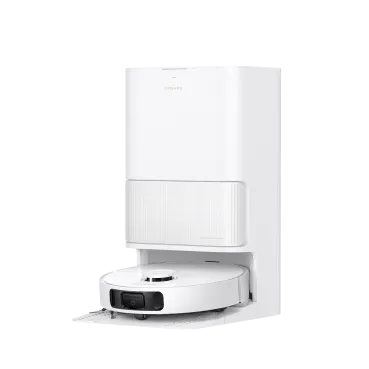
Getting a new robot vacuum is exciting, but it only reaches its full potential once connected to Wi-Fi. A Wi-Fi connection lets you control cleaning schedules, set no-go zones, and get the most out of the robot vacuum cleaner app. Without it, you’re limited to basic manual functions. In this guide, we’ll walk you through connecting a robot vacuum to Wi-Fi step by step. You’ll also learn how to troubleshoot common connection issues, explore the features you get with the app, and see which Dreame models make setup easier. By the end, you’ll know exactly what to expect and how to get your robot vacuum running smoothly. Do Robot Vacuums Need Wi-Fi? Short answer: No. Your robot vacuum can clean without Wi-Fi. You can press the start button, and it will handle basic cleaning. However, operating without Wi-Fi is like having a sports car you can only drive in first gear; you’re missing out on all the best features! Connecting to Wi-Fi enables: App Control: Start, stop, and customize cleaning remotely from your phone. Scheduling: Set daily or weekly cleaning times so your floors stay spotless. Smart Mapping & Cleaning Reports: See where your vacuum has been and what’s left. Set no-go zones, and select specific rooms to clean. Voice Commands: Use Alexa, Google Assistant, or Siri to control your vacuum hands-free. Firmware Updates: Automatic updates keep your vacuum running smoothly and can even add new features over time. If you’ve ever wondered wheather smart vacuums worth it, the ability to connect to Wi-Fi and unlock features like detailed maps and automatic updates is one of the reasons many people choose them. Read more in our blog: Are Smart Vacuums Worth It? Your Complete Guide to Smart Vacuum Cleaners in 2025. Pro tip: If you're waiting on a new router or other delays, remember you can still run manual cleans to keep your floors maintained while you sort out the Wi-Fi connection. Step-by-Step Guide: How to Connect a Robot Vacuum to Wi-Fi While the exact steps can vary slightly by brand, the general process for connecting your robot vacuum to Wi-Fi is similar across most models. Before diving in, here’s what to prepare: Network Band: Make sure you have a 2.4 GHz Wi-Fi network. Most robot vacuums don’t support 5 GHz or 6 GHz networks. Your router may have a single name (SSID) for both bands; if you have trouble, check your router settings to create a separate 2.4 GHz network temporarily. Security Mode: Set your Wi-Fi security to WPA2-PSK or WPA2/WPA3 mixed. Avoid a WPA3-only setup. SSID Basics: Use a simple network name. Avoid hidden SSIDs, emojis, or special characters like apostrophes. Phone Prep: Connect your phone to the same 2.4 GHz SSID. Turn on Bluetooth. Disable any VPNs or Apple Private Relay temporarily, as they can interfere with device discovery. Router Quirks: If your router uses one name for both 2.4 GHz and 5 GHz, temporarily split them (e.g., “Home-2G” and “Home-5G”) for setup. For Dreame robot vacuums, this is done through the intuitive Dreamehome App. Steps to Connect: Download the App: For Dreame models, search for the "Dreamehome" app in the iOS App Store or Google Play Store, then install it. Create an Account: Open the app and register for a new account or log in. Power On Your Vacuum: Ensure your robot vacuum is powered on and placed near your Wi-Fi router during setup. Add a Device: Tap the "+" or "Add Device" button within the app. The app will typically guide you through the process. Select Your Model: Choose your specific robot vacuum model from the list. Enter Wi-Fi Credentials: You will be prompted to select your 2.4 GHz Wi-Fi network and enter its password. Follow In-App Instructions: The app will now communicate with your vacuum (often via Bluetooth first) to transfer Wi-Fi details. You may hear a voice prompt or chime from the vacuum confirming it's connecting. Connection Success: Once the process is complete, the app will show a success message, and your vacuum will appear on the main dashboard. You can now start exploring its features! For detailed, model-specific instructions, always refer to the Dreamehome App Guide. 2.4 GHz vs. 5 GHz for Robot Vacuum Connectivity You might be wondering why your advanced robot vacuum prefers the older 2.4 GHz Wi-Fi standard. The reason is simple: range and compatibility. 2.4 GHz: Slower speed, longer range, and better penetration through walls and floors. Compatible with nearly all robot vacuums. Since your robot vacuum needs to stay connected as it moves around your entire house, this extended range is crucial. 5 GHz: Faster, but shorter range, making it better for stationary devices like laptops and smart TVs. Most vacuums don’t support it. If your phone defaults to 5 GHz, switch to 2.4 GHz before setup. Some routers let you separate the two networks; others require a temporary tweak in router settings.   Pro tip: Once setup is complete, you can re-enable band steering if your router supports it.   How to Reset and Reconnect (When You Change Routers or Wi-Fi Names) Moved to a new home or changed your Wi-Fi password? No problem. You’ll need to reset your vacuum’s Wi-Fi settings and connect again. The reset process varies by model. For many Dreame vacuums, you can reset the Wi-Fi by: Press and hold the Clean and Dock buttons simultaneously for about 3 seconds. You will hear a voice prompt saying, "Wi-Fi reset. Waiting for network configuration." Once the power indicator light blinks, the Wi-Fi has been reset, and the vacuum is discoverable in the app again. Important: Resetting may erase saved maps. If your model supports export/backup, save maps before resetting.   Extra Tip: Preparing for Router Changes If you know you’re upgrading your router, plan ahead: Save or export maps in the Dreamehome app. Keep your old SSID and password the same on the new router for a seamless transition. Have your phone ready for quick re-pairing if needed. Another overlooked step is placement. Keep your robot dock within a good range of your router. Walls and thick furniture can weaken the signal. A stable connection ensures better map saving and faster updates. Best Wi-Fi-Connected Dreame Robot Vacuums in 2025 Choosing the right model can make setup and daily cleaning even smoother. Dreame offers a range of powerful models that excel with app control and smart features. Model Best For Key Features Dreame X50 Ultra Large homes & premium users AI mapping, auto mop washing, and self-emptying Dreame L50 Ultra Busy families Strong suction and smart navigation Dreame L40s Ultra Apartments & small spaces Compact design and affordable smart features The Dreame X50 Ultra was recently reviewed in detail as part of our blog: Dreame X50 Ultra Review. Check it out to see just how much difference Wi-Fi and AI mapping can make for day-to-day living. Unlock Smarter Cleaning with the Dreamehome App The Dreamehome App is the brain behind the brawn. It’s where you’ll manage everything from daily schedules to advanced home mapping. Download it for Android or iOS to turn your robot vacuum into a truly intelligent home appliance. The app enables: Remote Access: Control cleaning from anywhere. Customized Maps: Create no-go zones, multi-floor maps, and room-specific cleaning. Reports and Alerts: See when your vacuum finishes or when it needs maintenance. Integration with Dreame Ecosystem: Connect with other Dreame devices for unified home care. FAQs 1. Do all robot vacuums require Wi-Fi? No. They can clean without Wi-Fi, but lose advanced features. 2. Will a Wi-Fi extender work with a robot vacuum? Yes, as long as the extender broadcasts a 2.4 GHz signal. 3. Which robot vacuums work with 5 GHz Wi-Fi? Most don’t. Check model specs carefully. Dreame models currently require 2.4 GHz. 4. Is there a robot vacuum that doesn’t need Wi-Fi? Yes, but they won’t offer app control, smart maps, or updates. 5. Can I use the same app for multiple Dreame devices? Absolutely. The Dreamehome app supports multiple devices, so you can manage vacuums, mops, and more in one place. Final Thoughts Learning how to connect a robot vacuum to Wi-Fi is simple once you know the steps. The payoff is huge: smarter cleaning, remote control, and a home that takes care of itself. With Dreame’s lineup of Wi-Fi-connected vacuums and the Dreamehome app, staying on top of messes has never been easier. If you’re still deciding which robot vacuum is best for your space, our blogs on small-space robot vacuums and dust-busting vacuum comparisons are great places to start. A few extra minutes spent learning setup now will save you countless hours of cleaning later.
Continue reading
How Often to Replace a Vacuum: Lifespan, Signs, and Smarter Alternatives

How Often to Replace a Vacuum: Lifespan, Signs, and Smarter Alternatives

Editorial TeamDreame |
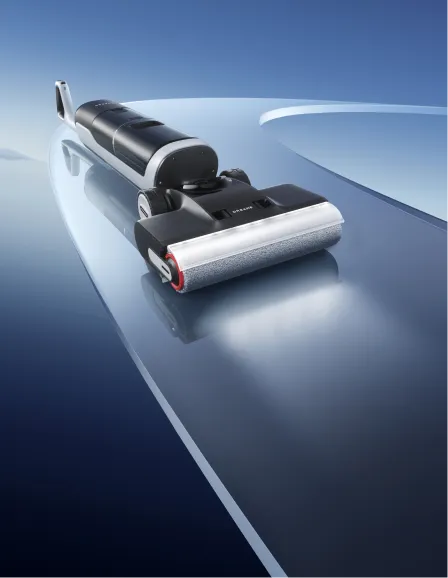
You're vacuuming your living room, when suddenly, you notice something strange. You pass over the same line of crumbs three times, but they’re still there. You check the filter, the brush, even the hose. Nothing’s obviously wrong, but the suction’s weak, and now the motor sounds a little off too. Is it just a clog? Do the vacuum batteries need replacing? Or is your vacuum on its last legs? Knowing when to repair or replace a vacuum can be tricky. Some problems creep up quietly, while others are impossible to ignore. The right choice often depends on your home’s size, the kind of messes you deal with, and how often you clean. This guide breaks down the most important signs that it’s time to replace your vacuum and introduces smarter, longer-lasting options that can improve your cleaning routine and your home's air quality. Let’s dive in. When to Replace a Vacuum Cleaner? Most upright and stick vacuums last about 5 to 8 years. Robot vacuums can run even longer with regular care. If your vacuum falls into that age range, start watching for red flags like weak suction or repeated clogs. As a rule of thumb: If the cost of repairs is more than half the price of a new machine, consider upgrading. If performance drops noticeably, even after cleaning filters and brushes, it’s likely time for a replacement. If your lifestyle changes, like adding pets, having children, or moving to a bigger home, you may need new vacuum features sooner than expected. Curious how long most vacuums actually last? Dreame explains it well in How Long Should a Vacuum Cleaner Last. 6 Signs You Should Get a New Vacuum You don’t need to guess. These signs tell you a vacuum has reached the end of its useful life: Loss of Suction If your vacuum takes multiple passes to pick up debris, the motor or belts may be worn out. A working vacuum should clean in one or two passes. Frequent Clogs and Blockages Occasional clogs happen, but frequent ones signal airflow problems. Quick fixes like replacing filters or belts may help, but recurring clogs often point to larger issues. Strange Noises or Odors Grinding, squealing, or burning smells are warning signs. They usually mean internal parts are failing, and continued use could damage floors or even pose a safety risk. Overheating If your vacuum shuts off or feels hot during use, the motor may be overworked. Blocked airflow or worn belts can also cause overheating, leading to permanent damage if ignored. Outdated Technology Machines older than eight years may lack HEPA filters, efficient brushes, or smart navigation. Newer vacuums clean better, save energy, and trap allergens more effectively. Housing/Flooring Changes The vacuum that worked fine in a small apartment may not keep up in a larger home. Changes in flooring or daily messes can make an upgrade worthwhile. Should You Replace Parts or the Whole Vacuum? Sometimes replacing a part adds years of use. Before discarding a vacuum, check whether a simple fix will do. Part Clean/Replace Frequency Tips HEPA Filter Clean monthly; replace every 6–12 months A dirty filter reduces suction and may release allergens back into the air. Consider upgrading to a HEPA filter if allergies are a concern. Brush Roll Remove hair monthly; replace annually Worn bristles can’t agitate carpet fibers effectively, leading to poor pickup. Belt Inspect every 6 months; replace if cracked Loose belts reduce brush speed and suction power. Battery (Robot Vac) Check after 2 years; replace if runtime drops A weak battery reduces cleaning coverage. Proper charging habits extend lifespan. Dust Bin / Bag Empty after each use; replace bag weekly or as needed Overfilled bins stress the motor and cause clogs.   For more on keeping your vacuum running, read 10 Expert Tips to Extend Your Robot Vacuum’s Lifespan. Why Change a Vacuum Cleaner if It Still Works? A vacuum may turn on but still fail at its job. Here’s why replacing it can make sense: Poor Cleaning Performance: If it takes too long or leaves debris behind, it’s time to upgrade. New Dreame vacuums with soft roller brushes clean more efficiently in fewer passes. Frequent Breakdowns or Repairs: Constant fixes get costly. Modern models use stronger parts that hold up better over time. Modern Features That Save Time: Robot vacuums map your home and empty themselves. Wet dry vacuums, like the Dreame H15 Pro Heat, vacuum and mop at once. Health Benefits: New models include sealed HEPA filtration that traps fine dust and allergens, especially helpful for households with pets or allergy concerns. Life Changes: Babies, pets, and bigger homes bring new cleaning challenges. Dreame’s robot vacuums and wet dry models adapt to daily needs and reduce manual work. Upgrade Smarter: New Vacuums That Last Longer Replacing a vacuum isn’t just about fixing an old machine. It's a chance to upgrade to smarter, more powerful tools that fit your evolving needs. Dreame’s lineup includes robot and wet dry vacuums built for long-term performance and low maintenance. Wondering if the upgrade is worth it? Take a look at Are Smart Vacuums Worth the Investment. Robot Vacuums Robot vacuums offer advanced navigation, self-emptying systems, and hands-free cleaning that adapts to any home. Whether you live in a studio or a multi-level house, there’s a match. X50 Ultra: Dreame’s top-tier robot vacuum. It features powerful suction, a soft rubber brush for precision, and a self-emptying dustbin. Ideal for homes with pets and lots of floor traffic. L50 Ultra: Known for its slim dock and multi-floor mapping, the L50 Ultra is perfect for apartments and tight spaces. It transitions easily between surfaces and stores away neatly. L40 Ultra: A versatile option with strong suction, intuitive app control, and quiet operation. It’s great for busy households that want daily, low-fuss cleaning. D20 Plus: Compact but effective, this model is perfect for smaller homes or those new to robot vacuums. It handles daily debris while remaining budget-friendly. Each robot model cuts down on manual vacuuming, mapping your space and cleaning on schedule so your floors stay spotless with minimal effort. Wet Dry Vacuums For sticky messes, spills, and deep cleaning, wet dry vacuums offer a powerful solution that goes beyond dust pickup. H15 ProHeat: A premium option with a heated brush roll that lifts dried-on spills while mopping and vacuuming in one go. It also features automatic self-cleaning and drying, reducing odor and mold risk. H14 Pro: Slightly more compact, the H14 Pro still delivers strong suction, dual water tanks, and smart dirt detection. It’s ideal for high-traffic areas and kitchens. For a broader look at the cleaning lineup, explore Dreame’s complete Vacuum & Floor Care Collection and discover models tailored to every home size and cleaning style. What to Do With Old Vacuums Before tossing your old vacuum in the trash, consider more sustainable options: Donate or Recycle: Many organizations accept working appliances for donation. Dreame’s guide on how to donate a vacuum cleaner explains where to drop off or schedule pick‑ups. Trade‑In Programs: Some retailers offer trade‑in credits when you upgrade to a new model. Check local stores or manufacturer promotions. Repair and Repurpose: If the motor works, your old vacuum could be used in a garage or workshop for sawdust and small debris. Responsible disposal reduces waste and helps others benefit from a machine you no longer need. FAQ How long should a vacuum last? Most vacuums last around 6 to 8 years, though high-quality ones can last longer with proper care. If your machine still performs well and parts are available, it may not need replacing yet. Is it cheaper to repair or replace? If repairs are minor and your vacuum is under 5 years old, fix it. But if the motor fails or repairs cost more than half the price of a new vacuum, replacement makes more sense. Which is better for pets, robot vacuum or wet dry vacuum? Use both: robot vacuums handle daily pet hair pickup effortlessly. Wet dry vacuums are better for muddy paw prints and spills. Should I replace my vacuum if it doesn’t have a HEPA filter? If allergies or pets are an issue, upgrading to HEPA filtration helps trap fine dust and allergens. If your current vacuum allows, you might only need to upgrade the filter—not the whole machine. Conclusion: When Is The Right Time to Replace Your Vacuum? Choosing when to replace a vacuum isn’t just about age. It’s about performance and lifestyle. If your machine is older than eight years, struggles with suction, or emits odd smells, it may be time for an upgrade. Replacing parts can help, but if repairs are frequent or expensive, a new vacuum is a better investment. Ready for a smarter clean? Explore Dreame’s robot and wet dry vacuums, pair with the Dreamhome app, and let your floors take care of themselves—so you don’t have to.
Continue reading
How Often Should You Mop Your Floors?

How Often Should You Mop Your Floors?

Editorial TeamDreame |
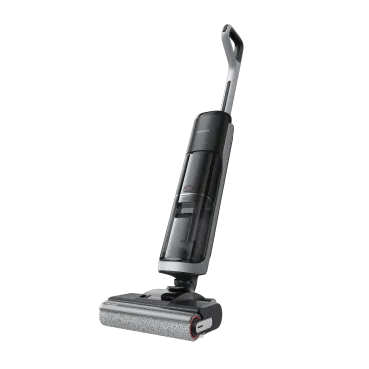
Sticky floors after you’ve just mopped can feel maddening, like the effort isn’t paying off. The fix isn’t more scrubbing, it’s dialing in the right cadence and method for your home. In this guide, we’ll help you determine how often to mop and how to mop better. In this guide, you will learn key factors that help you determine the frequency of mopping, such as how often you should mop your floors, and practical mopping tips that make your mopping routine more efficient. Why Mopping Matters When we talk about mopping, it's not just for cosmetic purposes. Regular mopping not only maintains the hygiene of your home, safeguarding your health, but also enhances indoor air quality and extends the life of your flooring. According to guidance from the CDC, cleaning with soap and water effectively removes soil, dust, allergens, and most germs from surfaces. This means you don’t always have to disinfect your floors, unless there are specific health risks or bodily fluids present. Understanding these benefits can motivate you to maintain a regular mopping routine for a healthier and more appealing home.   Pro-tip Keep surfaces clean and dry to significantly reduce indoor allergens like dust mites, mold, and pollen. This is the core strategy for controlling dust and moisture, which helps minimize common allergy triggers in your home.   What Affects Your Mopping Frequency? Every home is a one-off. Your floor type and your household’s habits create a mix no single “mopping cadence” can match. And “looks clean” isn’t the finish line: residue, allergens, and grit can linger even when the surface shines. To personalize how often you mop for your space, consider the factors below. They’ll help you set the right schedule for your floors and your routine: Floor Type and Material Moisture tolerance is different for each floor. For example, stone or tile floors are resilient, and you need to clean them differently. If you have laminated or hardwood floors, they are moisture-sensitive, which can lead to warping. Check your manufacturer’s guidance rules to know more. Your Lifestyle Do you have pets or toddlers? You might just love cooking at home. Or you have a shoe-on household. Such factors are drivers for higher frequency mopping. When you spill something, or it might just happen during cooking, you need to respond quickly to food or oil spills. You need a combination of vacuum and mop for such a lifestyle. How Busy Your Household Is Do you know about the “high-touch, high-soil” rule of thumb? You can refer to it as one of the mopping tips. Places that have high foot traffic, like kitchens, entryways, and bathrooms, should be mopped weekly or more frequently. Low-traffic rooms, such as guest rooms, can be stretched to biweekly mopping or even monthly. Season & Climate The seasons can also impact how often you need to mop. Wet, rainy, or snowy seasons can track in a lot more mud and moisture, increasing the need for more frequent cleaning. Conversely, dry seasons can lead to more dust buildup. While you might not need to wet mop more, more frequent dry mopping or dusting can help keep floors clean. Indoor Air Quality and Ventilation Regular mopping is an essential part of keeping indoor air quality high by reducing allergens like dust and pet dander that settle on floors. This is especially important for people with sensitivities. Pairing regular cleaning with good ventilation and using air purifiers can help reduce asthma symptoms and maintain a healthier home environment. How Often to Mop (By Your Floor Type) Your home, and your floors, aren’t like anyone else’s. Instead of sending you on a hunt for one-size-fits-all answers, we’ve pulled the essentials into a quick-look table so you can see the right mopping frequency for each surface at a glance. Floor type Recommended cadence Notes Hardwood (sealed/site-finished) High-traffic: weekly; elsewhere: every 2–4 weeks Damp (well-wrung) microfiber only; avoid steam on wood. Laminate Every 2–3 weeks or as needed Minimal moisture; dry immediately; avoid steam. Tile & stone Weekly in kitchens/baths Add grout scrubs monthly–quarterly depending on soil. Vinyl / LVT Weekly light mop Use pH-neutral cleaner to protect the wear layer. Linoleum Weekly in high-traffic rooms Gentle solution, thorough drying to prevent dulling. Concrete / sealed utility or garage Monthly or after visible soils Prefer pH-neutral cleaner to avoid etching. Important: You should adjust mopping practices based on dust level and the manufacturer’s care guides for your floor. Room-by-Room Planner Room Starting point Kitchen Weekly (+ spot mops as needed) Entry / Mudroom Weekly Bathrooms Weekly Living / Family areas Bi-weekly Bedrooms / Guest rooms Bi-weekly → monthly   Pro-tip Nudge frequency up during pollen/rainy seasons and down during low-use weeks. Pick one “quick-win” zone (often the kitchen) for a 5-minute light mop every other day.   8 Signs It’s Time to Mop  Here are signs that will help you determine that it is time for you to mop. These signs don’t just stay limited to floors, but your health. Check against this list by having a paper towel test: You feel sticky or tacky underfoot when you walk A dull or filmy sheen Visible footprints or smudges Visible dirt or grit that scratches the surface Dirty grout Accumulated pet hairs or lint Unpleasant odor Allergy flare-ups because of dirt or pollen Paper towel test for floor: Wipe a small patch of floor with a dry paper towel. If gray film transfers onto a paper towel, then it is time to mop. What you should do is take a paper towel and perform this easy test in your kitchen. See how much dirt is in there. Then set a reminder for a quick mop tomorrow if the test fails. Try These Advanced Mopping Techniques Once you've established your regular mopping schedule, consider adding a monthly or quarterly "detailed mop" day. This is when you can move lighter furniture, pay extra attention to edges and corners, and focus on deep-cleaning grout lines. By keeping up with consistent, daily or weekly light mopping, these deeper cleaning sessions will be much faster and less of a chore. Tired of calculating how often to mop and doing all the work yourself? An intelligent robot vacuum and mop can take the guesswork and effort out of your cleaning routine. These devices can reach more places than a manual mop and manage moisture intelligently, which means fewer missed spots and safer care for both carpets and wood-adjacent areas. An autonomous tool, like the Dreame X50 Ultra or Aqua10 Ultra Roller, can easily handle these varied schedules for you. Their ability to vacuum and mop in one pass, along with intelligent dirt detection, allows you to set them to handle all your daily or weekly tasks without any manual effort. FAQs of the Floor Maintenance Routine How often should I mop if I have pets or toddlers? Plan weekly mops in high-use rooms (kitchen, entry, bath) and biweekly elsewhere—plus spot mops for drips/accidents. Automating daily dry pickup reduces grime between sessions. Should I vacuum before I mop? Yes. Dry pickup first means your mop solution stays cleaner and leaves less film. Are steam mops safe for wood? In general, no. Industry groups or care professionals advise against steam on hardwood because heat and moisture can damage the finish and wood. Do microfiber mops really make a difference? Yes—microfiber lifts fine dust with less water, which is better for moisture-sensitive floors and reduces streaking. How can I reduce the frequency of mopping? Capture grit at the door (mats), run a daily robot vacuum, wipe kitchen drips ASAP, and keep humidity balanced. Conclusion There is no magic number for how often you should mop. The perfect frequency is a personalized plan based on your unique floors, family, and lifestyle—not your neighbor’s. Now that you understand the key factors, you can build a smart mopping routine that goes beyond surface-level shine. Staying on top of it is the key to managing the invisible dust, allergens, and grime, creating a home that is truly healthier and more enjoyable. To deal with such tasks and save you manual labor, innovations like robot vacuums and mops are designed. They let you maintain a clean, hygienic home efficiently. Take your first steps towards keeping your home clean by exploring Dreame for more resources on smart home cleaning solutions.
Continue reading
The Best Robot Vacuum for Mixed Floors: Your Complete Guide

The Best Robot Vacuum for Mixed Floors: Your Complete Guide

Editorial TeamDreame |
How many cleaning tools sit in your closet? You've got the vacuum cleaner for carpets, the mop for tiles, a steam cleaner for tough spots, and all different kinds of brushes for various surfaces... Mixed floors make you constantly stop, switch equipment, and restart in each room. What if one smart robot vacuum could handle it all? Why Your Mixed Floors Are Hard to Clean? Most homes aren't just one type of floor. You might have hardwood in the living room, carpet in the bedrooms, and tile in the kitchen. It looks great, but it can be a real headache to clean properly. Hardwood scratches easily. When you use rough brushes, you leave permanent marks. Too much power also blows dust around your room instead of picking it up. Tile has grooves where dirt hides. The spaces between your tiles collect grime that surface cleaning can't reach. You need real scrubbing power to get it out. Laminate warps when wet. Even a little extra water makes your boards bubble up and ruins your floor forever. Carpet holds onto everything. Dirt, hair, and dust sink deep into the fibers. When you do light cleaning, you only get surface stuff, leaving your floor looking dirty. A regular vacuum cleaner uses the same power everywhere. It either hurts your delicate floors or doesn't clean your tough ones well enough. Even the best cordless stick vacuum can't match the convenience and consistency of a robot vacuum and mop combo for mixed floors. What Each of Your Floors Really Needs Your Floor Type Main Problem You Face What Actually Works Best Solution Hardwood Scratches from rough cleaning Soft brushes, gentle power Robot vacuum for hardwood floors with sensors Tile Dirt stuck between tiles Strong suction, scrubbing action Floor cleaner with scrubbing mops Laminate Water damage from wet mopping Light, controlled water use Self-emptying robot vacuum with water control Carpet Deep dirt and hair you can't reach Strong suction, hair-resistant brushes Best robot vacuum for carpet with anti-tangle tech What are the Must-Have Robot Vacuum Features for Mixed Floors? Smart robot vacuums fix mixed floor problems with four key features. These work together to clean every surface the right way without any help from you. 1. Adaptive Suction Power Think of this as cruise control for cleaning. The robot uses sensors to detect when it moves from a hard floor onto a rug or carpet, and it automatically kicks the suction into high gear. This is critical for pulling out the dust, dander, and allergens trapped deep in carpet fibers. Once it moves back onto a hard floor, it dials the power down. This intelligent adjustment isn't just for a better clean; it also conserves battery life, allowing the robot to cover more ground on a single charge and operate more quietly on your hard surfaces. 2. Multi-Surface Brushes and Rollers If you've ever had to stop and untangle a brush roller clogged with hair, you know how frustrating it can be. The design of the brush is fundamental to good performance on mixed floors. A basic, stiff-bristled brush just doesn't cut it. The best robot vacuum for pet hair and the best vacuum cleaner for pet hair both use smarter systems, often a bristleless, all-rubber design that resists tangles, or a combination that uses soft silicone fins to sweep hard floors gently while still agitating carpet fibers. Look for models that specifically mention "anti-tangle" features, as this will dramatically reduce the amount of maintenance you have to perform. 3. Advanced Navigation Systems An effective robot vacuum doesn't just bump its way around. It "sees" and maps your home using smart mapping technology, most commonly LiDAR, which works like a mini GPS for your house. This is what separates a truly "smart" vacuum from a basic one. The real win here is efficiency and total control. Because it knows your floor plan, it cleans in neat, methodical rows so it doesn't miss spots. More importantly, it gives you powerful tools in the app: you can set virtual walls to keep it out of a room, create no-go zones around a pet's food bowls, tell it to clean only the kitchen after dinner, and even save maps for multiple floors of your home. 4. Mop-Lifting and Water-Level Adjustment This is probably the single biggest upgrade for anyone with both hard floors and rugs. Mop-lifting technology solves the age-old problem of soggy carpets and makes robot mop and vacuum combos truly effective. A self-emptying robot vacuum with this feature can mop your hard floors, and the moment its sensors detect a rug, it will automatically lift the wet mop pads completely clear of the carpet. Without this, you would have to manually remove the mop attachment or create cumbersome "no-mop zones" in the app around every rug. Mop-lifting enables true, unattended, whole-home cleaning. Paired with adjustable water levels, it gives you the confidence to clean delicate laminate and scrub durable tile in the same cleaning run. What Are Some of The Best Robot Vacuums for Mixed Floors? Want one robot for wood, tile, and carpet? Choose models with carpet boost, rubber multi-surface brush, and auto mop-lift, so it vacuums hard floors, deep-cleans rugs, and never wets them. You can consider the models below. X50 Ultra: Climbs 2-Inch Obstacles Handles 5 carpet types automatically. Thick rugs, bathroom mats, yoga mats - each gets the right treatment without your input. Never gets stuck at door frames. The robotic legs lift over barriers that trap other vacuums. Your cleaning actually finishes instead of stopping halfway. Reaches impossible spaces. Height adjusts to clean under beds and couches where dust builds up for months. Two specialized brushes handle hardwood and carpets properly - no more choosing between floors. L40s Ultra: Zero Hair Tangles Guaranteed Three cleaning modes: Vacuum-only for carpets, mop-only for spills, or both together. Stop compromising and start getting results. End brush maintenance forever. Handles pet hair and human hair (up to 11.8 inches (30cm)) without clogging. Your cleaning time goes to actual cleaning, not cutting hair out of brushes. Solves pet hair problems completely. Long dog fur, cat hair, shedding - all picked up without jamming. No more avoiding rooms where pets spend time. D20 Plus: Set-and-Forget Cleaning Work on all your floors perfectly. Changes power by itself when moving between hardwood, tile, and carpet. Each surface gets exactly what it needs. Cleans for months without help. The big dust bag means you don't empty it for 150 days. Your cleaning happens automatically while you focus on other things. Never miss spots or get lost. Smart mapping creates the best cleaning path through your home. Every room gets cleaned completely, every time. The Real Differences What Matters Most X50 Ultra L40s Ultra D20 Plus Getting unstuck Climbs 2" barriers Crosses thresholds Smart PathFinder Navigation Pet hair solved ✓HyperStream Detangling DuoBrush ✓HyperStream Detangling DuoBrush ✓HyperStream Detangling DuoBrush Reaches everywhere Extendable mop and side brush Extendable mop and side brush Careful edge cleaning Hard floor protection 20,000Pa Suction Bristled Rubber Brush designed for full floor contact 19,000PaSuctionDelicate rubber brush 13,000Pa Suction, deep cleaning into floor gaps Carpet protection 5 smart modes Removable mops Surface detection Less work for you Full automation No brush cleaning 150-day hands-free These three robot vacuums actually solve mixed floor problems. Making Your Choice Work You don't need multiple tools or complicated routines to clean your mixed floors. One smart robot vacuum adjusts to every surface in your house automatically. Look for power that changes by itself, smart navigation, mop lifting, and tangle-free brushes. These four features ensure your robot cleans every floor type properly without damage or missed spots. With the right robot vacuum, you easily turn your daily floor cleaning into something that just happens in the background. Your floors are clean every day without switching tools, changing settings, or doing any maintenance work. FAQs Q1: Which robot vacuum can do multiple floors? For multiple floors: If you mean different floor types (hardwood, tile, carpet), all three Dreame models handle mixed surfaces perfectly. If you mean multiple building levels, robot vacuums cannot move between floors by themselves. All of them need to be carried between levels. But the X50 Ultra has retractable legs that can climb over door thresholds easily, making it move better between rooms. The L40s Ultra and D20 Plus also work well on multiple floors. All of them create separate maps for each level. Q2: Can robot vacuums be used on different surfaces? Yes—if they have appropriate surface detection. These three recommended models can automatically switch cleaning modes from hardwood to carpet, raise mops to prevent wetting, and then lower them for hard floor surfaces. Lower-end or older designs have difficulty making passes and may lug around wet mops on carpets or apply improper suction power, harming floors. Q3: Are robot vacuums good for uneven floors? They struggle most on uneven surfaces and become stuck on raised changes. The X50 Ultra and L50 Ultra are equipped with robotic legs that raise them over surfaces that are up to 6 cm (2.36 in) high. The L40s Ultra and D20 Plus work well on slight bumps but can struggle with taller transitions. For big height changes, you need the more advanced model's ability to climb.
Continue reading
How to Vacuum Your Wool Carpet Without Damaging It

How to Vacuum Your Wool Carpet Without Damaging It

Editorial TeamDreame |
Wool is a comfortable, soft, high-end natural material, and wool carpets can add atmosphere and sophistication to home decor, making them a top choice for many families. But cleaning a wool carpet? It can be quite troublesome or needs extra attention because this natural material may be more easily damaged than some synthetic materials if not properly cared for. But can we just let it be? That might have just left it to gather dust and bacteria. Let's take a look at 4 vacuuming methods for wool carpets. Why Cleaning a Wool Rug is Necessary Your wool rug is just like a natural air filter for your home. Because its long and soft fibers are like experts trapping dust, pollen, and allergens, keeping them out of the air you breathe. The U.S. Environmental Protection Agency (EPA) notes that carpets can hold a large amount of indoor pollutants. In one word, the wool carpet can "absorb" the dirt from the air, and at the same time, become really dirty itself. But my rug looks quite new, should I still clean it? The answer is yes. While it still looks very new outside, deep inside, sharp particles of grit and sand settle into the rug's foundation. Every time you walk on it, this hidden grit grinds against the delicate wool fibers like sandpaper. This may cause your rug to wear out prematurely. So you need a truly deep clean with the right method and right vacuum, that removes the damaging particles, keeping your rug strong and beautiful from the inside out. How to Vacuum Wool Carpets and Rugs You can absolutely vacuum your wool carpets. Vacuuming can remove hidden dirt without damaging your rug, and this helps it last longer. The right method depends on how workers made your rug was made, but once you know your rug type, you can clean it safely. Here's how to care for the most common types. 1. Thick Woven Wool Rugs(Medium Pile) Thick woven rugs include many Persian and Oriental styles, and workers tie wool fibers tightly onto a strong base. This creates a dense, soft surface, but it also creates a hidden problem. This thick pile traps sharp dirt deep inside, and this hidden dirt slowly damages your rug from within. Weak vacuums can't reach this deep dirt, so your rug keeps getting damaged even though it looks clean on top. Safe Steps to Clean: Step 1: Set Up Your Equipment: You need powerful suction without harsh brushes. The Dreame H15 Pro CarpetFlex works perfectly because it switches to carpet mode automatically. Just attach the carpet brush and you're ready. Step 2: Activate Smart Detection: Turn on the machine. The RGB sensor finds hidden dirt for you. It boosts power to 23,000Pa when needed. You don't need to guess where to clean deeper. Step 3: Start Cleaning: Move slowly across your rug. Make overlapping passes. The TangleCut™ 2.0 cuts hair automatically as you clean. This prevents tangles that could damage wool fibers. Step 4: Let Technology Work: The dual-brush adjusts power automatically. It gives consistent results. Your valuable wool stays protected from harsh brushing. This gives you complete confidence that harmful dirt is gone, while protecting your rug's delicate fibers. 2. Thin Woven Rugs (Flat-Weave) Flat-weave rugs like Kilims (traditional Middle Eastern rugs) and Soumaks (decorative flat rugs) have no thick pile, but they have a unique structure. The colored threads you see make up the actual rug structure, and this means every thread is important. The threads that hold the rug together sit on the surface, so spinning brushes can catch and pull these delicate threads. This permanently damages the beautiful pattern, and you can't fix this kind of damage. Safe Steps to Clean Compared to thick woven rugs, these delicate rugs need a much gentler approach, but you can still get excellent results. Follow these steps: Prepare a small handheld tool or a furniture attachment Set your vacuum to low power Move gently across the width of the rug, but don't rush the process Important: Never use spinning brush attachments on thin woven rugs. They will catch and damage the threads and ruin your rug's pattern forever.   3. Tufted Wool Rugs Unlike woven rugs, tufted rugs are made by inserting wool fibers into a backing and using glue to hold them in place. This glue-based construction creates unique challenges. Since glue holds the fibers instead of knots, fibers pull out much more easily. Spinning brushes will yank these fibers out, causing excessive shedding. Over time, this damages the glue backing and makes your rug look thin and worn. Safe Steps to Clean You must avoid the spinning brush, but you can still clean effectively with suction alone. Turn OFF the spinning brush - This step matters most, because the brush will pull out fibers Use suction only - Let air flow lift dust and dirt, while protecting the glued fibers Use simple tools - If you can't turn off the brush, switch to the handheld furniture attachment instead This gentle approach helps your rug keep its thick pile and last much longer, while avoiding costly damage. 4. Shag Wool Rugs Shag rugs have extra-long, loose fibers, and this creates two serious problems that regular vacuums can't handle. Problem 1: Long fibers get caught in spinning brushes and pull out entire clumps, while the brush keeps spinning and causes more damage. Problem 2: Dirt falls so deeply that regular vacuums can't reach it, but the dirt stays there and slowly damages the rug fibers. Safe Steps to Clean You need a different approach, but this method works better than any vacuum alone. Clean Outside: Take your rug outside and beat the back of the rug to shake out deep dirt. This works best to remove heavy dirt, and it's the only way to reach dirt that's deep in the pile. Gentle Surface Clean: Use your vacuum's hose or simple nozzle attachment, and clean carefully between the fiber rows. You don't need a brush because the suction does the work, while keeping your shag rug clean and fluffy without damage. Wool Rug Cleaning at a Glance Rug Type Key Challenge ✅ Recommended Tool ❌ Never Use Woven (Medium Pile) Hides deep, damaging grit Smart Carpet Cleaner (Suction-focused) Weak, surface-level vacuums Woven (Flat-Weave) Delicate, exposed threads Upholstery / Hand Tool Any spinning brush or floor head Tufted Fibers pull out easily Suction-Only Mode or Upholstery Tool An active beater bar Shag Long fibers will tangle Hose / Nozzle Attachment Any spinning brush or floor head Post-Cleaning Care: Don't Forget Your Tool Lifting all that dirt from your wool rug is a great feeling, but the job isn't quite done. A dirty tool can spread old dust, germs, and odors right back into your home. To get a truly fresh clean, you need to make sure your vacuum is clean, too. This usually means: Wiping down the brush head. Cutting away tangled hair. Emptying the dustbin and washing filters. This can be a messy and unpleasant chore. With the Dreame H15 Pro CarpetFlex, you can skip this process entirely. After you finish cleaning, it automatically washes its roller brush with hot water and dries it with hot air. This helps you keep your home and your tools fresh and clean, without any extra work. The Final Word on Wool Rug Care Protecting your wool rug is all about using the right technique for the right rug. Remember that gentle, frequent cleaning with powerful suction is much safer and more effective than harsh, infrequent brushing. By understanding how your rug is made, you can easily choose a cleaning method that keeps it beautiful for years to come. Ready to give your wool carpet the care it deserves? Explore a smarter cleaning solution with Dreame today. FAQs Q1. How often should I vacuum my wool rug? This depends on how much foot traffic it gets. For busy areas, a light vacuuming once or twice a week is a good idea. Try to do a deeper clean every one to two weeks. Q2. Is it normal for a new wool rug to shed? Yes, a little bit of "fluff" coming off a new wool rug is completely normal. However, if it keeps shedding heavily after a few months, it might be a sign that your vacuuming method is too aggressive. Q3. Can I use a vacuum with a spinning brush on my wool rug? It's best to avoid it. Never use a spinning brush on delicate rugs like tufted, shag, or flat-weaves. For a very sturdy woven rug, you might be able to, but only if you can set the brush to a very high setting so it barely touches the fibers. When in doubt, turn it off. Q4. What's the best way to handle pet hair on a wool rug? Regular vacuuming is the best solution. To make it easier, you can use a tool designed to handle hair without clogging. Powerful suction will lift the hair out, while an anti-tangle feature keeps the roller clean.
Continue reading
Wet Dry Vacuum vs. Steam Mop: Which Floor Cleaner Is Right for You?

Wet Dry Vacuum vs. Steam Mop: Which Floor Cleaner Is Right for You?

Editorial TeamDreame |
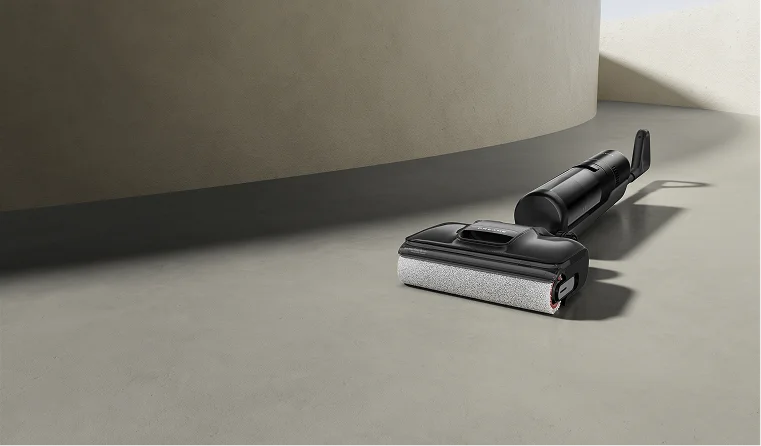
Tired of the tedious floor cleaning routine? Sweeping, mopping, and waiting for the floor to dry... It can easily take up your whole afternoon. Fortunately, two modern tools can simplify this task: wet/dry vacuums and steam mops. Both look similar but serve different purposes. Wet dry vacuums streamline the cleaning process by combining all your steps into one quick process and handling everyday dirt. On the other hand, steam mops take a different approach and use hot steam to eliminate germs, providing a different yet effective cleaning method. Each one works better for different types of floors and cleaning situations. But which one is right for you? Keep reading to find out. What is a Wet Dry Vacuum? A wet-dry vacuum is a versatile machine that is designed to vacuum and mop your hard and carpeted floors. It eliminates the need for a broom, dustpan, and traditional mop and bucket. How It Works The concept is to combine suction with washing. As you push the machine across the floor, it performs a few actions all at once: It washes: A roller brush, which is constantly wet with fresh water and a bit of cleaning solution from a clean water tank, spins against the floor. This action scrubs the surface, loosening dirt and grime much more effectively than just wiping a mop across it. It vacuums: As the roller scrubs, a powerful vacuum motor sucks up everything in its path. This includes the dry debris like dust and crumbs, any larger spills, and, most importantly, the dirty water that was just used to scrub the floor. The key to its design is its two separate water tanks. One tank holds the fresh water and cleaning solution. The second tank is where all the dirty water and debris get deposited. This is a critical feature because it means you are always cleaning your floors with fresh water. With a traditional mop, you end up dipping it back into dirty water, which can leave behind a grimy film. A wet-dry vacuum avoids this completely. Seeing the tank of dark, dirty water at the end is satisfying proof of how much dirt was actually removed from your floors. Its main purpose is to be a convenient, all-in-one tool that can handle a wide variety of everyday messes, from dust bunnies to spilled soup, in a single pass. What is a Steam Mop? A steam mop is a specialized tool that uses plain hot steam to deep clean and kill germs on floors. It's a popular choice for people who want to sanitize their homes without having to use chemical cleaners like bleach or ammonia. How It Works A steam mop's function is very simple. You fill its small water tank with regular tap water. An internal heating element then boils that water very quickly, typically in under a minute, turning it into hot, high-pressure steam (over 100°C / 212°F). This steam is directed down through a nozzle and into a microfiber cloth pad attached to the mop's head. The intense heat does two things: It loosens grime: The hot, moist steam is excellent at dissolving sticky, stubborn messes that have dried onto the floor, like spilled soda, jelly, or caked-on mud. It sanitizes: The high temperature of the steam kills common household germs and bacteria on contact. This is a huge benefit for anyone concerned about hygiene, especially in kitchens and bathrooms. It's essential to understand that a steam mop has no suction whatsoever. It cannot pick up hair, dust, or any solid debris. Its only job is to sanitize and remove grime already stuck to the surface. For households with crawling babies, pets, or people sensitive to chemicals, this tool offers additional benefits but doesn't replace a vacuum cleaner. Wet-Dry Vacuum vs. Steam Mop: Head-to-Head Comparison Understanding how they work is one thing; knowing how they perform in your own house is what really matters. Let's break down how they stack up in different situations. Which One Saves You More Time? When it comes to getting the job done fast, the wet-dry vacuum is the clear winner. It combines two long chores, vacuuming and mopping, into one quick and easy step. Imagine it's a typical weeknight after dinner. There are crumbs under the dining table, a few stray pieces of rice on the kitchen floor, and a small puddle of water near the sink. Steam mop: You would first need to get a broom or a vacuum to clean up all the loose crumbs and debris. Once that's done, you can plug in the steam mop and wait for it to heat up before you start sanitizing. It's still a two-step process. Wet dry vacuum: You just grab the one machine, turn it on, and clean the entire mess in a minute or two. The crumbs and the water are gone in the same pass. Over the course of a week, the time saved by not having to do that first step of sweeping or vacuuming really adds up. Which Can Clean Up Spills and Accidents? This is perhaps the biggest practical difference between the two tools. A wet-dry vacuum is specifically designed to handle spills and wet messes. It's an emergency cleanup tool and a regular cleaner all in one. If a child drops a full bowl of cereal and milk, or the dog tracks in muddy paw prints from the rain, you can clean it up instantly. It sucks up the liquid (milk, water) and the solids (cereal, mud) without issue. A steam mop is completely unsuitable for these kinds of accidents. Because it has no suction, it cannot pick up the mess. If you tried to use a steam mop on spilled cereal, you would just be pushing around warm, mushy cereal with a cloth pad. If you used it on a raw egg, the heat would start to cook the egg, creating an even bigger, slimier mess to clean up. For any household where spills are a regular occurrence, a wet-dry vacuum is the far more practical and useful machine. Which Is Better at Killing Germs and Sanitizing? This is the one area where the steam mop has a distinct advantage. Its entire purpose is to sanitize. The high temperature of the steam it produces is proven to be effective at killing germs. The CDC, for example, recognizes steam as a reliable method for sterilization. This makes a steam mop an excellent tool for specific tasks, like sanitizing the floor around a toilet, cleaning a pet's eating area, or ensuring a floor is hygienic for a crawling baby. It achieves this without any chemicals, which is a major benefit for many people. A wet-dry vacuum cleans differently. It doesn't use heat to kill germs in contact. Instead, it physically removes germs from the floor by scrubbing them loose and sucking them away with the dirty water. While this leaves your floors extremely clean, it is not the same as the thermal sanitization that a steam mop provides. Which is Safer for Floors? This is a critical consideration. Using the wrong tool on your floor can lead to expensive and irreversible damage. You need to know what your floors are made of. A wet-dry vacuum is generally safe for any type of sealed hard floor. Because it sucks the water right back up, it doesn't leave your floors soaking wet. This makes it a safe choice for: Sealed Hardwood Laminate Vinyl (both plank and sheet) Tile (Ceramic and Porcelain) Sealed Stone A steam mop requires much more caution. The combination of high heat and moisture can be very damaging to certain materials. Tile and Sealed Stone: Generally safe and very effective. Steam can even help clean grout lines. Sealed Hardwood: This is risky. Over time, the heat can break down the polyurethane finish that protects the wood. Moisture can also be forced between the boards, causing them to warp. Laminate and Vinyl: These are also very risky. These floors are made of layers bonded together with adhesive. The heat from a steam mop can weaken that glue, causing the top layer to peel or the edges of the planks to swell and warp. Unsealed Wood: Never use a steam mop here. It will cause immediate damage. Always check what your flooring manufacturer recommends before using a steam mop. Which One is Easier to Maintain? A steam mop is very simple to maintain. After use, you just remove the dirty cloth pad and toss it in the washing machine. A basic wet-dry vacuum requires more effort. You have to empty the dirty water tank and clean the roller brush after each use to prevent smells and mold, which can feel like an extra chore. However, advanced wet-dry vacuums (like those from Dreame) solve this problem with a one-press "self-cleaning" function. At the push of a button, the machine automatically washes its roller brush with clean water and then dries it with hot air. This keeps it clean and odor-free without any hands-on work from you. Summary Table Feature / Use Case Wet Dry Vacuum (The Remover) Steam Mop (The Sanitizer) Winner for Most Homes Time-Saving Vacuums & mops in one step Requires pre-vacuuming Wet Dry Vacuum Spill Handling Excellent for wet & dry messes Not suitable; can spread messes Wet Dry Vacuum Chemical-Free Sanitizing Uses cleaning solution or water Excellent; uses only steam Steam Mop Floor Safety Safe on most hard floors Risk of damage to wood/laminate Wet Dry Vacuum Post-Clean Maintenance Tank/roller cleaning (can be automated) Simple pad washing Wet Dry Vacuum (with self-cleaning) How to Choose the Right Floor Cleaner The best choice is the one that solves your most common cleaning problems. Get a Wet Dry Vacuum if... You have kids or pets. If your life involves cleaning up frequent spills, food messes, and muddy footprints, a wet-dry vacuum will make a huge difference. You want to save time and effort. If your main goal is to get your floors clean as quickly and easily as possible, this is the tool for you. It combines two chores into one. You like having one tool for many jobs. If you want a single, versatile machine that can handle almost any everyday mess on your hard floors, a wet-dry vacuum is a practical choice. [product handle="h15-pro-heat-wet-dry-vacuum" rating="4.7"] Get a Steam Mop if... You already own a reliable vacuum cleaner. A steam mop works well alongside a robot vacuum and mop, which effectively manages your daily cleaning tasks. Your top priority is sanitizing without chemicals. If you are committed to having a germ-free home but want to avoid harsh cleaners, a steam mop is the best tool for that specific job. You have mostly tile or stone floors. If your home has a lot of durable flooring that can handle high heat, you can use a steam mop without worrying about damaging it. You don't mind a multi-step process. If you already vacuum your floors regularly and are just looking for a tool to do a final, deep-cleaning pass, then a steam mop can be a good addition to your routine. FAQs Q1: Do I have to vacuum before using a wet-dry vacuum? No. It's designed to do both jobs at once. That's its biggest time-saving benefit. Q2: Can a steam mop remove old stains? It's very good for breaking down sticky, sugary, or greasy messes. However, for a set-in stain like wine, coffee, or ink that has dyed the floor's surface, it likely won't be effective since it doesn't use a chemical cleaning solution. Q3: Which is safer for my sealed wood floors? The wet-dry vacuum is much safer. A steam mop's high heat and concentrated moisture can damage the wood's protective finish over time. Q4: Can I put vinegar or a cleaning solution in a steam mop? No, you should not. Steam mops are only designed to be used with water. Adding vinegar or other cleaners can corrode the internal parts and break the machine. The Bottom Line When you strip away all the features, the choice is pretty simple: A wet-dry vacuum is a tool for cleaning up messes. A steam mop is a tool for killing germs. If your biggest daily frustration is the time and hassle it takes to clean up dirt, spills, and pet hair, then a wet-dry vacuum is the most practical and useful tool for you. It solves the most common cleaning problems in one simple step. If your main concern is sanitizing your bathroom floors without bleach, and you don't mind vacuuming first, then a steam mop could be what you need. If you think a wet-dry vacuum sounds like the right choice for your home, consider the models Dreame offers. They are designed to make the daily job of keeping floors clean much quicker and easier.
Continue reading