









 Robot Lawn Mowers















 Humidifiers


 Smart Door Lock


 Canada
 Australia
 中国大陆
中国大陆 日本
日本


 Türkiye


 Ireland
 Portugal
 Italia
 Netherlands
 Belgium
 Greece
 Polska
 Norway
 Sweden
 Finland
 Denmark
 Hungary
 Czechia
 Slovenia
 Croatia
 Switzerland
 United
Kingdom
United
Kingdom


 Colombia


Dreame L40 Ultra vs L40s Ultra vs L40s Ultra AE vs L40s Ultra CE: Which ...
Editorial TeamDreame
|
If you want spotless floors without lifting a finger, Dreame’s L40 family delivers. All four models vacuum and mop in a single pass, auto-lift mops on rugs, boost suction on carpets, and self-maintain at the dock—so you spend more time relaxing and less time cleaning. The core experience is shared, with changes in power, obstacle smarts, brushes, and price. Below, we break down how they’re alike, where they differ, and which one fits your home best.
In a Nutshell
Dreame’s L40 series offers four closely related robot vacuums with all-in-one cleaning docks.
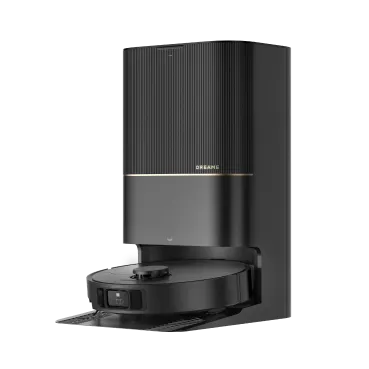
L40 Ultra – The original “Ultra” experience: fully automated cleaning with 11,000 Pa suction, RGB AI + 3D structured-light obstacle avoidance, and hot-water mop pad washing (~65°C / 149°F). A strong value when discounted.
L40s Ultra – Performance leader with 19,000 Pa suction, HyperStream™ DuoBrush dual-roller system (excellent anti-tangle and pickup), EasyLeap threshold climbing up to 40 mm (1.57 in), and hotter mop washing (~75°C / 167°F).
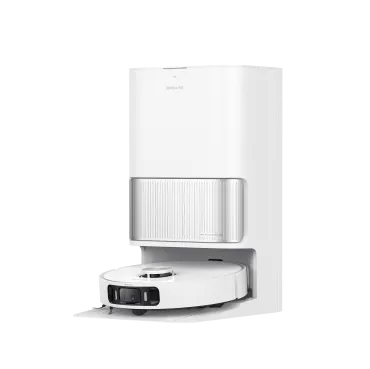
L40s Ultra AE (AI Edition) – Same 19,000 Pa suction as L40s Ultra, adds an AI camera for smarter obstacle avoidance. Includes a liftable rubber main brush and a TriCut hair-cutting brush—ideal for homes with pets and kids.
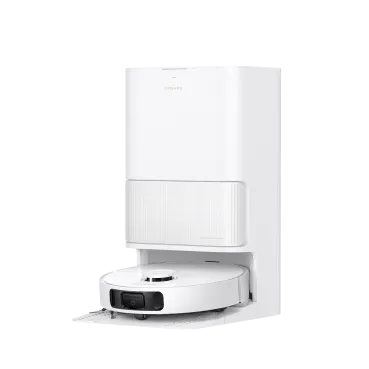
L40s Ultra CE (Compact Edition) – Budget-minded pick with 13,000 Pa suction and depth-only avoidance (no camera). Keeps the self-empty, self-wash, and warm-air drying convenience; dock uses cool-water mop washing.
Short answer: Want the strongest clean? L40s Ultra. Pets and clutter? L40s Ultra AE. Best budget? L40s Ultra CE. Found a great sale? L40 Ultra still shines.
What They Share (Core Experience)
Every L40 series robot delivers the fundamentals:
Vacuum + mop in one go to finish faster.
Automatic mop lifting (~10 mm / 0.4 in) on carpet to keep rugs dry.
Suction boost for carpet to achieve deeper dust extraction.
Self-maintaining dock that empties dust, washes mop pads, and warm-dries them.
LDS (LiDAR) mapping for fast, accurate home maps, multi-floor support, and precise no-go/no-mop zones.
Dreamehome app to schedule, set room-specific preferences, and control cleaning routines.
That means the baseline is already high; your choice is really about how much power, hair-handling, and obstacle intelligence you want.
Cleaning Performance
Each L40 variant excels at daily cleaning across hardwood, tile, and carpets – but there are subtle differences in their approach and efficiency.
Hard Floors
All four models are excellent daily cleaners—dust, crumbs, tracked-in dirt, and pet hair disappear quickly. Where you’ll notice the biggest difference is one-pass pickup:
L40s Ultra & L40s Ultra AE – 19,000 Pa: The strongest pickup in the lineup. You’ll often get one-pass results even with heavier debris.
L40s Ultra CE – 13,000 Pa: Confident everyday cleaning; a slight step down from the 19,000 Pa models but still fast for apartments, condos, and medium homes.
L40 Ultra – 11,000 Pa: The “earlier-gen” suction—but paired with solid brushwork and boost logic, it handles typical daily debris and pet hair reliably.
Hair handling on floors:
HyperStream™ DuoBrush (L40s Ultra) uses two counter-rotating rollers to keep constant contact with the floor and move long hair straight into the dust bin—virtually no detangling.
TriCut Brush 3.0 (L40s Ultra AE & CE) is a single roller with hair-cutting ridges. It slices long strands as it spins, dramatically reducing wraps. The AE also includes a liftable rubber brush you can swap in as needed.
Carpets & Rugs
All models detect carpet, lift the mops (10.5 mm / 0.4 in), and boost suction. On mid-pile carpet, they pull embedded dust and dander effectively. On thicker carpets, turning on Intensive Clean mode (slow + double pass) helps.
Dual-roller advantage (L40s Ultra and AE with the rubber brush): Two agitation angles improve dirt extraction from carpet.
Tip: In homes with very plush rugs, enable “avoid carpet while mopping,” then run a separate vacuum pass to optimize both tasks.
Edges & Corners
Robot vacuums traditionally struggle to reach wall edges and corners, but the L40 series offers clever solutions. All models have an extendable side brush that swings out to pull in dust from edges, and the L40s Ultra/AE even lift and extend the brush dynamically. In practice, these robotic cleaners get extremely close to baseboards – within 1 mm / 0.03 in. If you often find dust bunnies in room corners, the L40 series will virtually eliminate that issue.
Brushes & Attachments
L40 Series brush systems differ slightly. Here’s a quick rundown of the cleaning attachments each comes with:
HyperStream™ DuoBrush (dual roller): Only on L40s Ultra (base) and also the L50 Ultra in Dreame’s L lineup. Two coordinated rollers tackle everything from fine dust to cereal bits. Anti-tangle by design: long hairs are flung into the bin rather than wrapping.
TriCut Brush 3.0 (anti-tangle single brush): Included with L40s Ultra AE and L40s Ultra CE (and optional for L40 Ultra). A single roller with integrated hair-cutting ridges that slice long strands as they spin. AE ships with two main brushes: a liftable rubber brush for all-around use (great for carpets) and a TriCut for hair-prone rooms—swap as needed.
Side Brush: All models use one side brush (on the right) to sweep edges. - Sweeps edges toward the main rollers. On L40s Ultra/AE, it extends/lifts dynamically to keep mopping tidy and avoid tassels.
Mops: Each robot has two round spinning mop pads that attach under its belly. These rotate to scrub stains and are automatically cleaned at the base station. Notably, the mop pads on all L40 models can be automatically lifted ~10.5 mm (0.41 in) when carpet is detected, or you can set the robot to avoid carpets entirely while mopping via the app.
Bottom line for hair:
Heavy shedders or long hair at home? L40s Ultra’s dual rollers are your low-maintenance favorite.
Want flexibility + AI vision? L40s Ultra AE gives you two brushes and camera-based avoidance that pet owners love.
Feature
L40s Ultra
L40s Ultra AE
L40s Ultra CE
L40 Ultra
Maximum Suction
19,000 Pa
19,000 Pa
13,000 Pa
11,000 Pa
Main Brush Type
HyperStream™ Detangling DuoBrush
Liftable Rubber Brush & TriCut Brush 3.0
TriCut Brush
Rubber Brush
Main Brush Lifting
/
√
√
√
Side Brush Extending
√
/
/
/
Side Brush Lifting
√
/
/
/
Mop Type
Dual Spinning Mops
Dual Spinning Mops
Dual Spinning Mops
Dual Rotary Mops
Mop Extending
√
√
/
√
Mop Lifting
10.5 mm (0.41 in)
10.5 mm (0.41 in)
10.5 mm (0.41 in)
10.5 mm (0.41 in)
Navigation & Mapping
All models use LDS (Laser Distance Sensor) for room mapping, fast route planning, and precise no-go/no-mop zones. First-run mapping is fast; subsequent runs are efficient and thorough. Differences emerge in object avoidance:
RGB AI + 3D Structured Light (vision + depth)
Models: L40 Ultra, L40s Ultra AE
What it does: Recognizes small hazards (cords, socks, toys, pet accidents) and routes around them in real time.
Extras: The L40 Ultra includes visual dirt detection—it can spot dirty patches and target a “see-and-scrub”.
Single-Laser 3D Structured Light (depth-only, no camera)
Models: L40s Ultra (base), L40s Ultra CE
What it does: Detects and avoids obstacles by shape/depth without identifying them. Works great in low light.
Extras: L40s Ultra adds EasyLeap to handle up to 40 mm (1.57 in) thresholds; CE manages about 22 mm (0.87 in).
Feature
L40s Ultra
L40s Ultra AE
L40s Ultra CE
L40 Ultra
Navigation
LDS
LDS
LDS
LDS
Obstacle Avoidance
Single-Laser 3D Structured Light
RGB AI + 3D Structured Light
Single-Laser
RGB + AI + Single Laser Light
Obstacle Crossing
40 mm (1.57 in) (two steps), 22 mm (0.87 in) (single step), with auxiliary wheels
20 mm / 0.78 in
20 mm / 0.78 in
22 mm / 0.87 in
If you’ve got pets/kids and lots of floor clutter, go RGB AI + 3D SL (L40 Ultra / L40s Ultra AE). If you prefer no camera but still want smart avoidance, especially for dark runs, choose Single-Laser 3D SL (L40s Ultra / CE).
Pro-tip: For best results, a little prep helps – e.g. picking up very thin cables or small toys.
Maintenance & Docking
The dock is the real game-changer: it empties dust, washes mop pads, and warm-dries them. You’ll handle routine maintenance in minutes per week.
Auto-Empty: A 3.2L dust bag can last weeks. Even in a busy home, you’ll likely swap it every 6–8 weeks instead of emptying after every clean.
Mop Pad Washing & Drying:
L40s Ultra/AE: Hot wash ~75 °C (167 °F), then warm-air dry—pads stay fresh and ready.
L40 Ultra: Hot wash ~65 °C (149 °F) + warm-air dry.
CE: Cool-water wash + warm-air dry (simplified, budget-friendly dock).
Water Tanks: Around 4.5L clean / 4.0L dirty (model-dependent). Refill/empty about weekly with daily use.
Cleaning Solution: L40s Ultra adds auto-dosing (just fill the reservoir and let it meter).
Self-Clean & Anti-Scale: The system minimizes buildup; a quick rinse of the tray and an occasional wipe of sensors keeps things pristine.
Consumables: Dust bags (affordable), HEPA filters (rinse periodically; replace 6–12 months), mop pads and brushes (months of use). Overall, you get a set-and-forget convenience.
Feature
L40s Ultra
L40s Ultra AE
L40s Ultra CE
L40 Ultra
Auto Water Tank Refilling (from Dock to Robot)
√
√
√
√
Clean/Used Water Tank Capacity
4.5 L / 4.0 L (1.8 gal / 1.05 gal)
4.5 L / 4.0 L (1.8 gal / 1.05 gal)
4.5 L / 4.0 L (1.8 gal / 1.05 gal)
4.5 L / 4.0 L (1.8 gal / 1.05 gal)
Washboard Self-Cleaning
AceClean DryBoard™
Self-cleaning washboard 2.0
/
Self-cleaning washboard 2.0
Mop Hot Water Washing
75°C (167℉)
75°C (167℉)
/
65°C (149°F)
Automatic Solution Adding
√
√
√
√
Note: Whichever model you choose, you won’t be touching dirty mop cloths or dumping dustbins daily – the dock does that for you. Just remember to replace that dust bag every couple of months and give the dock a quick check occasionally.
App Experience & Customization
All L40 models use the Dreamehome app (available for iOS/Android), which is your control center for the robot vacuum. Simple for beginners, deep for power users:
Setup & Mapping: Voice-guided onboarding; live 2D map (3D view available); split/merge/name rooms; set virtual walls and no-go/no-mop zones.
Schedules & Preferences: Clean specific rooms at set times; pick suction levels (Quiet/Standard/Strong/Turbo) and mop water flow (Low/Med/High) per room. Choose how often pads wash during a run.
Carpet Logic: Toggle intensive carpet clean and avoid carpet while mopping.
Live Monitoring: Track the robot’s path, battery, and status; use spot-clean on a map tap.
Voice Control: Alexa, Google Assistant, and Siri Shortcuts support.
Multi-User Support: Share with your family members so they have access to control the robot.
Reliability: The app is well-reviewed and updated regularly. If Wi-Fi drops, the robot finishes the job and syncs later.
Tip: Spend 10 minutes tailoring room-by-room settings (suction and water flow). The robot will feel custom-made for your home from day one.
Noise Levels
Running a robot vacuum shouldn’t sound like a jet engine in your home. The L40 series is reasonably quiet given their power, especially in standard modes:
Quiet Mode: ~mid 50s to ~60 dB, about the level of a normal conversation. On hard floors, you might barely notice it from the next room.
Standard/Auto Mode: low-60s dB, similar to background music or a dishwasher in the next room. It’s unobtrusive enough that you can watch TV or work in the same area.
Turbo/Max Mode: ~70–75 dB at brief peaks, expected when suction ramps over carpet.
Auto-Empty: A short, louder burst at the dock (about ten seconds).
In everyday use, most people run Auto and barely notice it in another room.
Battery Life & Efficiency
All four use a 5,200mAh battery. Expect 2–3 hours in mixed Auto mode (home-dependent), more in Quiet mode. They recharge and resume to finish very large areas.
A typical 3-bedroom space might take 60–80 minutes and ~30–40% battery.
Full recharge from near-empty takes ~4 hours, but recharging mid-clean is automated and efficient.
In day-to-day use, it’s unlikely you’ll worry about the battery. The cleaning sessions are typically far shorter than the max runtime because the robots finish the job efficiently.
Dreame Take Battery life will not be a bottleneck. Whether you have a small apartment or a large two-story home, the L40 series has the stamina to clean it. Just make sure the dock is plugged in and charging whenever idle, which the app manages automatically.
Price & Value
With cutting-edge features comes a higher price tag, but Dreame has positioned the L40 family at different price points to suit various budgets:
Dreame L40s Ultra: MSRP is ~$1,399. This has every feature maxed out: highest suction, DuoBrush system, 75°C (167°F) mop cleaning, etc. If you want the absolute best cleaning performance and automation Dreame offers, this model is the top choice. It’s ideal for large households, heavy-traffic floors, or if you simply want the newest tech that “just works” with minimal intervention.
[product handle="l40s-ultra-robot-vacuum" rating="4.5"]
Dreame L40s Ultra AE: MSRP $1,099, currently on promotion. The AE is slightly cheaper than the base L40s because it doesn’t include the dual-roller brush system; instead you get the standard brush plus TriCut (which many users might prefer for its simplicity). What you do get is the advanced AI obstacle avoidance. For pet owners or anyone who worries about things like robot vs. pet accidents, the AE provides peace of mind. It hits a sweet spot – you still get 19 kPa suction and the full-featured dock, making it arguably the best value for most first-time buyers who want high-end features without the absolute top price.
[product handle="l40s-ultra-ae-robot-vacuum" rating="5.0"]
Dreame L40s Ultra CE: MSRP $899. The CE is the budget-friendly variant, essentially offering the core L40s experience for hundreds less. For small apartments or budget-conscious buyers, the CE delivers tremendous bang for your buck: you still get the self-emptying, self-washing convenience that truly sets these products apart. Who shouldn’t buy CE? Maybe those with lots of carpet (since the lower suction means a slightly less deep clean, though still very good) or those who absolutely want the AI obstacle avoidance or the hottest mop wash.
Dreame L40 Ultra: Originally $1,299. Former flagship, now often discounted — excellent value if you find a deal. You get hot water mopping, drying, and AI obstacle avoidance at a mid-range price. Its main limitations are 11 kPa suction and a single brush. It’s worth considering as it still outperforms many newer competitors in the mid-range price tier.
First-Time Buying a Robot Vacuum?
If you’re new to robot vacuums, the choices can be overwhelming. Here’s a quick take—the L40s Ultra AE gives you nearly everything (top suction, smart avoidance, full automation) with fewer compromises. It’s a model that you won’t need to upgrade for a long time. If your budget is tight, the L40s Ultra CE will still blow you away coming from a manual vacuum—just realize it’s 90% of the experience for a lot less money. (For a visual take, check out a YouTube review comparing Dreame L40s Ultra models—the reviewer shows the CE and standard model in action, helping you gauge if the extras are worth it.)
Which to Buy?
Large homes, mixed floors, lots of thresholds: L40s Ultra (19,000 Pa + DuoBrush + up to 40 mm / 1.57 in climbing) keeps your hands off.
Pets, toys on floors, unpredictable obstacles: L40s Ultra AE—AI camera avoidance reduces “rescues,” and you get both TriCut and a liftable rubber brush.
Apartment or budget-focused: L40s Ultra CE—core automation for less; great daily cleaning without the camera.
Deal hunter or upgrading from an older robot: L40 Ultra—if discounted, you still get AI vision, hot mop wash, and full dock automation.
For more, you might read our Robot Vacuum Buying Guide. Additionally, the in-depth X50 Ultra vs X40 Ultra comparison article shows how Dreame’s flagship improvements trickle down – many of which you now find in the L40s series.
Upgrade Guide (L40 Ultra → L40s Ultra or AE)
Why upgrade to L40s Ultra?
19,000 Pa suction, DuoBrush, and up to 40 mm (1.57 in) thresholds. If you have lots of hair or carpet, you’ll notice the difference.
Why upgrade to L40s Ultra AE?
Keep the 19,000 Pa performance but add AI camera obstacle avoidance (great for kids/pets/clutter). Plus, you get two main brushes to swap.
If your L40 Ultra is keeping up and you’re happy, you don’t need to upgrade. But if you’re battling long hair or deeper carpet debris, the L40s models are a meaningful step up.
Final Verdict
You can’t go wrong with any L40 model—the automation is the win. Choose based on power, hair-handling, and avoidance style (camera or depth-only).
Best overall performance: L40s Ultra
Best for pets/kids & clutter: L40s Ultra AE
Best budget value: L40s Ultra CE
Great if discounted: L40 Ultra
Specs at a Glance
Model
Suction (Pa)
Main Brush
Hair Handling
Obstacle Avoidance
Threshold Climb
Mop Lift
Mop-Pad Wash Heat
Auto-Empty
L40 Ultra
11,000
Single rubber (TriCut optional)
Strong, occasional manual detangle
RGB AI + 3D SL
~25 mm (1.0 in)*
~10 mm
~65°C (149°F)
Yes (3.2 L)
L40s Ultra
19,000
HyperStream™ DuoBrush (dual)
Virtually tangle-free
3D SL (depth only)
40 mm (1.57 in)
~10 mm
~75°C (167°F)
Yes (3.2 L)
L40s Ultra AE
19,000
Liftable rubber + TriCut (both included)
Excellent; swap per floor type
RGB AI + 3D SL
~25 mm (1.0 in)*
~10 mm
~75°C (167°F)
Yes (3.2 L)
L40s Ultra CE
13,000
TriCut (primary)
Very good anti-tangle
3D SL (depth only)
~22 mm (0.87 in)
~10 mm
Cool-water wash
Yes (3.2 L)
*Approximate; varies by surface/angle. Features/specs may vary by region and software updates.
Pros
Fully automated: vacuum + mop + self-empty + self-wash + dry
Excellent cleaning on hard floors and carpet (especially L40s models)
Accurate LiDAR mapping with reliable no-go/no-mop zones
Low-maintenance routine and long dust-bag intervals
Cons
Docks are larger than basic chargers
Max power can be loud during brief boosts
Feature-rich app has a short learning curve (worth it)
FAQ about the Dreame L40 Ultra Series
1. Is the Dreame L40s Ultra really worth it?
If you want top cleaning with minimal effort, yes—The DuoBrush, 19,000 Pa suction, and hot-wash dock deliver a consistent deep clean with less babysitting.
2. What’s the difference between L40 Ultra and L40s Ultra? Should I upgrade?
Upgrade if you have lots of hair/carpet or thresholds. You’ll notice better pickup, fewer tangles, and easier room transitions.
3. Which is best for pet owners?
L40s Ultra AE (AI camera + flexible brushes) or L40s Ultra (DuoBrush). Both are excellent with fur, dander, and paw prints.
4. Can a robot like the L40s Ultra really replace manual mopping?
For everyday grime and spills, yes—dual spinning pads scrub with pressure, and the dock hot-washes and dries them (CE uses cool water). For stubborn, baked-on stains, spot pretreating still helps.
5. How do I maintain the robot and dock long-term?
Minimal. Refill clean water and empty dirty water about once a week, swap a dust bag every few weeks, and rinse the tray occasionally. Read our Robot Vacuum Maintenance Tips to learn more.


