

How to Remove Hair From a Vacuum Roller in 4 Steps

How to Remove Hair From a Vacuum Roller in 4 Steps

Chris Zhang |
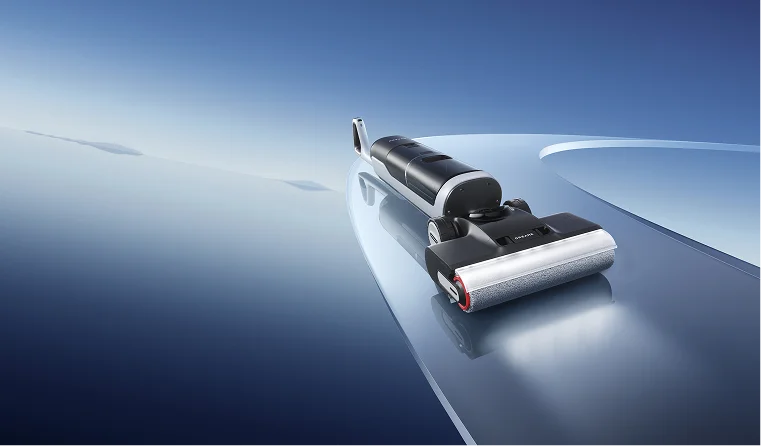
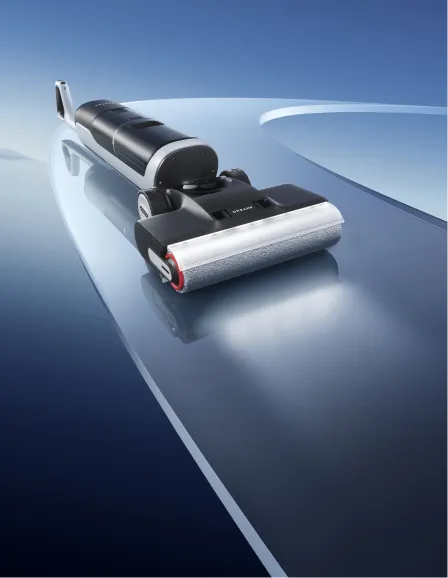
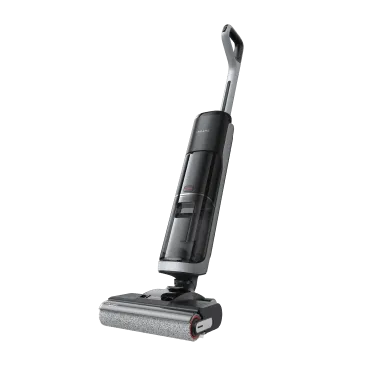
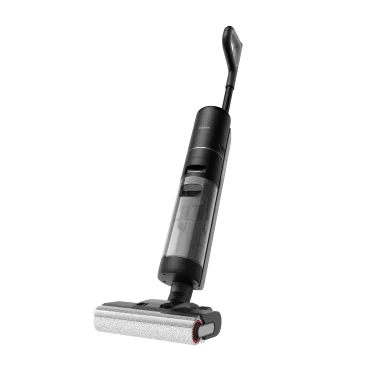
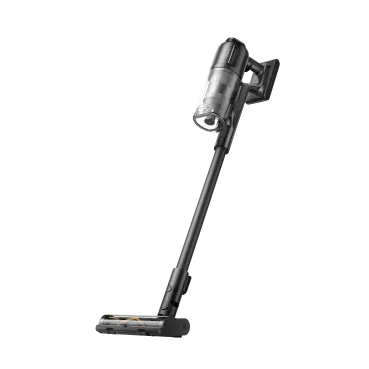
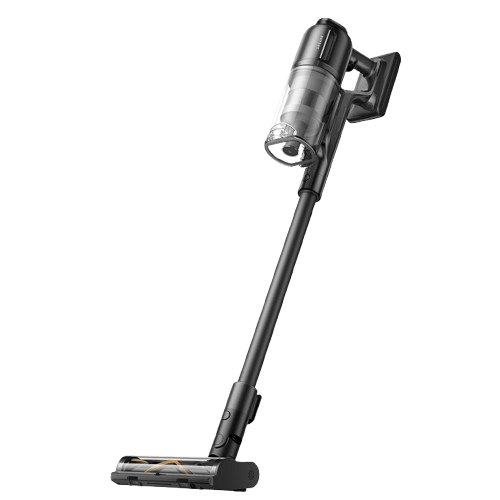
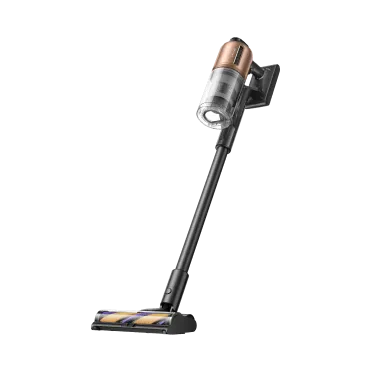
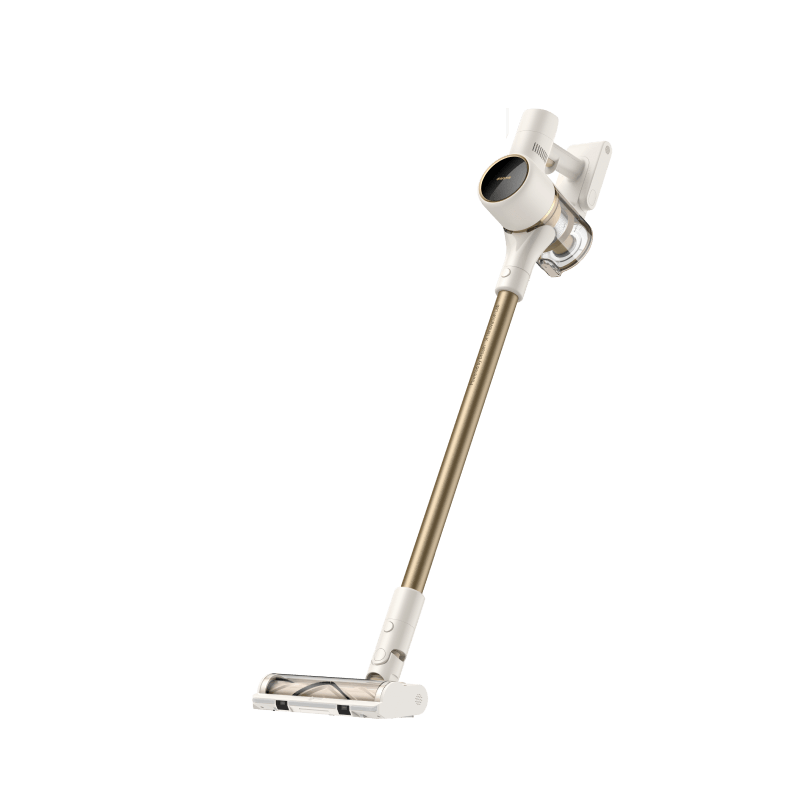
If you're working out how to remove hair from a vacuum roller, the quickest fix is a seam ripper run along the brush so the wrapped hair lifts away in one piece. Switch the vacuum off first, and unplug it if it's corded. This guide starts with what you'll need and the four-step method for upright and cordless stick vacuums, where you take the brush roll out and cut the hair free by hand. Robot vacuums and wet dry vacuums follow, each with its own steps. The mistakes section then covers the cuts that damage a brush for good. The last two sections explain when to replace a worn brush and whether an anti-tangle design can spare you this job next time. What You'll Need to Remove Hair From Brush Roller You need a seam ripper and a pair of tweezers, and a small pair of scissors makes a useful backup. Seam ripper (the best option): This small sewing tool has a hook that slides under wrapped hair, plus a tiny guard ball that keeps the point off the bristles or rubber fins underneath. You'll find one in the sewing aisle of most craft or general stores. Small scissors (the backup): A small pair with blunt tips works if you keep the blades inside the gaps between bristle rows. The tips slip into the bristle bases more easily than a seam ripper does, so go slowly. Tweezers: These pull out loose ends and short strands the blade can't reach, like the hair packed around the end caps. Skip utility knives and box cutters, since their long blades reach the bristle bases and the roller core in a single pass. Large kitchen scissors are too bulky to follow the gaps between bristle rows. How to Get Hair Out of a Vacuum Roller on Upright and Cordless Stick Vacuums Clearing hair from an upright or cordless stick roller takes about ten minutes, and most of that time goes into careful cutting. The brush roll needs to come out first, so work through the steps below in order. Step 1: Cut the power Unplug a corded upright or take the battery out of a cordless stick before your hand goes near the brush. Cutting the power keeps the roller from spinning if the vacuum gets switched on by accident while your fingers and a blade are on it. Step 2: Take out the brush roll Upright brush plates usually come off with two to four screws or a slide latch, and most cordless sticks release the brush with a button on the floor head. If the plate won't budge, check the manual rather than prying it off with a screwdriver, since the plastic clips snap easily. Step 3: Cut the hair free along the gaps Look along the roller and you'll see narrow gaps between the rows of bristles, where the bare roller shows through. These gaps spiral from one end of the roll to the other. Slide the tip of the seam ripper into a gap, under the hair, and push it along so it cuts the hair without touching the bristles. This is how to get hair out of a vacuum roller without shortening a single bristle. How much cutting you need depends on the wrap. Short pet fur and loose strands usually pull off with your fingers or tweezers, with no cutting at all. Long hair wound into a tight band needs one cut along a gap, and a thick, matted wrap may need cuts in two or three gaps before it comes loose. Once the wrap is cut along its length, it slides off as a single sleeve. Pro-tip: Cut in short strokes from the middle of the roll out toward each end. The hair splits into two halves that slide off either side, instead of one tight band you have to work loose. Step 4: Clear the end caps before you refit the roller The end caps are the plastic pieces at each end of the roller. Take them off if they come off by hand, since hair packs in around the bearing inside, the small part that lets the roller spin, and makes the roller run hot and slow. Seat each end of the roller fully into its cap before you close the plate. A roller that sits crooked grinds against its housing. How to Remove Hair From a Robot Vacuum and Wet Dry Rollers The cutting method stays the same, but what changes is how you get the brush out and where the hair hides. Find your vacuum below and follow the part that fits it. Robot vacuums If you're figuring out how to get hair out of a vacuum brush on a robot vacuum, start with where the hair hides. Long hair is tougher on a robot vacuum than pet fur, and our guide to robot vacuums and long hair covers where it tangles and which features help. Power off: Turn off the robot vacuum, then flip it over. Remove the brush guard: On most models, press the one or two release tabs on the plastic guard over the main brush and lift it off. A few older or budget models use a small screw instead, so check the manual if it won't move. Cut the hair free: On a rubber or part-rubber brush, run the seam ripper along the gaps between the rubber fins, keeping the point off the rubber. Clear the side brush: This is the small spinning brush at the front edge that sweeps dust out of corners, and hair wraps around the spot where it attaches. If it pulls off by hand, take it off and unwind the hair. If it's fixed in place, work around it with tweezers and snip tight wraps with small scissors. Check the wheels: The small front caster wheel swivels as the vacuum turns and usually pulls straight out, so unwind any hair and push it back in. Hair also winds around the axles of the two larger drive wheels, where tweezers and the seam ripper tease it out. The step-by-step guide on how to clean your robot vacuum brushes shows how to release the guard and how often to check it in a pet home. Wet dry vacuums A wet dry roller usually needs a rinse rather than a cut. Run a self-clean first: If your model has a self-cleaning cycle, run it while the vacuum is on its dock. It often clears most of the hair on its own. Power off: Turn the vacuum off and lift it off its dock before you touch the roller. Remove the roller: Most models release it with a button or latch on the roller cover. The position varies by model, so your manual will show you where it sits. Check the ends and scraper: Hair tends to collect at the ends of the roller and around the scraper if your model has one. A quick rinse usually clears what's left without any cutting. Mistakes That Damage a Brush Roll and How to Avoid Them A brush roll has a few easy-to-damage parts right where you're working, from the bristles themselves to the drive belt at the end of an upright's roller. A slipped blade or a well-meant shortcut can damage them for good, so here's what to watch for and which vacuums each one applies to. Cutting across the bristle rows A blade dragged across the roll trims the bristles along with the hair, and they don't grow back. Shorter bristles stop reaching into carpet pile, so the vacuum picks up less from rugs and carpet. Avoid it by keeping every cut inside the gaps between bristle rows. This applies to any bristled roll, including the bristled brushes on some robot vacuums. Nicking the drive belt on an upright Belt-driven uprights have a rubber belt looped around one end of the roller, right where a slipping blade lands. A belt that's been nicked can keep running for weeks before it snaps, and then the brush stops turning with no obvious cause. Avoid it by stopping your cut a finger's width short of the belt and pulling the last bit of hair free with tweezers. Many cordless sticks have no belt at all, so you can skip this one if that's what you own. Our guide to a vacuum brush not spinning covers eight fixes in order, from clearing tangled hair to spotting a stretched or cracked belt. Burning the hair off Heat melts the bristle bases and can warp the plastic housing the roller sits in, which leaves the brush rubbing as it turns. Avoid it by skipping any tip that involves a flame. This applies to every vacuum. When to Replace the Brush Roll Replace the brush roll when a thorough clean no longer brings it back. A brush that still leaves hair and grit behind after you've cleared it has usually worn past the point where cutting helps. These are the signs to look for: Bristles worn short or splayed: Flattened or bent bristles no longer reach into carpet pile. Torn rubber fins: On robot vacuum brushes, split fins leave gaps that dirt and hair slip past. A wobbling roller: A cracked or warped core rubs against its housing as it spins. Grinding after a clean: A roller that still grinds or catches once the end caps are clear may have a worn bearing. Brush rolls are made to be replaced, so a worn one doesn't mean you need a new vacuum. Dreame sells replacement brush rolls for its robot and cordless stick vacuums, including anti-tangle designs for several models. Check whether an anti-tangle version fits your vacuum before you order a standard one. Many robot vacuum apps also track brush wear, so check yours for a replacement reminder. Do Anti-Tangle Brushes Stop Hair From Wrapping? An anti-tangle brush cuts down how often you have to clear hair by hand, but it won't take the job away completely. Long strands can still collect at the ends of the roller or around the wheels, so a quick check every few weeks is still worth doing. Most anti-tangle brushes work in one of these ways. A built-in cutting edge: A small blade or comb sits against the roller and cuts hair as the brush spins, so strands break off before they can wind tight. Twin brushes: Two brushes turn side by side with no open gap between them, so long hair has nowhere to grip. Raised ridges: Ridges along the brush stop strands from lying flat and binding to the roller. An anti-tangle design pays off most in homes with long human hair or a heavy-shedding pet, where a standard brush wraps up fastest. Top 3 Vacuums That Resist Hair Wrap Dreame Z30 Cordless Stick Vacuum - For the stick vacuum this guide is built around. Its multi-surface brush has Anti-Tangle Ridges that reduce the chance of hair tangling, and the brush comes out with a release button when you do need to clear it. Dreame L60 Pro Ultra Robot Vacuum - For homes that let a robot vacuum handle the daily clean and would rather not think about the brush. Its HyperStream™ Detangling DuoBrush uses two brushes working together, engineered to avoid tangles on both hard floors and carpet. Dreame Aero Pro Wet Dry Vacuum - For hard floors and anyone already used to rinsing a roller. Advanced TangleCut™ 2.0 Tech lifts pet fur and long hair as you clean, so the roller stays clear without clogging. [product handle="aero-pro-wet-dry-vacuum"] Keeping a Brush Roll Clear Between Deep Cleans Once you know how to remove hair from a vacuum roller, a quick check every few weeks can save you from cutting through a thick wrap again, since a thin layer of wrapped hair lifts off in seconds. Our guide on how to clean the vacuum brush picks up where hair removal stops, covering the housing and how to wash a roll that's built for water. Browse Dreame's range of vacuums built for pet hair, which brings together pet-focused models from every Dreame vacuum type, many with brushes designed to resist hair wrap. Frequently Asked Questions How do you get hair stuck out of vacuum wheels? Use tweezers to pull the hair off the wheel axle, the rod each wheel spins on. Robot vacuums and uprights have wheels big enough to work around with a seam ripper too. The wheels on a cordless stick sit under the floor head and are much smaller, so tweezers usually fit best. How do you take apart a vacuum brush roller? It depends on the vacuum, but most brush rollers come out without special tools. Uprights usually use two to four screws or a slide latch on the brush plate, and cordless sticks release the brush with a button. Robot vacuums and wet dry vacuums mostly unclip by hand, though a few robot vacuums use a small screw, so check your manual if a part won't move. Can I remove the bristles from my vacuum? No. The bristles lift hair and grit out of carpet pile, and a pulled row doesn't go back in. Cut the hair along the gaps between bristle rows instead. How often should you clean hair off a vacuum roller? Every two to four weeks suits an upright or stick in a shedding home, and weekly suits a robot vacuum that runs every day. A roller that starts to sound strained or slows on carpet is due for a clean sooner. Can you wash a vacuum brush roller? Only if the manual says so. Wet dry vacuum rollers are built to be rinsed, while a motorized brush roll with bearings usually isn't. Whichever you have, let it dry completely before it goes back in.
Continue reading
Dreame H15 Pro vs H15 Pro CarpetFlex: Which Wet & Dry Vacuum Should You Buy?

Dreame H15 Pro vs H15 Pro CarpetFlex: Which Wet & Dry Vacuum Should You ...

Editorial TeamDreame |
Choosing between H15 Pro (formerly H15 Pro Heat) and H15 Pro CarpetFlex comes down to your floors, your messes, and how hands-off you want cleanup to be. The H15 Pro was renamed H15 Pro in fall 2026, with its core cleaning features remaining unchanged. This quick guide frames the differences in plain English so you can pick with confidence. Quick Answer (TL;DR) Pick H15 Pro if your home is mostly hard floors and you want the fastest deep clean with real hot‑water floor washing, gap‑free edge cleaning, and the most automated self‑clean/dry routine. It’s a “showpiece” hard‑floor washer with advanced edge tech and app‑assisted under‑furniture navigation. Pick H15 Pro CarpetFlex if you live with both hard floors and rugs and want one device to handle wet hard‑floor messes and dry vacuuming on carpets (thanks to a dedicated Carpet Brush) plus MistLock dust suppression for allergy‑friendly cleanup. It’s the do‑everything choice for mixed flooring. Specs at a Glance If you only have a minute, this table shows the big levers: runtime, brush systems, edge tech, and cleaning temps. So you can match the model to your home. All performance figures are from Dreame in‑house/third‑party labs; actual results vary by home and usage. Feature H15 Pro H15 Pro CarpetFlex Floor types Hard floors focus Hard floors (wet/dry) + carpets (dry) Suction (rated) 22,000 Pa 23,000 Pa Runtime (max) Up to 72 min Up to 60 min Standout cleaning tech 85°C (185°F) hot‑water floor washing (approx. 55 °C / 131°F at floor) GapFree™ AI robotic arm for triple‑edge cleaning Dual Brush System (Hard Floor + Carpet)MistLock dust suppression Self‑cleaning ThermoTub™ 100°C (212°F) immersive brush wash; AI‑tuned cycles Up to 100°C (212°F) self‑clean (Hard Floor Brush hot‑wash / Carpet Brush cold‑wash) Drying 5 min at 90°C (194°F) super‑speed or 30 min 85°C (185°F) sealed drying; AI re‑dry Up to 90°C (194°F) full‑path hot‑air drying;~5 min quick‑dry (Hard Floor Brush) / ~20 min deep‑dry (Carpet Brush) Edge cleaning Yes Yes Under‑furniture 180° lie‑flat 180° lie‑flat Tanks 880 mL clean / 650 mL used (0.23 gal / 0.17 gal) 780 mL clean / 700 mL used (0.20 gal / 0.18 gal) Hair management TangleCut™ resilient scraper, validated tangle‑free in lab tests TangleCut™ 2.0 (15% denser comb teeth) Sensors/UI RGB dirt detection; Dreamehome app; GlideWheel™ power assist RGB dirt detection; LED + voice prompts; GlideWheel 2.0 assist Cleaning Performance Let's look at how each vacuum behaves with everyday debris, sticky spills, and those ‘why is this still here?’ spots. We focus on speed to clean, the residue left behind, and how finished your floors look after one pass. On Hard Floors (wet & dry) H15 Pro: If sticky spills and kitchen grease are your pain points, Heat is the standout. It rinses the roller with 85°C (185°F) hot water to wash floors at about 55°C (131°F), dissolving oily messes fast. Its GapFree™ AI robotic arm drops at the front to close the typical “dry strip,” enabling triple‑edge cleaning (front + both sides) and leaving nearly zero water stains in push‑pull passes under lab conditions. If you’ve ever chased wet lines along baseboards, this front‑edge tool is a real upgrade. H15 Pro CarpetFlex: CarpetFlex focuses on consistency and clean air. Its Hard Floor Brush continuously rinses at 480 RPM while suction removes dirty water immediately; MistLock lightly mists dust so it becomes damp waste instead of a cloud—handy for allergy‑sensitive homes. You don’t get Heat’s front robotic arm, so you’ll use slow parallel passes for edges, but everyday spills (juice, yogurt) and tracked‑in dirt are handled efficiently. Verdict for Hard Floors: Choose Heat for the fastest deep clean on sticky/greasy messes and the best front‑edge pickup; choose CarpetFlex if you value cleaner air during use/emptying and don’t need the robotic arm. On Carpets & Rugs (Dry Vacuuming) If rugs are part of your daily route, this section explains how both machines handle fibers, hair, and grit—and when a dedicated carpet brush truly makes a difference. H15 Pro: Optimized for hard floors. It brings strong suction (22,000 Pa) and hair‑cutting hardware, but it does not include a dedicated carpet brush. If rugs are occasional, Heat can spot‑vacuum; if rugs are routine, see CarpetFlex. H15 Pro CarpetFlex: Purpose‑built for mixed homes. You can swap to the Carpet Brush to lift grit from fibers, and the TangleCut™ 2.0 brush helps prevent wrap. With 23,000 Pa suction and a brush made for rugs, it’s the safer bet for regular carpet care. Verdict for Carpets: If you want one machine for hard floors and rugs, CarpetFlex is the clear pick. Hair & Pet Messes H15 Pro: 0 tangles across hair tests, minimizing hands‑on detangling. H15 Pro CarpetFlex: 15% denser comb teeth for better hair cutting—including dense pet fur. If you’re a multi‑pet household with rugs, the Carpet Brush + TangleCut 2.0 combo is very compelling. Edge Cleaning & Corners Edges are where most washers leave a dry strip. See how Heat’s robotic front arm compares with CarpetFlex’s careful, parallel edge passes. H15 Pro: The DescendReach robotic arm presses down on the pull‑back to wipe up residual water. In our tests, it showed near‑zero water stains compared with typical dual‑edge heads. If you care about baseboards and toe‑kicks looking bone‑dry right away, this is a meaningful difference. H15 Pro CarpetFlex: A strong standard head, but no robotic arm. Edges are best handled with controlled, parallel passes. Maneuverability & Under‑Furniture Reach A vacuum you have to wrestle with won’t get used. Here’s how they steer, lie flat under low furniture, and feel in the hand over long sessions. H15 Pro: GlideWheel™ power system does more than assist; it can lead the motion and even help the machine stand after shut‑off. Lay it flat at 180°, and, uniquely, you can drive it via the Dreamehome app to clean under low furniture (down to ~13 cm (5.1 in) body; 8.9 cm (3.5 in) head clearance). It’s a clever “hands‑off” trick for tight spaces. H15 Pro CarpetFlex: Also lies flat at 180°, and GlideWheel 2.0 keeps pushes/pulls light. There’s no app‑driving under furniture, but steering and day‑to‑day handling are much easier. Hygiene, Self‑Cleaning & Drying H15 Pro: Drying is sealed and hot, you can pick 5 min at 90°C (194°F) (quick) or ~30 min at 85°C (185°F) (default), and the system will auto re‑dry if humidity dampens the brush in standby. Heat can also electrolyze water to generate disinfectant during cleaning (lab‑validated effects on common microbes/viruses under test conditions). Drying noise is kept comfortable (lab‑rated ~63 dBA). This is the most “set‑and‑forget” maintenance package here. H15 Pro CarpetFlex: One‑button self‑clean with up to 100°C (212°F) hot‑wash (Hard Floor Brush) and full‑path hot‑air drying up to 90°C (194°F) for brush, pipes, and filter. Expect ~5 min quick‑dry for the Hard Floor Brush and ~20 min thorough dry for the Carpet Brush. Simple, fast, and quiet—keeps odors down and parts ready for the next session. Runtime, Tanks & Noise Runtime: Heat is rated up to 72 min; CarpetFlex up to 60 min (with ~3 h fast charging). In practice, heavy wet passes or Max mode reduce runtime on both models. Coverage & capacity: CarpetFlex notes up to ~300 m² (~3,229 ft²) on a charge in light/Auto use, with 780 mL / 700 mL (0.20 gal / 0.18 gal) tanks that reduce refills, while Heat features 880 mL / 650 mL (0.23 gal / 0.17 gal) water tanks Noise: Both moderate during cleaning; Heat’s sealed drying targets comfort levels during the post‑clean cycle. Which one should you buy? Choose H15 Pro if you: Have mostly hard floors and want the best finish along front edges/baseboards with near‑zero water streaks. Regularly face oil/grease and sticky messes and value hot‑water floor washing that breaks them down faster. Want the least maintenance fuss: immersive self‑wash, 5–30 min hot‑air drying, and smart re‑dry in humid climates. Love the idea of app‑assisted, lie‑flat cleaning under low furniture. Choose H15 Pro CarpetFlex if you: Live with hard floors + rugs and need one machine for wet hard‑floor cleaning and dry carpet vacuuming (dedicated Carpet Brush). Prefer cleaner air while you clean/empty—MistLock turns dust into damp waste to minimize airborne particles. Want strong overall suction and friendly upkeep with self‑clean and full‑path drying. Need clear guidance: LED + voice prompts, RGB dirt detection, and GlideWheel 2.0 for an easy push/pull feel. Read our review of the Dreame H15 Pro CarpetFlex to discover if this wet-dry vacuum is the right choice for you. FAQ Will H15 Pro work on rugs? Heat is optimized for hard floors; it doesn’t include a dedicated Carpet Brush. For regular rug cleaning, CarpetFlex is the better match. Which is better for allergies—Heat or CarpetFlex? CarpetFlex includes MistLock Dust Control, which mists fine dust so it sinks into the waste stream instead of the air—useful for allergy‑sensitive homes. Do both models self‑clean and dry the brush? Yes. Heat uses ThermoTub™ 100°C (212°F) immersive wash with 90°C/85°C (194°F/185°F) sealed drying (as quick as 5 min), plus smart re‑dry. CarpetFlex runs up to 100°C (212°F) hot‑wash (Hard Floor Brush) and up to 90°C (194°F) hot‑air full‑path drying with quick/thorough options. Edge cleaning: is the robotic arm worth it? If you notice a stubborn front gap with typical heads, Heat’s GapFree™ arm can make edges/baseboards look finished in one pass and reduce water streaks—great for kitchens and entryways. How about hair from pets or long-haired family members? Both cut hair as they clean. Heat’s TangleCut™ scraper is lab‑validated for 0 tangles; CarpetFlex’s TangleCut™ 2.0 has denser comb teeth for heavy‑shedding homes—especially effective when using the Carpet Brush on rugs. Bottom line Hard‑floor perfectionist? Go H15 Pro for hot‑water washing, robotic front‑edge cleaning, and the most automated hygiene routine. Mixed floors with rugs? Go H15 Pro CarpetFlex for the Carpet Brush, MistLock, and balanced, whole‑home versatility. How we tested We evaluate pick‑up on wet spills and dried stains, dry debris on wood/tile and rugs, edge pickup near baseboards, hair wrap on the brush, runtime by mode, and maintenance time (self‑clean + drying). We verify sensor behavior (RGB dirt detection) and note maneuverability (push/pull effort, under‑furniture reach). Specs and feature claims referenced here come from Dreame’s lab documentation.
Continue reading
Best Robot Vacuum for Offices: Buying Guide

Best Robot Vacuum for Offices: Buying Guide

Lester D |
The best robot vacuum for offices keeps your floors dust- and crumb-free every day, handling the buildup between professional cleaning visits so nobody has to. This guide covers the best-fitting robot vacuums for different office setups, from a single home office to a multi-room suite with mixed flooring. Can You Use a Robot Vacuum in an Office? You can use an everyday robot vacuum for a single-level office floor, such as a salon, a clinic, home offices, or even small business suites. However, if you're managing a larger multi-floor space or heavy foot traffic, a commercial robot vacuum with fleet management and a service contract is a better fit. A robot vacuum needs to stay charged to keep running, so its dock needs a permanent spot near a power socket where it won't be moved around. You'll also want to assign someone to handle the light upkeep, such as refilling the water tank when the app prompts it and swapping the dust bag a few times a year. These tasks take two minutes, but in a shared space, they are easy to forget if no one takes ownership. Dreame Take: We build long-interval docks and offline scheduling across our range of robot vacuums so they can run for months without anyone assigned to maintain them. Best Overall Robot Vacuum for Offices Dreame pick: The Dreame X60 Max Ultra Complete is exactly what you want when nobody in the office wants to spend much time maintaining the machine. Since the All-in-One PowerDock auto-empties into a 3.2L dust bag for up to 100 days and hot-air mop dries on its own, you can go a full quarter in a small office without anyone needing to maintain the robot vacuum. At 35,000 Pa Vormax™ suction, it picks up dust and debris from hard floors and carpet in a single pass. The HyperStream™ Detangling DuoBrush 2.0 clears hair without wrapping, and the retractable pressure plate seals suction into carpet for a deeper clean. The AI-enhanced OmniSight™ system recognizes 280+ objects with dual 120° cameras, so it routes around cables and furniture on its own. At just 7.95cm tall, it fits under most office desks. The X60 Max Ultra Complete comes with a 6,400mAh battery, which covers a full floor on one charge. Vacuum Wars ranked the X60 Max Ultra Complete #2 on its Top 20 Robot Vacuums list at the time of writing. [product handle="x60-max-ultra-complete-robot-vacuum" slogan="Editor's Pick"] Also consider: Roborock is the premium alternative most buyers cross-shop here. iRobot is the name most offices already recognize for everyday scheduled cleaning. Best for Offices with Hard Floors and Tiles Dreame pick: Dreame Matrix10 Ultra is designed for offices where the floor is mostly hard surfaces or tiles. Its Multi-Mop™ Switching Dock automatically swaps between mop pads suited to different hard floor types, so one robot vacuum handles tiles and sealed wood floors without you changing the cleaning pads yourself. If your office also has carpet zones alongside hard floors, the X60 Max Ultra Complete in the pick above covers both surfaces in a single run. At 30,000 Pa Vormax™ suction, the Matrix10 Ultra handles daily dust and debris on hard surfaces thoroughly. The HyperStream™ Detangling DuoBrush also cuts any caught hair while vacuuming, so you won't need to stop and clean the roller every few days. OmniSight™ navigation steers around desk legs and furniture, and the All-in-One Auto Maintenance Dock handles auto-emptying and hot-air drying on its own. For more in-depth information, read Dreame's guide to the best robot vacuum for mixed floors if you're managing different floor surfaces in one space. [product handle="matrix10-ultra-robot-vacuum" slogan="Best for Mixed Flooring"] Also consider: Ecovacs is an established name in both home and commercial cleaning robotics. Shark offers wide retail availability and is a familiar option for mixed-surface setups. Important: A consumer robot vacuum covers a single-floor office between professional cleaning visits. Facility-grade commercial vacuum equipment with a service contract is the better fit for larger multi-floor spaces or sites with heavy daily foot traffic. Best for Larger Floor Plans and Multi-Room Suites Dreame pick: The Dreame L60 Pro Ultra's ProLeap™ robotic legs cross raised edges between rooms up to 8.8cm, so it cleans a full multi-room office without getting stuck at doorways. For larger offices, you'll want a robot vacuum that can cover more space in one go, and the 6,400mAh battery handles a full multi-room floor on a single charge. At 35,000 Pa Vormax™ suction, you get thorough cleanup on both hard floors and carpet across every room. The extendable mop and side brush clean along edges and behind furniture, and the Liftable LiDAR retracts to fit under surfaces as low as 8.9cm. More floor area also means more to maintain, so the All-in-One Auto-Maintenance Dock auto-empties into a 3.2L dust bag and washes the mop on its own. At the time of writing, the L60 Pro Ultra ranks #5 on Vacuum Wars' Top 20 Robot Vacuums list. If you're working in a multi-level office, our guide on robot vacuums for multi-floor homes might help inform your robot vacuum choice. [product handle="l60-pro-ultra-robot-vacuum" slogan="Best for Large Offices"] Also consider: Roborock is a premium alternative with strong large-space coverage. Narwal is a mopping-focused option worth comparing for hard-floor-heavy layouts. Best Budget Pick for a Single Room or Home Office Dreame pick: The Dreame D20 Pro Plus delivers daily automated cleaning for a home office or single-room workspace while staying affordable. The dock holds a 5L dust bag, so you won't need to change it for up to about 150 days. In a smaller space, that could mean swapping it just once or twice a year. 13,000 Pa Vormax™ suction is more than enough for daily dust and debris on hard floors and low-pile carpet tile. You also get vacuuming and light mopping in one pass, with Flex Arm reaching along edges and behind furniture. The HyperStream™ Detangling DuoBrush also keeps the roller hair-free. This robot vacuum is built for lower-traffic rooms, so if your space is a busy open-plan office, one of the picks above will be a better fit. [product handle="d20-pro-plus-robot-vacuum" slogan="Best Value for Smaller Offices"] Also consider: eufy is a popular budget option with solid app reviews at an accessible price, while bObsweep is a budget alternative that appears across commercial cleaning searches. What to Look For in a Robot Vacuum for an Office A good office robot vacuum should need as little attention as possible, so it keeps cleaning whether someone's there or not with minimal maintenance. Match the battery to your floor area A larger battery lets the vacuum clean your floors on a full charge. A 6,400mAh battery covers a full small-office layout, while a smaller battery works well for a single room or home office. Choose a dock you won't need to empty often A dustbin that fills up quickly tends to get ignored in a shared workspace. Look for a dock that auto-empties into a large dust bag (up to 4L) and handles mop maintenance on its own with hot-water washing and hot-air drying. A robot vacuum dock that auto-empties into a bag and goes longer between changes means one less thing for anyone to keep track of. Look for AI obstacle avoidance Office floors tend to have cables and furniture legs at ground level, so you should look for robot vacuums with AI-powered object recognition. LiDAR navigation maps the room layout accurately, while an AI camera system identifies individual objects and steers around them. This capability helps the robot vacuum steer around objects rather than getting stuck, and a slim body lets it reach under desks and low furniture. You can read Dreame's guide on how robot vacuums navigate for a closer look at how these systems work. Check for customized zoning and cleaning modes You'll want a vacuum that provides additional value from their apps. With modern robot vacuum apps, you can set specific zones (the reception area, the pantry, under desks, and meeting rooms, for example) to clean at different times and with different cleaning modes, so high-traffic areas get more frequent attention without you manually adjusting anything. If noise during work hours is a concern, you can read Dreame's guide on the quietest robot vacuums for models designed to run quietly in shared spaces. For a broader breakdown beyond office-specific needs, Dreame's complete robot vacuum buying guide covers every major feature and what it means in practice. Pro-tip: Give the dock a permanent spot near a power socket, away from high-traffic walkways. A dock that keeps getting moved is the most common reason an office robot vacuum stops being used. How Dreame Tests Robot Vacuums The standard industry test for a robot vacuum is dust pickup in an empty square room. Your home is not an empty room, so Dreame's testing starts where that test ends. Hair is the clearest example. Engineers run each robot vacuum against a blended mix of hair lengths from 3cm to 30cm, built to clog and tangle a poorly designed roller brush. After every run, the team collects and weighs the hair from three collection points: the dust box, the roller brush, and the side brush. The result is a hair tangling rate, which shows how much hair the vacuum actually swallowed versus how much wrapped around its brushes. Cleaning efficiency alone hides that difference, and it's the difference that matters in a home with pets or long hair. Durability gets the same scrutiny. Every model passes compression and drop testing, then vibration runs that simulate real shipping. Environmental simulation chambers expose finished units to extreme heat, humidity, rain, and salt spray. Independent reviewers back the results. Vacuum Wars, which runs standardized testing across dozens of robot vacuums each year, ranked Dreame #1 in 2025. Read the full methodology in How Dreame Tests Robot Vacuums. Keep Your Office Floors Clean Without the Extra Work A robot vacuum won't replace your professional cleaning schedule, but it keeps your office floors clean between visits without anyone needing to manage it. Browse the full Dreame robot vacuums or compare robot vacuum models side by side to find the right fit for your office. FAQ Is there a commercial robot vacuum? Commercial robot vacuums are a different category from the consumer robot vacuums in this guide. They're fleet-managed and usually serviced under contract, designed for spaces measuring tens of thousands of square feet. A consumer robot vacuum is a good fit for small offices under roughly 186 m² and can handle daily cleaning between professional visits. What is the best commercial vacuum on the market? A large facility is best served by a fleet-managed commercial robot vacuum with a service contract, while a small office gets more value from a consumer robot vacuum matched to its floor size and floor type. Can you use a robot vacuum on office LVP flooring? Luxury vinyl plank is one of the most common office flooring types, and it's sealed and non-porous, so it handles both vacuuming and a damp mopping pass without any issues. If your LVP has a glossy finish, keeping the water volume moderate helps avoid visible residue. You can read Dreame's guide on the best robot vacuum for mixed floors for more on cleaning different surfaces in one space. Can a robot vacuum run in an office overnight? Running a robot vacuum overnight is one of the best ways to use it in an office, since the floor is clear and nobody is working around it. You should still push chairs in and tuck cables aside before the end of each day, so that the robot vacuum can handle the rest on its own. If you'd rather run it during work hours, you can read Dreame's guide on the quietest robot vacuums for models built to operate silently in shared spaces. How big an office can one robot vacuum cover? Most small offices and home offices fall in the 46 to 93 m² range. A robot vacuum with a battery of around 6,400mAh can cover that area comfortably on one full charge, though a heavily furnished open plan with desks and chair legs will reduce the effective coverage area. If your office spans more than one floor or is significantly larger than what a single charge covers, you may want to consider a second robot vacuum or facility-grade equipment. Do robot vacuums handle office carpet tiles? Low-pile commercial carpet tile is one of the easier surfaces for a robot vacuum because the pile is short and dense. If your office also has hard floor areas, a vacuum that lifts or detaches its mop before reaching carpet, like the X60 Max Ultra Complete, keeps both zones clean without dragging a wet pad across the tile.
Continue reading
Why Does My Vacuum Smell Bad? Causes and Fixes

Why Does My Vacuum Smell Bad? Causes and Fixes

Lester D |
A bad vacuum smell usually means dirt or moisture has built up somewhere inside, and the type of odor tells you where to look first. Cleaning the affected parts will usually fix the problem, but if you notice a burning smell, stop using the vacuum immediately. Below, we help you figure out why your vacuum smells and share practical ways to prevent the odor from returning. Common Causes of Vacuum Smells and What They Mean Not every bad vacuum smell has the same cause. Sometimes a thorough clean is all it needs, while other problems may need a different fix. Why does my vacuum smell like a dog? A dog-like vacuum smell usually comes from trapped pet hair and dander. In homes without pets, damp dirt or debris sitting inside the vacuum can create a similar odor. Pet hair and skin flakes hold natural oils, and those oils can start to smell once they sit in a warm, damp bin. The smell can get worse in a bagless vacuum, where hair packs into the dustbin and stays put between cleans. Empty the bin after each use instead of waiting for it to fill, and clear away any hair or debris caught around the brush roll. Pet dander can work into the filter too, so rinse or replace it when the odor lingers after everything else looks clean. Let every part dry completely before it goes back together, since a damp bin will make the smell return. Pet hair can quickly spread around the home, especially during shedding seasons. These pet hair vacuuming tips can help you keep it under control between cleans. Why does my vacuum smell like feet? A damp filter or brush roll is usually the cause behind a vacuum that smells like feet. Moisture on these parts lets bacteria grow, and it is the same kind of bacteria that results in that sweaty-sock odor. Clean the brush roll thoroughly and wipe out the dustbin and any removable parts where damp dirt collects. Wash the filter if yours is washable, following your vacuum's user manual, then set everything out to dry completely before it goes back in. A part that returns even slightly damp will start to smell again within a day or two. See how to clean a vacuum filter for advice on different filter types and when yours may need replacing. Why does my vacuum smell like rotten eggs? Old food or pest droppings in the dustbin or bag can make your vacuum smell like rotten eggs. Clear the dustbin or replace the bag, then wipe down the parts you can safely reach. Replace the filter if the odor persists after cleaning. A sulfur smell that stays even when the vacuum is switched off may be coming from elsewhere in your home and could be a sign of a gas issue. Why does my vacuum smell musty? A musty vacuum smell usually means moisture has been left inside long enough for mold or mildew to grow. A damp filter is a common place to look, while wet-dry vacuums can develop the same problem when water sits in the tank. Clean the filter and let it dry completely before putting it back. With a wet-dry vacuum, empty and rinse the dirty water tank after each use. Thinking of using heat to deal with mold? Find out whether heat can kill mold and why it rarely does the job alone. The full guide covers the temperature at which mold actually dies off and why spores can still survive a hot wash unless you pair heat with proper drying. Why does my vacuum smell burnt? A burnt smell usually means your vacuum is overheating, often because air isn't moving through it properly. A clogged filter can make the motor work harder, and the same can happen when the dustbin or bag gets too full. A blockage in the hose or intake can put extra strain on the vacuum as it runs. Switch the vacuum off and let it cool before checking for anything that may be restricting the airflow. Why does my vacuum smell like burnt rubber? A stuck brush roller or slipping belt is usually behind a burnt rubber smell. When either one can't move properly, the rubber can heat up and start to smell. Switch the vacuum off and check for anything that is stopping the brush roll from turning. Clear away anything caught around it before using the vacuum again. If the brush moves freely but the odor returns, the belt may need to be replaced. An electrical smell is distinct from burnt rubber and shouldn't be mistaken for a brush or belt problem. Stop using the vacuum and have it checked before turning it back on. The table below summarizes the likely cause of each smell and what to do next. Smell Likely Cause Problem Area Fix Dog Pet hair and dander Dustbin, brush roll, or filter Remove trapped pet hair and clean or replace the filter if needed Feet Bacteria growing from moisture Filter or brush roll Rinse any washable parts and let them dry completely Rotten eggs Old food or pest droppings Dustbin or bag Empty the dustbin or replace the bag, then wipe out anything left behind Musty Mold or mildew Filter or dirty water tank Dry the filter fully and empty and rinse the dirty water tank Burnt Overheating, belt friction or motor strain Belt or motor Switch the vacuum off and let it cool Burnt rubber Jammed brush roller or slipping belt Brush roller or belt Clear the brush roll and check the belt if the smell returns What to Do About a Burning Vacuum Smell As soon as you notice an electrical or burning-plastic smell, switch the vacuum off and unplug it right away, and leave it off until you know what caused it. Since this smell might indicate issues with the wiring or motor, it's best not to use it, even if the smell has gone away. A few signs tell you to stop and not restart the vacuum: A burning-plastic or electrical smell Any smell that comes with visible smoke A burning smell that stays after you have cleared the brush roll Once the vacuum has cooled, check the simple causes first. Make sure the brush roll turns freely and clear anything wound around it, then look at the belt for wear or slipping. A jammed roller or a worn belt is a common reason for a burning smell, and both are safe to check yourself. Don't open the motor housing or try to fix anything electrical, since that is a job for a technician. If the smell returns once the roller and belt are clear, the cause is likely deeper inside and the vacuum needs a professional before you use it again. Your vacuum may also feel hotter than usual. Our guide on what to do about a vacuum overheating covers the likely causes and how to prevent it. Important: If you see smoke or think the smell is coming from the motor, take the vacuum to a technician who can check whether it's safe to use again. How to Identify and Fix the Source of the Smell The filter is the most common source of a bad vacuum smell, while the motor is one of the least likely. Work through the parts below to find the source and get the smell out of your vacuum. 1. Check the vacuum filter A filter that smells stronger up close is likely the source of the odor. Take it out and look for dust packed into the filter. An odor that remains after cleaning may mean the filter needs replacing. Not all filters can be washed, so follow the cleaning instructions in your vacuum's user manual. If your vacuum uses a HEPA filter, our guide to cleaning and replacing a HEPA filter covers whether yours is washable and when it is due for a change. Pro-tip: Rinse your filter on a day you won't need your vacuum. That gives it enough time to dry completely. 2. Inspect for clogged hoses and brushes Clogged hoses and brushes can trap debris that causes bad smells as air passes through the vacuum. You can test for a hidden clog by dropping a small object through one end to see if it comes out the other. Remove any debris you can reach and clean the attachments thoroughly before putting them back. Something stuck deeper inside the hose may take a little more work, and our guide on how to clean a vacuum hose gives you the steps to clear clogs that are harder to reach. 3. Look inside the dustbin or bag A dustbin can smell even when it looks empty, since fine dust coats the walls and settles into the seams you cannot see. Tip out what is inside, then wipe the bin all the way around and reach into the corners where dust collects. If the bin is washable, rinse it and let it dry completely before putting it back in; otherwise, a damp bin will start to smell on its own again. For a bagged vacuum, swap the bag once it is full or sooner if it starts to smell, rather than waiting for it to fill. If the odor persists after that, our step-by-step guide to cleaning your vacuum works through the rest, from the filter to the brush roll, so you can find whatever is left. 4. Clean the brush roller and its housing The brush roller housing can hold onto dirt and moisture even when the roller itself looks clean. Remove the brush roller, then wipe down the space underneath and around it. Clear away anything you find before putting the roller back. Wrapped hair can also hold moisture against the roller, so make sure none is left behind. Stubborn tangles may take a little more work, and these tips on how to clean a vacuum brush can help you remove them without damaging the bristles. 5. Check for motor issues or overheating If the odor is still there and seems to be coming from the motor, take the vacuum to a technician to have it checked. Motor issues are less common, so only consider this after you've worked through the other parts of your vacuum. Why Different Vacuum Types Can Smell Different Where a vacuum develops an odor depends on what it collects and how debris is stored inside the machine. A standard upright or cordless vacuum mainly deals with dry dirt, so smells are more likely to come from an overfilled dustbin or bag, clogged filters, hair wrapped around the brush, or debris trapped inside the airflow path. Robot vacuums have many of the same dry-debris odor sources, but models with docks can introduce a few more. A self-emptying station may hold dust, pet hair, and other debris in its dust bag for weeks, so the bag can start to smell before it is completely full. Dirt can also accumulate around the dock's airways or debris inlet. Vacuum-and-mop robots and wet-dry vacuums add moisture to the equation. Dirty water left sitting in a tank can develop an odor relatively quickly, while damp mop pads, rollers, filters, or cleaning trays can smell if they do not dry properly between uses. Models with mop-washing docks may also collect residue in the washboard or base tray. The important distinction is that dry vacuums usually develop odors from accumulated debris, while machines that use water can also develop odors from moisture and residue left behind after cleaning. For robot vacuum owners, our tips on how to clean a robot vacuum properly cover the dustbin, brushes, filters, sensors, and dock in more detail. Dreame Take: We believe your vacuum should take care of more than just the cleaning. That's why select robot vacuum models wash and dry their own mop pads, so there's less chance for moisture and unwanted smells to linger. Tips to Make Your Vacuum Smell Better The best way to make your vacuum smell better is to deal with the source of the odor first and keep up with a few simple habits. You don't need to do a full clean every time, so focus on a few things that can help keep it smelling fresh. Empty the dustbin or change the bag regularly. Don't wait until it's packed full, especially if you've picked up anything that could start to smell. Take care of the filter. Follow your vacuum's instructions for washing or replacing it, since trapped dirt can hold onto odors. Let washed parts dry completely. Give anything you've rinsed enough time to dry before putting it back in the vacuum. Clear the brush roll. Remove any hair or debris wrapped around it before it has time to sit there between cleans. What Not to Do When Your Vacuum Smells There are also a few popular fixes that could end up damaging your vacuum, and we recommend avoiding. Baking soda and scented carpet powders. Fine powders can work their way into the filter and clog it, so avoid vacuuming them up just to make your vacuum smell fresher. Essential oils. Oils can damage the filter material or leave residue behind, even if you're only using a few drops. Air freshener. Spraying it into the vacuum intake can leave moisture or sticky residue behind, which can trap more dirt and create conditions for mold to grow. Stop Bad Smells Before They Start Regular vacuum maintenance can help stop bad smells from developing in the first place. Keeping dirt and moisture from sitting inside for too long can make a difference between deeper cleans. Spills and damp debris need a different approach. A standard vacuum isn't designed to pick them up, as moisture can get into parts that should stay dry. Use a wet-dry vacuum for these types of messes instead. A simple routine can help keep bad odors from developing: How to Prevent Vacuum Smells How Often Clear hair and debris from the brush roll and attachments Once a week Rinse washable filters and check the hose for buildup Once a month, following your vacuum's care instructions Empty and rinse the dirty-water tank in a wet-dry vacuum After every use Keep Your Vacuum Smelling Fresh Most vacuum smells are manageable once you know what is causing them. Find the problem, deal with it directly instead of masking the odor, and regular care keeps the same smell from coming back. If you have worked through every fix and the smell will not budge, it may be time for a change. Our range of robot vacuums empties itself and keeps floors clean without you having to think about it. Cleaning mostly hard floors? Our wet and dry vacuums handle vacuuming and mopping in one pass. Want something lighter for quick daily passes? Check out Dreame's cordless stick vacuums. Frequently Asked Questions How do I stop my vacuum from smelling like a dog? Start with the pet hair and dander packed inside the vacuum, since that is what holds the smell. Empty the bin and clear the brush roll, then wash the filter if the odor stays once the rest is clean. Why does my room smell after vacuuming? A dirty filter or a poor seal is usually why your room smells after vacuuming. The vacuum pushes air back out as it runs, so a clogged filter sends the smell straight into the room. Clean or replace the filter, and check that it is seated properly before you run it again. Does baking soda damage a vacuum? Yes. The particles are very fine, so some of the powder slips through and builds up in the filter, where it clogs airflow over time. What should I do if my vacuum smell persists? If the smell persists after you've tried the usual fixes, your vacuum may need to be repaired or replaced. A technician can help you figure out what to do. Our guide on how often to replace a vacuum covers how long vacuums typically last and when replacement may be worth considering. Can I use essential oils in my vacuum? It's best not to put essential oils directly in your vacuum. Oils can damage the filter material or leave residue behind, even when you only use a few drops. Is it normal for my vacuum to smell after use? A faint, warm smell after vacuuming can be normal, especially when the vacuum has been running for a while. A stronger odor that lingers after you switch it off is more likely to have a specific cause that needs fixing.
Continue reading
Can You Use a Robot Vacuum in a Garage? Benefits and Limits

Can You Use a Robot Vacuum in a Garage? Benefits and Limits

Lester D |
Cleaning the garage on Sunday often means that by the next weekend, dirt and grit have returned, especially along the edges and under the car. A garage robot vacuum can keep that layer of dust in check, but it won't tackle the bigger messes that pile up in a garage. It excels at managing everyday dust and tracked-in grit, as long as the floor stays relatively clear. However, it's not designed to handle sawdust and oil spills of a busy workshop. This guide goes through where it works and where it falls short. Can You Use a Robot Vacuum in a Garage? Yes, you can use a garage robot vacuum on a tidy floor to manage everyday dust and dirt tracked in from outside. The challenge is that in a busy workshop, a robot vacuum isn't the ideal way to keep a garage clean. A garage demands more from a vacuum than a living room does, with larger open spaces, more dirt from tires and shoes, and various items that can fall on the floor. This doesn't rule out a robot vacuum. It just means its role is to maintain cleanliness by keeping an already clear floor clean. Does the type of garage floor matter for a robot vacuum? The floor type does matter, but it's not the only factor. Smooth, hard, dry surfaces like sealed concrete, epoxy-coated concrete, and smooth tile provide the best traction for the wheels and let the sensors read the surface accurately. Rougher surfaces can hinder garage floor cleaning. Deep cracks and loose gravel may slow down a robot vacuum or disrupt its navigation. Standing water and oil spots pose even greater risks, while raised obstacles, such as doorway steps or stray tools, can completely halt a cleaning cycle. An imperfect floor doesn't mean it's an absolute no-go. A mostly clear, level surface significantly enhances a robot vacuum's performance, and it can still handle dust and grit even with a few rough patches. Dreame Take: Keeping everyday dust away requires a consistent schedule. Dreame builds robot vacuums for frequent, low-effort passes with self-emptying docks, so your garage floor stays ahead of the dust instead of waiting for the next big cleanup. What a Robot Vacuum Does Well in a Garage A robot vacuum's biggest advantage in a garage is preventing dust buildup, which is a different job from cleaning an already dirty garage. Keeps tracked-in dust and grit from building up Dust and grit accumulate from shoes and tires, settling in corners and along walls where brooms often miss. A quick daily run keeps this layer in check, reducing how much you need to clean by hand. Pick a robot vacuum with a spinning side brush that extends beyond the vacuum's body to reach corners and baseboards, directing debris into the main brush's path. Many models also deploy a mop pad similarly, ensuring edges are wiped clean rather than just swept. This distinction creates a garage that not only looks swept but also has clean corners. Cleans under and around parked cars A low-profile robot vacuum can easily clean under and around parked cars without you having to move them. Clearing under a car hands-free is something no broom or upright can do, which is another advantage of a robot vacuum. Runs on a schedule so the floor stays dust-free Scheduling a robot vacuum to run a few times a week makes garage floor cleaning effortless. Since it runs automatically on a schedule you set, you can cross that task off indefinitely, freeing up your routine. Where a Robot Vacuum Falls Short in a Garage Limitations depend more on floor debris and the environment's temperature than on suction strength. Owners report four common scenarios where a robot vacuum underperforms in a garage, which you should know before using one unsupervised. Debris that can damage the machine Wood shavings can clog the brush, while welding slag and dropped bolts can damage the internals, and heavy gravel wears down brushes and wheels much faster than indoor debris. These tasks are better suited for a shop-vac or broom, not a robot vacuum for workshop use. Our tips for improving your robot vacuum's lifespan cover the routine upkeep that keeps a machine healthy after gritty runs, including brush and filter care. Important: Damage from hard objects like screws or welding slag usually falls outside a robot vacuum's warranty, since it counts as accidental damage rather than a fault. A quick floor check before each run protects the machine and your coverage. Oil, spills, and stains A robot vacuum cannot degrease a floor. Oil spots and dried spills need to be scrubbed by hand, not with a pass from a vacuum and mop, since a floor can look clean while still carrying an oil film. Establish a no-go zone around oily patches to prevent the mop from contacting them, ensuring safety over relying on the machine to navigate around. Some robot vacuums use thermal mop pads that hold heat, so hot-water mopping stays effective longer during a pass and can help lift non-oily stains a cold pass would leave behind. While the mop pads are replaceable, it's best to scrub oily stains by hand rather than relying on a heated mop pad. Large spaces, battery, and getting lost A two- or three-car garage usually covers a few hundred square feet, so most modern robot vacuums can clean it on a single charge and minimize battery depletion during cleaning. However, open areas can confuse mapping, causing the vacuum to re-clean areas already covered. Our guide to how long robot vacuum batteries last breaks down what affects runtime. A common challenge is navigating in and out. The garage door lip or step into the house may exceed the vacuum's climbing ability, potentially leaving it stranded. A threshold ramp can help. Cold and unheated garages Consider the implications of using a robot vacuum in an unheated garage during winter in cold climates. Low temperatures can reduce battery capacity and affect charging, reducing performance when you need it most. Always consult your model's manual for its operating temperature range before depending on it in the coldest months. What to Look For in a Garage Robot Vacuum Dock capacity, part durability, threshold height, and dry-run mode are what distinguish garage robot vacuums. These four criteria apply whether you're looking for the best robot vacuum for your garage or already own one. A dock that can hold more Garage grit is heavier than household dust, so a robot vacuum's dust box fills much faster out there than it does indoors. Look for a self-emptying dock with a large dust bag, ideally around 3L or more. This lets you empty it every few weeks, not after every run. Some docks are rated for up to 150 days between bag changes, though that figure assumes normal indoor use. A weekly garage schedule with heavier debris fills the bag faster, so expect to change it well before then. A few go a step further and dry the bag with warm air, which keeps damp garage dust from clumping inside it. Durable brushes and wheels for gritty floors Abrasive grit wears down rubber and bristles faster than carpet or tile. Most robot vacuums come with replaceable brushes, but the key differences are their materials and where to buy replacements. Rubber and TPU-rubber brushes typically withstand grit better than standard bristles, as bristles can fray while rubber maintains its shape. Buy replacements from the manufacturer's store rather than unbranded options: official parts ensure a proper fit and are usually similarly priced, reducing the risk of poor compatibility with off-brand products. Climbing height for the garage door lip When comparing models, focus on the single-step climbing height rather than the spec sheet number. Manufacturers often list a climbing height for a double-layer threshold, which consists of two smaller stages that are easier to navigate. This can result in a higher figure than what a machine can actually handle at a typical garage lip, which is just one raised step. Our guide on whether robot vacuums can go over thresholds lays out how high most can realistically climb and why some stall at a raised edge. A vacuum-only mode for bare or oily concrete Choose a robot vacuum that lets you set cleaning modes by area in the app, rather than for the entire space. Since garage floors are usually bare or sealed concrete that shouldn't be wet-mopped because of potential oil residue, designate the garage for vacuuming only while the rest of the house can mop as usual. Ensure the app supports per-zone mode assignment before making a purchase. Built-in lighting for a dim garage Most garages are much darker than even a dim living room. Look for LiDAR navigation plus low-light obstacle detection. LiDAR lets the robot map and navigate even in a dark garage, while built-in lighting can help its camera identify smaller objects and hazards on the floor. Tips for Running a Robot Vacuum in Your Garage The one tip that determines whether a robot vacuum will work in your garage at all is to clear the floor first. Think of it as a quick maintenance check rather than a full cleanup. Clear the floor before a scheduled run Do a quick two-minute check for items that could damage the machine. Clear the floor for scraps, loose parts, cords, or anything sharp. If your floor requires sweeping each time, a garage robot vacuum may not be the best answer for your needs. Give the dock a sheltered spot with power A garage dock needs an easily accessible outlet, away from tire paths and door tracks, and less exposed to dust and moisture. Check your model's manual for placement instructions. Pro-tip: Place a thin mat or tray beneath the dock to catch dust and debris, and clean the charging contacts monthly. Dust accumulates on stationary objects more quickly than on the floor, and dirty contacts often cause charging issues. Set no-go zones around tools and floor drains Fence off the workbench area and any floor drains or trench grates that could be interpreted as a drop-off. Drawing zones in the app takes much less time than repeatedly rescuing the machine. Clean the brushes and sensors more often than indoors Clean the machine more often than you would inside, especially the sensors, and check the wheels too, since grit collects in the axles. Our step-by-step guide on how to clean a vacuum properly covers the brush and filter routine to build from. Is a Garage Robot Vacuum Worth It? A garage robot vacuum is a maintenance tool for a floor that you already keep relatively clear, rather than a fix for a busy workshop. It's worth considering if you can maintain a clear floor between runs. That said, if you find yourself having to clear the floor of bigger obstacles before every cycle, it may not be the best fit. If you think it would be a good fit, browse our range of robot vacuums or use the robot vacuum and mop comparison tool to look at features side-by-side. Top Robot Vacuum Picks for Garages A robot vacuum faces greater challenges in a garage than in a living room, so here are four options that can handle that kind of space. X60 Max Ultra Complete, the adaptable pick. Its strong obstacle handling and carpet-aware cleaning make it better suited to uneven floors and mixed surfaces. D20 Air Plus, the everyday pick. Built for daily maintenance on mostly clear floors, with hands-free dust collection, edge-to-corner reach, and an anti-tangle brush to handle dust and tracked-in grit. L60 Pro Ultra, the value pick. It offers the same suction as the flagship model at a lower price and features a self-maintaining dock, so you don't sacrifice cleaning power for savings. Aqua10 Ultra Roller, the smooth-floor pick. Its continuously refreshed roller mop works well on clear, sealed concrete or epoxy floors, and it can move onto carpeted areas without soaking them. [product handle="aqua10-ultra-roller-robot-vacuum"] Frequently Asked Questions What is the best garage robot vacuum? The best garage robot vacuum combines a large auto-empty dock, durable brushes, and a vacuum-only mode for bare concrete, rather than any single named model. For heavier workshop messes like sawdust, a shop vac is still the better choice. Do robot vacuums work on concrete? Yes, concrete is one of the easiest surfaces for a robot vacuum to clean, as long as it is sealed or finished. Bare or unsealed slabs should not be wet-mopped because they can absorb moisture. If I have to sweep first, what is the point? Preparing the floor before using the robot vacuum isn't the same as just sweeping dust. You are picking up items that could damage the machine, such as cords or tools, while the robot vacuum handles everyday dust a broom misses. If your garage requires a complete sweep each time, then a robot vacuum may not be the right option for you. Can a robot vacuum handle sawdust or metal shavings? No. Fine sawdust clogs filters, curly wood shavings clog the brush, and metal fragments can cause internal damage. These are shop-vac jobs, and the owner reports consistently support this. Will a robot vacuum survive an unheated garage in winter? It depends on how cold the garage gets. Lithium batteries lose capacity and can charge poorly in the cold, so an unheated garage in winter is a real consideration. Check your model's manual for its rated operating temperature before running it. How often should you run a robot vacuum in a garage? Frequent runs, ideally daily, are essential for a garage robot vacuum, since garages accumulate dust faster than living rooms. The key advantage lies in preventing buildup instead of cleaning it later.
Continue reading
HomeKit Robot Vacuum: What Works in Apple Home

HomeKit Robot Vacuum: What Works in Apple Home

Lester D |
A HomeKit robot vacuum is one you control from Apple's Home app, and as of iOS 18.4, it is finally possible. Apple added Matter support for robot vacuums in that update, so a compatible model appears in the Home app alongside your lights and thermostat. If you use an iPhone or iPad, you can start a clean or use Siri without opening a separate app. This guide covers what Apple Home controls, what still needs the Dreame app, how to connect the two, and which Dreame models support Matter today. Can You Use a Robot Vacuum With Apple Home? Yes. While older guides say robot vacuums don't work with Apple Home, that changed with iOS 18.4, and a HomeKit robot vacuum now pairs and runs straight from the Home app. You control it from the same app as the rest of your smart home, and you can start a clean with Siri. For anyone already in Apple's ecosystem, an Apple Home robot vacuum behaves like any other accessory. Apple Home vs. Matter: Understanding the Differences Apple Home is the app you use to control your smart home. Matter is the technology that lets a device connect to that app, regardless of the brand that made it. A robot vacuum with Matter can join Apple Home. What Matter actually does Before Matter, Apple had to support each brand on its own, and most robot vacuums were left out. Matter replaced that with a single common way for devices to connect, so any vacuum that supports it can join Apple Home in the same way Dreame Take: We build on open standards like Matter because your vacuum should fit the smart home you already have. That is why our Matter models work with Apple Home and stay just as usable if you switch platforms later. How Apple Home uses it Adding a Matter vacuum to Apple Home requires a home hub, a HomePod, a HomePod mini, or an Apple TV, all set up and left on at home. The hub pairs the vacuum and handles automations and control when you are away. Once it is paired, the vacuum shows up in the Home app with basic controls and Siri access. Apple Home control depends on your network. If the Wi-Fi drops, the vacuum keeps cleaning and docking on its own, but remote control and away-from-home commands stop until it reconnects. This guide on using a robot vacuum without Wi-Fi covers what can run offline and what requires a connection. What You Can Control From the Apple Home App The first thing to know is the capabilities of both apps. Apple Home handles everyday cleaning, and the detailed settings stay in the Dreame app. What works in Apple Home From the Home app, you can start or pause a clean and send the vacuum to its dock with a tap. You can send it to specific rooms and pick a cleaning mode for the job, from a quick daily pass to a deep clean. It also works in automations, so a clean can start when everyone leaves the house or on a schedule you set. Siri runs the same controls by voice. "Hey Siri, clean the kitchen" sends the vacuum to one room, and "Hey Siri, what is my vacuum doing?" reports its status without opening an app. Room commands work once you've named your rooms in the Dreame app. What still needs the Dreame app Editing the map and setting no-go zones stay in the Dreame app, along with mop water adjustments. Apple Home handles the everyday controls like starting a clean and scheduling, so you only need the app for the deeper setup. This works the same way across all brands, since it depends on what Matter and Apple Home currently support. Here's how control is split between the two apps. Feature Apple Home Dreame app Start, pause, and dock ✓ ✓ Room selection and whole-home cleaning ✓ ✓ Cleaning modes (Auto, Quick, Quiet, Deep) ✓ ✓ Scheduling and automations ✓ ✓ Siri voice control ✓ — Map viewing and editing — ✓ Setting no-go zones — ✓ Mop water and drying settings — ✓ How to Add a Robot Vacuum to Apple Home Set up the vacuum in the Dreame app first, then add a robot vacuum to HomeKit with a Matter setup code. Do it in that order, or the pairing usually fails. What you need before starting Before you start, you need: An iPhone or iPad on a current iOS version A home hub (a HomePod, HomePod mini, or Apple TV), which Apple requires to add and use any Matter accessory The vacuum already set up and online in the Dreame app If it is not online yet, connect it first. Robot vacuums only pair over a 2.4 GHz network, and your phone has to be on the same network. This guide to connecting your robot vacuum to Wi-Fi covers the router and band settings that catch people out. Pair the vacuum in the Dreame app first Do the normal Dreame app setup first, then add Matter pairing as a separate step. If you have not installed it yet, download the Dreame app to get started. The vacuum needs to be mapped and connected in the Dreame app before it can join Apple Home. Add it to Apple Home with the Matter code Open the Home app, tap Add Accessory, then scan or enter the Matter setup code from the Dreame app. You will find that code in the Dreame app under the vacuum's device settings, in the Matter or smart-home menu. This step trips people up most, so take it slowly. Apple's guide to pairing Matter accessories walks through the scan-or-enter process. Assign it to a room and name it for Siri In the Home app, you sort your accessories into rooms like Kitchen or Living Room. Put the vacuum in the room where it usually cleans and give it a short name, since that is what makes Siri commands and automations work smoothly. Simple names work best for Siri. If you want ideas, these funny robot vacuum names are a good start. Pro-tip: Matter arrives through a firmware update. Open the Dreame app and install any pending updates before you look for the vacuum in Apple Home, or it may not show up. Fixing Common Apple Home Setup Problems Most setup problems trace back to one cause. The vacuum was not fully set up in the Dreame app before the Matter pairing attempt. Work through these in order. The robot vacuum doesn't appear as an option This usually means you started the Matter step too early, or the phone and vacuum are on different Wi-Fi networks. Finish the Dreame app setup, put both on the same network, then try again. If it still stalls, try a soft reset, a quick power cycle that clears software glitches without erasing your map or Wi-Fi. This guide to resetting a robot vacuum covers when a soft reset is enough and when you need a full one. Siri doesn't recognize the name Rename the vacuum in the Home app to something simple, and say it exactly as named. Long or unusual names are the most common cause. Status or controls look wrong or missing What you see in Apple Home can be out of date or incomplete, since only a small amount of data passes through Matter. For the full picture on maps and water levels, open the Dreame app. Important: If you reset the vacuum or move it to a new Wi-Fi network, remove it from Apple Home and pair it again with a fresh Matter code. The old pairing will not reconnect on its own. Is a HomeKit Robot Vacuum Worth It? Setting up a HomeKit robot vacuum takes a few minutes, and for iPhone users, it is worth it for the convenience of a single app and Siri control. Just remember the detailed cleaning settings still live in the Dreame app. If you are still choosing a model, the robot vacuum comparison tool lets you line up features like suction and mopping side by side, so you can match one to your home. If you are weighing a mopping robot vacuum against a separate wet-dry machine, what to know before buying a vacuum and mop combo breaks the choice down by floor type and how hands-off you want cleaning to be. Dreame Robot Vacuums with Apple Home and Matter Support These Dreame robot vacuums support Matter, so each one works as an Apple Home robot vacuum you can run from the Home app. Once you pair one through Matter, you can start it with a Siri command and check its cleaning progress at a glance, without opening a separate app. Many of these models also let you start a clean or check status from your Apple Watch, so you are not tied to your phone. Maps and no-go zones still live in the Dreame app, while Apple Home covers the everyday control. Not sure if your model is ready? Open the Dreame app and install any pending firmware update, since Matter arrives that way. Once Matter shows up in the vacuum's settings, you can add it to Apple Home. Since March 2025, the Dreame models below have supported Matter and can be added to Apple Home: Matrix10 Ultra X60 Ultra X50 Ultra L60 Ultra L50 Ultra L40 Ultra Gen 2 D30 Ultra D30 Ultra CE Browse the full range of robot vacuums, all designed to match different households. Frequently Asked Questions How do you add a robot vacuum to Apple Home? Set it up in the Dreame app first, then add it to Apple Home using the Matter setup code that the app generates. The Home app asks you to scan or enter that code, and the walkthrough above covers each step. Do all robot vacuums work with Apple Home? No. Only models that support Matter can join, and support is rolling out by brand and model through software updates. Check your model's Matter support before you expect it to appear. The Dreame models listed above are confirmed to support it. Do you need a HomePod or Apple TV for this? Yes. A home hub such as a HomePod, HomePod mini, or Apple TV is required to add and use a Matter robot vacuum in Apple Home, and it also handles automations and control when you are away. If you do not have one, set it up before you pair the vacuum. Can Siri start a clean in one specific room? Yes, on models that support it. Apple Home can send the vacuum to specific rooms through Matter, using the room names from the map you set up in the Dreame app. Room support varies by model, so check yours if a room command does not work. Does Apple Home replace the Dreame app? No. Apple Home gives you quick control and voice commands, while the deeper setup like maps and no-go zones stays in the Dreame app. You will still open the app to fine-tune how the vacuum cleans. Is a Matter connection more private than a cloud one? Matter supports local, on-network control for many functions, reducing reliance on a maker's cloud for basic actions. Full functionality may still use the cloud, so treat this as a general benefit rather than a guarantee. References: Apple. (n.d.). Pair and manage your Matter accessories. Apple Support. Available at: https://support.apple.com/en-us/102135 (Accessed: 1 September 2026)
Continue reading